Not every 3D print will go to plan, regardless of what you do.Understanding the underlying cause of a bad print is crucial to correcting it and will help you avoid problems in the future.Here’s how to diagnose and fix some of the most common issues.
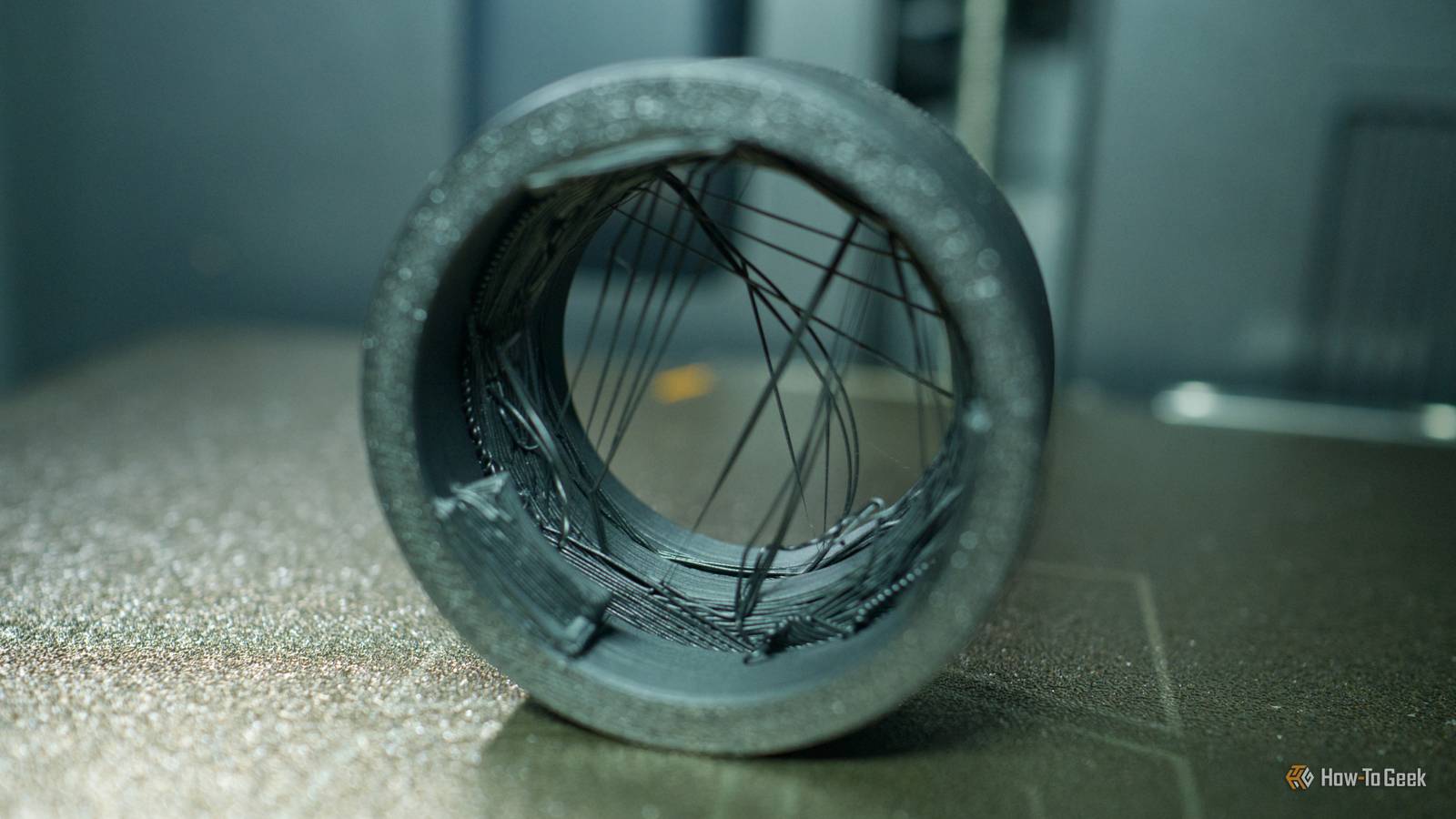
Stringing makes prints look like they’re covered in spider’s webs One of the most common 3D printing problems Stringing, as the name suggests, looks like lots of fine strings attached to your models.It’s caused by a nozzle that oozes filament, even when extrusion isn’t supposed to be happening.It can occur on any part of a model, though it is more common between finer points where the printer has to start and stop extruding rapidly.
Stringing can give the illusion of a “hairy” print or an object that looks like it is covered in fine spider’s webs.It won’t necessarily ruin your print, and minor stringing can be removed by hand.For more severe stringing, you might need to sand the print back.
To prevent stringing, first make sure that your filament isn’t holding too much moisture.This is the easiest fix, since you only need to stick your filament on a dry cycle to see a massive improvement in print quality.A nozzle that needs cleaning, either using a needle or using a technique known as a cold pull, can also cause stringing.
More in-depth settings you might want to tweak include retraction settings (speed up retraction speed or increase retraction distance), print temperature (make sure your settings match the filament type you’re using), and travel speed (increasing travel speed to reduce the amount of filament that oozes).Layer adhesion issues can result in unsightly defects When filament "slips" out of place Layer adhesion issues can often result in complete print failures, as a new layer refuses to stick to the layer beneath it, which then causes issues for any layers that are deposited on top.But this isn’t always the case, and layer adhesion issues can also result in ugly lines that jut out or appear in the wrong place.
Drying your filament is another simple fix for this one, but under-extrusion caused by nozzle jams can also be the culprit (so clean the nozzle and try again).Failing this, a mismatch between print temperature and filament type (the nozzle isn’t hot enough for the filament being printed) and excessive print speed (slow it down) can also be to blame.Not using supports can cause sagging and overhang problems Your slicer should warn you Supports are a necessary evil in 3D printing.
Not only can they be a pain to remove, but they can often result in ugly marks where the support joins the model.A good set of flush cutters and a sharp knife can help, but you’d be forgiven for trying to avoid the use of supports altogether wherever necessary.Your slicer will give you a warning when the use of supports is recommended—though it’s important to consider that it isn’t always right.
I once printed an “infinity” fidget cube, and my slicer complained about overhangs.Had I enabled supports, as Bambu Studio suggested, the print-in-place model wouldn’t have worked as designed.Even so, droopy sections of a model, lines of filament that sag, and sometimes the same sort of unsightly lines associated with layer adhesion problems can all be a sign that you should have enabled supports.
Bed adhesion problems result in a spaghetti mess The fix is simple Bed adhesion issues occur when a print just won’t stay in place.If you have a modern printer with a camera and print failure detection, this can result in the printer calling the print off.If you have an older printer that lacks these fancy features, you’re looking at a whole mess of spaghetti before you notice a problem has arisen.
The first thing you should do when you encounter this issue is clean your print bed with dish soap and hot water.If your print bed is old, you might want to consider replacing it (especially if there are visible signs of wear).Use of a heated print bed is essential for many materials, and will make your life easier even if you stick to basic PLA.
It’s not always your fault ”Bad” models are an uphill battle Close In my experience, most failed prints come down to bed adhesion issues.There’s a concerning trend of 3D printer owners blaming model authors for these issues.That said, sometimes the problem isn’t your fault.
Sometimes, models are “bad” in the sense that they slice poorly, or slicer profiles are badly optimized and designed for different printers.I once had a model fail printing at the exact same point multiple times in a row, which I chalked up to bad G-code.Repeating the same thing is highly unlikely to result in a different result.
If you have the luxury of choice, print or design something else.Try fiddling with some of the slicer defaults, reorienting your print, or even switching slicer entirely.3D printing is a constant learning experience.
Ask yourself: how well do you know your 3D printer’s nozzle?
Read More