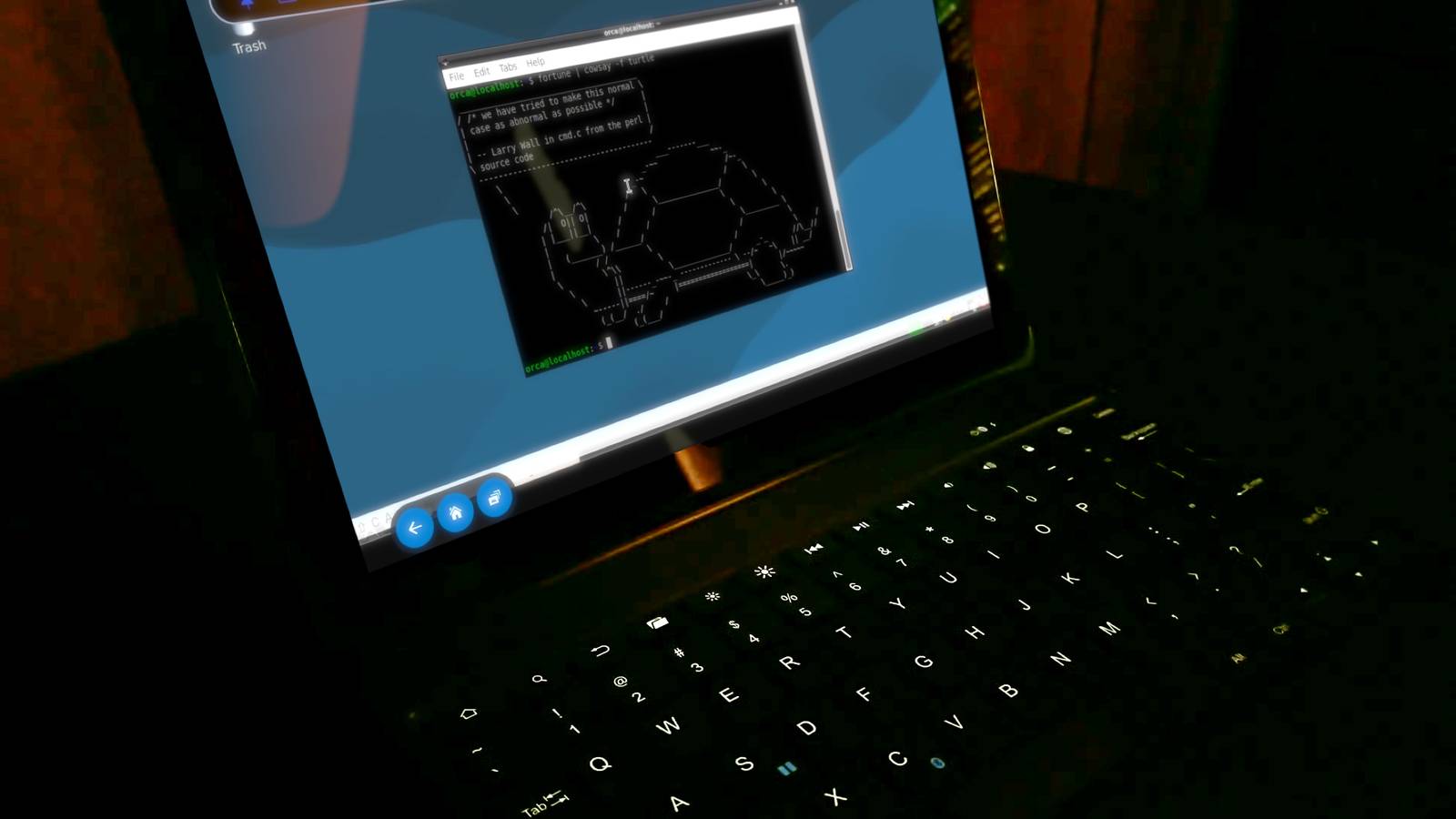
Transforming an old Fire Tablet into a Linux Terminal is a fun weekend project for modding and home lab enthusiasts.These are Android devices, after all, and once you remove some of the Amazon bloatware with a tool, you can unlock their potential.So, I did something I've been wanting to do for a while: install a Linux distro and actually use it on a modded Fire Tablet.
You can turn your tablet into a Linux Terminal without rooting it Getting started by installing Termux When you think about installing Linux on my old Fire Tablet or other Android device, you might think you need to root the device first.But that's simply not the case.You can get there with your apps and terminal commands.
On this tablet, a Fire tablet from around 2020 that I no longer use, I side-loaded F-Droid and the Google Play Store.Then I downloaded Termux (a terminal emulator that I'm familiar with) and RVNC (a program to use as a GUI for our Linux distribution).To make navigation easier, I paired a Bluetooth keyboard with the tablet.
In Termux, I ran a few updates using a quick bash script: #!/bin/bash echo Updating Packages pkg update && pkg install -y echo Installing what you need pkg install proot-distro echo Get ready to install Linux! cowsay -f eyes "I recommend Debian!" You can also run these commands individually.The cowsay thing is just a fun thing I put in all my bash scripts.With the groundwork done, I took a slightly different approach to installing Linux, and I did when I set up a pocket server a while ago.
Related 4 ways Python has turned my Android phone into the ultimate homelab companion I turned my Android phone into a homelab without buying anything new.Posts 1 By David J.Buck I used Linux-on-android to get my GUI going Using a GitHub repository to streamline installation Close If you've ever set up Linux on an Android device, it's pretty easy to just use a simple command in proot-distro to install your distro of choice.
That doesn't mean it's going to work properly.Trust me; I've failed at installing a few different distros on modded Android devices.But I found a useful script on GitHub that helps make the installation process a bit simpler.
It's called Linux-on-android.When you execute the script, it'll help you create a desktop version of a particular Linux distro that you can use through an app like RVNC.It walks you through setting installation parameters and opening a port.
From there, you can launch your desktop by going into the RVNC app and connecting it to your local host.I set up my home lab workbench tools With a simple printout installation script, I was ready to get started Since I plan to actually use this converted tablet as a home lab tool, I wanted to install some of my typical workbench apps.Debian uses apt, just like Mint does, so I was already familiar with the package manager.
I figured it would be easiest to write a script that would immediately update, upgrade, and install the designated packages I wanted.Alongside such important utilities as curl, htop, and wget, I added a distraction-free writing utility called ghostwriter, Python, Audacity, a synthesizer app, and a few others.Then I tried to set up a self-hosted instance of Ollama.
I have the script permissions, ran it, and took the distro for a test drive.The Fire Tablet handles Linux well It feels like I can do actual work in both the terminal and the desktop Close Debian works well on my Fire Tablet.It's low-resource, but there is still some lag when using the desktop.
I didn't find this to be much of an issue.You can use the Terminal on both the desktop or from Termux.Both work well.
When I booted into the desktop version of Debian, I was surprised at some of the available apps and that Firefox was a built-in.It also already had several media players and a few writing apps.I guess I didn't need to install another one, but I like to have options.
Getting some of the apps to work properly required some troubleshooting and I had to install the Termux API and give it microphone permissions to get it to work inside the Linux desktop.But beyond some minor hiccups, the Debian installation and my first experience using it on the tablet were pretty seamless and enjoyable.My apps became a home lab trio Efficient and portable experiments are ideal for me Close I set up Linux on this tablet because I prefer the operating system and environment, and because it can serve as a powerful, efficient, and portable tool for the three types of products I do: home lab work, writing, and music production.
For writing, I went with a few basic apps.I'm not going to be doing final drafts here, only lists, rough sketches, and bash scripts.Nano is perfectly fine for this, but I tend to prefer Micro.
I also installed a Wordstar-like program called Wordgrinder for some of my long-form content.For coding, I installed Python and have been working on developing some project ideas and making test/automation scripts.But the major thing I wanted to do was use this as a portable studio for audio sketches.
The most challenging part of getting this setup was getting audio to work inside the Linux distro.I used PulseAudio and wrote a script to automatically start it in Termux launching Debian.Then I have a script on Debian that connects to the existing PulseAudio server.
Then, it was a matter of setting up permissions for the Termux API to access the microphone, then physically changing the input/output settings in Audacity.I tested white noise, a system-generated tone, and some spoken words without any trouble.I used Pulse Audio's help and configuration guide, and I managed to open the server in Termux, export it to my local host on Debian, and get it to work after a bit of troubleshooting.
And just for fun, I installed cowsay and a text-based game called , and Ollama for a future home lab project that may or may not come to fruition.Related These 4 apps and a quick setup turned my Amazon Fire tablet into a true laptop replacement A Fire Tablet modding hobbyist decided to turn his tablet into a true laptop replacement.Here are the apps that made it work.
Posts By David J.Buck Old Android devices can become useful home lab tools Linux has been my favorite operating system for a long time.Marrying Android (my favorite hobby and experimental environment) with Linux made a lot of sense for me.
And this isn't just a one-off project; I'll be using Linux on all my Fire Tablets and Android devices from now on for home lab projects and maybe even a bit of actual work.
Read More