If your smart home network isn't working as well as you want it to, the last advice you might expect would be "just add more devices." However, if you're running a Zigbee network, that might just be the best advice.Your Zigbee network can get better if you add more of the right types of devices.Adding Wi-Fi devices can make things worse More devices equal more strain on the network The reason that this advice seems so counterintuitive is that it certainly isn't the case for Wi-Fi devices.
If you use Wi-Fi smart home devices, adding another one to the mix won't make your network any better, but it can have the opposite effect.That's because Wi-Fi devices in your home are sharing limited wireless bandwidth.If you have devices such as computers and streaming boxes using up a lot of that bandwidth, it doesn't leave a huge amount left for your smart home devices.
The more devices you add, the more congested your Wi-Fi network can get, and performance can deteriorate.Even adding Matter devices can make things worse if they communicate over Wi-Fi rather than Thread.The same can also be true of Bluetooth devices; the more active devices you add, the more likely you are to run into congestion or interference.
Philips Hue Smart White Bulbs Brand Philips Integrations Amazon Alexa, Google Assistant, Nest Philips Hue smart bulbs are pricey, but they’re worth every penny for their reliable connectivity, customizable light options, and ease of use.Brightness 800 Lumen $55 at Amazon $55 at Philips Hue Expand Collapse Zigbee works the opposite way Adding the right devices can make things better The reason why adding more devices can actually make a Zigbee network better is because Zigbee is a mesh network.With a typical single-router Wi-Fi setup, every device communicates directly with your router, from devices that are right next to the router to devices that are on the other side of your home.
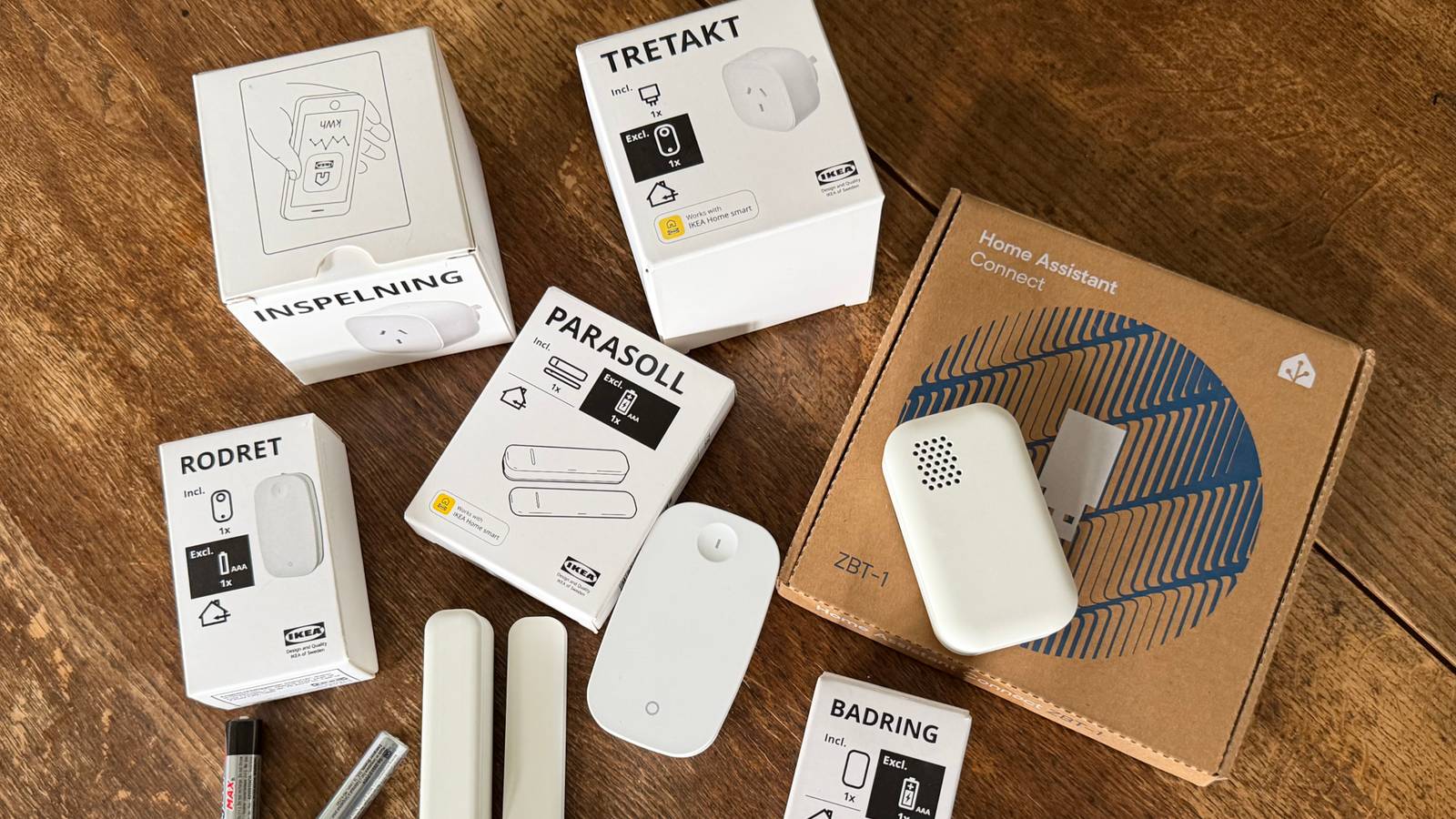
The mesh nature of Zigbee means that some devices can act as routers which can pass signals on to other devices in the network.Instead of each device having to communicate directly with the Zigbee coordinator, the messages can be passed through one or more of these router devices, extending the range of the network.If you have a Zigbee sensor on the other side of your home from your Zigbee coordinator, for example, it may be too far away for a stable connection, and the device may keep dropping off your network.
If you add another Zigbee device in between the sensor and your coordinator, this device can pass messages back and forth between the sensor and the coordinator, significantly improving the connection strength.Not every Zigbee device can work as a router, however.Battery-powered devices would chew through their batteries too quickly if they worked as routers, but many plug-in Zigbee devices, such as smart plugs and smart bulbs, can act as routers as long as they have power.
Related 4 reasons why Zigbee is more popular than Z-Wave in the smart home This might help you choose between the two.Posts 8 By Adam Davidson The more routers you have, the more pathways available Zigbee networks are self-healing Having a single router between your coordinator and your sensor will improve things, but in a large home, the gap between your router and your sensor may still be fairly large.Adding another device in between these two reduces the size of the hops and can make the connection even stronger.
The more well-placed router devices you add, the better your mesh network can become.The magic of Zigbee is that it doesn't just find a pathway between the coordinator and a device and then stick to it.It can change the route over time to try to find the best pathway and can change the route if one of the routers on the pathway goes offline.
It means that even if you turn off a light switch and cut power to a smart bulb, causing it to stop acting as a router, your Zigbee network can find a different pathway that will work.Don't let your networks fight Choose the right channels for the best experience There is a word of caution here.While adding more Zigbee devices can make your Zigbee network better, it can have a negative impact on your Wi-Fi network if you don't set things up properly.
Both Zigbee and Wi-Fi share the same 2.4 GHz band, so they can interfere with one another.Depending on the Wi-Fi and Zigbee channels you're using, the networks may overlap and interfere with one another, to the detriment of both.The good news is that if you choose the right Wi-Fi and Zigbee channels, you can keep this interference to a minimum.
The exact way that you change your Wi-Fi and Zigbee channels will depend on your router and the Zigbee integration that you're using.However, you should be able to change one or both channels to a combination that gives the smallest chance of interference.For example, setting your Wi-Fi channel to 1 or 6, and your Zigbee channel to 25 may help reduce interference, although the best combination will depend on your specific setup.
Take advantage of your Zigbee mesh network The beauty of a mesh network is that more devices can make the network better, not worse.You may find that a cheap Zigbee smart plug is all you need to add to make that flaky sensor on the opposite side of your home rock solid.
Read More