Android might be famous as an open ecosystem, but Google has made some features exclusive to Pixel devices.A handful of Pixel-exclusive features have genuinely changed how I use my phone, but a few others are best left undiscovered.Here's every major Pixel exclusive, ranked from the one I can't live without to the one I'd happily never think about.
Google Pixel 10 Brand Google SoC Google Tensor G5 Looking to upgrade to a Pixel but not sure if you need all the bells and whistles of the more expensive models? You won't be disappointed with the standard Pixel 10 model.Coming in striking colors, Gemini features, and seven years of updates, you can't go wrong with this purchase.$799 at Amazon $799 at Google Store Expand Collapse 9 Magic Cue The feature I keep enabled just in case it ever gets good Close Magic Cue was one of the main highlight features of the Pixel 10 when it launched.
It uses local AI to passively monitor context across your apps and proactively surfaces relevant information when you need it—like pulling up your flight details while you're on a call with an airline, or showing a restaurant address when a friend asks about your reservation in Messages.On paper, it's a really cool idea—however, it’s a complete letdown in real life.I've had it enabled since day one, and it rarely shows any relevant information in my day-to-day life.
Sometimes it does work, but the response is a single word without any context or links.And it isn’t like the feature is broken on my Pixel device.A 9to5Google poll found nearly 70 percent of Pixel users feel the same way.
It sits at the bottom of this list because it's the biggest promise-versus-reality gap of any feature here.8 Pixel Journal A genuinely good app trapped behind a data hostage problem Pixel Journal is Google's take on a personal journaling app.It integrates with your Photos, Maps, and Health Connect data to enrich entries.
And if you’re someone who struggles with what to write in your journal, the app uses on-device AI to generate writing prompts and reflections based on your past entries.Overall, it’s a cool app, but the main issue is that it’s to the Pixel.At the time of writing, there's no real way to export your journal entries out of the ecosystem, which makes it hard to fully commit to.
I’m completely fine with the app being Pixel-only, but I should have the freedom to move my journal entries to a different app.The idea of my data being tied to a single platform is a personal deal breaker.Related Why I Chose Obsidian to Keep My Journal (And All My Writing) "No subscription necessary" is my favorite part.
Posts 4 By Patrick Campanale 7 Add Me A camera trick so clever it confuses everyone around you Add Me is a camera feature that solves the oldest group photo problem—the person taking the photo is never in it.With Add Me, you compose the group shot with everyone except yourself, take the first photo, then hand the phone to someone in the group and walk into the frame.The phone displays an AR overlay showing the exact framing of the first shot, so whoever is now holding it can align the camera precisely before taking the second photo.
The Pixel then uses on-device AI to stitch both images together into a single seamless photo—with you in it.The feature is genuinely impressive, but if you haven’t used (or seen) it before, and you had trouble understanding how it works from the above description, that’s exactly the problem.Every time I want to use it in a group setting, I have to teach whoever is holding my phone how it works, and they don't always get it right.
The main issue is that if the frame changes while transferring the phone, it can be difficult to orient people into the correct frame to get a natural-looking picture.More often than not, it’s quicker to just ask someone walking by to take a group photo for us.This is another feature that would’ve benefited from not being Pixel-exclusive, so other people could familiarize themselves with it.
6 Camera Coach A photography teacher in your pocket—if you need one Camera Coach is an AI-powered photography assistant built into the Pixel 10 camera app.Before you take a shot, it analyzes the scene and gives you real-time suggestions—adjusting your angle, improving composition, fixing lighting, recommending a different camera mode.It's like having a photography teacher in your pocket.
The recommendations are genuinely useful and can serve as a source of inspiration.If you're someone who's still building an eye for photography, this could meaningfully improve your shots.However, I've been taking pictures long enough that I don't lean on this much personally—otherwise I would’ve ranked this much higher on the list.
Related 8 Tips for Capturing Nature's Beauty With Your Phone Camera You don't need a fancy camera for nature photography, the one in your pocket will do just fine.Posts 1 By Tim Brookes 5 Pixel Recorder This should be the default recorder app everywhere Pixel Recorder is easily one of my favorite default apps.It’s clean, it’s simple, yet it’s packed with useful and fun features.
As expected, it lets you record audio.If you’re recording a lecture or a conversation, it uses on-device AI to transcribe the audio in real time with speaker labeling.And because it’s transcribed, you can search for specific keywords to jump to different points in the recording.
Other than this, there’s an “Auto Clear Voice” feature that reduces background noise to make speech more intelligible.That said, you can do the complete opposite and layer an AI-generated soundtrack over your recording.So if you're doing a monologue or a voice note, you can throw some music behind it and it actually sounds pretty good.
It's a small thing but a fun one.4 Pixel Screenshots The quietly life-changing Pixel feature nobody talks about Pixel Screenshots is one of the features I use most heavily on my Pixel.Basically, you take a screenshot, and it’s saved in the Pixel Screenshot app, where it gets automatically processed by on-device AI and then categorized into groups.
The AI processing also generates a contextual summary of the screenshots, which allows you to easily find them at a later time.You can also add your own notes to a screenshot if you want.This has completely changed how I save things on my phone.
If I come across an article, a product, anything I want to revisit, I just screenshot it—no bookmarking, no manual organizing, no folders.Everything else happens automatically, and it's there when I need it.What’s more, the app isn’t limited to just screenshots either.
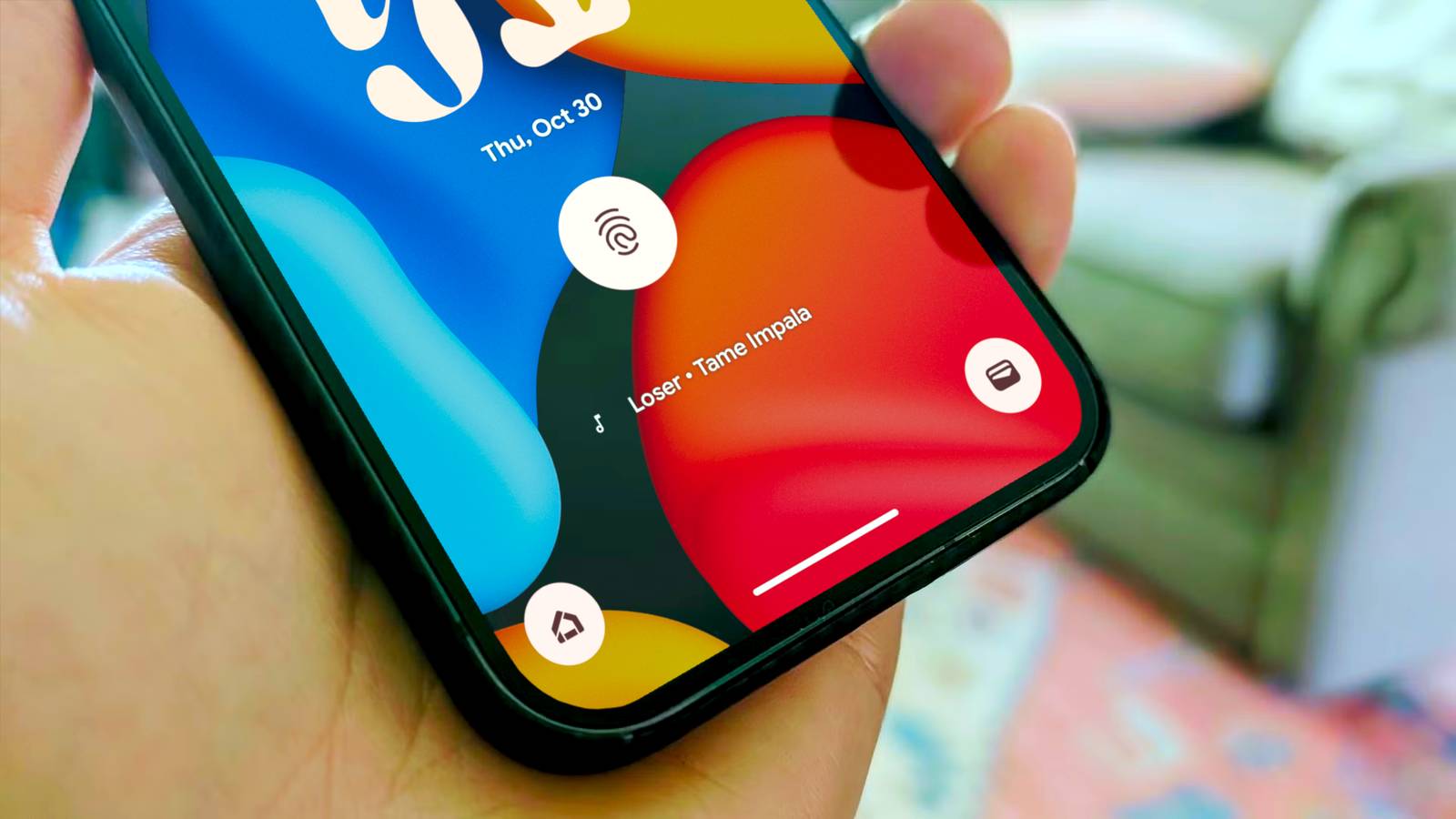
You can take a picture or add photos from your gallery to the app for automatic processing and categorization.3 Now Playing Set it, forget it, and never lose a song again Now Playing is one of those features that's hard to give up once you've had it.It runs passively in the background, listening to ambient music around you, and identifies songs without you doing anything—no tapping, no asking.
It just shows up on your lock screen with the song name and artist.What makes it even better now is that there's a dedicated Now Playing app that keeps a history of everything it's identified.So if you heard something at a friend's place last week and can't remember the name, you can just go back through your history and find it.
It integrates with Spotify, YouTube Music, and other players too, so going from "what is this song" to actually playing it takes about two seconds.Related The Google Pixel Feature That the iPhone Still Can’t Match A hidden superpower in your pocket.Posts 7 By Joe Fedewa 2 AI calling assistance For people who hate phone calls If you’re like me and hate taking phone calls, the Pixel offers a collection of call assistance features that can make your life a lot easier.
For starters, you have Call Screen.It answers unknown numbers on your behalf, transcribes what the caller says in real time, and presents you with the purpose of the call so you can decide whether to pick it up or not.Hold for Me detects when you've been put on hold and alerts you the moment a human comes back on the line.
Direct My Call transcribes automated phone menus so you can see your options instead of sitting through the whole recording.And Scam Detection runs on-device, listening for conversation patterns commonly used by scammers and warning you in real time.Subscribe to the newsletter for deeper Pixel insights Want clearer takes on Pixel exclusives? Subscribe to the newsletter to get concise, expert analysis and curated breakdowns of device-only features—what works, what doesn't, and how they compare to broader Android options.
Get Updates By subscribing, you agree to receive newsletter and marketing emails, and accept our Terms of Use and Privacy Policy.You can unsubscribe anytime.None of these features are flashy, but together they make phone calls significantly less annoying.
Related 5 essential privacy features that are only on Google Pixel phones Google isn't known for privacy, but Pixel phones have some nice options.Posts By Joe Fedewa 1 Voice typing: Advanced features The best free, local, on-the-go writing experience The number one Pixel-exclusive feature is so good, that I literally can’t switch to another device.While Gboard itself is available on most devices, if you’re using it on a Pixel, you’ll get access to some useful features.
Firstly, you get on-device voice typing that’s incredibly fast and accurate.But on top of that, you get Advanced Features which enable voice commands.You can say “delete that,” “clear all,” “send,” or “add this before that ” and the changes will be magically applied.
This creates an almost unparalleled dictation experience—you’re essentially controlling the entire editing experience with your voice.In fact, you can also say things like “proofread this” or “make this more casual/professional” and it’ll use the AI Writing Tools to make those adjustments.This entire experience can be coordinated with your voice, making it a truly hands-free workflow.
There are a lot of features exclusive to the Pixels Every feature on this list is one I've actually lived with — the ones that delivered, the ones that disappointed, and the ones I now can't do without.If your favorite didn't make the cut, or you'd rank something very differently, I'd love to hear it below.Related 5 ways Google revolutionized Android in 2025: AirDrop, MagSafe, and more Google is laying the groundwork to make Android the best mobile OS going forward.
Posts By Dibakar Ghosh
Read More