Android has no shortage of high-quality apps, but with such a vast selection on the Play Store, finding the best one for a particular task can be surprisingly difficult.Personally, whenever I need a new app because I'm not happy with what I'm using, I turn to free and open-source apps.Many started life outside the Play Store, and some were never available there at all, making them surprisingly difficult to discover.
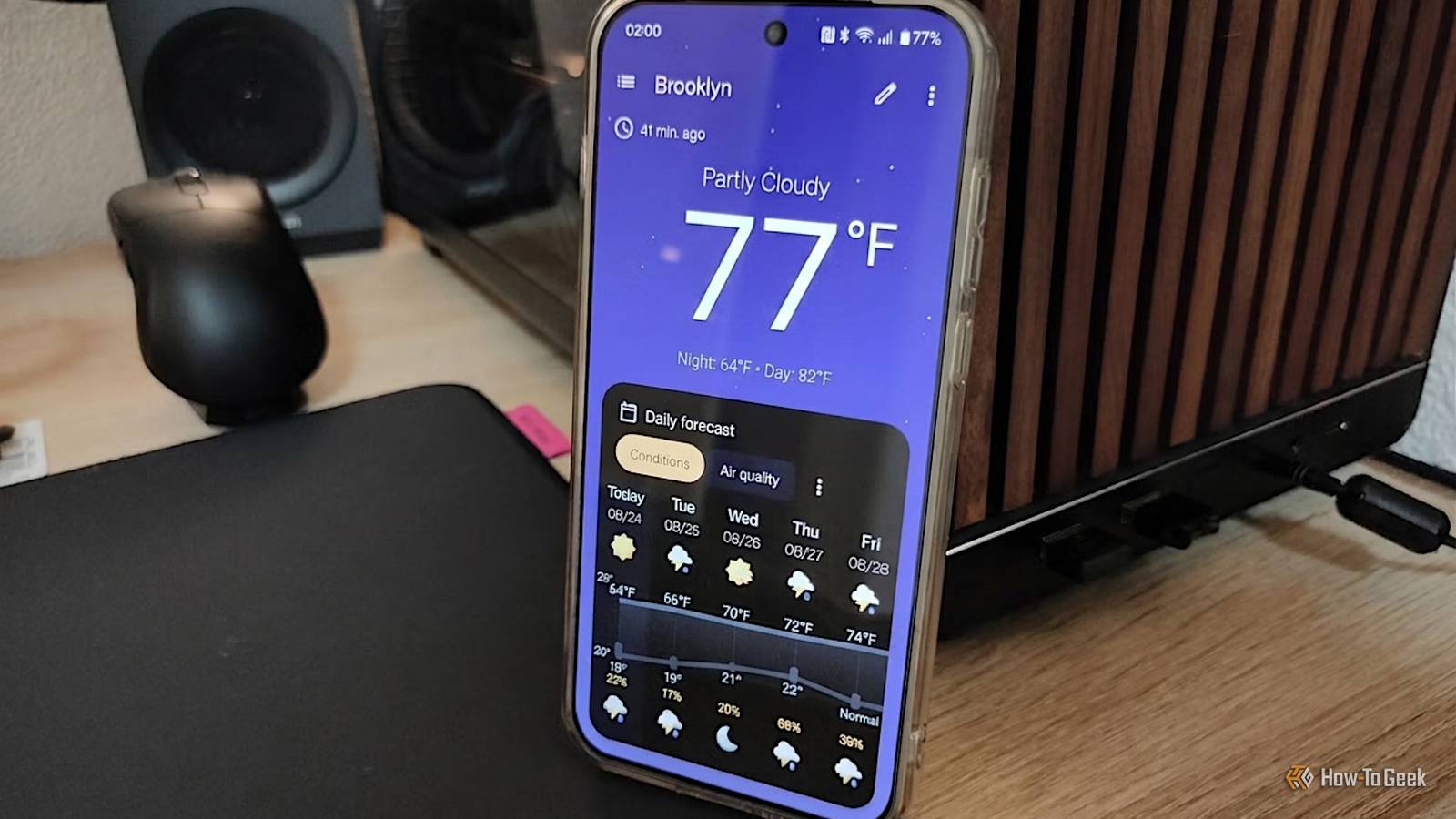
I did the hard work for you, so here are a few that are genuinely the best at what they do, and why they're worth installing.Breezy Weather is the first weather app I actually want to open Everything you need, and nothing you don't Close I probably went through a dozen different weather apps throughout my life before finally settling on Breezy Weather.Despite being 100% free and open-source, it's one of the best, most polished, and most feature-rich weather apps that I've ever encountered.
In fact, it rivals many paid apps in terms of features and level of polish.When you open the app, you get all the relevant weather information you might be interested in, such as the current weather, forecast, air quality, pollen, humidity, and so on, without any ads, news, or other forms of bloat that plague other weather apps.If you've ever used the stock Weather app on a Google Pixel, you'll feel right at home with Breezy Weather, as many of its Material 3 Expressive design cues have a similar equivalent in Google's app.
In any case, the contemporary design allows the app and its widgets to blend into the home screen of any modern Android phone.But the standout feature of Breezy Weather is the option to add your own weather provider.If the default weather provider your previous app used never gave you accurate temperature or precipitation probability predictions, perhaps you can find a more accurate alternative with this awesome weather app.
Aves Libre is the ultimate gallery app for power users A gallery app for photographers Close Aves Libre is an open-source gallery app built using Flutter, with a heavy emphasis on metadata.When you first open it, Aves looks just like any other grid-style gallery app, albeit without all of those unwanted AI features pre-installed—which alone makes this app probably worth downloading for some.It also has a surprisingly intuitive pinch-to-zoom system.
However, the real feature that sets Aves apart from other gallery apps is its extensive focus on making metadata easily accessible.Swipe up on any photo, and you'll instantly be met with all kinds of information about it.There are all the usual things like the date, resolution, file type, file size, and HDR information.
But if you continue digging, you'll see things like EXIF and XMP data, giving you access to advanced information such as exposure settings, shutter speed, ISO, aperture, focal length, and so on.There's also a built-in image conversion feature that eliminates the need for a separate app.Put simply, if you're into photography even just a tiny bit, Aves is the gallery app you should be using.
Note that Aves Libre has a similar version available in the Google Play Store called Aves Gallery, but they're not 100% the same.While Aves Libre is fully free and open-source, Aves Gallery includes Google Maps integration, as well as a few other minor differences, such as optional crash reporting with Crashlytics.Material Files is the file manager every Android phone should come with Everything you need to manage your Android's files Close Material Files is a beautiful file manager app that was built with one single purpose in mind: to be the most gorgeous file manager app on the market.
The developer is passionate about Google's Material Design language and decided to create this app after noticing that many other file managers were lacking a clean, well-designed interface.And as far as design goes, it's certainly up there among the best-designed apps of its kind.It's super intuitive to use and won't look out of place on any Android phone.
It goes without saying that Material Files supports Material Design 3, which automatically syncs the colors inside the app with the dynamic color palette generated from your system.This isn't to say that Material Files isn't an awesome, feature-rich file manager app, though—far from it.While many pre-installed Android file managers only offer some basic features for browsing the files on your phone, Material Files has a rich feature set, including support for network protocols like FTP, SFTP, SMB, and WebDAV.
And since I use a NAS for file transfers at home, SMB was a must-have feature for me, and I'm glad to have it in an app that's this beautiful.Frankly, the only thing that I find is sorely missing from Material Files is a recycle bin feature for preserving accidental deletions.Organic Maps is an offline map built for hikers and cyclists Navigation for when you're off the beaten path Close There's a lot that Google Maps does right as a navigation app.
It's among the best for driving (I'd still give the crown to Waze), and apart from city-specific apps, it's incredible for public transport and walking directions whenever I'm exploring a new city.However, when it comes to one of my favorite hobbies, hiking, Google Maps isn't nearly as useful once you leave the road.Also, being a Google app, it comes with its own set of potential privacy concerns.
Thankfully, an app that I've recently discovered, called Organic Maps, fills that gap.It's actually a full-fledged navigation app, complete with driving and public transit support, but the areas where it really shines are cycling and hiking trails that many other navigation apps omit.I can't tell you the number of times I've gone somewhere following a trail from Google Maps, only to later be told by the locals that there's a much shorter or easier way.
Organic Maps has been optimized for offline use, which is incredibly important for an app that you might end up relying on in the wild, where there's no reception.Fortunately, the downloaded maps take up surprisingly little space on your phone compared to other navigation apps.Open-source Android apps aren't a compromise; they're often just better Open-source apps aren't necessarily good just because they're open-source.
However, the collaborative efforts of passionate developers can produce some of the most interesting and feature-rich apps around, and these apps are living proof.Related Every Android user should check out this free, open-source app collection Fossify your phone.Posts 1 By Goran Damnjanovic
Read More