Have you ever wondered what the purpose of a managed Ethernet switch was? I wondered that for years until I finally used one.Managed Ethernet switches are extremely powerful in a homelab, and mine has completely changed how I connect computers to the internet.Unmanaged switches are cheaper so that's what I've always used I never really saw the need for a managed network I've known about managed Ethernet switches for many, many years, but always thought they had no place in a "normal" home network.
"Managed networks are only for enterprise setups, I don't need that," I always told myself.So, I continued to buy unmanaged switches.They're just so cheap and easy to use.
With an unmanaged switch, there's no interface or settings to configure.A switch is basically acting as just a means for multiple devices to gain access to the wide area network, or WAN.It also lets them talk to each other on the local area network, or LAN, but with no restrictions.
Really, if all you need is a simple switch to give a computer access to the internet, then an unmanaged switch does just that.However, when I finally dipped my toes into the world of managed switches, I realized I could never go back to an unmanaged network again.My first managed switch opened my eyes to a whole new world VLANs are an interesting idea to someone who's never used a managed network before I never realized that managed networks was about way more than just better administrating the network itself.
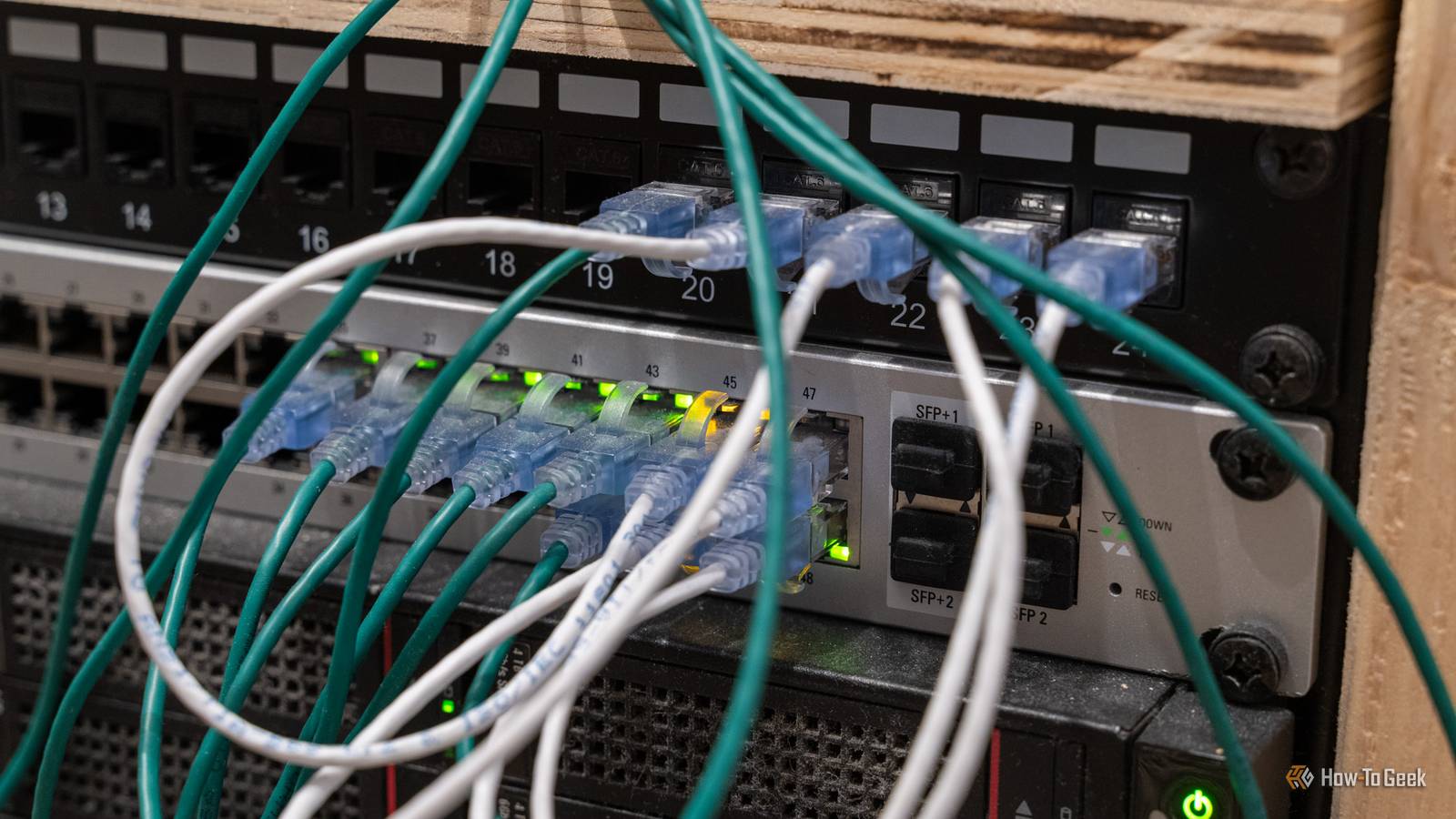
It's about you administrate the network.Having used a managed switch, I now see why it's mandatory in an enterprise environment—and why it's really good in a homelab.Technically, my first managed switch was the UniFi Flex Mini 2.5G, but it wasn't until I got my full UniFi network with a 48-port PoE switch that I started to see the power of what a managed switch can really do.
VLANs, or virtual local area networks, are something that you really don't have the ability to work with on an unmanaged network.There are workarounds, like pfSense or OPNsense, but that gets really complicated as it would be trying to turn an unmanaged network into a managed network.When I got my first managed network up and running, I set up VLANs for everything.
I had a separate VLAN for my security cameras, a separate one for my homelab gear, another one for my workshop computers, and yet another one for IoT devices.When set up properly, VLANs are a fantastic tool for a network.It essentially allows you to create rules where network traffic is (or is not) allowed to flow to.
This is really the beauty of a managed network, and I definitely went a little overboard at first, but it was a learning experience and I'm glad I did it.With my managed switch, I'm able to create completely secure connections with any system I can plug a computer into my network that I don't trust, and know that it can't see anything I don't give it access to These days, I have my network much simpler.I have just two VLANs (and one pseudo VLAN): trusted, untrusted, and IoT.
I have IoT on its own network where none of the devices have access to each other, but my trusted devices are allowed to reach out to the IoT network to make the initial handshake and send commands.But, the backbone of the network is the trusted and untrusted VLANs.My trusted VLAN has basically everything on it that I actually trust.
My desktops, laptops, phones, homelab servers, you name it, that's all on the trusted VLAN.This is the VLAN that devices connect to on my managed switch.I also have the untrusted VLAN that I keep around for when I need it.
If I bring a computer home from church or from a friend that might be infected with a virus, I put it on the untrusted VLAN.This is only possible with a managed switch.I'll find whichever port I plan to plug it in to on the switch and mark it untrusted.
When I do this, that port becomes locked out from everything else on the network.The only thing that port is able to do is reach the outside world.It can't see any other devices on the network.
I do this for security purposes.By locking the device out of seeing other devices on the network, any potential ransomware that's on the device isn't able to spread.I can then proceed to download any recovery tools I need to without worrying that I'm going to infect the rest of my network with whatever virus the system has.
I really wish I had a managed network back when I used to do computer repair, it would have been very handy to have as a tool to keep our shop PCs from getting infected.However, I'm just glad I have it now.Unifi Flex Mini 2.5G Switch Manufacturer UniFi Type Managed Ethernet Switch Ports 5 2.5Gb Ethernet Ports The Unifi Flex Mini 2.5G Ethernet Switch is a fully-managed network switch delivering multi-gig speeds.
It works both standalone or with a Unifi Network Controller, making it a versatile option for your network setup.You get an included USB-C power adapter, though the switch can be powered over PoE+ from the upstream switch.$49 at B&H Photo Video $49 at Unifi Expand Collapse NETGEAR 8-Port Gigabit Ethernet Easy Smart Managed Essentials Switch (GS308E) Manufacturer NETGEAR Ports 8 Gigabit Ethernet Security Managed Network This NETGEAR 8-port managed Gigabit Ethernet switch is a great upgrade for any homelab.
It features eight Gigabit Ethernet ports, is IEEE802.3az compliant, and offers an easy smart managed interface.You're able to handle basic management tasks like configuring the port functions, securing the ports, or monitoring your network. See at Amazon Expand Collapse Managed networks are extremely powerful when used properly I still plan to set up more VLANs in the future and expand beyond my trusted and untrusted networks.However, I'm glad that I'm able to have two separate networks within my one main network.
When it comes to managed networks, less is more until you really lean the ins and outs of how they work.Firewall rules can make or break and experience, and typically they break the experience unless you really know what you're doing.I'm definitely still learning how to properly configure them, but, until then, I'm just going to enjoy being able to have a dedicated segregated Ethernet port on my switch for potential virus-filled computers.
Read More