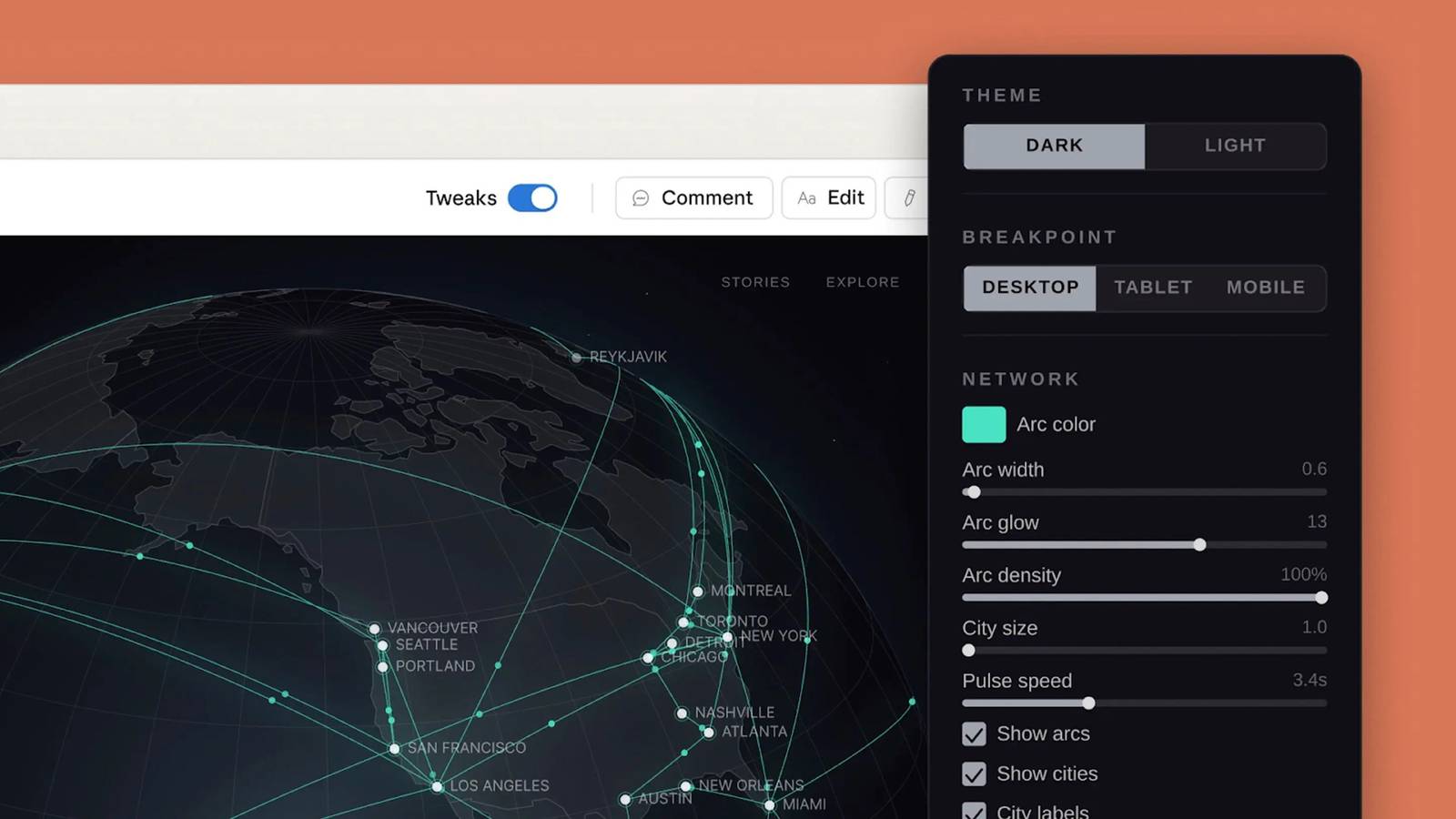
You might not need to do the heavy lifting the next time you have design work on hand.Anthropic has unveiled Claude Design, a "research preview" that uses the Opus AI model (4.7) to craft designs — potentially complete ones, depending on what you need.Claude Design can use a text prompt to build what you need based on a description, but it can also draw on existing code, files, and web content to make sure the design reflects your branding.
From there, you can use sliders and other controls to fine-tune aspects like color, layout, and spacing.You can export the work as web links or files (including for Canva), and send it to Claude Code if you need programming.The system can produce basics like mockups and presentation slides, but it can also make interactive app prototypes, marketing content, and code-powered tests with 3D, video, voice, and their own AI.
You'll need a Claude Pro, Max, Team, or Enterprise subscription to use Design, and you'll need to enable extra usage if you reach your plan's monthly limits.The feature should be available to everyone, although Enterprise customers will need to enable it before staff can use it.How does Claude Design compare with Firefly AI and Canva AI? Anthropic's rivals Adobe and Canva have their own AI design tools The release of Claude Design comes just as Adobe has released Firefly AI Assistant, and Canva hs introduced its second-generation AI tool.
You already have some choices in a very young field.There are some similarities.Claude, Firefly, and Canva all have some level of customization after the initial result, and they use persistent memory to bring your preferences and styles into subsequent designs.
You can draw data from other apps to influence the project.Related I’m a Writer and Creative, and These Are the AI Tools I Actually Use on PC AI tools can be incredibly useful if you know how to incorporate them into your workflow.Posts 3 By Cianna Garrison Your choice likely depends on the software you're already using.
Firefly AI Assistant uses Adobe Creative Cloud apps like Photoshop and InDesign to handle its end results.Canva uses its own design tools, but can draw from sources like Gmail, Slack, and Zoom while generating projects.Canva AI is also free, although you'll likely want a Pro or Business subscription as well as an AI Pass to avoid hitting usage limits.
Subscribe for deeper AI design tool coverage Join the newsletter to track AI design tool developments, with concise comparisons, practical integration notes, and real-world examples that show how leading AI design tools fit into professional workflows.Get Updates By subscribing, you agree to receive newsletter and marketing emails, and accept our Terms of Use and Privacy Policy.You can unsubscribe anytime.
Claude Design already works with Canva, but Anthropic says it will offer easier integrations in the "coming weeks." As such, this preview is mainly for regular professional Claude users (particularly ones using Code) rather than creatives who have specific tools and well-established workflows.
Read More