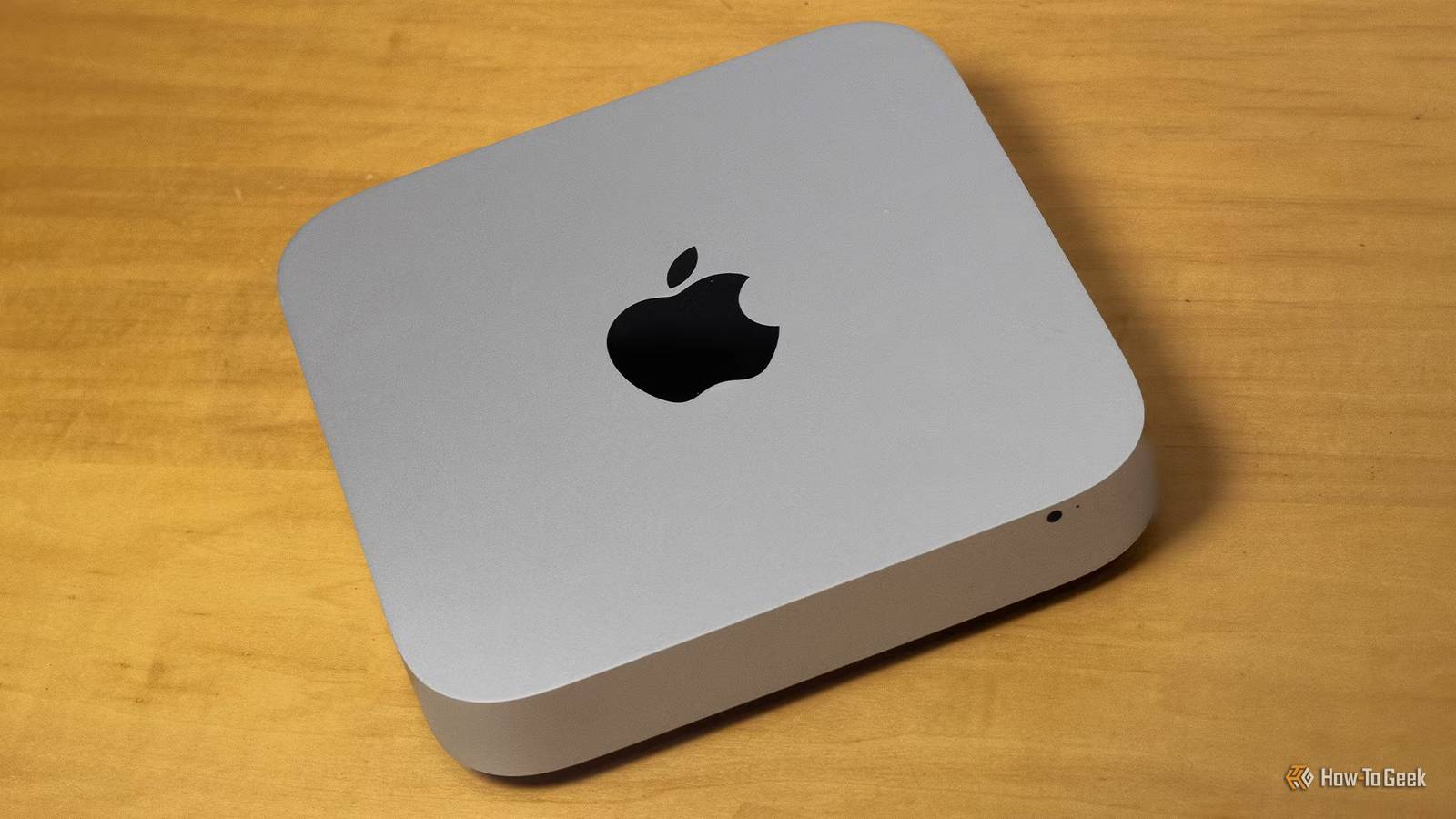
Mac minis with Apple Silicon are some of the best compact desktop computers on the market, but their Intel-based predecessors aren't ready for the landfill just yet.While they're too old to get new versions of macOS and too feeble to use as your main PC, they still have enough fuel in their tanks to work as home servers.Put Linux on one, start self-hosting, and you'll be able to save wads of cash you're now spending on various subscriptions.
Installing Linux on an old Intel-powered Mac mini is not that complicated Unless you've got a model with the T2 chip Close If you have, or plan on getting, a 2014 Mac mini or older (I wouldn't go further back than, say, the 2011 model), you shouldn't run into many issues installing Linux on it, aside from dealing with drivers for the Broadcom Wi-Fi chip found in the 2010 through 2014 models.That said, Ethernet should work with any distro, so if you don't need Wi-Fi, you should be able to install your favorite distro without a hitch.In general, Linux Mint is the most popular choice since it's easy to use and can install the Broadcom driver for you.
The same goes for Ubuntu and its variants, such as Xubuntu.Server-focused distros such as Ubuntu Server and Proxmox are also great choices, especially the latter.If you own a 2018 model which comes with Apple's T2 security chip, make sure to check out the t2linux wiki, which has useful info on how to install and run Linux on Macs with that chip.
Once you install Linux, it's time to pick the best self-hosted services You can get pretty much anything to run on old Mac minis, with some caveats Before picking your apps, keep in mind that some of them, like Immich, need at least 6GB of RAM, so if your mini only has 4GB, I recommend upgrading to 8GB or more, especially if you want to run more than a couple of self-hosted apps on it.Just note that the 2014 model's RAM is soldered to the board, so you're stuck with whatever it came with.You should also consider swapping the hard drive for an SSD, since the HDDs found in older models are painfully slow.
The first thing you should look into is Jellyfin, which can replace your video streaming subscriptions.The caveat is that the Intel chips in the 2011 to 2014 models can handle H.264 transcoding, but they don't support H.265 (HEVC) or AV1, so transcoding 4K videos will likely be a problem.On the other hand, the 2018 Mac mini has a newer chip that supports HEVC (but no AV1) and should handle 4K transcoding without breaking a sweat.
Next up is Immich, a self-hosted photo backup service that's arguably the best Google Photos alternative out there.If you want to run your own music streaming service, check out Navidrome.Vaultwarden has your password manager needs covered, letting you use Bitwarden's premium features for free.
If you're into running and want to escape Strava or another fitness tracking app, look into Endurain.Nextcloud works as a self-hosted replacement for Dropbox and Google Drive, and if you like to read, you can use Calibre-Web for ebooks and Audiobookshelf for audiobooks and podcasts.There's a world of self-hosted apps I didn't mention that can replace virtually any cloud service you're using, so if something you need is missing from this list, a few quick Google searches should do the trick.
You can keep macOS on the Mac mini and still use it as a server This, however, comes with a number of limitations If you don't want to fiddle with installing Linux, there's always the option of keeping macOS.The problem is that you're stuck on an older version of macOS that stopped receiving security updates a while ago.The only exception is the 2018 model, which can run macOS Sequoia (macOS 15), released in 2024 and still receiving security updates as of this writing.
On top of that, you'll be able to run far fewer self-hosted services than you could on Linux.Many of them aren't available for macOS, and running them in Docker means running them inside a Linux virtual machine, which is quite resource-hungry.That goes for the 2018 model, too, so even the newest Intel Mac mini won't run things as smoothly as it would on Linux.
Worse still, current versions of Docker won't even install on 2014 and older models, so you're stuck with outdated releases that are no longer supported.The good news is that a macOS mini can still handle things like VPNs, serve as a web hosting machine, and take care of file sharing and Time Machine backups, among other tasks.Newer models can also run Jellyfin.
But if you want a versatile self-hosting server, you'll likely be disappointed.Related Why I bought a $160 Mac Mini instead of a Raspberry Pi A Mac mini is definitely not for everyone (but nor is a Raspberry Pi).Posts 2 By Tim Brookes An old Mac mini might not be the cheapest way to do this A used Intel N100 mini PC or an old Dell OptiPlex is generally a better budget option If you already have a decade-old Mac mini or can get one for free or next to nothing, the tiny desktop can indeed be a really good way to jump into the world of self-hosting.
But if you can't get one cheap (say, for $50 or less), you should consider a mini PC with an Intel N100 or a similar chip, preferably used, since new ones have shot up in price recently.An old Dell OptiPlex (or another used business desktop) can be an even better option.These machines are easily upgradable and very affordable.
As long as you get one with an 8th-gen Intel CPU or newer, its integrated graphics can handle 4K and multi-stream transcoding with ease, which is quite important if you plan to build a media server on a budget.Related I built an ugly home server and saved $300 on parts that actually matter Why your next home server should be ugly Posts 1 By Patrick Campanale Whether it's worth it comes down to what you paid for the machine Unless you already own an old Mac mini or can get one for free or next to nothing, I strongly recommend opting for a secondhand business desktop, such as a Dell OptiPlex, to use as your home server instead.Business desktops are often just as cheap as old Mac minis, have capable CPUs with integrated graphics that can handle 4K transcoding, and usually come with more RAM.
They're also easy to upgrade with extra memory and storage, and they work great with any Linux distro, so you won't have to chase down Wi-Fi drivers or deal with the T2 security chip.
Read More