Google Pixel phones have plenty of cool features, but when it comes to automations, they’re a bit lacking.Still, even with the limited options, I’m able to make my Pixel automatically change certain settings based on my location.I won’t lie—“a bit lacking” is an understatement when you compare Google’s automation options to a Samsung Galaxy phone.
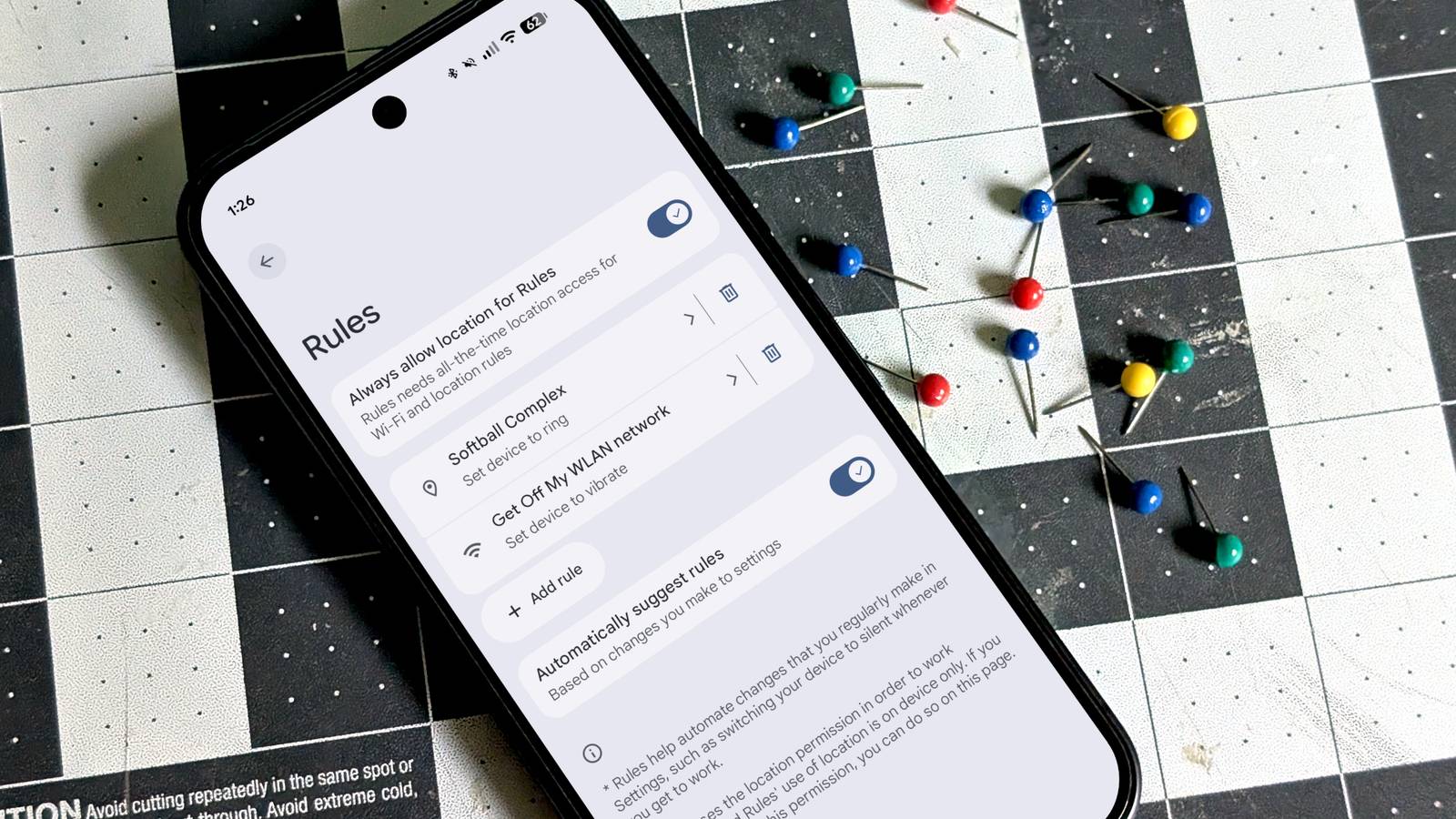
However, not every situation requires complex macros, and that’s where Pixel “Rules” come in.Playing by the Pixel rules Google’s humble automation tool Tucked away in the “System” section of the Settings, “Rules” is the lone entry under “Automation & Intelligence.” Pixel phones are often praised for their simplicity, and that’s certainly the case when it comes to Rules.In Google’s defense, it doesn’t over-promise—here’s the description: Rules help automate changes that you regularly make in the Settings, such as switching your device to silent whenever you get to work.
Rules are set up in the same way as many automation apps, with a trigger and an action.I’ve already mentioned location, but there’s also a Wi-Fi network option.These are the only two triggers to choose from.
On the actions side of the equation, there are four options that can be paired with the triggers: Turn on Do Not Disturb Set device to silent Set device to vibrate Set device to ring Lastly, you have the option to get a notification when a Rule takes effect.That’s the basics.Related The most useful Google Pixel Watch features that aren't enabled by default Pixel devices aren’t generally known for having tons of options for people to play around with.
That doesn’t mean there aren’t some goodies tucked away in the settings.Here are a few Pixel Watch features you should enable right now.Posts 7 By Joe Fedewa How I use Pixel Rules in my daily life Change settings based on my location I’m on record as being pretty jealous of Samsung’s Modes and Routines, but not enough to use a Galaxy phone full-time.
Pixel Rules are what I have to work with, so that’s what I use.Here are a couple of ways I use them.I play in a softball league every summer, and I bring my son along to the park.
He’s old enough that I don’t need to be constantly watching him on the playground, but he can text or call me from his Fitbit Ace LTE if he needs something.Since I wear a Pixel Watch when I’m not playing sports, my phone is usually on silent.I set up a rule to “Set device to ring” whenever I’m at the softball fields.
When I hang out with a friend, I tend to get swept up in the sporting event we’re watching or the game we’re playing.Even with a smartwatch on my wrist, I’ll pull out my phone for the first time in a couple of hours and realize I missed a text from my wife.To double down, I set up a rule for my friend’s Wi-Fi network to “Set device to vibrate.” Close These are just a couple of simple examples.
I work from home, but for most people, using a work location or Wi-Fi network is an obvious choice for Rules.In my experience, the Wi-Fi network option is a little more reliable, so I try to use that if possible.Google Pixel 10 Pro $749 $999 Save $250 Brand Google The Pixel 10 Pro offers an upgrade over the base model with the powerful Google Tensor G5 chip, more RAM, and more storage (if you need it).
$749 at Amazon $999 at Google Store Expand Collapse Google could do a lot more with automations As I said, Pixel Rules are very simple.I’m not doing anything mind-blowing here.It’s just nice to have these basic options available without a third-party app.
That being said, Google is leaving tons of functionality off the table.Subscribe to the newsletter to master Pixel Rules Unlock smarter Pixel automations—subscribe to the newsletter for clear, practical Rules how-tos, Wi-Fi and location trigger ideas, and tested actions to simplify device behavior.Also learn other useful mobile tips and tricks.
Get Updates By subscribing, you agree to receive newsletter and marketing emails, and accept our Terms of Use and Privacy Policy.You can unsubscribe anytime.Pixel phones have three features that are somewhat related to automation: Rules, Modes, and Focus.
Modes are essentially custom Do Not Disturb modes for various situations, like driving, work, gaming, etc.Focus is a Digital Wellbeing tool that allows you to temporarily block distracting apps.These three features aren’t allowed to work with each other.
As you may have noticed, it’s not possible to turn on situation-specific modes with Rules.And since you can’t use location to start a mode, it’s impossible to do something as simple as enable work mode when you’re at the office.It’s also not possible to turn on Focus with Rules.
So, while I appreciate having the bare essentials of device automation, I would absolutely love to see Google do more.It doesn’t need to go to the full lengths of Samsung’s Mode and Routines, but Pixel devices are supposed to be smart—this is one area where they could be much smarter.
Read More