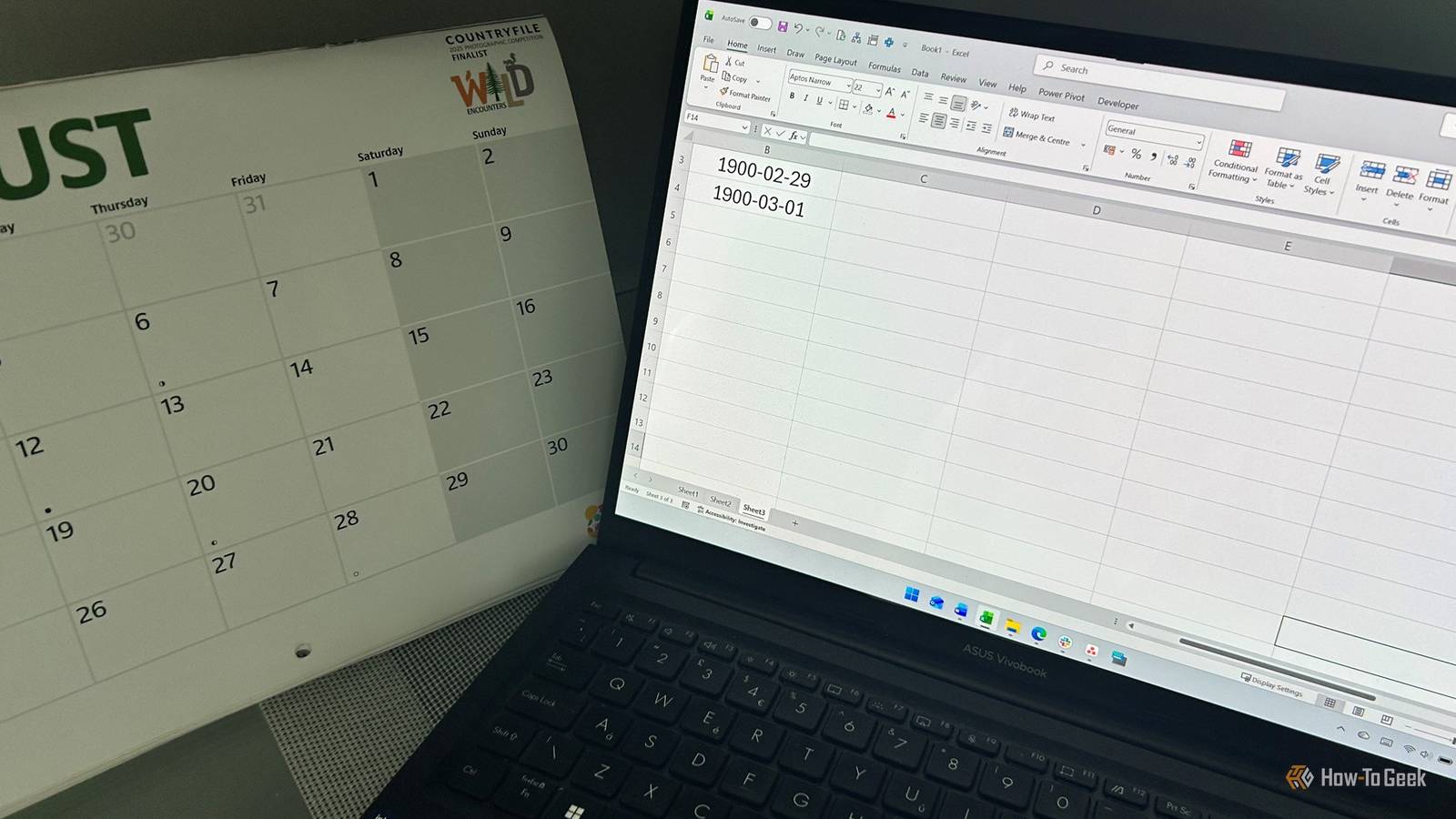
Excel has been carrying an incorrect date in its calendar for decades.Microsoft knows about it, has documented why it happens, and could technically change the behavior.The strange part is that fixing it could cause more trouble than leaving it alone.
How can correcting a date that never existed possibly break spreadsheets that already work? The answer starts with how Excel stores dates and a compatibility decision that has been baked into the software for decades.Excel has a date that never existed One extra number shifts every date after it Excel uses serial numbers to represent dates.January 1, 1900, is serial number 1, January 2 is 2, and so on.
This gives Excel a simple way to perform calculations on dates: underneath the formatting, they're just numbers.The problem comes at the end of February 1900.That year wasn't a leap year, so February had 28 days.
But Excel treats February 29 as though it existed and assigns it serial number 60.March 1 is therefore serial number 61, and every date after that is represented by a serial number one higher than it be.Close The important detail is where that extra number sits.
Serial 60 represents the imaginary February 29, while every serial number from 61 onward carries the resulting one-day offset.Excel inherited the problem from Lotus 1-2-3 Compatibility mattered more than correcting one strange date Microsoft didn't invent the February 29 fiction itself.Lotus 1-2-3, one of the dominant spreadsheets of the 1980s, also treated 1900 as a leap year.
Microsoft says Excel adopted the same date system to "provide greater compatibility" with Lotus 1-2-3.The calendar rule itself explains what went wrong.Years divisible by four are generally leap years, with the exception of century years: they must also be divisible by 400.
Since 1900 isn't divisible by 400, it should have gone directly from February 28 to March 1.The rule worked for almost every year, but it failed on the unusual rules governing century years.Once Excel adopted the same numbering system, serial number 60 became part of the deal.
The phantom day doesn't affect your spreadsheets Modern date calculations still give you the answer you expect So if Excel's dates are technically out of step, why don't we constantly get the wrong answers? Because every date from March 1, 1900, onward carries the same one-day offset, that offset cancels out when Excel compares two dates.Take two dates in 2026.If August 1 is one number higher than it would be in a corrected system, August 27 is one number higher, too.
Subtract one from the other, and you still get 26.That's why the issue can sit unnoticed in Excel for decades.If you're calculating the number of days between invoices, tracking expenses, working out project deadlines, or comparing other modern dates, the phantom day isn't quietly adding an extra day to your results.
Related I use these 3 Excel formulas to organize my daily life I refuse to let anyone tell me that Microsoft Excel is only for accountants.Posts 2 By Tony Phillips Fixing it could cause a much bigger problem Removing serial number 60 would change the numbers underneath your dates This is why Microsoft has left the problem alone.It says it's "technically possible to correct this behavior," but concludes that "the disadvantages of doing so outweigh the advantages." Imagine Microsoft simply removed February 29, 1900, from Excel.
March 1 would move from serial 61 to 60, April 1 would move down by one, and the same would apply to every date after February 28, 1900.A modern date that currently has a particular serial number would suddenly have a different one.That could affect existing formulas and data, as well as anything that exchanges Excel's serial dates with another application.
Microsoft says correcting the behavior would decrease almost all existing dates by one day and could require substantial changes to worksheets and formulas.This creates an unusual software-maintenance problem.Writing the correct calendar logic would be straightforward.
The real problem is that decades of existing spreadsheets already expect Excel's date system to work this way.Old dates expose Excel's limitations This is where you actually need to know about the bug The phantom day becomes relevant when you move back toward 1900.Microsoft specifically warns that the WEEKDAY function "returns incorrect values for dates before March 1, 1900." The problems with old dates go beyond the phantom February 29, though.
Excel's 1900 Date System also means dates before January 1, 1900 can't be treated as ordinary Excel dates in the same way.That's a real problem if you're building a family tree, calculating someone's age from historical records, or working with an archive that reaches into the 19th century.You'll need a workaround, such as keeping the dates as text or transforming them before doing calculations.
There's another wrinkle with genuinely old records: the calendar used at the time may be different from the one Excel assumes today.Britain, for example, didn't adopt the Gregorian calendar until 1752.This means a historical date can require some investigation before you even get to the question of how Excel represents it.
Related 7 weird Excel facts you probably didn’t know (including the 1900 leap-year lie) Excel has a famous leap-year bug, a hidden game, naming oddities, and hard limits.Here are six surprising facts.Posts 2 By Tony Phillips Sometimes the safest bug is the one you leave alone Microsoft has made its position unusually clear: fixing the 1900 leap-year problem could require changes to existing spreadsheets and create compatibility problems.
Leaving it alone means Excel continues to treat a date that never existed as real.February 29, 1900, never happened.Excel knows that, too.
After more than 40 years, though, that imaginary day may have earned its permanent place in the spreadsheet.
Read More