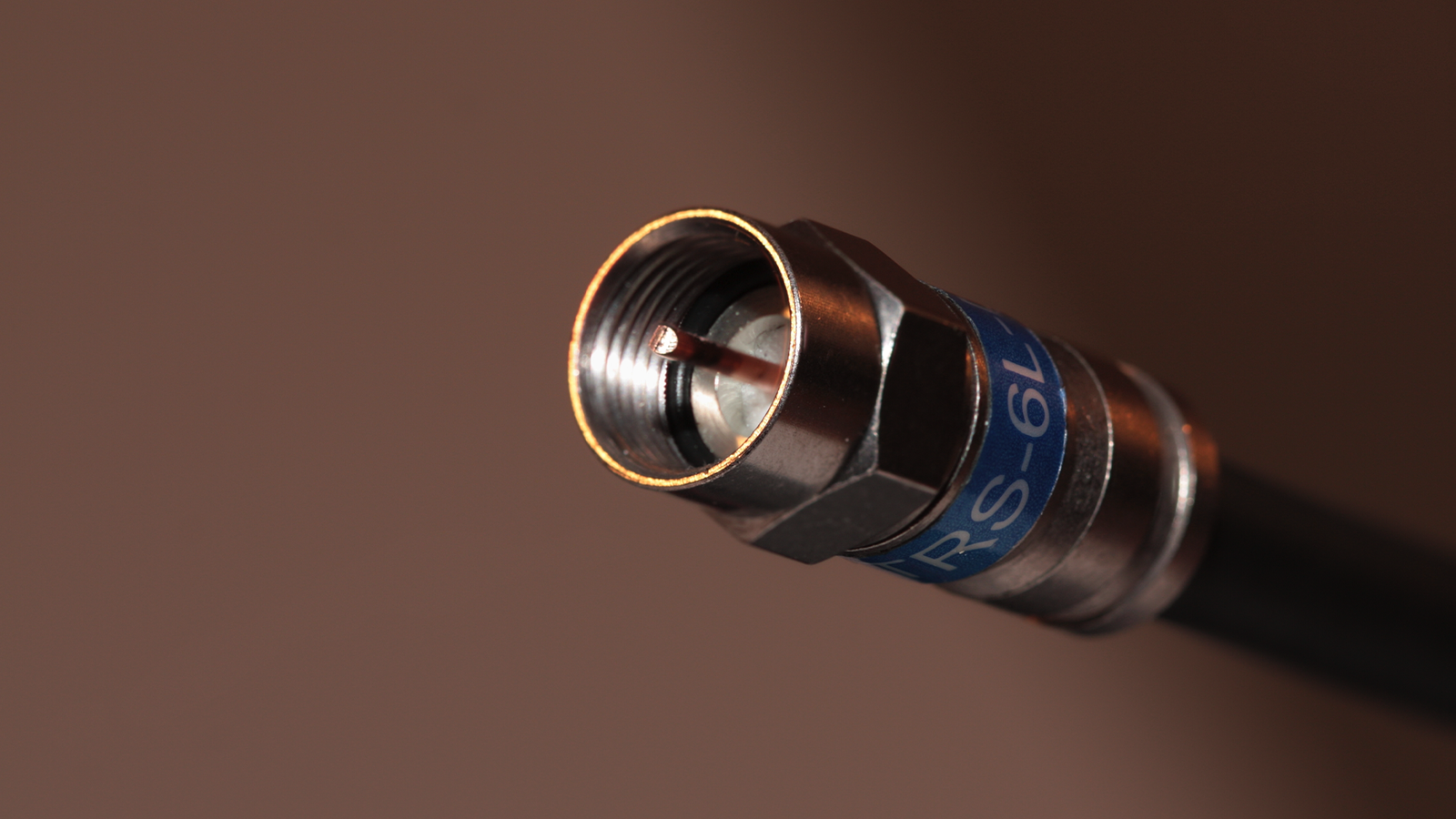
Mesh Wi-Fi is the go-to solution many people use to create whole-home coverage when running Ethernet cables isn’t an option.But there’s a good chance you can get more stable and faster connectivity than with Wi-Fi by using your home’s coaxial wiring.Thanks to the Multimedia over Coax Alliance (MoCA) standard, you can get reliable wired internet anywhere you’ve got a coax port.
MoCA adapters turn coax into Ethernet Plug-and-play MoCA, short for Multimedia over Coax Alliance, is a networking standard that lets you transmit internet signals over coaxial cables.Since many homes in the US already have coax wiring in place, there’s a good chance you can use MoCA adapters to extend internet coverage throughout your home instead of relying on Wi-Fi or powerline adapters.The setup is straightforward: connect a MoCA adapter to your modem or router via Ethernet, then hook it up to a coax port.
The signal travels through your home’s coax network to the second MoCA adapter, which you can connect via Ethernet to any wired device—PCs, game consoles, smart TVs, and more.Quiz 8 Questions · Test Your KnowledgeHome Networking & Wi-FiThink you know your routers from your repeaters — put your home networking know-how to the ultimate test.Wi-FiRoutersSecurityHardwareProtocolsBegin 01 / 8Wi-FiWhat does the '5 GHz' band in Wi-Fi offer compared to the '2.4 GHz' band?ALonger range but slower speedsBFaster speeds but shorter rangeCBetter wall penetration and faster speedsDLower interference but identical speedsThat's right! The 5 GHz band delivers faster data rates but loses signal strength more quickly over distance and through walls.It's ideal for devices close to the router that need maximum throughput, like streaming 4K video.Not quite — the 5 GHz band actually offers faster speeds at the cost of range.
The 2.4 GHz band travels farther and penetrates obstacles better, which is why smart home devices and older gadgets often prefer it.Continue 02 / 8ProtocolsWhich Wi-Fi standard, introduced in 2021, is also known as Wi-Fi 6E and extends into a new frequency band?A802.11acB802.11axC802.11beD802.11nCorrect! 802.11ax is the technical name for Wi-Fi 6 and Wi-Fi 6E.The 'E' variant extends the standard into the 6 GHz band, offering a massive swath of new, less-congested spectrum for faster and more reliable connections.The answer is 802.11ax — that's Wi-Fi 6 and Wi-Fi 6E.Wi-Fi 6E adds support for the 6 GHz band, giving it far less congestion than the crowded 2.4 GHz and 5 GHz bands.
802.11be is actually the upcoming Wi-Fi 7 standard.Continue 03 / 8RoutersWhat is the default IP address most commonly used to access a home router's admin interface?A192.168.0.1 or 192.168.1.1B10.0.0.1 or 172.16.0.1C255.255.255.0 or 255.0.0.0D127.0.0.1 or localhostSpot on! The vast majority of consumer routers use either 192.168.0.1 or 192.168.1.1 as the default gateway address.Typing either into your browser's address bar will bring up the router's login page — just make sure you've changed the default password!The correct answer is 192.168.0.1 or 192.168.1.1.These are the most common default gateway addresses for home routers.
The 255.x.x.x addresses are subnet masks, and 127.0.0.1 is your own machine's loopback address, not a router.Continue 04 / 8SecurityWhich Wi-Fi security protocol is considered most secure for home networks as of 2024?AWEP (Wired Equivalent Privacy)BWPA (Wi-Fi Protected Access)CWPA2 with TKIPDWPA3 (Wi-Fi Protected Access 3)Excellent! WPA3 is the latest and most robust Wi-Fi security protocol, introduced in 2018.It uses Simultaneous Authentication of Equals (SAE) to replace the older Pre-Shared Key handshake, making it far more resistant to brute-force attacks.The answer is WPA3.WEP is completely broken and should never be used, WPA is outdated, and WPA2 with TKIP has known vulnerabilities.
WPA3 offers the strongest protection, and if your router supports it, you should enable it right away.Continue 05 / 8HardwareWhat is the primary difference between a mesh Wi-Fi system and a traditional Wi-Fi range extender?AMesh systems only work with fiber internet connectionsBRange extenders create a seamless single network while mesh systems create separate SSIDsCMesh nodes communicate with each other to form one seamless network, while extenders create a separate networkDMesh systems are always wired, while extenders are always wirelessExactly right! Mesh systems use multiple nodes that talk to each other intelligently, handing off your device seamlessly as you move around your home under one SSID.Traditional range extenders typically broadcast a separate network and can cut bandwidth in half as they relay the signal.The correct answer is that mesh nodes form one intelligent, seamless network.Range extenders are actually the ones that often create separate SSIDs (like 'MyNetwork_EXT') and can significantly reduce speeds.
Mesh systems are far superior for large homes with many devices.Continue 06 / 8ProtocolsWhat does DHCP stand for, and what is its main function on a home network?ADynamic Host Configuration Protocol — it automatically assigns IP addresses to devicesBDirect Hardware Control Protocol — it manages router firmware updatesCDistributed Hosting and Caching Protocol — it speeds up web browsingDDynamic Hypertext Communication Protocol — it secures data transmissionsPerfect! DHCP (Dynamic Host Configuration Protocol) is the unsung hero of home networking.Every time a device joins your network, your router's DHCP server automatically hands it a unique IP address, subnet mask, and gateway info so it can communicate without manual configuration.DHCP stands for Dynamic Host Configuration Protocol, and its job is to automatically assign IP addresses to devices on your network.Without it, you'd have to manually configure a unique IP address on every single phone, laptop, and smart device — a tedious nightmare!Continue 07 / 8RoutersWhat is 'QoS' (Quality of Service) used for in a home router?AEncrypting all traffic leaving the routerBPrioritizing certain types of network traffic over othersCAutomatically switching between 2.4 GHz and 5 GHz bandsDBlocking malicious websites using a DNS filterThat's correct! QoS lets you tell your router which traffic gets priority.
For example, you can prioritize video calls or gaming over a family member's file download, ensuring your Zoom meeting doesn't freeze just because someone is downloading a large update.QoS — Quality of Service — is actually about traffic prioritization.By tagging certain data types (like VoIP calls or gaming packets) as high priority, your router ensures latency-sensitive applications get bandwidth first, even when the network is congested.Continue 08 / 8HardwareWhat does the 'WAN' port on a home router connect to?AOther computers in your home network via EthernetBA wireless access point for extending Wi-Fi coverageCYour modem or ISP-provided gateway to the internetDA network-attached storage (NAS) deviceCorrect! WAN stands for Wide Area Network, and the WAN port is where your router connects to the outside world — typically to your cable modem, DSL modem, or ISP gateway.The LAN ports on the other side connect to devices inside your home network.The WAN (Wide Area Network) port connects your router to your ISP's modem or gateway — essentially your entry point to the internet.
The LAN (Local Area Network) ports are for connecting devices inside your home.Mixing them up can cause your network to not function at all!See My Score Challenge CompleteYour Score/ 8Thanks for playing!Try Again Need additional connections? Just add more adapters.MoCA networks typically support up to 16 nodes, allowing you to bring wired connectivity to multiple rooms using existing coax outlets.
MoCA adapters are compatible with most internet setups, including cable.Some cable modems and gateways have built-in MoCA support, letting them act as the main node in your network.The same's true for Verizon Fios routers.
MoCA operates at frequencies above those used by traditional cable TV and internet (typically 1125-1675MHz), so it generally won’t interfere with standard cable services.There might be issues with DOCSIS 3.1 modems, since some models use similar frequencies, but you should be fine because said modems communicate with the outside network (your ISP), while MoCA traffic stays within your home network.The services MoCA adapters aren’t compatible with include satellite TV and satellite internet, including providers like Dish Network and DirecTV, since they use overlapping frequency ranges.
The most popular MoCA standard, supported by most MoCA adapters on the market, is MoCA 2.5, which offers a maximum bandwidth of 2.5Gbps.The latest version of the standard is actually MoCA 3.0, which tops out at 10Gbps, but there are still no MoCA 3.0 adapters on the horizon as of this writing despite the MoCA 3.0 standard being announced years ago.If you're in the market for a MoCA adapter, get one that supports MoCA 2.5 and has 2.5Gb Ethernet ports.
You should also be aware that the maximum bandwidth is calculated based on both download and upload speeds.For example, if you have a symmetrical 1Gbps connection, it means your total bandwidth is 2Gbps (1Gbps down and 1Gbps up).ScreenBeam MoCA 2.5 Network Kit The ScreenBeam MoCA 2.5 adapter kit lets you create an Ethernet-like home network by utilizing your home’s existing coax cabling.
See at amazon Expand Collapse If you do opt for MoCA, there are a few additional things to be aware of: Some MoCA adapters support PoE (Power over Ethernet), allowing you to use access points with the MoCA network.You should install a MoCA Point of Entry filter at the point where the coax line enters your home, as MoCA signals can leak outside the home.If you have a large house, you may need to use a MoCA amplifier or replace your coax amplifier with a MoCA-compatible one if it doesn't support the MoCA frequency range.
MoCA adapters are backwards compatible.Regarding splitters, you'll need to use bidirectional models that support MoCA frequencies (up to 1675MHz).Belden MoCA Point of Entry Filter This simple and cheap filter prevents MoCA signals from passing in or out of your home.
See at amazon Expand Collapse BAMF 2-Way MoCA-Compatible Coax Splitter If your splitters are old and have a limited range, this BAMF splitter will ensure you can use MoCA.See at amazon Expand Collapse MoCA is a much better solution than powerline Ethernet adapters Coax was made for carrying data; electrical wiring wasn’t If you're reading this and thinking, "But I can simply use powerline Ethernet instead," you should know that MoCA is a superior solution to powerline Ethernet in most regards.The main reason is simple: coaxial cables are designed to carry data signals, are shielded and insulated, and coexist well with services like cable TV.
Powerline adapters, on the other hand, rely on electrical wiring that wasn’t designed to carry data.Worse still, the more appliances you have connected, the more noise you introduce, reducing signal stability and speed.Older homes can make things even worse due to degraded or complex wiring, and real-world speeds are typically much lower than what MoCA can deliver.
If you have the option to use MoCA instead of powerline Ethernet adapters, I always recommend opting for MoCA.Related These 4 cheap network accessories secretly kneecapping your internet Your router's cheap add-ons are the reason your network is slow Posts By Nick Lewis MoCA works better than mesh Wi-Fi, too High bandwidth and stability, low latency MoCA also wins when pitted against mesh Wi-Fi.The biggest difference is that with MoCA, you get the benefit of a wired connection with high bandwidth and low latency.
MoCA adapters introduce only a few milliseconds of extra latency, unlike mesh Wi-Fi, which can add tens of milliseconds.Even if you've got a cutting-edge Wi-Fi 7 mesh network, a wired connection will always beat Wi-Fi when it comes to latency, stability, speed, and coverage, especially if you've got a ton of clients using the network.Get the newsletter for MoCA and whole-home networking tips Subscribe to the newsletter for practical MoCA buying advice, setup walkthroughs, and troubleshooting.
The newsletter focuses on coax-based home networking, adapter recommendations, compatibility tips, and real-world comparisons to help you implement MoCA Get Updates By subscribing, you agree to receive newsletter and marketing emails, and accept our Terms of Use and Privacy Policy.You can unsubscribe anytime.Also, if you get a MoCA adapter with Power over Ethernet, you can connect an access point to it and get both wired and wireless internet at any location in the house that has a coaxial port.
Let's also not forget that MoCA can be a much more affordable solution than a mesh Wi-Fi network.You can get a pair of MoCA 2.5 adapters for about $100, while a decent mesh Wi-Fi system costs around $150.If you'd still rather use mesh Wi-Fi, you can use MoCA adapters for wired backhaul, letting you utilize your existing coax network instead of running Ethernet cables all over the place.
Related Please stop buying expensive mesh Wi-Fi systems for small homes I'm convinced most people don't actually need a mesh Wi-Fi network Posts 16 By Ismar Hrnjicevic If your home has coax cabling, MoCA is one of the best ways to get reliable, whole-home internet coverage MoCA adapters are a great way to get fast, low-latency, and reliable internet throughout your entire home without shelling out for an expensive mesh Wi-Fi system or running Ethernet cables all over the place.They’re especially handy if you’re renting and don’t have Ethernet wiring but do have coax, letting you set up whole-home coverage without having to involve the landlord.
Read More