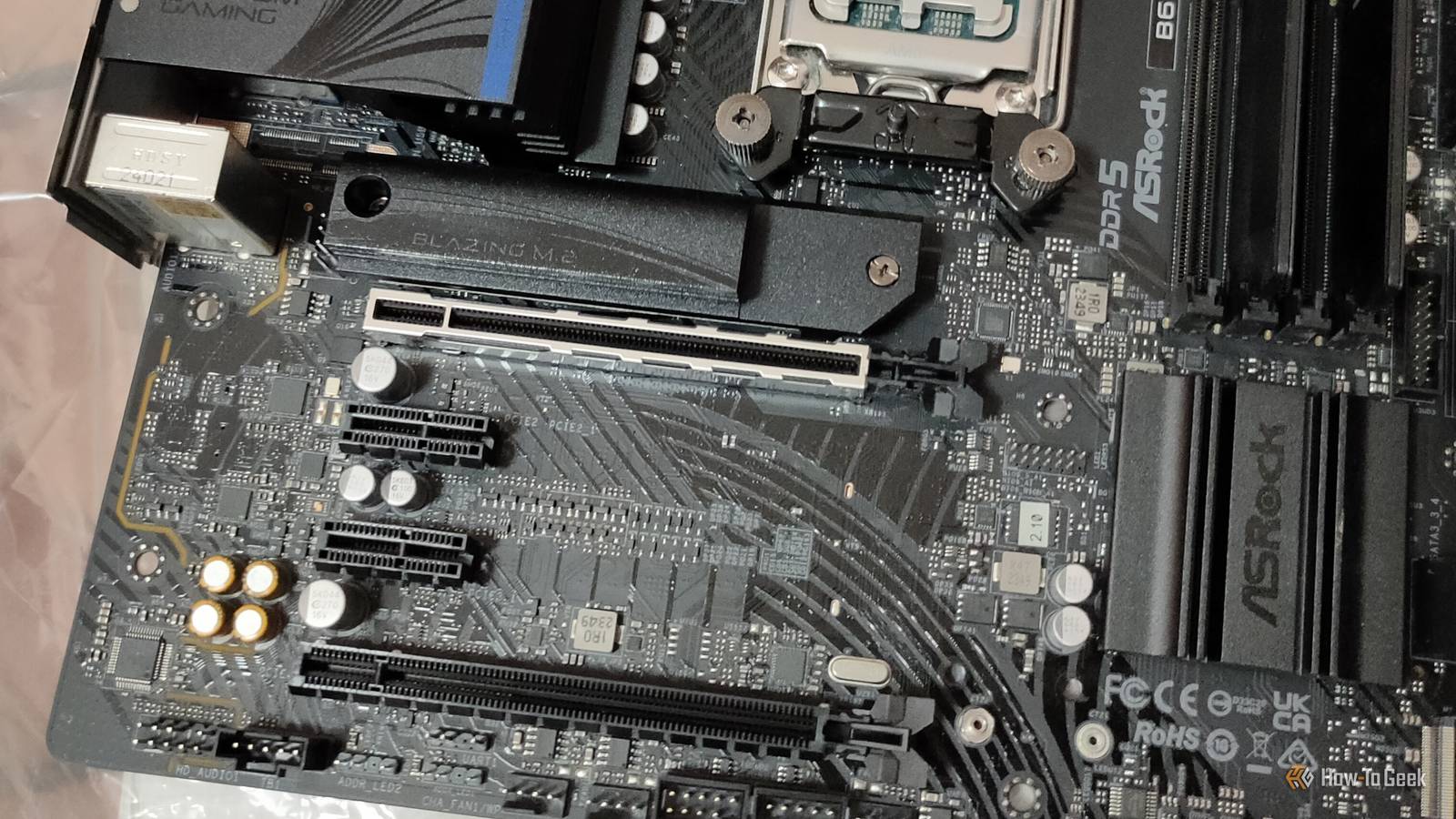
How much attention are you paying to your motherboard? My guess is not very much, and that's fine.Those things are made to be plugged in and used, and a motherboard upgrade is an expensive venture.It's better to make the most of the one you already own, and if you don't give yours a second thought, you might not know the unexpected upgrade that it's hiding from you as we speak.
That tiny PCIe slot isn't nearly as useless as it looks One lane still carries a surprising amount of data Close This mystery upgrade is simply the little PCIe x1 slot that often sits somewhere below your GPU.It often remains ignored, and no wonder; it's comically small when compared to the full-length x16 slot.These days, it's even more forgettable, because PCIe expansion cards are nowhere near as widely used as before.
Most motherboards already have all the cool stuff built right into them from the get-go, such as Wi-Fi, better audio, or more USB ports.With that said, one PCIe lane can still move quite a lot of data, making even this small slot useful.PCIe 2.0 x1 gives you around 500MB/s of bandwidth in each direction, but you're most likely dealing with PCIe 3.0 x1, which doubles that to 1GB/s.
Plenty of expansion cards need nowhere near that much bandwidth, so yes, you can stick something in there and make it a worthy purchase.Before deciding that your PCIe x1 lane is free real estate, make sure that the GPU doesn't physically cover the slot.Remember that motherboards also share PCIe resources between expansion slots, M.2 slots, and other onboard devices, so check whether that's the case with yours.
And then, pick your upgrade.I'd pick a 2.5GbE network card—here's why.Related SSD prices have doubled: Why buying 'just in case' is a waste of money It's too late to panic-buy SSDs: Why you should wait out the shortage Posts By Monica J.
White A 2.5GbE network card is always a perfect match here You don't need a giant slot for multi-gig Ethernet A 2.5GbE network card is almost tailor-made for a PCIe x1 slot.It doesn't need much bandwidth from the motherboard, because a 2.5Gbps Ethernet link works out to about 312MB/s of raw line rate, and as we've established that PCIe 2.0 provides roughly 500MB/s of bandwidth per direction, you're all good even on an older motherboard.This means that you're not going to be wasting money by using a basic 2.5GbE NIC, as the slot will be able to keep up with it.
This makes it a pretty sweet upgrade for an older PC that's still stuck with gigabit Ethernet.Making the switch to 2.5GbE isn't necessary, but it can be great, especially if your connection and/or your router support it, but your PC doesn't.Doing a whole platform upgrade (meaning getting a new motherboard) just for 2.5GbE is extreme, but an add-in card in a slot you weren't already using is a really simple way to go about it.
You might not even have to replace your Ethernet cables 2.5GbE was built with old Cat5e in mind Theoretically, switching from gigabit to 2.5GbE sounds like you'll also need to buy new Ethernet cables.They're cheap, so it's not the end of the world, but why do it if it's not necessary? 2.5GBASE-T was specifically designed with the enormous number of Cat5e and Cat6 cabling in mind, and the standard supports 2.5Gbps over Cat5e at up to 328 feet.So, even though Cat5e cables are old news by now, they might work just fine with your new expansion card.
The only situation where you should definitely upgrade your cables alongside the network card is if they're not able to support 2.5GbE Ethernet or they're somehow damaged or underperforming.Upgrading one part of your network while leaving the rest to rot isn't worth it, so while you do this, check out your cables.One thing to remember: the rest of your network Make sure it's all up for the upgrade There's one catch to all this: the rest of your network needs to be ready for this upgrade, too.
There's no harm in getting a network card regardless, but you'll only get its promised performance if every single bit along the way can support 2.5GbE, too.If you plug a 2.5GbE NIC into a router or switch that only has gigabit ports, the connection will negotiate down to 1Gbps regardless of any other hardware you might have.The same is true for whatever device your router connects to.
Now here's a twist, though.A caveat to a caveat! Even if you don't have multi-gig internet, this little upgrade can still be useful, as faster LAN transfers are still a perfectly good reason to upgrade.This is especially true if you have a NAS or a home server.
That little PCIe slot finally has a job I don't know many people who min-max their motherboards to the point where they use every single tiny slot, but hey, the PCIe 1x slot can be useful.Run some mandatory checks first, and if everything works out, you're all good to spend less than $25 and enjoy the cheap but meaningful network upgrade.TP-Link 2.5GB PCIe Network Card This inexpensive PCIe expansion card lets you improve your Ethernet connection without taking up important motherboard slots.
See at Amazon Expand Collapse
Read More