I have long been intrigued by locally-run AI models, but I've never had the hardware to do it—until now.The Cephalon Lucy Max is a small cube-shaped mini PC and NAS combo that delivers AMD's Ryzen AI Max+ 395 chip with 128GB of RAM, and it's actually capable of running some pretty impressive local models.So impressive that it almost got me to ditch my cloud AI subscription.
Cephalon Lucy AI Studio Max 8 Brand Cephalon CPU AMD Ryzen AI Max+ 395 Memory 128GB LPDDR5X Drive Bays 5x 3.5-inch, 2x M.2 NVMe The Cephalon Lucy AI Studio comes in three configurations, all powered by AMD's Ryzen AI Max+ 395 Strix Halo chip.Designed to deliver local AI processing to any environment, the Lucy features five 3.5-inch drive bays with two M.2 NVMe slots internally and up to 10Gb/s Ethernet networking built-in. Pros & Cons Runs ~100GB local models at usable speeds Local AI model output nearly matched a frontier cloud model in testing Five 3.5-inch drive bays in a compact chassis Doubles as a capable Windows dev and gaming PC Lucy AIOS and the Lucy app aren?t ready yet Loud and hot under sustained AI load No NAS interface See at Kickstarter Expand Collapse See Our Process How We Test and Review Products at How-To Geek We go hands-on with every product to ensure it's worth your time and money.Posts By Justin Duino Price and availability The Cephalon Lucy AI Studio comes in three versions: Pro, Max, and Ultra.
Pricing starts at $799 for the Pro, $2,799 for the Max, and $3,999 for the Ultra on Kickstarter.Cephalon has told me that the first 50 units are set to ship around one week after the Kickstarter campaign ends, with the rest of the units shipping three months later.Retail pricing is slated to be $899 for the Pro, $3,999 for the Max, and $4,999 for the Ultra.
Cephalon Lucy AI Studio Max Brand Cephalon CPU AMD Ryzen AI Max+ 395 Memory 128GB LPDDR5X Drive Bays 5x 3.5-inch, 2x M.2 NVMe OS Lucy AIOS Price From $999 LAN Ports Up to 10GbE Expand Collapse What is Cephalon's Lucy AI Studio? It's a hybrid NAS + local AI system At its core, the Lucy is designed to be an all-in-one local AI system for your home.It's powered by AMD's Ryzen AI Max+ 395 with 128GB of RAM, which delivers the oomph needed for local AI processing.For the operating system, Lucy will actually run a custom build of Omarchy, but the system I received from Cephalon for this review did not have that operating system ready.
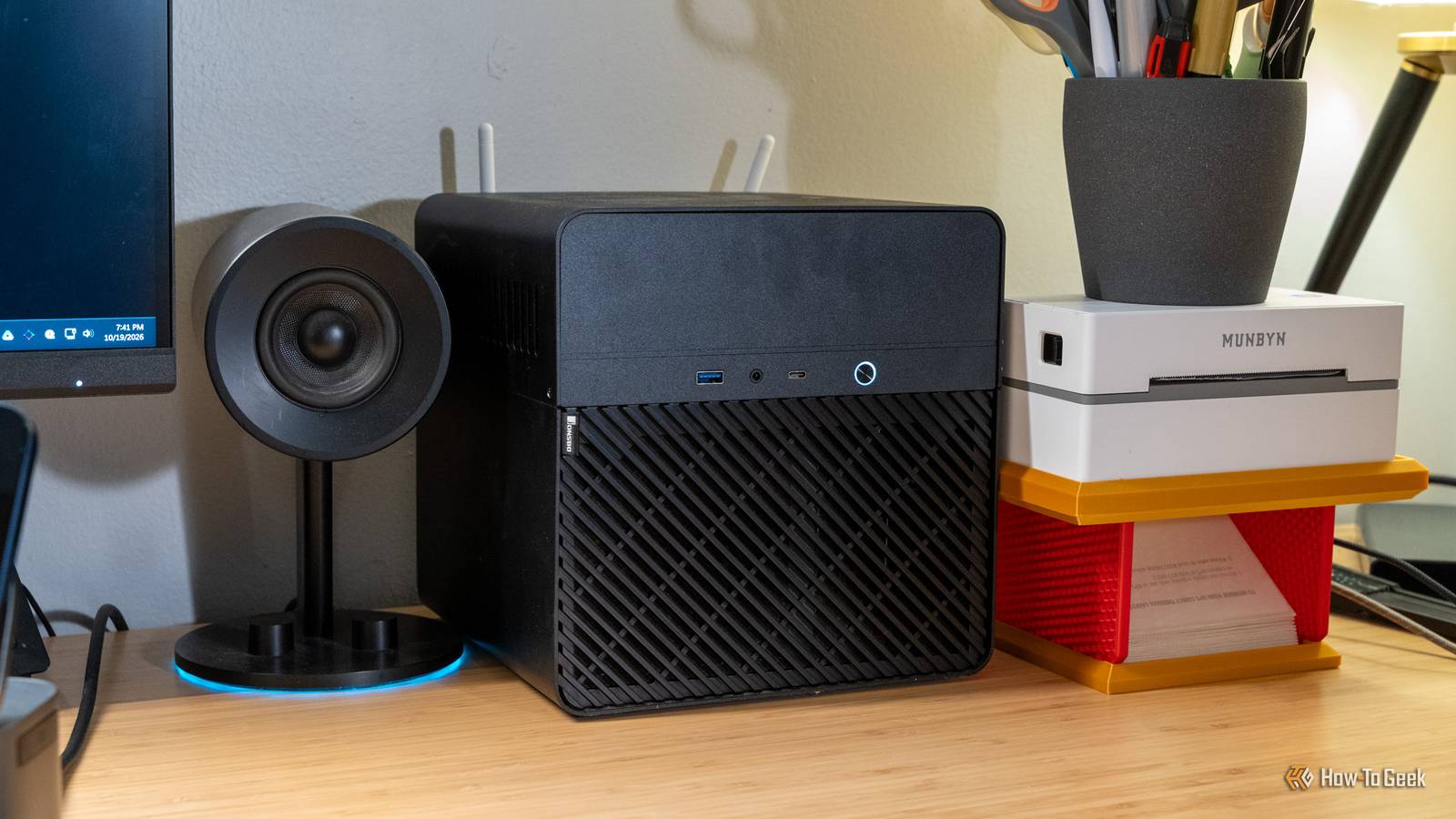
Instead, it was pre-loaded with Ubuntu that had Hermes, Ollama with Gemma 4, ComfyUI with Minimax H3, and Sunshine.Lucy also ships in the Jonsbo N2 case, which is actually pretty unique.I have never used a Jonsbo case before and really enjoy the N2, especially since I can slot up to five hard drives into it, which helps push the NAS angle that Cephalon is going for here—but more on that later.
Cephalon's software still has some growing up to do I spent way more time tinkering than I expected to As I said, my Lucy AI Studio Max shipped with Ubuntu 26.04 that was pre-configured with some software out of the box.The 1TB NVMe drive was a great start, but I wanted to run some larger models so I ended up spinning up my own Ubuntu 26.04 install on a 2TB drive I had at the house already.Before loading my own setup onto Lucy, I tried the "stock" configuration it came with.
Hermes worked decently, Gemma 4 is an okay model, and ComfyUI is honestly just pretty slow.That's not Lucy's fault.That's a limitation of the current models available.
When my Lucy unit first arrived, models like Qwen 3.8 Flash Next weren't mainstream yet and there was a lot of work still being done on local models.In fact, over the past month, local models have skyrocketed in both speed and capability.For this review, I will not be able to comment on Cephalon's custom Lucy AIOS that will be launching with the production units.
I've been told that units shipping before Christmas will ship with Ubuntu (like mine had), while units shipping after Christmas will ship with Lucy AIOS pre-installed.Also, even after loading my own operating system and using my own models, Hermes gave me some problems out of the box.I eventually switched to OpenClaw and it fixed the issues that I had, but I think that Hermes is still working to make its harness better for local AI models—though that's not directly related to Cephalon, since Hermes is part of their stock experience, I did want to point that out.
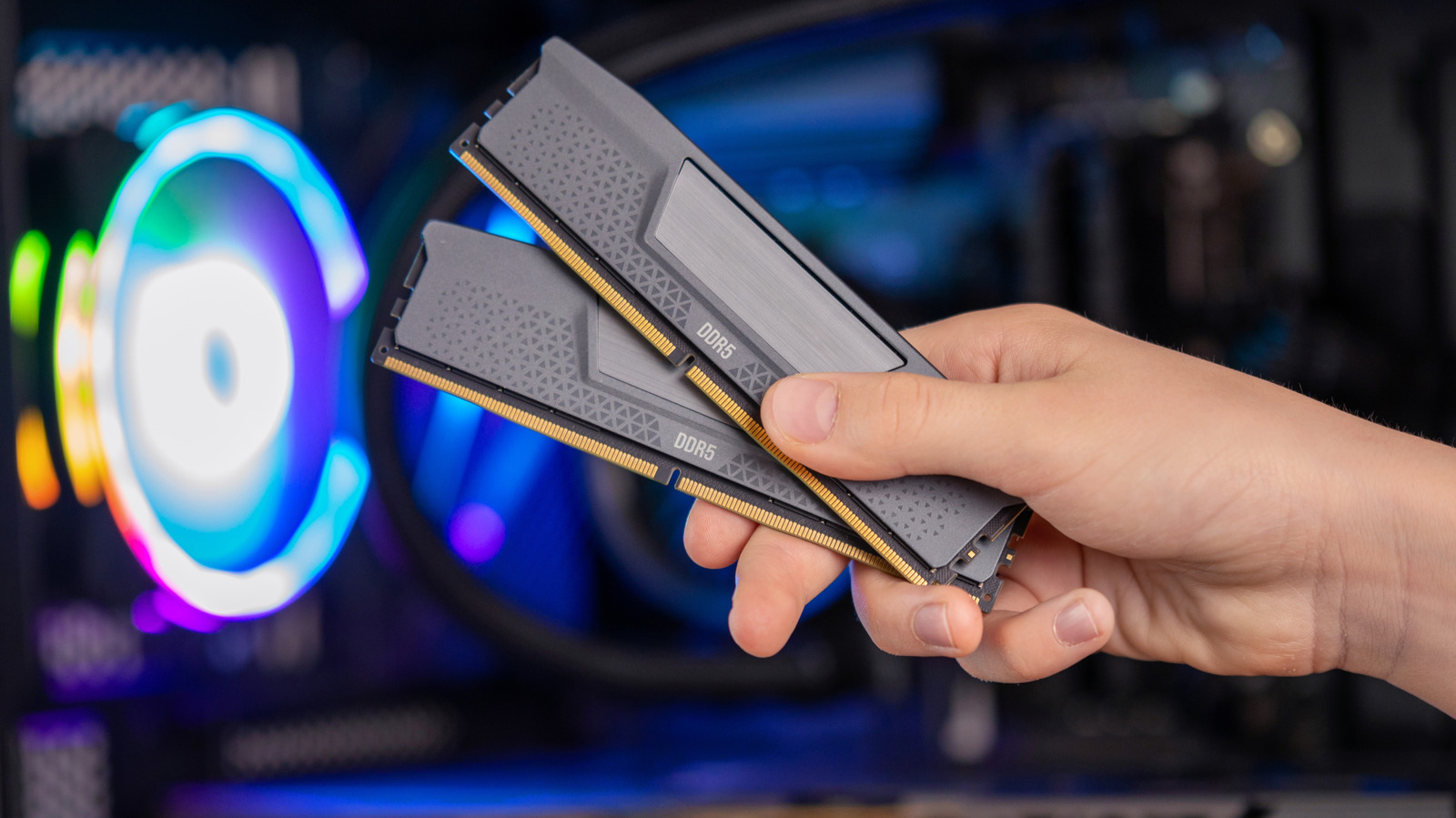
Lucy runs AI models I never thought I'd run at home 128GB of memory changes what's possible Close Before trying out the Lucy AI Studio Max, I firmly believed that local models were a waste of time and people should just use cloud-based models on subscription or API credits for real work.Lucy proved me wrong.The AMD Ryzen AI Max+ 395 and 128GB of LPDDRX5 RAM at 8000MT/s are capable of running some insane local models.
I tried out the likes of gpt-oss-120b, Qwen 3.5 35B-A3B, and even Qwen 3.8 Flash Next.Qwen 3.8 Flash Next became my go-to model, and tuned with Gufo, I was able to get it to run at around 44 tokens per second.Not a speed demon, but definitely usable.
On most models, Vulkan beat ROCm, which was interesting.To leave room for the operating system, the models need to fit in about 100GB, which is something most consumer GPUs just can't achieve—yet Lucy handled it without a problem.I really wanted Lucy to replace my cloud AI subscriptions My cloud subscriptions still won, but not by much Leading with my Qwen 3.8 Flash Next experience, I was honestly blown away with how close Lucy's performance came to matching the cloud models that I use daily.
For example, I used T3 Code on my MacBook Pro to connect to Lucy through OpenCode, and it worked great.I have a skill that I run to check for grammar and spelling mistakes on things I write, and I compared Lucy with Qwen 3.8 Flash Next to GPT-6 Sol Extra High (when it was the frontier model).GPT-6 Sol Extra High completed the task in nine minutes and six seconds.
Lucy with Qwen 3.8 Flash Next completed the same task in 12 minutes and 45 seconds.Now, completing the task isn't the important part—any model can complete that task.Lightweight models would complete the task.
But, the actual output of Qwen 3.8 Flash Next on the Lucy AI Studio Max was comparable, if not nearly identical to that of GPT-6 Sol Extra High.The skill is quite complex and goes through a lot of research steps to make sure small things don't get missed like typing Disk Station Manager instead of DiskStation Manager for Synology's NAS line.Normal spell check doesn't catch things like that, but the skill I built does.
The fact that the results I got from Lucy were nearly identical to GPT-6 Sol Extra High astounded me.Now, coding tasks were a different story.I didn't put a ton of AI coding models through Lucy because it simply isn't built for something like that.
I tried a few but they simply don't hold up to cloud-based models.Large models that are built for coding can take up many hundreds of gigabytes of VRAM, if not terabytes of VRAM.Kimi K3 at its full size needs around over 2TB of VRAM to run at its full 2.8T parameter size with 104B active parameters, for instance.
I do, however, use the Lucy for all of my development projects now that aren't Apple-focused.I still have to build my iOS and macOS apps on my MacBook Pro, but everything else is run on the Lucy and it handles the tasks like a champ.Now, when running local models or doing development, Lucy gets loud and hot.
Under sustained load, the package was drawing around 138W and running at between 90°C and 93°C.If you're expecting quiet token generation here, Lucy ain't it.But, Lucy powerful, there's no doubt about that.
Don't buy Lucy expecting a traditional NAS I missed having a real storage dashboard Close Retail units of the Lucy AI Studio Max are supposed to ship with either dual 2.5Gb/s Ethernet on the Pro model, or 10Gb/s Ethernet on the Max and Ultra models.However, my unit has 1Gb/s Ethernet, so that was used for all of my testing.Also, there's only two M.2 NVMe slots in the system, with one pre-populated with the 256GB or 1TB NVMe drive (depending on whic model you buy), and the other pre-populated with a M.2 to SATA adapter so the five SATA bays of the Jonsbo N2 case can be plugged in.
This means that there's really no room to add an extra NVMe drive if you need more, unless you're willing to sacrifice the SATA bays for one, which is entirely doable.I also wouldn't think of the Cephalon Lucy as a traditional NAS.It has NAS features, and NAS capabilities, but it's more of an AI-driven system than a NAS.
When I asked Cephalon about this, they told me that the Lucy wouldn't have a NAS UI by design.It's designed to be AI-driven.Essentially, store your files on it via SMB or NFS and then let the local AI running on Lucy handle things for you.
I didn't get a chance to check this how retail systems will function with these features, as my unit just shipped with Ubuntu with Hermes.But, that's the overview of how Cephalon expects you to use this NAS that's not a NAS.How does the Cephalon Lucy fit into my own homelab? It actually surprises me how I use it Now, I run Windows 11 Pro on my Lucy AI Studio Max and it actually works fantastically.
I have turned this "NAS" into a full development environment.I run local AI models, do all my development on it, and even game.I have been a MacBook guy for years and years—over a decade, to be exact.
I've had stints where I used Windows as a primary operating system for a while, but I always find my way back to macOS.Close The Lucy AI Studio Max is powerful enough to handle everything I need and then some.I have five hard drive bays for mass storage within Windows, and I have the Strix Halo platform to power everything I need to do.
The AMD Radeon 8060S integrated graphics that the Strix Halo ships with is actually quite capable for gaming.I'd say it's around the RTX 4060 mobile level of performance, which is honestly pretty great for an integrated chip.Given its power, I replaced my aging M1 Max MacBook Pro with the Lucy AI Studio Max and haven't looked back.
Should you buy the Cephalon Lucy AI Studio Max? I think the question comes down to: what are you wanting out of a local AI system? At $3,999 retail ($2,799 super early bird on Kickstarter), it would take around 20 months to pay for itself if you were currently paying for one $200 per month AI subscription.Less if you get it on the Kickstarter.Right now, local AI models run around three to six months behind frontier models.
So, while everyone is raving about GPT-6.1 Sol/Astra and Opus 5.5/Fable 5.1, you'd be running something along the lines of Opus 4.6 or GPT 5.5.However, the tokens are infinite so long as you supply Lucy with power, which varies in cost by where you live.Overall, I think the Cephalon Lucy AI Studio Max is a fantastic piece of hardware.
It's far more capable than I was expecting it to be, there's no doubt about that.Cephalon also priced it perfectly right, I think.When you look at other AMD Ryzen AI Max+ 395 Strix Halo mini PCs with 128GB of RAM, they're all around $3,500 to $3,900 at the time of this review going live.
A $3,999 price point that not only gives you a Strix Halo system, but also a 5-bay NAS is a fantastic deal.At $2,799, it's a steal of a deal.Cephalon Lucy AI Studio Max 8 Brand Cephalon CPU AMD Ryzen AI Max+ 395 Memory 128GB LPDDR5X Drive Bays 5x 3.5-inch, 2x M.2 NVMe The Cephalon Lucy AI Studio comes in three configurations, all powered by AMD's Ryzen AI Max+ 395 Strix Halo chip.
Designed to deliver local AI processing to any environment, the Lucy features five 3.5-inch drive bays with two M.2 NVMe slots internally and up to 10Gb/s Ethernet networking built-in. See at Kickstarter Expand Collapse
Read More