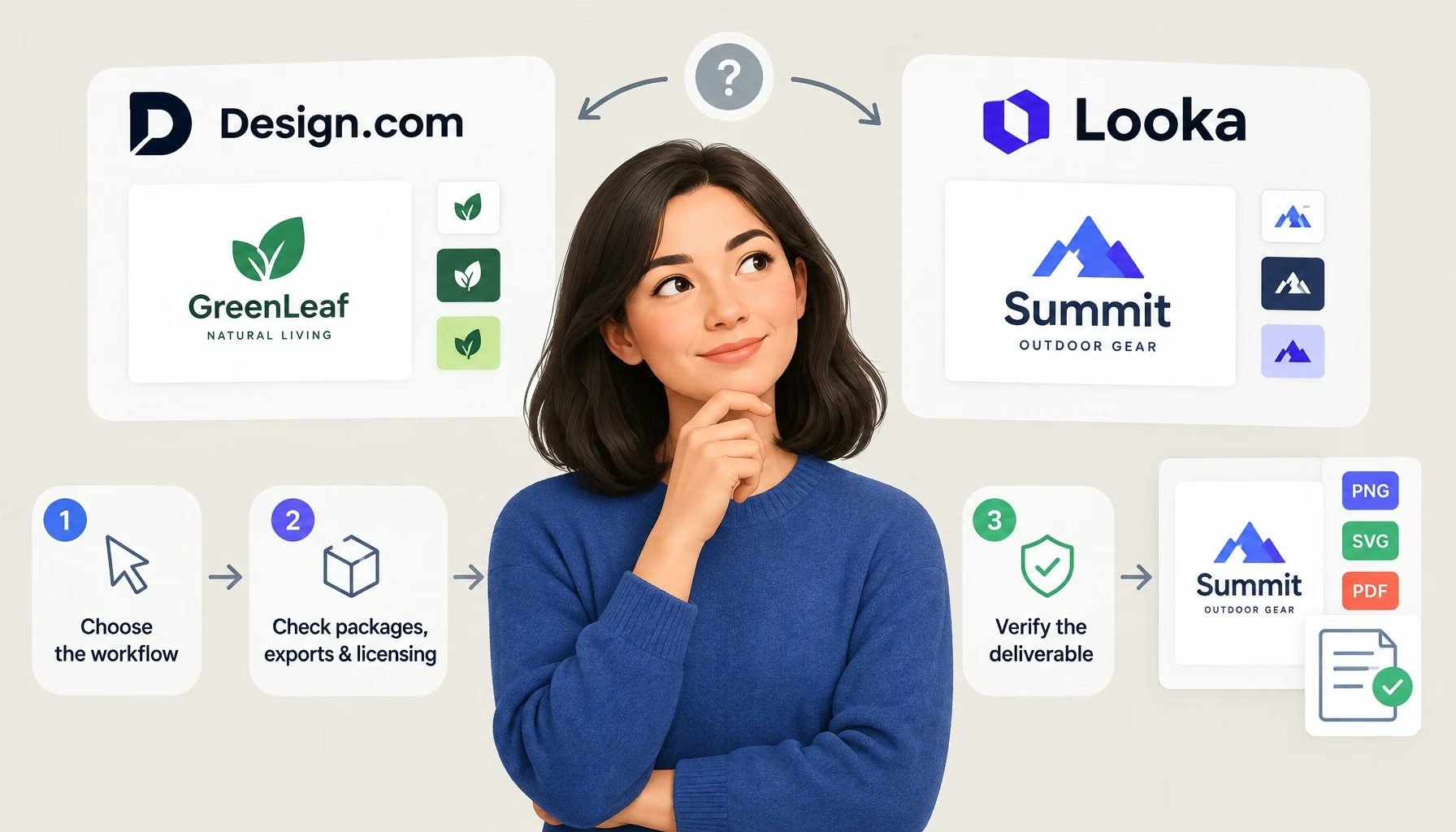
Design.com suits businesses that want to explore logo styles and build matching launch materials.Looka suits buyers who prefer guided choices and a one-time logo purchase.The supplied Casa Interior walkthrough favored Design.com, but provides no measured quality ranking.
Compare the exact download package and license: selected Design.com templates are free, AI-generated exports require payment, and neither service guarantees trademark registration.Looka Basic supplies one PNG; Premium includes vector files.Design.com’s Standard license is non-exclusive; assess the specific license before buying.What this comparison actually establishesThis is a qualitative buying guide, not a data-driven ranking.The original author tried both platforms for an interior design business called Casa Interior, using “interior design logo” as the stated keyword.The account describes setup, perceived responsiveness, design relevance and editing.
There are no timed benchmarks or blinded ratings.One brand brief cannot establish how either tool performs across industries.ContentsWhat this comparison actually establishesDesign.com vs Looka: the purchase differencesDesign.com: a good starting point for exploring directionsWhat the Casa Interior walkthrough reportedWhen that flexibility helpsLooka: a better fit for guided choices and logo-only buyingWhat the Casa Interior walkthrough reportedWhy simpler is not necessarily worseCheck files and total commitment before checkoutBuy for the most demanding intended useSeparate free templates from paid AI exportsLicensing: permission to use is not automatic exclusivityA practical path to the right choiceFrequently asked questionsShould I subscribe before choosing a logo?Can a logo-only package replace a brand kit?What should I save after purchase?The walkthrough observations below remain author-reported experience, rather than a new independent test.Purchase and licensing details are checked against the supplied official documentation, read on October 10, 2026.
Vendor descriptions establish advertised features and terms, not comparative design quality.Recommendations combine that documentation with practical questions about how you will use the finished identity.Design.com vs Looka: the purchase differencesKey buying considerations, with official sources beside the relevant termsConsiderationDesign.comLookaPayment structurePaid logo packages use monthly or annual subscriptions, tied to one logo.See the purchasing FAQ.Basic and Premium logo packages are one-time purchases; Brand Kit plans renew annually.
See Looka pricing.Free versus paid outputSelected free logo templates are downloadable.AI-generated design exports require a paid plan, according to the purchase guidance.The original walkthrough describes free creation and preview, not free downloads.Official download packages are paid.Logo filesPurchased logos include PNG, JPG, SVG, EPS and PDF, per the file-format information.Basic supplies one PNG; Premium adds high-resolution and vector files, including SVG, EPS and PDF.
See package details.Beyond the logoOffers tools for business cards, websites, social graphics and print materials.See the platform overview.Brand Kit supplies branded assets; Brand Kit Web adds an AI-generated website.See plan inclusions.Rights to checkStandard licensing is non-exclusive.
Exclusive and Buyout upgrades differ materially.See the license FAQ.Ownership language concerns the complete logo, not exclusive rights to its individual symbols.See Looka’s rights explanation.The important comparison is the cost of obtaining a usable identity, not simply the lowest checkout amount.
Decide whether you need only a website logo or also transparent artwork, print files, repeat editing and ongoing marketing materials.Those requirements can change which package makes sense.Design.com: a good starting point for exploring directionsDesign.com is worth trying first when you know your business category but have not settled on a visual style.
Its general FAQ describes business-name and keyword input, filtering and customization, plus prompt-based icon editing.These are useful ways to investigate alternatives, but they do not guarantee an original or appropriate final identity.What the Casa Interior walkthrough reportedThe author reported that entering a name and keyword felt straightforward and results appeared promptly.They found varied, modern-looking options relevant to interiors, with interesting colors and decorative elements.
These were personal impressions, not measured outcomes.The author also reported controls for text, fonts, layout, backgrounds, colors, shapes and animation, alongside AI-assisted editing.That experience suggests room to explore variations; it does not establish every feature’s availability in every package.When that flexibility helpsAn interior studio might be choosing between a restrained wordmark and a more illustrative identity.Exploring both is worthwhile before committing.
However, decorative appeal in a large preview is not enough: test whether the same concept remains readable on a proposal header, a small social profile and a supplier invoice.For a solo operator creating those materials personally, keeping the work in one platform can be convenient.For a business handing everything to an agency, export compatibility and licensing may matter more than the number of editing options.
Choose according to who will maintain the brand after launch.More Read Google+ Is After Your Friends with Big Data and Beautiful Photos Leveraging Existing Data To Penetrate Saturated Markets Five Online Visibility Guidelines that Incorporate Big Data Tips for Incorporating the IoT For Supply Chain Machine Learning Is Revolutionizing Photo Editing Looka: a better fit for guided choices and logo-only buyingLooka is worth exploring if choosing preferences sounds easier than browsing broadly.Its strongest practical distinction here is the availability of a one-time logo package.That can suit a freelancer who wants to finish an identity, download it and manage future marketing elsewhere.What the Casa Interior walkthrough reportedOn Looka, the author described selecting an industry, preferred designs, colors and symbols, with an optional slogan.
Results felt prompt, but the author perceived fewer appealing options and simpler designs than on Design.com.They found customization easy, reporting visible canvas updates and controls for layout, symbols, fonts, colors and backgrounds, plus favorites and previews.Why simpler is not necessarily worseThe original author’s preference should not become a prediction about customer attention.A plain identity may work well for a consultant whose name needs to remain legible in an email signature.Conversely, a visually expressive studio may want a more distinctive treatment.
Judge the candidate against your positioning, not its ability to dominate a mockup.Before purchasing, finalize the business name.Looka’s logo-package help article, dated September 24, 2021, restricts post-purchase company-name text and layout changes.
Its current pricing page also excludes company-name changes.Do not interpret general editing access as permission to rename the business later.Check files and total commitment before checkoutBuy for the most demanding intended useA raster image may be sufficient for a small digital placement, but enlarging it can expose pixelation.Vector artwork is generally more useful for resizing and professional production.
A transparent PNG helps place a logo over different backgrounds; a JPG does not support transparency.Ask your printer or designer what they need before selecting a package.File extensions alone do not confirm editable text, licensed font access, suitable color settings or readiness for embroidery.Nor should an animation control be treated as proof that a particular video export is included.
Check the actual download entitlement.Separate free templates from paid AI exportsDesign.com’s free selection is not a promise that every generated result is free.Its general guidance includes standard vector and raster files for selected free logos.Establish whether your chosen design qualifies before spending time refining it.For paid Design.com packages, the purchasing FAQ says cancellation preserves the logo license and file access.
It does not make a subscription a one-time purchase.Check renewal and cancellation instructions; do not assume future editing or hosted services continue unchanged.For either service, write down what you expect to need over the next year.
If you only need finished artwork, ongoing access may have little value.If you regularly produce promotions, compare the recurring plan against the work it would actually replace.Printing and production should be budgeted separately from design.Licensing: permission to use is not automatic exclusivityDesign.com’s license documentation says Free and Standard licenses are non-exclusive.
An available Exclusive upgrade grants the rights it describes and removes the design from sale.A Buyout also stops future sales, but earlier customers retain their rights.Design.com does not guarantee trademark eligibility and advises against trademarking without its Exclusive license.Looka’s ownership guidance permits commercial and noncommercial use, but icons and fonts remain available to other customers.
Its whole-logo ownership statement is not a guarantee of exclusive rights to each component; trademark registration is a separate matter.Copyright adds another distinction.The U.S.Copyright Office’s January 2025 report says prompts alone do not establish human authorship in AI output.
Shira Perlmutter, then Register of Copyrights and Director of the Office, explained:our conclusions turn on the centrality of human creativity to copyrightShira Perlmutter, then Register of Copyrights and Director of the U.S.Copyright Office, in the Office’s January 29, 2025 announcementThis is U.S.copyright context.
A platform’s usage license is separate from a legal determination about copyright or trademark protection.If the identity will support a substantial launch, franchise or product line, investigate conflicting brands before investing in packaging and signage.Neither a polished preview nor an ownership label replaces jurisdiction-specific legal advice.A practical path to the right choiceThe recommendation: start with Design.com for an owner-managed business exploring its identity and preparing several launch materials.
Prefer Looka for a consultant or freelancer who likes guided choices and wants a one-time logo package.Choose neither by default when the project demands a bespoke symbol, detailed production support or carefully negotiated exclusive rights.Frequently asked questionsShould I subscribe before choosing a logo?No.First settle on a candidate and inspect it in realistic placements.
Then verify the package attached to that design.Avoid paying merely to continue browsing without a clear requirement.Can a logo-only package replace a brand kit?It can if you only need artwork and will create materials elsewhere.A brand kit is more useful when you need repeatable layouts.
Consider who will produce those materials and whether they will actually use the included tools.What should I save after purchase?Keep the original download bundle, receipt and applicable license terms.Store a backup separately from the platform account, and label approved versions so collaborators do not accidentally use an outdated logo.
Read More