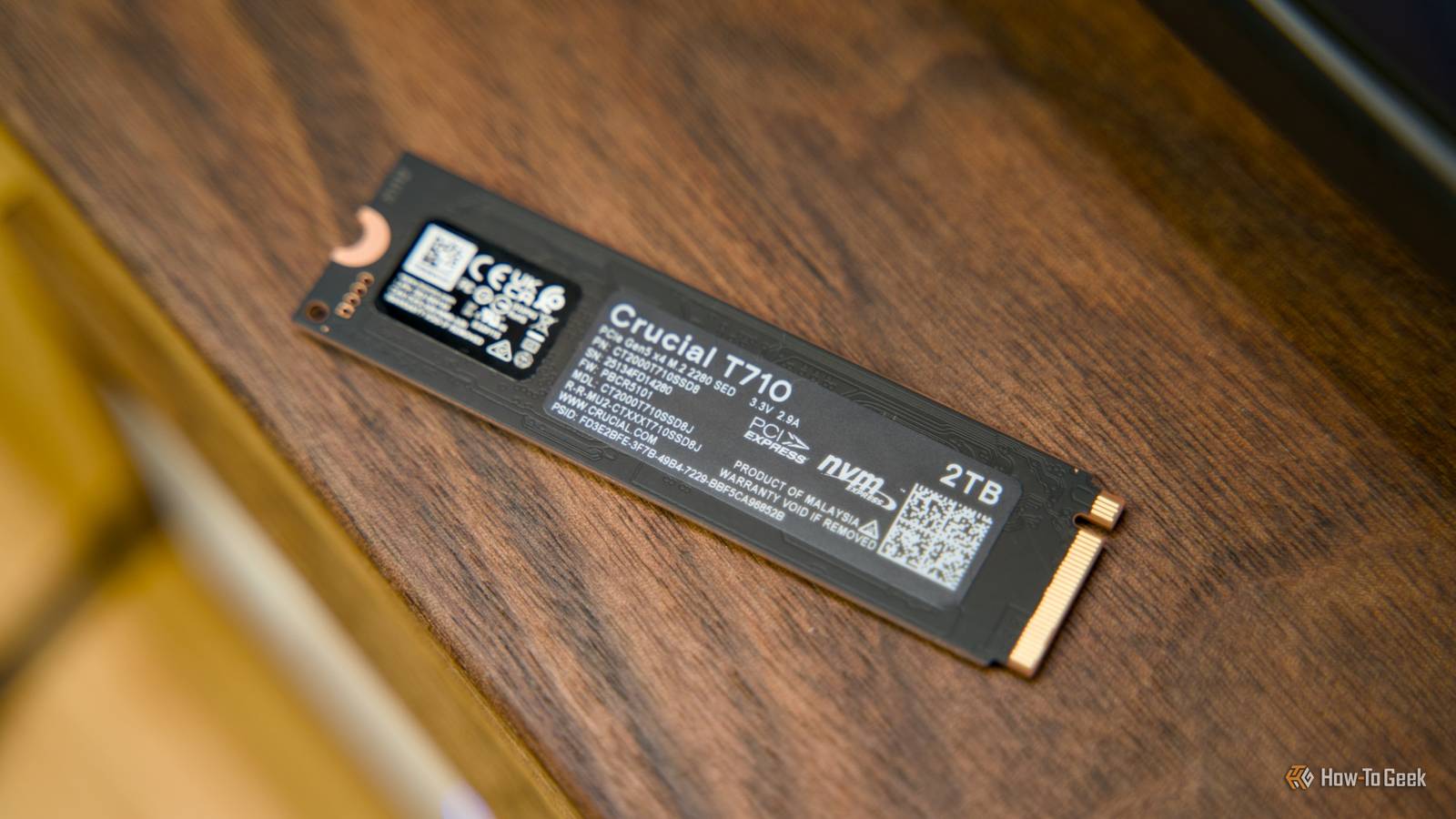
SSDs are great for a lot of things, but long-term cold storage is not one of them, and while many never fail, some do—taking some data with them.If all your backups are currently on an SSD that's been sitting in a drawer for some time, you may be sitting on a ticking time bomb.SSDs are not a long-term archive Forgetting about your SSDs is not a good idea SSDs are great if you want fast storage that you can transfer to and from frequently.
Compared to HDDs, they're a dream in terms of data transfer rates.But if you want long-term, reliable cold storage that will just sit there forgotten for months or years on end, SSDs are not it.SSDs rely on stored electrical charge in NAND flash cells to represent data.
When an SSD is powered and in regular use, it can correct many small errors with ECC, remap weak blocks, and generally keep data reliable.Leave your SSD in a drawer, though, and it can't do any of that.Industry sources talk about this at length.
Western Digital notes that data retention diminishes as PE cycles increase.Most SSDs run checks in the background to verify which blocks are experiencing higher bit error rates, but when the SSD is powered off, that process can't take place.YouTuber HTWingNut runs a (very small-scale) yearly experiment that shows what can happen to SSDs when they're used as cold storage.
The latest results after two years showed that out of four cheap TLC SSDs tested, drives that were previously heavily used (way past their recommended TBW rating) showed signs of corruption after being unpowered for two years.A sample size that small is not indicative of a larger trend, but it shows that all the drives deteriorated over time when left alone.Meanwhile, Backblaze's report on SSDs shows an annualized failure rate (AFR) of 0.90% across a fleet of 3,144 drives.
However, those drives aren't just sitting there; they're actively used, which is the whole point—SSDs can be great for storage, but not for long-term cold storage.The risks of using an SSD as your only backup I'm not saying "never," I'm saying "be careful" For many people, their SSDs never fail.They simply replace them after years of usage, repurposing their SSD or getting rid of it in the end.
Data loss can be entirely silent until it's too late.The drive may mount fine after not being used, but reveal corrupted files.The main goal of backups is recoverability under failure.
It's nice to buy one of the fastest SSDs and quickly transfer data, but when you're backing up, it's more important that it's steady.With SSDs, a few different things play into why they're not ideal for cold storage: Unpowered data retention is sketchy; you may one day find that your backup's become corrupted.Storing the SSD in less-than-ideal conditions will only contribute to potential data loss, such as exposing it to heat.
If the SSD had been heavily used before going into cold storage mode, it might be even more likely to malfunction.With your SSD constantly powered off, you won't even know when data corruption sets in; by the time you check, it might be too late.Of course, you may be one of those people who will never have a faulty SSD—but do you really want to take that kind of risk with your data? Quiz 8 Questions · Test Your KnowledgeSSDs, NAND memory, and interfacesTrivia challengeFrom flash cells to PCIe lanes — see how much you really know about modern solid-state storage.NANDInterfacesHardwarePerformanceStandardsBegin 01 / 8NANDWhich type of NAND flash stores exactly one bit of data per cell?AMLCBTLCCSLCDQLCCorrect! SLC stands for Single-Level Cell, meaning each cell holds just one bit — either a 0 or a 1.
This makes SLC the fastest and most durable NAND type, but also the most expensive per gigabyte, so it's mainly found in enterprise and industrial storage.Not quite — the answer is SLC, which stands for Single-Level Cell.MLC stores 2 bits, TLC stores 3, and QLC stores 4 bits per cell.The more bits per cell, the cheaper but slower and less durable the NAND becomes.Continue 02 / 8InterfacesWhat does NVMe stand for in the context of SSDs?ANon-Volatile Memory ExpressBNetwork Virtual Memory ExtensionCNext-gen Volatile Memory EngineDNon-Volatile Module ExtenderCorrect! NVMe stands for Non-Volatile Memory Express, a communication protocol designed specifically for flash-based storage.
Unlike AHCI, which was built for spinning hard drives, NVMe takes full advantage of PCIe's parallel lanes to deliver dramatically lower latency and higher throughput.Not quite — NVMe stands for Non-Volatile Memory Express.It's a host controller interface protocol designed to replace the older AHCI standard, which was originally built with spinning hard disk drives in mind rather than fast flash storage.Continue 03 / 8HardwareWhich physical form factor is most commonly used for NVMe SSDs in modern laptops and desktops?A2.5-inch SATABmSATACM.2DU.2Correct! The M.2 form factor has become the dominant standard for NVMe SSDs in consumer devices.It's a compact, card-style connector that fits directly onto the motherboard, eliminating the need for data and power cables and saving space inside the chassis.The correct answer is M.2.
While 2.5-inch SATA and mSATA were common in older systems, M.2 has taken over as the go-to slot for NVMe drives.U.2 is also used for NVMe but is mostly found in enterprise servers rather than consumer hardware.Continue 04 / 8PerformanceApproximately how fast can a high-end PCIe 4.0 NVMe SSD read data sequentially?A550 MB/sB1,200 MB/sC7,000 MB/sD20,000 MB/sCorrect! Top-tier PCIe 4.0 NVMe SSDs can achieve sequential read speeds of around 7,000 MB/s.This is a massive leap over SATA SSDs, which are capped near 550 MB/s due to interface bandwidth limitations, and even outpaces many PCIe 3.0 drives significantly.Not quite — the answer is approximately 7,000 MB/s.
Around 550 MB/s is the ceiling for SATA-based SSDs, while 1,200 MB/s is typical for older PCIe 3.0 drives.20,000 MB/s exceeds even PCIe 5.0 NVMe drives available at time of writing.Continue 05 / 8NANDWhat does 3D NAND refer to in modern SSD manufacturing?ANAND chips shaped into a three-dimensional cube for faster accessBStacking memory cells vertically in multiple layersCUsing three separate dies wired together on one chipDA three-bit-per-cell design that improves enduranceCorrect! 3D NAND, sometimes called V-NAND by Samsung, stacks memory cells vertically in dozens or even hundreds of layers rather than spreading them flat across a wafer.This dramatically increases storage density without shrinking individual cell sizes, which also helps preserve endurance and reliability.The correct answer is that 3D NAND stacks memory cells vertically in multiple layers.
Planar (2D) NAND arranges cells flat on a single layer, but manufacturers hit physical scaling limits, so the industry moved to vertical stacking to keep increasing capacity without sacrificing cell quality.Continue 06 / 8StandardsWhich interface protocol were most SATA SSDs designed to use before NVMe became mainstream?ANVMeBAHCICSCSIDIDECorrect! AHCI (Advanced Host Controller Interface) is the protocol that SATA SSDs communicate over.It was originally designed for mechanical hard drives and supports a single command queue of 32 commands — a major bottleneck compared to NVMe, which supports 65,535 queues each holding 65,535 commands.The answer is AHCI, which stands for Advanced Host Controller Interface.SCSI and IDE are much older standards largely retired from consumer use, while NVMe is the newer protocol used by PCIe-based drives.
AHCI's single command queue made it a poor fit for the parallelism flash storage can deliver.Continue 07 / 8NANDWhich NAND type offers the highest storage density per chip but typically has the lowest endurance?ASLCBMLCCTLCDQLCCorrect! QLC, or Quad-Level Cell NAND, packs four bits into every cell, giving it the highest density of common consumer NAND types.The trade-off is significantly reduced endurance — QLC cells wear out faster because of the precision needed to distinguish between 16 different voltage states per cell.The answer is QLC (Quad-Level Cell).It stores 4 bits per cell, making it the densest and most affordable NAND type, but it also has the lowest P/E (program/erase) cycle endurance.
SLC sits at the opposite end — fewest bits per cell but the longest lifespan.Continue 08 / 8InterfacesWhich PCIe generation, first adopted widely in consumer SSDs around 2020, doubled the bandwidth of its predecessor?APCIe 2.0BPCIe 3.0CPCIe 4.0DPCIe 6.0Correct! PCIe 4.0 arrived in consumer platforms around 2020, starting with AMD's Ryzen 3000 series and X570 motherboards.It doubles the per-lane bandwidth compared to PCIe 3.0, pushing NVMe SSD sequential speeds from roughly 3,500 MB/s up to around 7,000 MB/s.The correct answer is PCIe 4.0, which first appeared broadly in consumer hardware around 2020 with AMD's Zen 2 platform.PCIe 3.0 was the previous mainstream standard, while PCIe 6.0 is a more recent enterprise-focused generation not yet common in everyday consumer motherboards.See My Score Challenge CompleteYour Score/ 8Thanks for playing!Try Again What to use instead If SSDs are out, what can you do? Close No matter the storage device you use for your backups,there's always a risk of data loss.
That's whyfollowing the 3-2-1 backup ruleis more important than the exact storage media.The 3-2-1 backup rule is simple, so apply it to your most important data.You need to have three copies of the data, on at least two separate devices, with one copy in a different location.
This can mean another drive in a different location or cloud storage.For local cold storage, an HDD is still a cheap alternative to an SSD, but those can fail with time, too.A NAS is fantastic if you deal with large amounts of data on a regular basis, and it doesn't have to be expensive; you can even repurpose an old PC and turn it into a NAS.
SSDs definitely have their place in the world of backups, but I don't recommend leaving them powered down for years on end.If you do use an SSD, check it frequently and make sure to use a separate location for a secondary backup.When an SSD is still the right tool SSDs can be used for storage, but there are caveats SSDs are useful for storage that needs to be quick to access.
That, typically, rules out cold storage.Use your SSD if you want working storage.Many people, myself included, use a second or third drive inside their PC just to store bigger files or games that need to be quick to access.
However, filling up your SSD can slow it down, so there's a limit as to how much data you should really store on these drives.SSDs also shine as a fast, local backup tier.If you're about to tinker with your OS and are worried you'll break something, it's infinitely faster to back up to an SSD.
Lastly, SSDs do very well in a NAS as a cache or boot drive.They can still be used for storage, but they don't have to be.Related When an HDD dies, it destroys data—when an SSD dies, it saves it Stop putting your important files on HDDs—do this instead Posts 39 By Arol Wright How to protect your data during long-term storage No matter the storage type, important data left alone for ages needs some care Cold storage is tricky.
You're essentially trusting a device (or a service, in the case of cloud backups) to keep your data safe for an undetermined period of time.SSDs aren't perfect for the role, but no solution is infallible.Make sure you're always backing up to multiple storage media, and don't let them all be part of the same PC or NAS.
Keep one copy that's entirely separate from your main setup.Regularly check your SSDs If you need to park data on an SSD, check on it periodically.Power it up, run a full read/verify pass, and compare checksums for your irreplaceable files.
SMART tools like CrystalDiskInfo can warn you about wear and errors before anything goes south.
Read More