It used to be that if you wanted to do advanced customization and automation on Android, you'd need to root your phone.Nowadays, there are awesome apps that can do these things with the help of an tool called "Shizuku," and rooting is not neccessary.Add How-To Geek on Google Add as Preferred Source Follow on Google Discover While Shizuku doesn’t customize anything on its own, it empowers apps such as Essentials and MacroDroid.
It’s a key tool for a variety of apps that used to require the complicated root process (if it was even possible for your phone).Here's everything you need to know about Shikuku.Shizuku is an open-source Android app that gives other apps elevated privileges A safer alternative to rooting By default, Android keeps apps in a sandbox.
The system creates a separate sandbox for every app on your phone, which is a security measure that aims to prevent apps from accessing sensitive parts of your phone’s system.This is nothing out of the ordinary, since a malicious app could wreak havoc on your phone if given elevated access.Back in the olden days, apps that included features that relied on accessing system settings and functions would need elevated access to your phone, which usually meant rooting it.
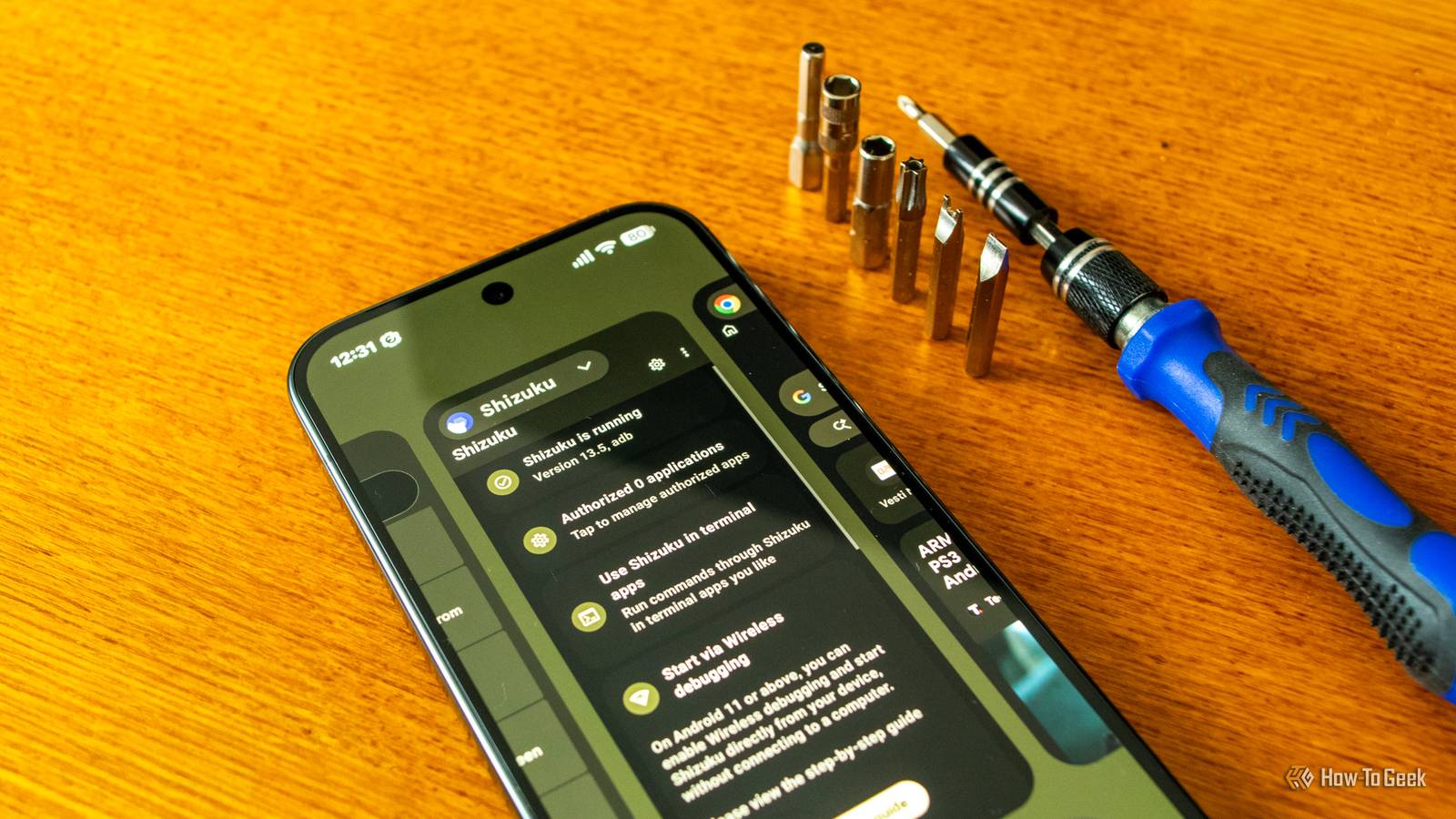
You could give them some privileges via ADB (Android Debug Bridge), but in most cases, that wasn’t enough.Enter Shizuku, which runs a service on your phone that gives connected apps access to many system functions they’d otherwise need root for.The service keeps running until you reboot your phone, and the only thing it needs to start is wireless debugging, which is rather simple to enable.
Unlike rooting, Shizuku doesn’t require unlocking your bootloader or modifying system files, and you decide which apps get access to it.Besides, rooting an Android phone is much more complicated than it used to be, and most people don’t really need it anymore.On the flip side, you can install and run Shizuku in a matter of minutes without losing any data.
In a nutshell, Shizuku is a middleman that receives requests from connected apps, passes them on to Android, and returns the results.While apps connected to Shizuku technically don’t use system-level calls and APIs (Application Programming Interfaces) directly, the end result is the same.Related 10 Features You No Longer Need to Root Your Android Phone For It's good news for everyone.
Posts 5 By Joe Fedewa Many apps need Shizuku for features Android doesn’t let them use Unless you root your phone, that is The service Shizuku provides isn’t something exotic only a few apps might need.In reality, loads of Android apps greatly benefit from it.For instance, Essentials, a very handy customization and automation app, requires Shizuku access for many of its features.
Without Shizuku, you can't freeze apps, use a number of automation actions, tweak the gesture bar, and more.Other apps, like Canta, which lets you uninstall bloatware and system apps, wouldn’t even work without it.Then you have Obtainium, which can automatically update all the apps you’ve added to it with Shizuku; without it, Obtainium can update only some apps in the background and has to ask for confirmation for the rest.
ShizuTools is another app with nifty options such as removing bloatware, downgrading apps to older versions without uninstalling them, and running ADB commands directly on your phone, but it won’t work without Shizuku.Other examples of apps that need Shizuku to run or to use their full range of features include MacroDroid, Smartspacer, Renoir, Taskbar, and more.If an app advertises advanced customization features or stuff that requires access to sensitive parts of your phone’s system, like automations, bloatware removal, Quick Settings tiles for system toggles, or expanded system settings, and it promises to do all that without root, chances are it relies on Shizuku.
Some of the apps I’ve mentioned can also use root instead, but if your phone isn’t rooted, Shizuku can still give them ADB-level permissions, which are enough for many of their features.Installing Shizuku is surprisingly simple The only "advanced" step is enabling Developer options You can either install Shizuku from the Play Store or download and install it from its GitHub page.I did the latter because the Play Store didn’t have the latest version of the app back when I needed it.
If you opt for the GitHub route, you’ll need to allow your browser to install unknown apps when prompted.If you haven’t already enabled Developer options, you should enable them before you open Shizuku.To do this, open Settings -> About phone, locate Build number, and tap it repeatedly until you get notified that you’re a developer.
To check whether you have access to Developer options, open Settings -> System, where you should find the Developer options menu under the Advanced heading.Make sure you're connected to a Wi-Fi network, since Wireless debugging doesn’t work without it, and open Shizuku.Close In the app, locate and tap the Pairing button.
Next, tap Developer options, which will lead to the Wireless debugging setting.Open it by tapping the left side of the button, enable it, and then tap Pair device with pairing code.Then, enter the code shown on your screen into the Shizuku notification, press Send, and then press Start inside the app.
If the Shizuku service is running, you’re done! Close The only thing you should remember is to start the Shizuku service from inside the app each time you reboot your phone.On Android 13 and newer, Shizuku should be able to start itself via Wireless debugging when you’re connected to a trusted Wi-Fi network, but on my Pixel 10 Pro running Android 17, this option only turns on Wireless debugging without starting Shizuku.Close You can enable this option by opening Shizuku’s settings and enabling the Start on boot (root) toggle — despite what the label says, it also enables start on boot via Wireless debugging — but chances are you’ll have to start the service yourself after each reboot.
Before I wrap this up, I also recommend installing ShizuTools.Some apps, such as Essentials, need additional permissions that can only be granted via ADB, but with ShizuTools, you don’t have to connect your phone to a computer and can execute ADB commands directly on your phone.If you're a power user but don't want to root your phone, Shizuku is a must-have Rooting your phone isn’t as easy as it used to be.
Some companies, like Samsung, don’t even let you unlock the bootloader on newer phones, so you have to rely on security exploits and jump through flaming hoops for the privilege.While Magisk modules and some apps, such as Swift Backup, still require root, Shizuku is the next best thing.The app gives other apps many of the privileges they’d otherwise need root for without having to mess with your phone’s system.
Since many Android power users today don’t want the hassle of rooting, Shizuku is a must-have app if you want to unlock your phone’s full potential.
Read More