USB-C was meant to be the one technology to rule them all, but it's turned into a bit of a mess, and thanks to the stubborn USB-A connector sticking around for 30 years so far, fully embracing the USB-C standard has been harder than it should be.However, I think we've reached the point where it's actually becoming practical to go all-in on USB-C.Apple might have been a little too enthusiastic when it dropped USB-A from its MacBooks, but these days I groan a little when I see a USB-A on new mobile machines at least.
One cable really can replace almost all the others Farewell, cable spaghetti When it comes to USB-C, the "U" really does finally stand for "Universal." Well, let me walk that back just a little, because it still does depend on what a specific port can do.After all, a USB-C port can be USB 2.0, as we saw on the MacBook Neo.It may or may not support DisplayPort over USB-C.
It may have USB4, or Thunderbolt.When you first lay eyes on a new USB-C port, the potential is endless, though the reality is often disappointing.Like when I realized not a single USB-C port on my expensive workstation laptop supported DisplayPort, and I had to rely on its mini-DP port instead.
MacBook Neo (A18 Pro) Brand Apple Operating System macOS The MacBook Neo with the A18 Pro chip is Apple's most affordable laptop yet, with all-day battery life and buttery-smooth performance in a thin and light profile.CPU A18 Pro RAM 8GB LPDDR5 Storage 256GB, 512GB Battery Up to 16 hours, 36.5Wh Display (Size, Resolution) 13-inch 2408-by-1506 Camera 1080p Speakers Dual speakers Colors Silver, Blush, Citrus, Indigo Ports 1x USB 3, 1x USB 2, 3.5mm Headphone Jack Network Wi-Fi 6E (802.11ax) Dimensions 0.50 x 11.71 x 8.12 inches Weight 2.7 pounds Price $599 Model MacBook Neo Power 20W USB-C charger Card Reader N/A Display type IPS $690 at Amazon Expand Collapse However, when you have a full-featured set of ports, of which my MacBook Pro has three, you really can do anything with them.A single cable can expand into any ports you like.
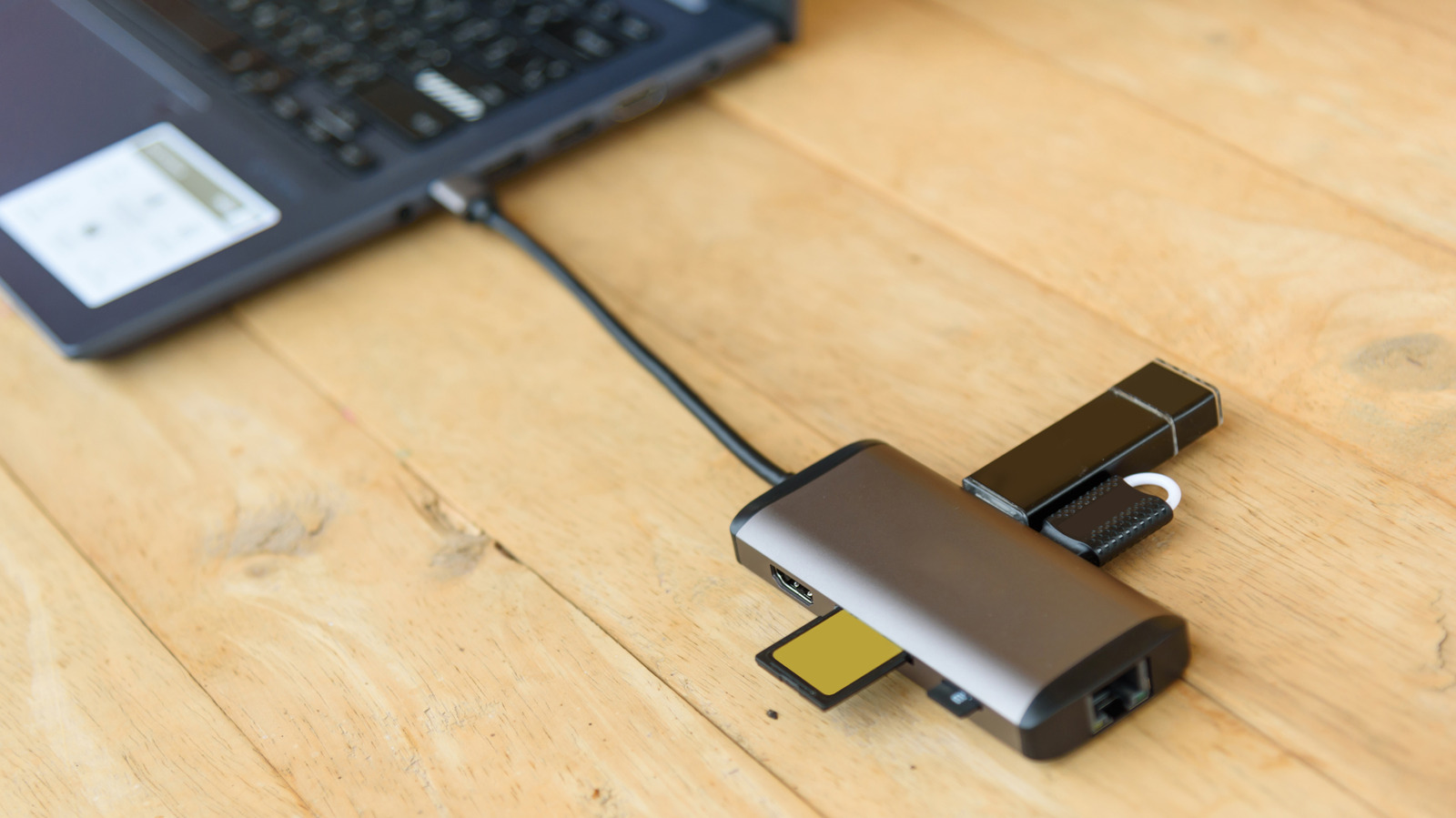
Need USB-A ports? Well, you can have more than you'd ever need.HDMI? SD card readers? External SSDs? There's plenty of bandwidth to go around.I love sitting down at my desk, plugging in a single USB-C dock, and everything just immediately works.
It makes transitioning from working on-the-go and at my desk seamless.My S25 Ultra and iPad Pro also have pretty capable USB-C ports.Attaching a USB-C hub to either of them can transform those devices into pseudo-desktop computers, as Samsung DeX and the iPad's extended screen support turn that single USB-C port into the only thing you need.
Standardizing your cables makes everyday life dramatically simpler Your future self will thank you While it is possible to have a slick USB-C lifestyle, there are some major flies in the ointment that you'll have to carefully avoid.Just like USB-C ports themselves, two cables that look identical might have very little in common when it comes to performance, features, and power delivery.While I am a big supporter of keeping a drawer of old cables in case you need them, when it comes to the cables that I own which aren't in cold-storage, I've been purging the ones that don't offer 65W or better power delivery and at least USB 3.2 speeds.
So that when I grab one, I know it will charge whatever I plug it into quickly, or that any data transfers will fly.Quiz8 Questions · Test Your KnowledgeQuirky USB drives and weird use casesTrivia challengeFrom recovery sticks to sushi-shaped flash drives — how much do you really know about the wild world of USB drives?RecoveryDesignSecurityStorageFun FactsBegin01 / 8RecoveryWhat is the primary purpose of a Windows recovery USB drive?ATo increase USB transfer speeds on older PCsBTo store personal files as an automatic backupCTo repair, reset, or reinstall Windows when the system won't bootDTo run antivirus scans without installing softwareCorrect! A Windows recovery USB lets you access repair tools, reset the OS, or perform a clean reinstall even when your PC refuses to boot normally.It's one of the most practical things you can create with a spare flash drive.Not quite.
A recovery USB is specifically designed to help you fix or reinstall Windows when your system is in trouble.Microsoft's built-in Recovery Drive tool makes creating one surprisingly straightforward.Continue02 / 8DesignWhich company became famous in the late 2000s for producing USB drives shaped like sushi, animals, and other novelty objects?AKingston TechnologyBMimocoCSanDiskDTranscendCorrect! Mimoco made a splash with its MIMOBOT line of designer USB drives, featuring characters, pop culture figures, and quirky shapes.They turned a mundane storage device into a collectible art piece.Not quite.
Mimoco was the brand behind the beloved MIMOBOT designer USB drives.While Kingston and SanDisk dominated performance storage, Mimoco carved out a niche in novelty and collectible flash drives.Continue03 / 8SecurityWhat dangerous capability made the BadUSB exploit, revealed in 2014, so alarming to cybersecurity experts?AIt could physically overheat and destroy a USB portBIt reprogrammed a USB drive's controller firmware to impersonate other device types like keyboardsCIt automatically encrypted all files on a connected PCDIt wiped the host computer's BIOS firmware silentlyCorrect! BadUSB exploited the fact that USB firmware can be reprogrammed to make a drive pretend to be a keyboard or network adapter, letting it silently execute malicious commands.This was terrifying because standard antivirus tools couldn't detect it.Not quite.
BadUSB worked by reprogramming the USB controller firmware itself, allowing the drive to masquerade as a trusted device like a keyboard and inject malicious commands.It exposed a deep vulnerability in how operating systems trust USB devices.Continue04 / 8Fun FactsWhat is a "Dead drop" in the context of USB drives used as an art and communication project?AA USB drive encrypted so tightly it self-destructs if the password is wrongBA USB drive permanently cemented into a wall or public surface for anonymous file sharingCA disposable USB drive mailed anonymously through the postal serviceDA USB drive hidden inside a hollowed-out book in a libraryCorrect! Dead Drops is an art project started by Aram Bartholl in 2010, where USB drives are cemented into walls, curbs, and buildings in public spaces.Anyone can plug in a laptop and anonymously share or download files from strangers.Not quite.
Dead Drops are USB drives physically embedded into public surfaces like walls and curbs.The project, launched by artist Aram Bartholl in New York City, reimagines file sharing as a tactile, offline, and anonymous urban experience.Continue05 / 8StorageWhat was the approximate storage capacity of the very first commercially available USB flash drive, the Trek ThumbDrive, released in 2000?A8 MBB256 MBC1 GBD64 MBCorrect! The Trek ThumbDrive launched with just 8 MB of storage, which was still enough to replace several floppy disks at the time.It seems laughably small today, but it kicked off a revolution in portable storage.Not quite.
The original Trek ThumbDrive held just 8 MB — modest even by early 2000s standards, but it was a massive leap over carrying a stack of floppy disks.Flash drive capacity has since grown by a factor of over 250,000.Continue06 / 8RecoveryWhich popular bootable USB tool is widely used by IT professionals to run live Linux environments and rescue unbootable systems?ARufusBWinRARCVentoyDbalenaEtcherCorrect! Ventoy is beloved by IT pros because it lets you copy multiple ISO files onto a single USB drive and boot any of them from a menu — no reformatting needed each time.It's incredibly efficient for carrying a rescue toolkit.Not quite.
While Rufus and balenaEtcher are great for flashing a single ISO, Ventoy is the standout tool for running multiple bootable environments from one drive.It's a staple in any serious IT technician's toolkit.Continue07 / 8SecurityWhat is a "USB Rubber Ducky" primarily used for in cybersecurity?APhysically stress-testing USB ports for hardware durabilityBEncrypting files on a drive using a rubber-keyed hardware interfaceCEmulating a keyboard to automatically type pre-programmed attack payloadsDStoring penetration testing software in a waterproof casingCorrect! The USB Rubber Ducky by Hak5 looks like an ordinary flash drive but registers as a keyboard the moment it's plugged in, then fires off scripted keystrokes in seconds.Penetration testers use it to demonstrate just how fast a physical attack can compromise a system.Not quite.
The USB Rubber Ducky impersonates a keyboard and executes pre-written scripts at superhuman typing speeds.It's a favorite tool among ethical hackers to show clients how quickly an unattended machine can be compromised.Continue08 / 8DesignWhat was unusual about the DataTraveler Locker+ G3, a USB drive made by Kingston?AIt used solar panels embedded in the casing to charge itselfBIt automatically encrypted data and erased itself after 10 failed password attemptsCIt had a built-in fingerprint scanner on the drive bodyDIt connected wirelessly via Bluetooth instead of a USB portCorrect! Kingston's DataTraveler Locker+ G3 used hardware-based AES 256-bit encryption and would automatically wipe all data after 10 consecutive wrong password entries.It's the kind of brutal security feature that's perfect for sensitive corporate data — and terrifying if you forget your password.Not quite.
The DataTraveler Locker+ G3 featured automatic data destruction after 10 failed login attempts, backed by hardware AES 256-bit encryption.It's a stark reminder that some USB drives are engineered to be more secure than most people's bank accounts.See My ScoreChallenge CompleteYour Score/ 8Thanks for playing!Try Again A good USB-C ecosystem is more versatile than most people realize It's not just for charging anymore The peripheral market for USB-C has absolutely exploded.I mentioned dongles and docking stations earlier, but it's worth emphasizing just how much variety and value there is here.
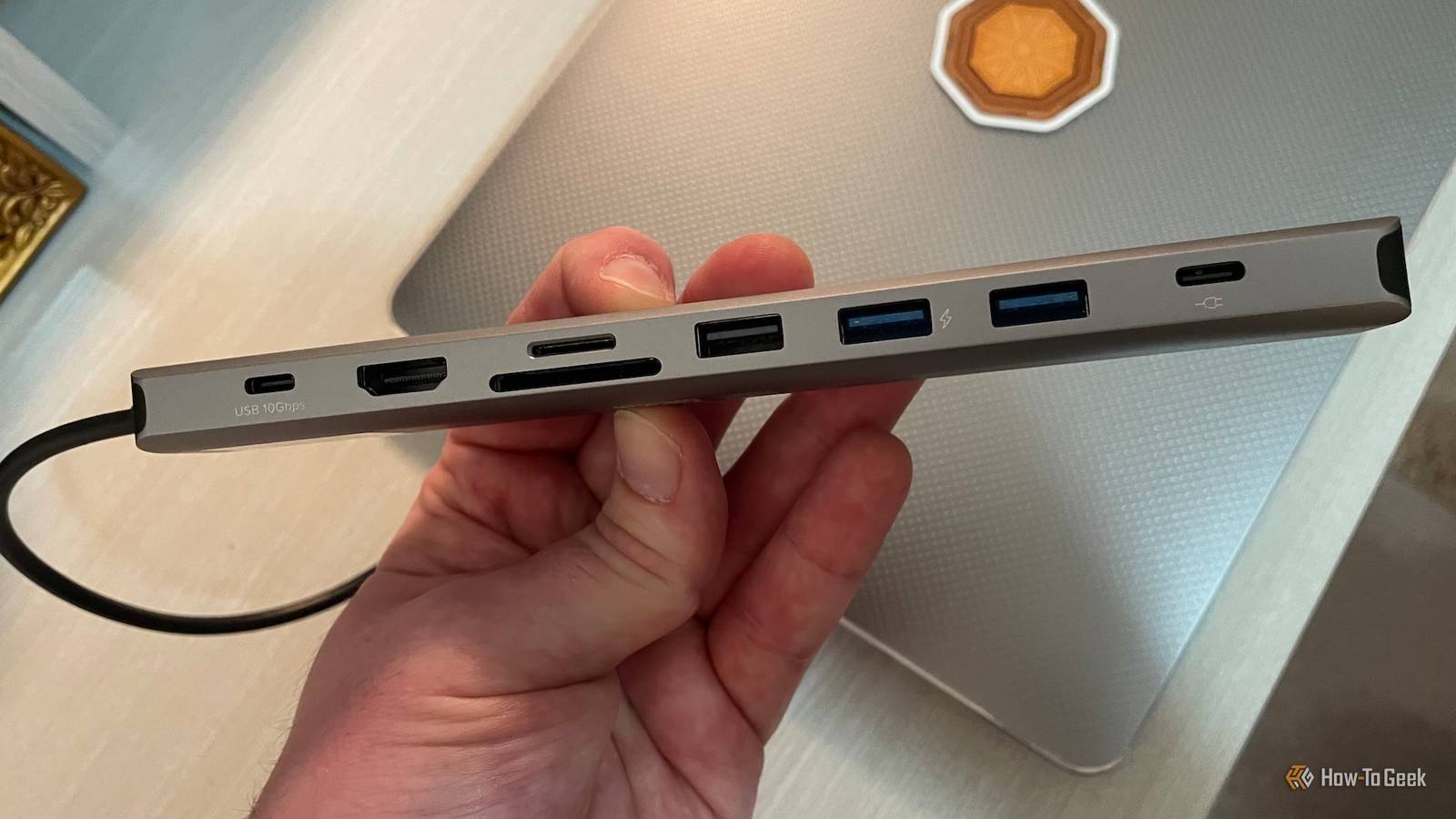
Close If all you need is Ethernet, you can just get a USB-C Ethernet adapter, or you can splurge on an enormous docking station with all the connectivity you could ever need, or even built-in SSDs.You can even connect an external GPU over USB4 or Thunderbolt, and some of those GPU enclosures also act as docking stations that will charge a laptop.I tend to prefer the clip-on hubs and use one for my MacBook as you've seen, but also for my iPad Pro.
Thanks to devices like these, I've sometimes left my laptop at home entirely because I could just use my iPad for the same tasks.My wife has used an iPad with this clip-on hub as a complete mobile video and photography workstation, backing up SD cards as she shoots and even touching up photos or editing clips on-site.You'd also be surprised about how long these cables can be.
I have one running from my TV to my chair with a small 3-port hub on the end for my keyboard, gamepad, and flight stick.The transition is finally worth the effort There's no need to throw away any of your USB-A devices to embrace USB-C fully.I've been buying cheap USB-C converters that just plug onto the end of a USB-A cable, and then it's just like any other USB-C cable.
Likewise, most decent USB-C dongles, hubs, or docks have a few legacy ports without the core device needing to have them permanently available.USB-C still has its problems, but I think at the high-end the standard has matured enough that if you're careful about what you buy and use, you can go all-in on single-cable solutions running everything you need from one or at most two ports.
Read More