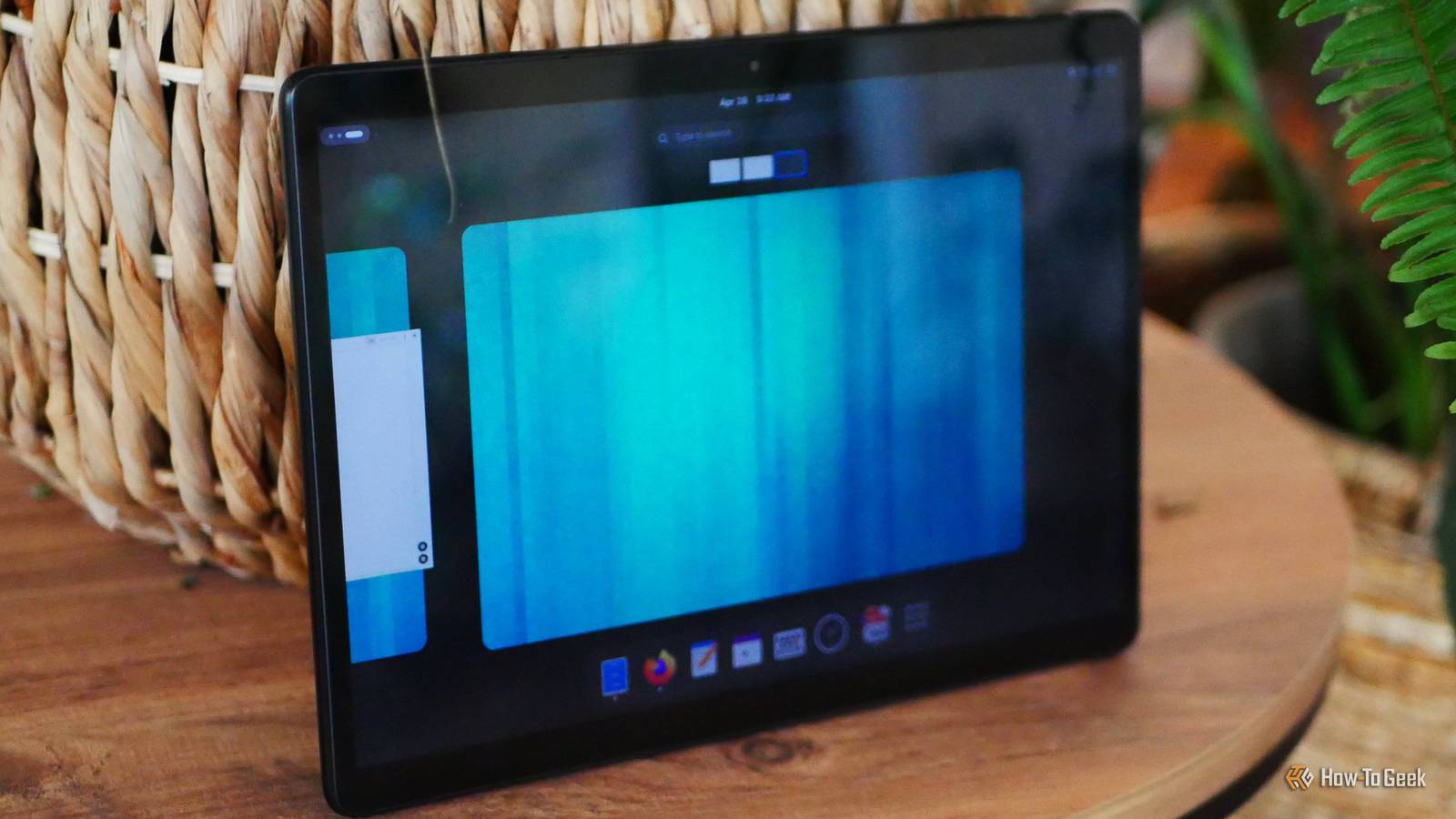
When I recently built a privacy-focused desktop, I knew I wanted a tablet–not a laptop–to go with it.Instead of an Android tablet, I purchased one running Linux.Here’s how it has fared.
I purchased a StarLite tablet These are expensive now, but I managed to find one second hand I’ve had my eyes on a StarLite tablet for several years.It fulfills a dream that I’ve had for over a decade: one of running Linux (the GNOME desktop in particular) on a tablet.No, I don’t mean a two-in-one–I’ve done that before.
I wanted a modern iPad-style tablet.That’s exactly what Star Labs promised with the StarLite V.This particular tablet was never cheap, even back when it cost half as much as it does now.
I had a pre-order originally, but I was too nervous to pull the trigger on a device that might be too slow for my tastes, especially since it had to be shipped all the way from the US.Years later, I’ve purchased one second hand for around $400.Star Labs StarLite Brand Star Labs Storage 512GB, 1TB, 2TB The StarLite is a tablet from Star Labs that ships with one of several available Linux distributions, Windows, or no operating system at all.
An optional keyboard case is available, and the tablet works with MPP active pens.$1042 at Star Labs Expand Collapse The looks of a tablet with the internals of a PC With upgradeable storage and an abundance of ports Linux hardware can be a mixed bag.Most companies that sell PCs with Linux pre-installed are using off-the-shelf parts.
When Star Labs offered a bespoke tablet, I was nervous if it would have a build-quality even remotely on par with the Android tablets I’ve grown accustomed to.I am quite pleased with the way this tablet feels.The screen looks and feels like that of a tablet, even if it isn’t protected by Corning Gorilla Glass.
The 2160x1440 resolution is sharp enough, even though it’s only 208 pixels per inch when stretched across its massive 12.5-inch display, a size comparable to a Samsung Galaxy S10+.The StarLite is a much thicker and heavier device, at 8.9 mm thick and weighing a hair under two pounds.This tablet does creak slightly if you squeeze it, but that’s due to the fact that the back is actually removable.
Despite appearances, this is still a conventional PC.You can pop off the back and swap out the internal PCIe Gen3 SSD (just make sure you aren’t buying another Gen3 SSD to replace it).Mine has 512GB of storage, but the device supports up to 2TB.
Unfortunately, RAM upgrades cannot be made in the same way, since that is soldered down, but 16GB of DDR5 memory is plenty for what you can reasonably do with its Intel CPU.Like a PC, and unlike most tablets, the StarLite has an abundance of ports.There are two USB-C ports, a microSD card slot, a mini HDMI port, and a headphone jack.
I can connect the StarLite to a monitor and use it as a desktop without needing to purchase a separate dock.It also supports MPP active pens for writing by hand or drawing, with no need to buy one specifically from Star Labs.GNOME feels at home on a tablet This is the best tablet interface I know From the moment GNOME 3 launched back in 2011, I felt like it was perfect for a touchscreen, and I’m happy to say that it absolutely is.
I’d even go so far as to say that the GNOME interface is a better way to navigate a touchscreen than that of Android or iOS.I’ve said before that I would love to see an official GNOME-only OS, and this experience has only strengthened that desire.Every aspect of GNOME is easy to tap with a finger.
Opening the app drawer and swiping between workspaces feels completely natural with three-finger gestures.Windows are easy to drag around, maximize, or pin to the side.The virtual keyboard that pops up when I tap an input field is the only visual distinction from desktop GNOME.
This keyboard is functional, and I can poke out letters on it as quickly as I can poke out letters on any tablet–but that’s not fast.Unfortunately, the tablet lacks both voice-to-text and gesture typing.This frankly remains my biggest issue with the tablet.
Whether trying to type a long document or just enter a website, the absence of these features is deeply felt.I’d like to be able to stop using my keyboard and start voice typing, but I’m still looking for an app that’s both good and works from a touchscreen (where activation via keyboard shortcuts is not viable).Performance isn’t an issue Unfortunately, there are other bugs that are My model has an Intel N200 processor, which has since been updated to the Intel N350 if you purchase a tablet directly from Star Labs today.
That’s a bump from four cores up to eight.I’m pleased to say that even on the Intel N200, the experience is very smooth.Apps load quickly.
Video playback isn’t a problem.I didn’t have to jump through any hoops to get Netflix streaming via Firefox, and the same can be said for YouTube.When I need to get work done, I can open GNOME files and perform searches for specific documents instantly.
Subscribe for in-depth Linux tablet and GNOME coverage Get deeper context on Linux tablets, GNOME touch workflows, performance trade-offs and privacy-minded hardware.Subscribe to the newsletter for focused coverage, hands-on analysis, and comparisons across Linux devices and related topics.Get Updates By subscribing, you agree to receive newsletter and marketing emails, and accept our Terms of Use and Privacy Policy.
You can unsubscribe anytime.In a sense, I shouldn’t be surprised.I spent years working via a StarLite Mk IV laptop that had an Intel Pentium N5030 processor, and it was able to run GNOME okay.
The performance limitations were noticeable, but I found it serviceable for years.This tablet is quite comfortably faster.I wasn’t sure if the higher resolution would eat away at those performance gains, but I’m pleased to say they did not.
That said, the tablet faces issues that unfortunately also plague some Linux laptops.The device hasn’t always wakened up from sleep reliably.Getting around five hours of screen-on time is lower than we expect from a modern tablet.
Encrypting my hard drive requires a password at boot, which meant physically plugging in a keyboard until I could figure out how to decrypt using a USB drive instead.For a device that can easily be forgotten in public and one whose back can be easily taken off, I’m willing to deal with this slight inconvenience for encryption, but it’s one Android doesn’t require.Can this device replace an Android tablet? That depends on what your expectations are.
While it’s possible to run Android apps on desktop Linux, that’s not an exercise I’m interested in.What I want to do can be done via GNOME apps or a web browser.Yet despite the form factor, the boot times and issues with sleep combined with the short battery life mean the StarLite still feels more like a laptop with a detachable screen than a tablet.
But for the right person, this is the best of both worlds.There are no arbitrary limitations preventing you from using this tablet as a PC.It is one, in every sense of the word.
Read More