My phone and Android Auto go together like two peas in a pod.I use my phone all day, and the moment I get in the car, Android Auto becomes an extension of it on my dashboard.Maps, music, messages, calls — I’m so used to the two working together that I rarely stop to think about where my phone ends and Android Auto begins.
Until Android Auto decides to play by its own rules.That’s usually when I remember that Android Auto isn’t simply my phone on a bigger screen.Things that feel completely normal on my phone can suddenly work differently once I’m behind the wheel.
Here are five times I have gotten frustrated and thought, “My phone can do this.Why can’t you?” Games Phone: Game on.Android Auto: Park.
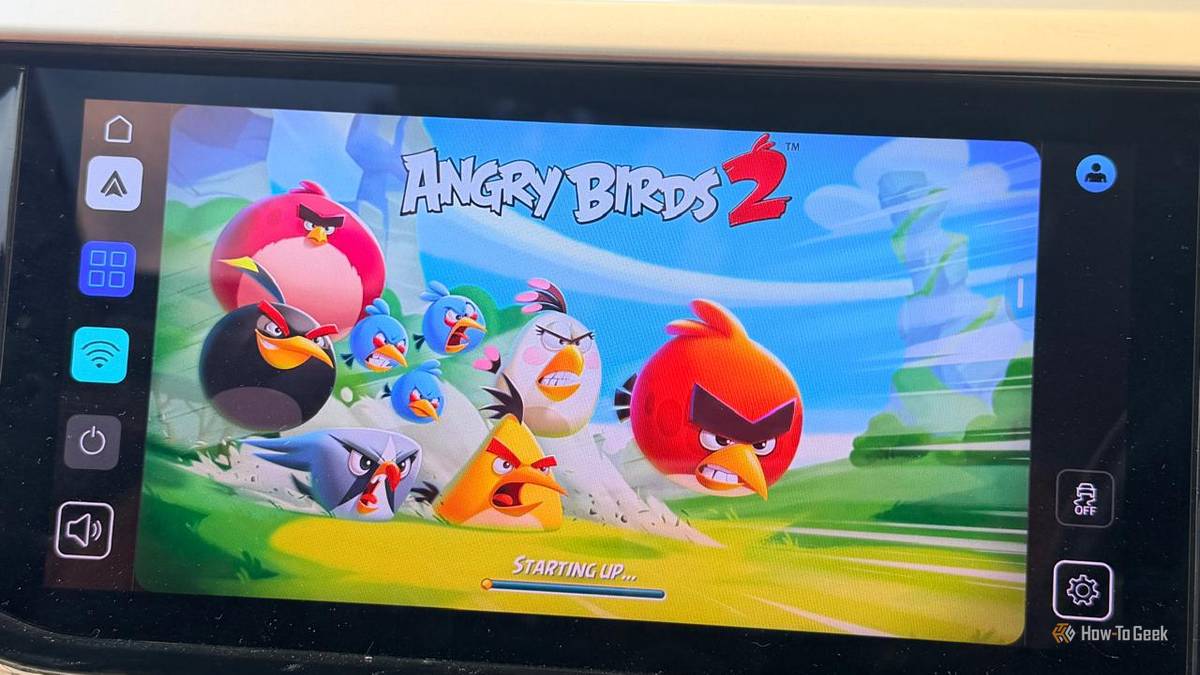
I spend enough time sitting in my parked car waiting around that I can understand why Google added games to Android Auto.A quick game can make those few minutes disappear.My phone doesn’t care which game I want to play — I can open any game I’ve installed.
Android Auto isn’t nearly as generous.The catch is that Android Auto only supports compatible games, and the P icon tells me they’re available only when the car is parked.Titles such as , , and are available for compatible setups.
Once I’m no longer parked, the game becomes unavailable.I can see why Google draws the line here.Android Auto is designed to keep me focused on the road, so letting me play a game while driving would defeat the whole point.
So yes, my phone says game on.My car has one condition: put it in park.Apps My phone has it.
My car doesn’t I’ve installed more apps on my phone than I can probably remember, and I’ve never expected Android Auto to bring all of them along for the ride.Still, it’s a little strange when I know an app works perfectly fine on my phone, but I can’t find it anywhere on my car’s screen.For example, I can scroll through Instagram, browse Amazon, check my bank account, or open Google Photos on my phone without a second thought.
Try looking for those apps in Android Auto, and you’ll come up empty-handed.That’s because Android Auto isn’t designed to mirror everything on my phone.Only apps that support Android Auto and meet its requirements can appear on my car’s screen.
I actually like this approach because putting every app on my dashboard would make Auto far more distracting.Still, it’s confusing when an app works perfectly fine on my phone but not on my dashboard.Apparently, my apps need an invitation, too.
Maps One simple task suddenly comes with rules Google Maps gives me plenty of freedom on my phone.I can search for a restaurant, type an address, browse places along my route, or look around the map before deciding where I want to go.Once I’m using Maps through Android Auto, though, some of those actions come with extra rules.
The most obvious thing is typing.If I’m driving and suddenly remember I need to find a different destination, I can’t type it into the search bar on my car’s screen.I have to use voice search, choose from options like Recent or Categories, or wait until I’m parked.
Google puts the same restriction on manually typing a destination in Waze, too.Auto is basically telling me, “Hands off the keyboard.” I’ve also noticed that some Maps features and controls can vary depending on the car and display.For example, Google says traffic-incident reporting isn’t supported on every car display.
It makes sense from a safety perspective, but it can still be frustrating when I have to wait until I’m parked to do something as simple as type.Notifications My phone shows everything.Auto keeps it simple.
Close I always like seeing every notification that comes my way.Android Auto, not so much.When I’m driving, a message notification can pop up on the car’s screen, but I don’t get the same freedom I have on my phone to open an app, scroll through everything, or start typing away.
Android Auto can read my husband’s message aloud and let me reply using my voice.But if I want to scroll through our entire conversation like I can on my phone, that’s where Auto hits the brakes.My dashboard keeps the interaction focused on the basics.
My phone gives me the whole conversation.Auto gives me the highlights and calls it a day.Related These are the 3 Android Auto apps I reach for when my car is parked The apps I use off-road Posts By Sanya Shah Videos are a different story Auto draws the line at video My phone has no problem playing a YouTube video or whatever I feel like watching.
Android Auto is a different story.If I’m sitting in my parked car waiting for my daughter’s class to finish, I can pull out my phone and watch something.But I can’t simply hand that video experience over to Android Auto and watch it on my car’s screen.
That feels especially strange when I’m not even driving.I could be sitting there for 15 minutes, yet my phone and car still don’t offer the same options.Google is working on bringing video experiences to Android Auto, but they’re currently part of Google’s Early Access program rather than a standard one.
So yes, my phone is perfectly happy to entertain me.Auto still has other plans.Related I finally found out why these 4 Android Auto features look different in my car My car screen was holding me back.
Posts By Sanya Shah Auto isn’t just my phone on wheels Sometimes, the car screen just likes to play by its own rules.Annoying? Absolutely.Surprising? Not anymore.
I’ve learned to expect a few “not so fast” moments — and maybe you will too.
Read More