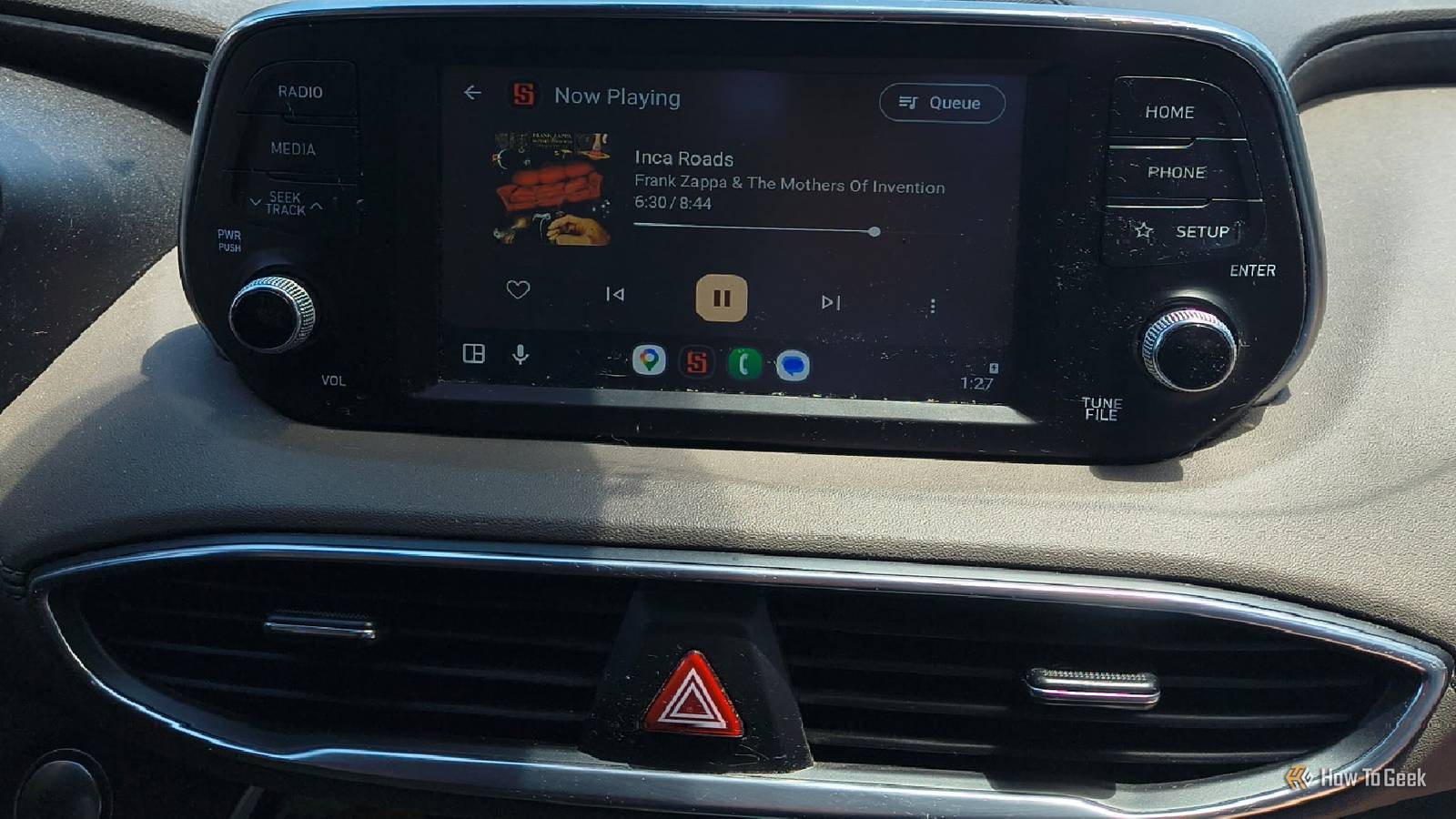
I find it fascinating that Android Auto can be for a long time, but then I suddenly notice something going subtly wrong.Maybe it's the sudden appearance of Gemini trying to get me to write songs with it while I drive.Or the cable comes loose a bunch of times, and I lose connection (I switched to Android Auto Wireless of this issue).
Sometimes, it's a navigation issue.It can be hit-and-miss.Recently, I was using Android Auto and noticed some dips in audio quality.
I looked into it and found an app that took care of the issue for me.Some Android Auto users report having issues with audio quality And I'm in the same boat I think Android Auto is great.I use it wirelessly with an adapter.
From open-source navigation apps to podcasting and music, I've found it to be a fantastic travel companion.That said, the audio quality always seemed to be on Android Auto.Other users also report noticeable quality loss in their music when using Android Auto.
Some say it's a device issue, while others say it's related to how Android Auto processes audio.This issue might not affect every Android Auto user and can vary.This is an account of my personal experience with the issue and my workaround.
Android Auto handles audio in a unique way The issue pops up for some but not others Some users just don't really notice audio differences.Certain Android head units and certain vehicles also aren't exactly the greatest.These can all be factors.
I didn't realize until after researching this topic just how used to terrible audio quality I was in my car.As a big music fan and guitar player, it crushed my pride a little bit.Nevertheless, I felt this was worth exploring further.
To begin with (this next part is a massive oversimplification), the issue seems to be related to AudioFlinger, which is what Android uses to mix all the sounds coming from your device (notifications, music, alarms, and so on) and the sounds from your vehicle (like seat belt chimes) into a single stream.AudioFlinger does a lot of heavy lifting for audio in Android Auto.It has a fixed sample rate (48kHz) and creates a Hardware Abstraction Layer (or HAL).
The HAL is what converts the AudioFlinger stream into the format your system hardware uses.There are also high gain and volume issues on some phones and other Android Auto audio bugs that can cause problems for users.Since this can affect anyone using Android Auto, I wanted to apply a fix.
It turned out I already had the app that fixes it installed: Symfonium.I just needed to adjust a few settings.Using Symfonium to get around Android Auto issues A simple app does what AudioFlinger can't I run a media app called Symfonium on all of my Android devices.
It's my favorite Android media player for a reason.The app has a 64-bit internal DSP (Digital Signal Processing) engine that decodes/processes your audio sending it over to the Android system.All of my devices currently run Android 16, as of September 2026.
While this worked for my devices, this is not a universal fix and won't necessarily work across all Android versions and hardware.So, basically, your mileage may vary.Test everything at low volume first! It turns out that Symfonium handles the audio itself.
It auto-detects Android Auto when you connect to the head unit.On the app, you can configure playback settings to bypass the Android system DSP and just have Symfonium handle it for you.Under Settings -> Playback -> Output settings, select your vehicle.
Then turn off Bypass processing and leave hardware-accelerated codecs off.Now, go to the Equalizer tab.Under the Hi-Res header, toggle on the Limiter and Volume Boost.
I set the Volume Boost to 300 mdB and the Limiter to -2dB to offset input gain and to protect my car speakers from audio spikes.After tweaking the Symfonium settings, I played the same song through YouTube Music (which is notorious for its less-than-stellar quality streams), Spotify (at the highest bitrate of 320kbps Ogg Vorbis, with a custom equalizer switched on), and Symfonium (with my altered settings) in my car.Close I noticed a difference right away.
Symfonium was incredibly clear, at a decent volume, and sounded quite good to my ears.There was an immediate bump in loudness without distortion, and the clarity was a big improvement over other apps.It, quite literally, rocked.
Spotify was decent but still sounded lower quality to me.It was kind of hollow and far away.The difference was honestly night and day.
It was almost like I found the cheapest pair of speakers I could and hooked them up to a top-of-the-line sound processor.It wasn't , but it definitely wasn't And the less said about YouTube Music’s quality on my Android Auto, the better.Audio quality on Android Auto can be improved If you're ever using Android Auto and notice your music isn't sounding quite right, it might not be your speakers, or even your cables.
It could be the device or (more likely) a software issue.Finding an app with a DSP engine worked for me.Symfonium was already a personal favorite.
It isn't free, but it's not expensive either.Using it to fix my Android Auto sound issues was just a bonus.Related This Linux app fixed my terrible laptop speakers without buying new hardware A smartphone in a coffee can sounds better than my speakers.
But a free Linux app helped make them sound better without new hardware.Posts By David J.Buck
Read More