There's one streaming app on my smart TV that was a pain to watch.It was always buffering or even throwing me out of the content completely and resetting to the start of the episode so that I'd have to try and find where I'd gotten to again.A cheap network switch was the solution to my problems.
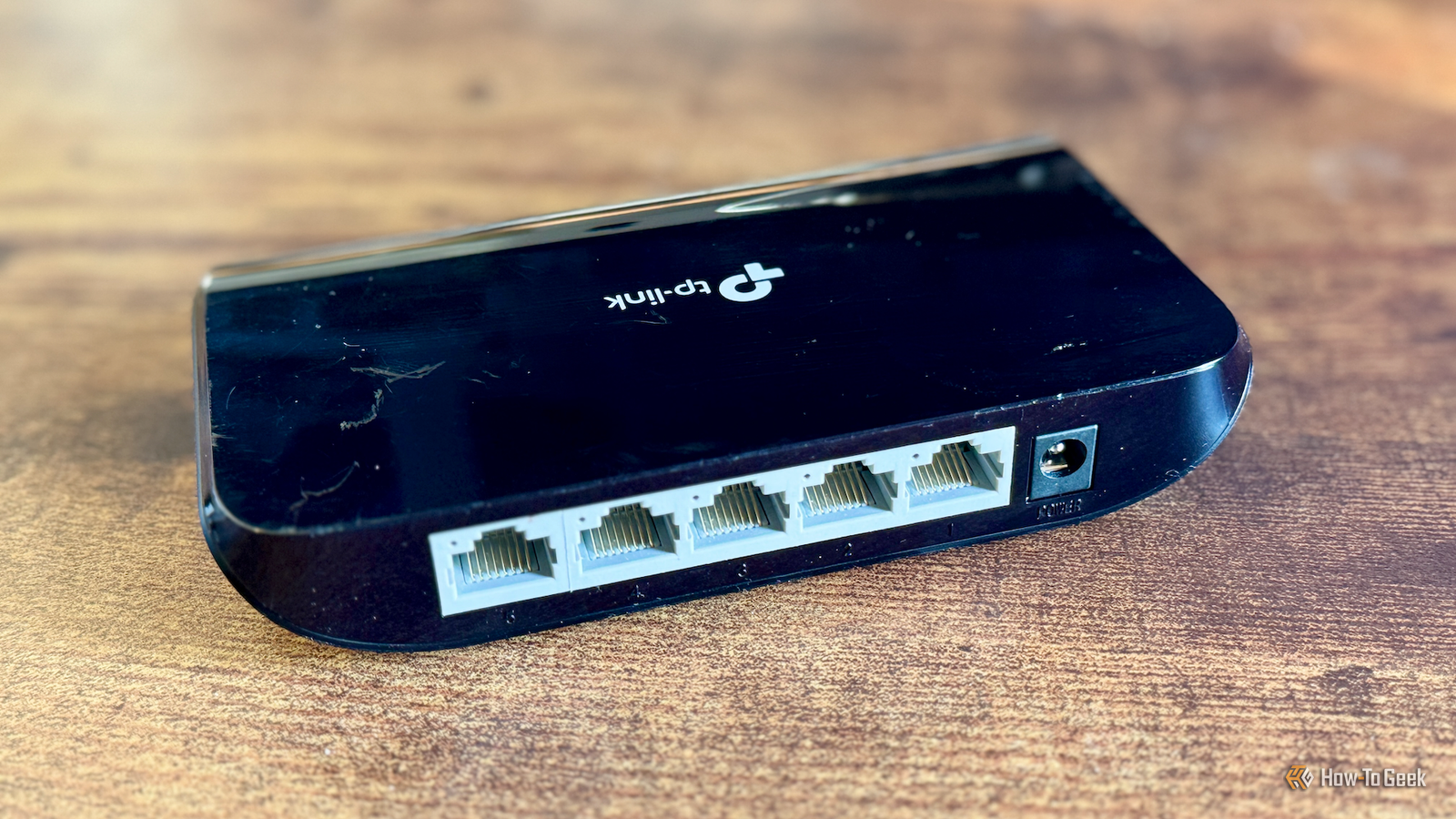
What a network switch actually does More ports without complication An unmanaged network switch is a plug-and-play device that does one job.It takes an incoming Ethernet connection from a router or a mesh node, for example, and allows multiple wired devices to communicate over the same network through its additional ports.You can connect multiple devices to a network switch, and they will appear on the same network as if they were plugged directly into the router or mesh node.
You can also get managed network switches that give you more control, allowing you to monitor and manage traffic going through the switch, but these devices are more expensive and overkill for my needs.All I wanted was a way to get more Ethernet ports for my home media setup.StarTech.com Cat6 Ethernet Cable Brand StarTech.com Length 125ft This extra long StarTech Cat-6 cable is a high-quality Ethernet cable that supports up to 10Gbps data transfer speeds.
Cable Type Copper Connector Type RJ45 Category Cat 6 Speed 10Gbps Color Orange See at Amazon Expand Collapse Getting wired connections to the devices that need them My mesh node was lacking ports The location of my router is far from ideal but is restricted by where the broadband comes into the house.I could run cable to relocate it, but it's never been a priority.I have wireless mesh nodes around the house and have one next to my TV.
The mesh node only has two Ethernet ports, and before I got a network switch, I had one connected to my PS5 and the other connected to my DVR.The DVR has most of the streaming apps that I use, so having a wired connection for this device was my priority.However, my smart TV didn't have a wired connection, and there are a couple of streaming apps on my smart TV that aren't available on my DVR.
One of them is the app that is constantly buffering or bugging out.Related Your old router is faster than mesh Wi-Fi if you wire it correctly You don't need a $300 mesh Wi-Fi system (the ultimate home network fix is already sitting in your closet) Posts 1 By Goran Damnjanovic Since my mesh node only has two ports, a network switch was a perfect solution.I connected one port of the mesh node to the network switch and used the remaining ports of the network switch to connect the other devices in my home media setup.
The second port of the mesh was also available to be used.Using the network switch, my smart TV, DVR, PS5, and Switch 2 now all have a wired network connection.I'm rarely downloading huge amounts of data on more than one device at any time, but they all have a wired connection available when they do.
Why wired beats Wi-Fi a lot of the time The wired devices aren't the only winners Modern Wi-Fi is better than it's ever been.Wi-Fi 6, 6E, and 7 are fast and more capable of handling crowded networks than older Wi-Fi generations, but they're still not perfect.Wi-Fi is still subject to interference from the walls in your home, your neighbors’ Wi-Fi networks, and other devices.
A wired connection can help to limit the variability that you get with Wi-Fi.It's far from an accurate measure, but running speed tests on the same devices using Wi-Fi and then connected to the network switch, I found that the download speeds were consistently higher when using the wired connection.For online gaming, a wired connection through a mesh node can also help reduce latency, although not to the same extent as a direct wired connection to your router.
The beauty of having more wired connections is that it can improve things for the devices that are still connected to Wi-Fi.Since devices that would otherwise use a lot of bandwidth are now using a wired connection, it frees up that bandwidth for the other Wi-Fi devices, such as your phones, tablets, and laptops, which no longer have to deal with such a congested network.What to look for in a network switch Gigabit and the right number of ports You can find inexpensive network switches on many sites that sell tech hardware, and most of them will do a similar job.
The important thing is to ensure it's a Gigabit switch or faster; some older models were limited to 100 Mbps, and you can still find some of these floating around.The other main consideration is the number of ports you need.One port will be taken up with input from the mesh node, so you usually end up with one fewer usable port than listed.
A five-port network switch, for example, will allow you to connect four devices.The network switch that saved my sanity With my network switch in place, I was able to set up a wired connection for my smart TV.Thankfully, it was all it took to solve the painful buffering issues that I was experiencing.
All it took to save my sanity was one inexpensive little device.
Read More