When you buy a Samsung device, you know you’re getting a bunch of features and customization options.This is best showcased on Galaxy phones, but it also applies to the Galaxy Watch.However, Samsung doesn’t enable all the best stuff for you.
Previously, I highlighted five great Galaxy Watch features that you should enable.Well, there’s more where that came from.Not everyone has the time to sift through every settings section and menu, so I’ve done the work for you.
Related The most useful Samsung Galaxy Watch features that aren’t enabled by default Samsung has never been scared to include as many options as possible in its devices.That includes the Galaxy Watch as well, of course, but not all of the best features are enabled fresh out of the box.Let's make sure you haven't overlooked some grayed-out toggles.
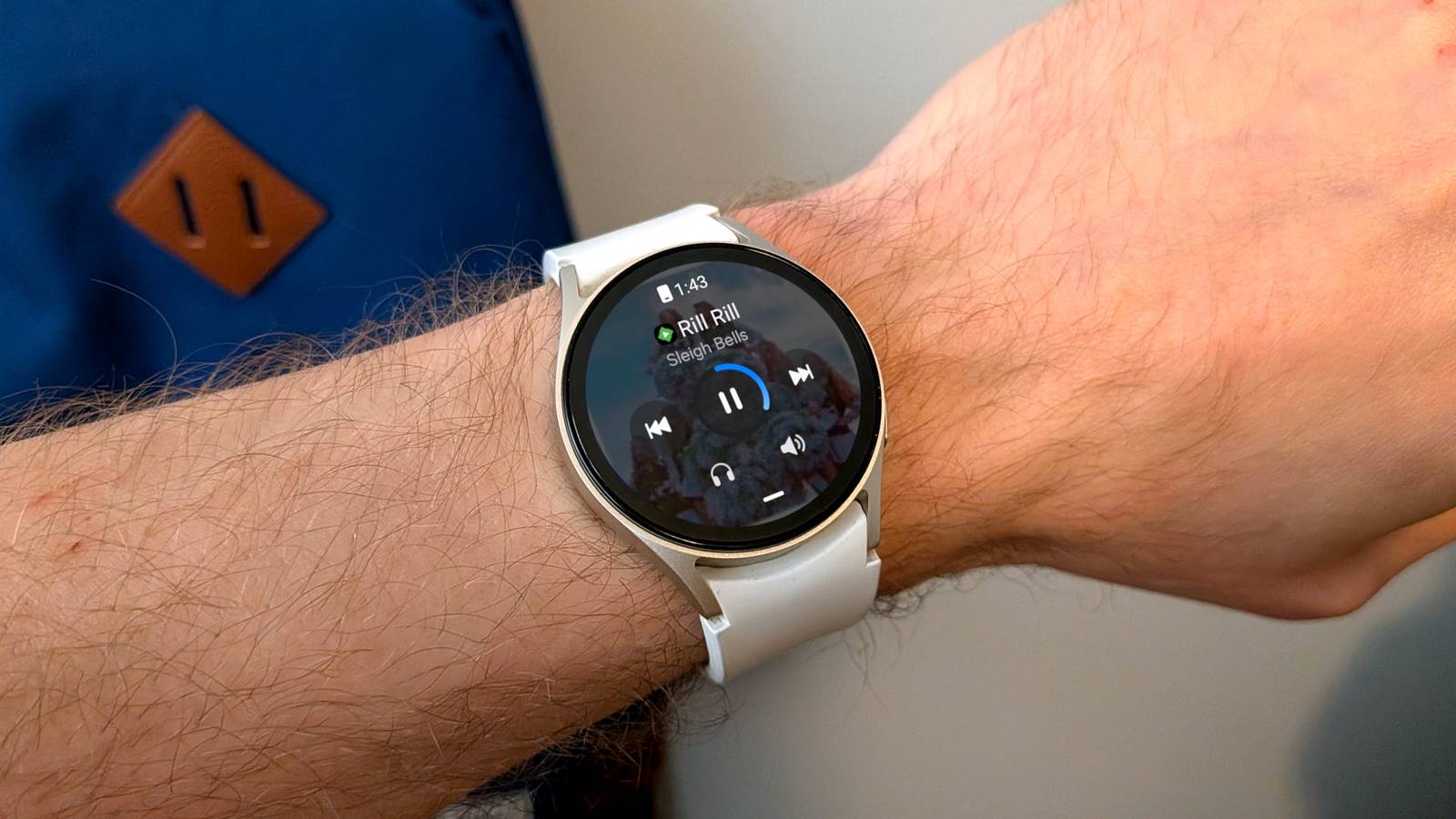
Posts 5 By Joe Fedewa Show media controls immediately Don’t waste time hunting for the pause button The primary purpose of a smartwatch is to have quicker access to things that are happening on your phone.Notifications are a big part of that, but so are media controls.It’s convenient to be able to play/pause, skip, and adjust volume without reaching for your phone.
However, it’s not as convenient as it could be by default.You have to find the Media Controller in the app list or open it from the Now Bar.The easier option is to toggle on a feature called “Auto launch media controls.” This will automatically put the media controls in the foreground on the watch when media is playing on your phone.
Go to Settings > Advanced features > Auto launch media controls. Quiz 8 Questions · Test Your Knowledge Surprising things made by SamsungTrivia challenge Beyond phones and TVs — discover just how many unexpected products and industries the Samsung empire touches. IndustryHistoryProductsTechnologyBusiness Begin 01 / 8 History Before becoming a tech giant, what did Samsung originally sell when it was founded in 1938? ATextiles and clothingBGroceries and dried fishCAutomobiles and spare partsDChemicals and fertilizers Correct! Samsung was founded by Lee Byung-chul as a small trading company selling groceries, dried fish, noodles, and other goods in Suwon, Korea.The name 'Samsung' means 'three stars' in Korean, reflecting the founder's ambitions for something large and eternal. Not quite.
Samsung actually started as a humble grocery and trading company, selling items like dried fish and noodles.It's a far cry from the semiconductors and smartphones the company is now famous for — the transformation took decades of aggressive diversification. Continue 02 / 8 Industry Samsung is one of the world's largest manufacturers of which unexpected "product"? AReinforced steel beamsBPrefabricated concrete panelsCApartment buildingsDGlass windows and facades Correct! Samsung C&T (Construction & Trading) is one of South Korea's biggest builders, responsible for constructing entire apartment complexes, skyscrapers, and major infrastructure projects.The Burj Khalifa in Dubai, the world's tallest building, was partly built by a Samsung-led consortium. Not quite.
Samsung's construction arm, Samsung C&T, builds entire apartment buildings and massive infrastructure projects.Most impressively, a Samsung-led consortium was responsible for constructing the Burj Khalifa, the world's tallest building — a long way from selling smartphones. Continue 03 / 8 Technology Samsung manufactures chips and components for which major competitor's flagship product? AGoogle Pixel phonesBApple iPhonesCMicrosoft Surface tabletsDSony PlayStation consoles Correct! Despite being fierce rivals in the smartphone market, Samsung has historically manufactured NAND flash memory and OLED display panels for Apple's iPhones.This unusual business relationship makes Samsung both Apple's biggest competitor and one of its most important suppliers. Not quite.
The answer is Apple iPhones.Samsung has supplied critical components like OLED screens and NAND flash memory to Apple for years, even while the two companies compete aggressively in the global smartphone market — a textbook example of 'coopetition.' Continue 04 / 8 Products Which of the following unlikely products has Samsung's engineering division manufactured? ACommercial aircraft enginesBMilitary tanksCNuclear power plant reactorsDSubmarine propulsion systems Correct! Samsung C&T and Samsung Heavy Industries have been involved in constructing nuclear power plant infrastructure, including reactor buildings.South Korea is a major exporter of nuclear power technology, and Samsung has played a significant role in building that capability domestically and internationally. Not quite.
Samsung has actually been involved in constructing nuclear power plant infrastructure through its construction and engineering divisions.It's a stunning example of how the Samsung conglomerate stretches far beyond consumer electronics into the most complex engineering projects on Earth. Continue 05 / 8 Business At its peak, Samsung's revenues represented approximately what percentage of South Korea's entire GDP? AAround 3%BAround 8%CAround 23%DAround 25% Correct! Samsung's revenues have at times equaled roughly 23% of South Korea's entire GDP, making it one of the most economically dominant companies relative to its home country in the world.This is why Samsung is described as a 'chaebol' — a uniquely Korean form of massive family-controlled industrial conglomerate. Not quite.
Samsung's revenues have represented approximately 23% or more of South Korea's GDP at various points, which is a staggering level of economic dominance.This kind of outsized national footprint is what makes Samsung a true 'chaebol' — a conglomerate so large it shapes an entire country's economy. Continue 06 / 8 Products Samsung once produced its own line of what type of heavy vehicle? ACommercial airplanesBAutomobilesCAgricultural tractorsDHigh-speed trains Correct! Samsung Motors launched in 1998, producing passenger cars before the division collapsed during the Asian financial crisis just a year later.Renault then acquired the struggling company, which became Renault Samsung Motors — still selling cars in South Korea today under a Samsung-licensed brand name. Not quite.
Samsung actually made automobiles through Samsung Motors, launched in 1998.It was short-lived due to the Asian financial crisis, but Renault eventually acquired the company, and 'Renault Samsung Motors' continued selling cars in South Korea — keeping the Samsung name alive in the auto world. Continue 07 / 8 Industry Samsung Heavy Industries is one of the world's largest manufacturers of what? AOil tankers and cargo shipsBMilitary submarinesCOffshore drilling platformsDCommercial fishing vessels Correct! Samsung Heavy Industries is consistently ranked among the top three shipbuilders in the world, producing massive oil tankers, container ships, and liquefied natural gas (LNG) carriers.It's a completely separate and enormous business unit that most people have never heard of when they think of Samsung. Not quite.
Samsung Heavy Industries is a world-leading builder of oil tankers and large cargo ships, regularly competing for the title of the world's biggest shipbuilder. It's a massive industrial operation that has nothing to do with Galaxy phones but sits comfortably under the Samsung corporate umbrella. Continue 08 / 8 Technology Samsung is a dominant global supplier of which component found in almost every modern device? ALithium-ion battery cellsBDRAM memory chipsCWi-Fi antenna modulesDUSB controller chips Correct! Samsung is one of the world's top two manufacturers of DRAM (Dynamic Random Access Memory), alongside SK Hynix.The RAM inside your laptop, server, or gaming console very likely came from Samsung, regardless of what brand name is on the device — giving Samsung invisible influence over almost all of modern computing. Not quite.Samsung is a dominant force in DRAM production, making the RAM chips that power laptops, servers, smartphones, and data centers worldwide.
Even if you've never bought a Samsung-branded product, chances are high that Samsung memory is humming away somewhere inside your devices right now. See My Score Challenge Complete Your Score / 8 Thanks for playing! Try Again Double-Pinch Gesture Touch your watch without touching your watch One of the features I mentioned in the first article was “Universal Gestures,” and while they’re great, the abilities are probably overkill for most people.A much simpler, yet still useful gesture is called “Double pinch”—it’s a great companion to Auto launch media controls, too.The Double pinch gesture—activated by touching the tips of your pointer/middle finger and thumb twice in quick succession—does different things depending on what’s on the screen.
When a text message arrives, it opens voice-to-text.For calls, it dismisses them.And when the media controller is on the screen, it will play or pause.
Enable it at Settings > Buttons and gestures > Double pinch.Keep track of time with the hourly charm Old-school time reminders If you’ve ever worn a Casio watch, you may be familiar with the “Hourly Time Signal” feature.As the name implies, it simply plays an audible chime at the top of every hour.
Some people rely on this as a way to keep themselves from losing track of time throughout the day.You don’t have to give up your Casio watch to continue getting hourly alerts.Samsung has included an “Hourly Chime” feature on Galaxy Watches for many years.
It does exactly the same thing: plays a subtle alert at the top of every hour.You can turn it on from Settings > Sounds and vibration > System sounds > Hourly chime.Samsung Galaxy Watch 8 $290 $350 Save $60 Brand Samsung $289 at Samsung $290 at Amazon Expand Collapse Automatically turn on notifications for new apps Sometimes it’s better to opt-out than opt-in Notifications are obviously a big part of the smartwatch experience.
That’s why I’ve never understood Samsung’s decision to keep notifications disabled for newly installed apps.When you set up the watch for the first time, notifications are enabled for all apps on your phone.So why aren’t new apps treated the same way? Unlock hidden Galaxy Watch features — subscribe to the newsletter Subscribing to the newsletter gives you clear, actionable Galaxy Watch guidance: setup shortcuts, hidden features, and practical tweaks that simplify daily use.
Perfect if you want step-by-step tips to unlock more from your Galaxy Watch.Get Updates By subscribing, you agree to receive newsletter and marketing emails, and accept our Terms of Use and Privacy Policy.You can unsubscribe anytime.
Personally, I think it’s much easier to tap a notification when it comes in and select “Block notifications” than to dig through the settings and enable notifications after I realize I’ve been missing them.If you feel the same way, head to Settings > Notifications > Advanced settings > Auto turn on watch notifications for new phone apps.Don’t be afraid to explore The reality is that most devices, whether it’s a smartphone or a smartwatch, are set up for the general public.
That means the more advanced features are often left to be discovered by power users.Beyond the things listed in this article and the previous, there are also several notification settings that I find particularly useful.Take some time to scroll through the various sections in the Settings.
Samsung even gives you suggestions for related settings at the bottom of each page.Related Samsung hid the Galaxy Watch's best notification settings three menus deep Personally, notifications are the main reason why I wear a smartwatch.I don’t want to pull out my phone every time an alert comes in, but I also don’t want to fiddle around too much with my watch to read or take action on notifications.
All it takes is four toggles to get things working perfectly.Posts 8 By Joe Fedewa
Read More