If you’re anything like me, you probably have hundreds (if not thousands) of bookmarks—articles you saved for later, resources from a phase you’ve moved on from, and links that may not even work anymore.At first, you probably thought that you’d clean them up later, but now it’s gotten so big that you’re probably paralyzed just by looking at it.But what feels overwhelming to humans is often trivial for AI, so I let Claude take a crack at my chaotic bookmark collection.
Not only did it successfully organize all 1,000+ links, but it even resurrected some dead links from the grave.My browser bookmarks were a mess The graveyard I built one "read later" at a time Every time I find an interesting trick, hack, or online resource, I instinctively bookmark it—articles, videos, tools, you name it.The idea is always the same: , **but “later” never comes.
In fact, some of those bookmarks have been sitting in my browser for so long that the links don’t work anymore—either the website disappeared, pages moved, or the service shut down.At the time of writing, I had accumulated more than 1,000 bookmarks over the past 10 years of my life.And this spans across countless phases.
At one point I was obsessed with digital drawing, then chess, then music theory, then filmmaking, then math.Every phase left another trail of bookmarks behind.Now the collection has grown so large that even attempting to organize it feels overwhelming.
I wouldn’t know where to begin, what to keep, or what to delete.But this turns out to be the kind of problem LLMs—like Claude—are surprisingly good at solving.Claude Price $20 Claude is an AI assistant made by Anthropic. It can assist with a wide range of tasks—writing, coding, analysis, research, and more. Unlike a search engine, Claude reasons through problems conversationally, making it useful as a thinking partner rather than just an information retrieval tool.
See at Claude Expand Collapse Recently, I used Claude to organize my messy Obsidian vault, sorting through hundreds of notes with surprisingly good accuracy.Compared to that, organizing bookmarks is a much simpler task—they’re essentially just URLs with metadata attached.So I handed Claude my bookmark collection, and the results were far better than I expected.
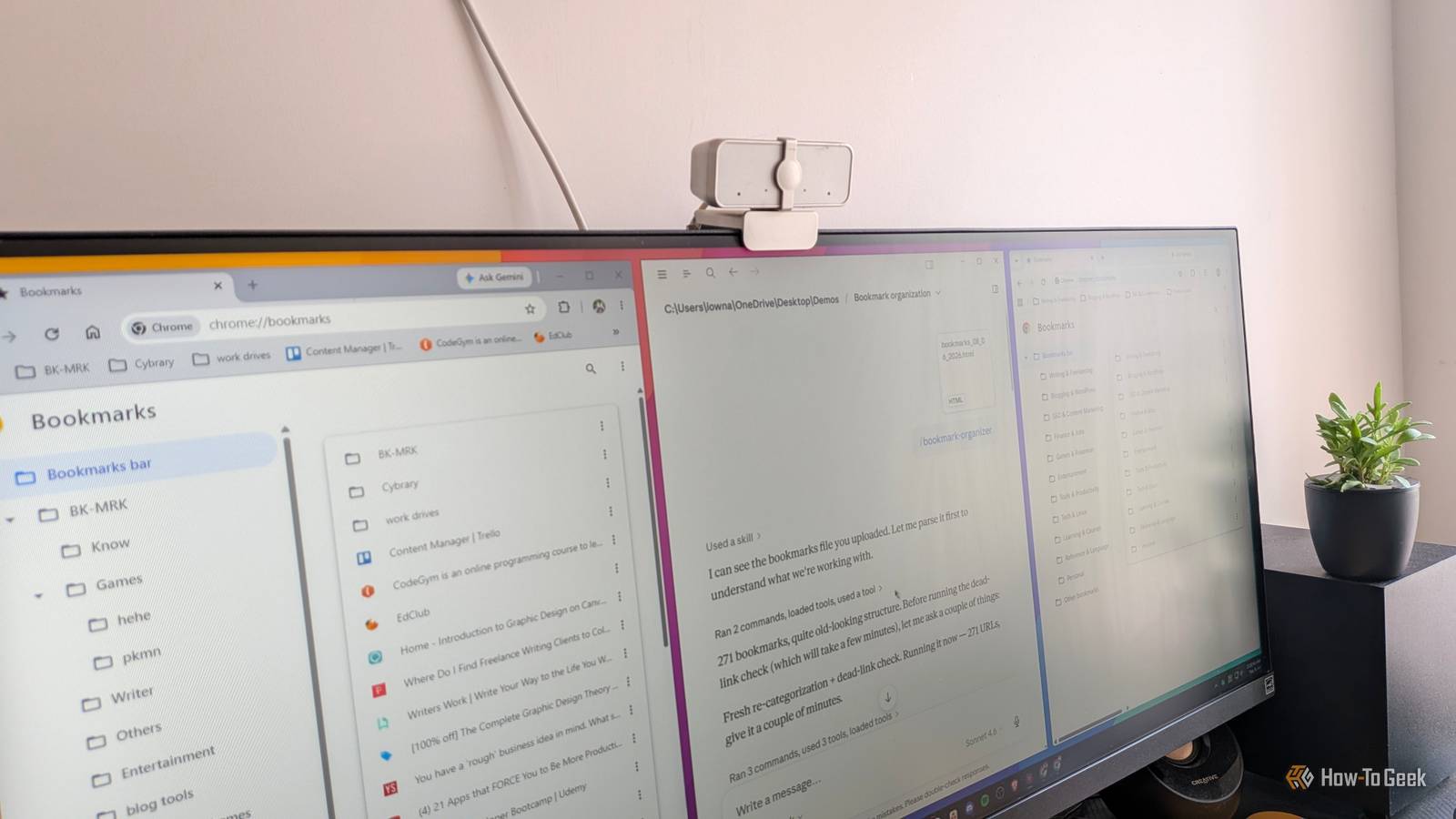
I’ve included screenshots showing how this workflow operates using a smaller demo batch of URLs.Related Claude + Obsidian: The cheat code for building a second brain that actually sticks Building a second brain has never been easier.Posts By Dibakar Ghosh How I got Claude to organize my bookmarks LLMs are surprisingly good at this kind of grunt work You may already know that Claude can interact with your browser directly.
However, you can’t use that to organize your bookmarks because it only gives Claude access to the webpage, not the browser content.That said, the workaround is simple: export your bookmarks and upload them into Claude.Almost all browsers support bookmark exports.
In Chrome (and Chrome-based browsers), press Ctrl+Shift+O to open the Bookmark Manager.From there, click the three-dot menu and select the option to export your bookmarks.Chrome will generate an HTML file containing your saved bookmarks, including their titles, URLs, and folder structure.
Once uploaded, Claude can analyze the entire collection, understand the existing structure—or lack of one—remove duplicates, suggest cleaner categories, and generate a reorganized bookmark HTML file that you can import back into your browser.I wouldn’t recommend using a one-shot prompt like “organize my bookmarks,” though.A conversational workflow works much better.
First, ask Claude to analyze the bookmark collection and identify patterns or themes.Then let it suggest categories and organizational structures.From there, you can refine the system collaboratively before asking it to generate the final cleaned bookmark file.
This approach gives you far more control over what gets preserved, merged, archived, or deleted.Instead of using the Claude web app, use tools like Claude Code or Cowork.Since they can access a Linux terminal, Claude can test individual URLs directly to determine which sites are still active and which ones are dead.
That makes it much easier to separate broken links from working ones.Related Claude isn't just for programmers: Here's 7 ways I use it in my everyday life Vibe coding isn't all you can do.Posts By Adam Davidson How to recover dead links from old bookmarks The internet has a memory—if you know where to look If you’ve been collecting bookmarks for years, many of them are probably dead by now.
Websites shut down, pages get deleted, domains expire, and URLs change over time.But a dead link doesn’t always mean the content is gone forever.The Internet Archive’s Wayback Machine has been crawling and archiving websites for decades, and there’s a surprisingly good chance it still has a snapshot of the page you’re trying to recover.
Doing this manually, however, is painfully tedious.You’d need to open every dead link individually, search for it on the Wayback Machine, check whether snapshots exist, and then find the closest usable version.That becomes unrealistic once you’re dealing with hundreds of dead links.
Fortunately, this is another task Claude can help automate.By giving Claude access to your browser, it can systematically process dead links one by one—checking archived snapshots on the Wayback Machine, identifying the closest available version, and recovering whatever content still exists.Claude can even save archived pages locally and generate a separate bookmark file pointing to those recovered copies—as a local file path instead of the original dead URLs.
Deals Unlock savings on AI tools and software subscriptions Find discounts on productivity and AI software—discover offers for note-taking apps, cloud backup, automation tools, and subscription services.Compare savings on software and subscriptions to streamline workflows, safeguard links, and cut recurring costs.Deals Explore Software, AI & Subscriptions Deals Granted, the process isn’t perfect.
Some pages were never archived at all, while others may have missing images, broken formatting, or scripts that weren’t preserved properly.But for text-heavy content like articles, guides, forum posts, and tutorials, the recovery rate is surprisingly good.Related The internet is disappearing, so I repurposed an old laptop to save it This open source app let me turn a useless old laptop into my archiving center.
Posts 2 By Jordan Gloor You’re not limited to browser bookmarks Your browser probably isn’t the only place where you save links.Many people use dedicated read-it-later services like Pocket, Instapaper, or Raindrop.io—especially on mobile devices, where traditional browser bookmarking tends to feel clunky.Most of these services support exporting your saved links in open formats like HTML or CSV.
Once you have the export file, you can run the exact same Claude-based workflow: upload the file, let Claude analyze and reorganize the collection, then generate a cleaned-up version that you can import back into the app.In other words, this workflow isn’t really about browser bookmarks specifically—it works for almost any large collection of saved links.
Read More