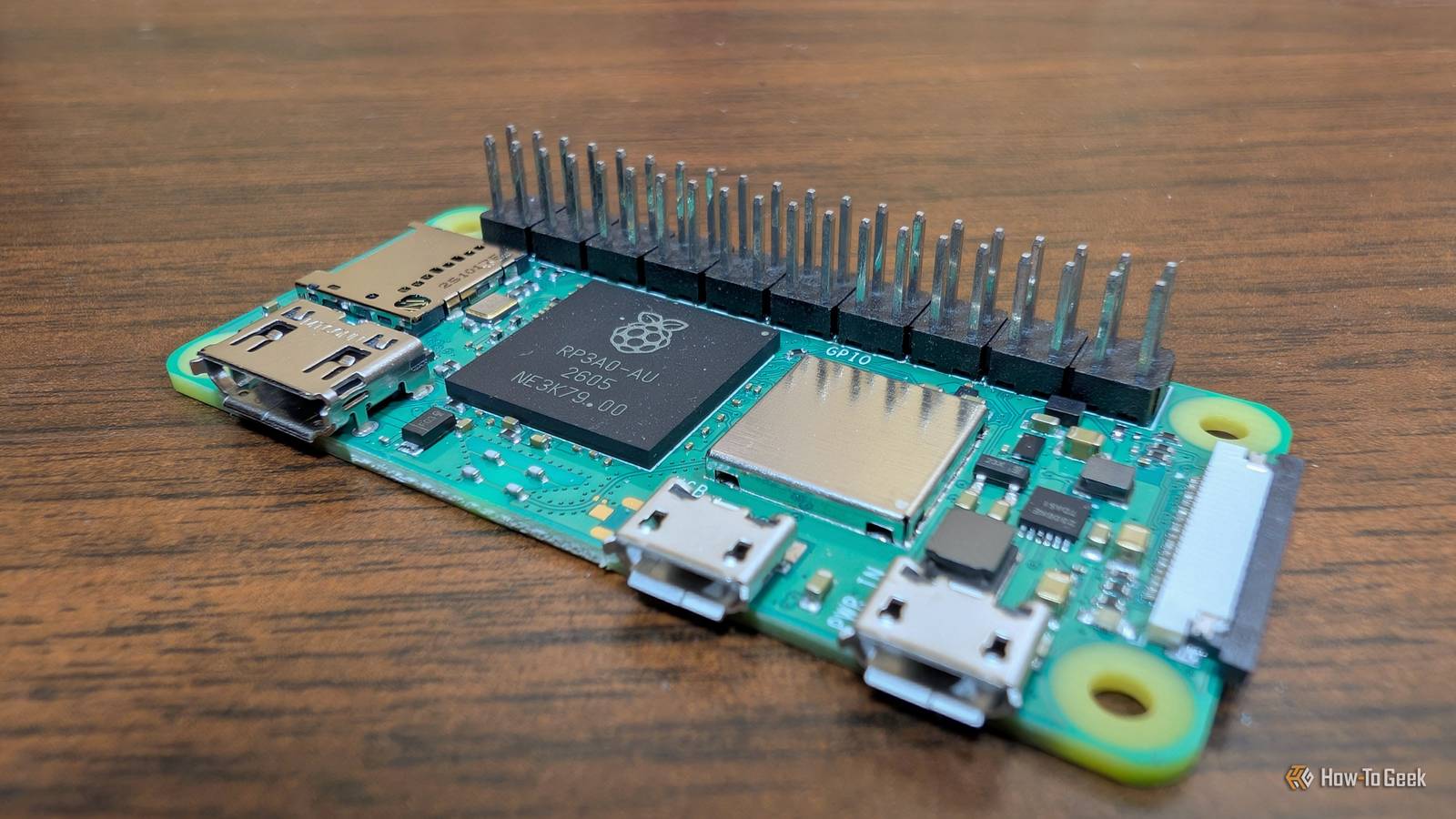
Rather than carry a USB drive with me everywhere, I tried switching to a Raspberry Pi Zero 2 W, a high-capacity microSD card, and a short cable.Instead of a physical disk, I now carry a tiny file server that literally fits in my pocket.For roughly the same price as a flash drive, you can build a tool that is far more interesting.
A Pi Zero 2 W can be a tiny file server A NAS in your pocket Close A Pi Zero 2 W isn't the most powerful SBC out there.It has a meager quad-core processor running at 1GHz and only 512MB of RAM.Despite those shortcomings, it can still run any number of useful services.
In this case, I turned a Pi Zero 2 W into a tiny wireless storage device that functions like a flash drive.When powered on but not connected to a PC, it turns into a Wi-Fi access point that allows you to connect wirelessly and then interact with files on it.When you plug it directly into a PC, it enters mass-storage gadget mode, which allows you to interact with the files on it like you would any normal USB drive.
It works in any situation The single biggest advantage of this setup is that it is platform-neutral and multi-client.You no longer need to worry about physical connectors; any device with a browser or an SMB client—whether it's an iPhone, Android, Linux laptop, or Chromebook—can reach the files.This also means you can hand files to multiple people at once rather than plugging in a drive one at a time.
In AP mode, it requires nothing but a power supply.Beyond basic transfers, you have room for additional software and services too.You can install Syncthing for two-way synchronization or a web file manager for drag-and-drop access via a browser.
You may even be able to run OmniTools to make bulk-processing certain kinds of files easier you transfer them.Related I stopped using Dropbox to share files between my devices and built something better Stop using cloud storage to move files across the room (do this instead) Posts 2 By Nick Lewis You should build this if you regularly move files between a phone and a laptop and dislike the process, or if you're someone who frequently hands off files to others in person.However, if your primary requirement is "plug in, copy, and finish in four seconds," or if you work on locked-down corporate machines that block unrecognized USB devices, it may be a problem.
There are tradeoffs for flexibility The reality is that this setup isn't faster than a modern flash drive.The Zero 2 W has a USB 2.0 interface, which optimistically limits you to transfer speeds between 20 and 30MB/s.Over its 2.4GHz Wi-Fi, you should expect single-digit megabytes per second.
A cheap USB 3 USB drive would beat either number.You also have to keep an eye on your fairly limited resources.With only 512MB of RAM, Samba works, but there isn't much room for other heavy services.
Since the Zero 2 W has only one data-capable micro-USB connector, you can't functionally add external storage to it while in gadget mode; your best bet is to rely on the microSD card.Raspberry Pi Zero 2 W Brand Raspberry Pi CPU Quad-core 64-bit ARM Cortex-A53 Memory 512MB of SDRAM The Raspberry Pi Zero 2 W is super tiny and super affordable, but it packs enough computing power for a variety of DIY projects.You can use it to create a handheld retro gaming console, for Klipper/Mainsail, a super compact home or media server, and more. $40 at Amazon $19 at adafruit $16 at CanaKit Expand Collapse Finally, don't leave your Wi-Fi AP open—set a passphrase and Samba credentials you turn it out on in public.
Building the Pi Zero 2W flash drive replacement Use the lightest OS possible Close For the most part, this project is pretty easy.You need to install Raspberry Pi OS Lite to a Pi Zero 2 W, then enable gadget mode.You also need to create a file that will stand in for a disk and then mount it.
The real trick is then getting the Pi to switch between USB mode and AP mode by itself.After fiddling with it for a while, I managed to get Claude to write a script that handles that automatically.#!/bin/bash IMG=/piusb.bin MNT=/mnt/usb_share modprobe g_mass_storage "file=$IMG" removable=1 stall=0 iSerialNumber=pidrive0001 \ || { echo "g_mass_storage failed to load — is the dwc2 overlay active?"; exit 1; } sleep 1 UDC=$(ls /sys/class/udc 2>/dev/null | head -n1) [ -n "$UDC" ] || { echo "no UDC found"; exit 1; } LUN=$(find /sys/devices/platform -path '*/lun0/file' 2>/dev/null | head -n1) [ -n "$LUN" ] || { echo "lun0/file sysfs node not found"; exit 1; } host_present() { case "$(cat "/sys/class/udc/$UDC/state" 2>/dev/null)" in configured|suspended|addressed|default) return 0 ;; *) return 1 ;; # not attached / powered (charger) / etc.
esac } last="" while true; do if host_present; then [ "$last" = host ] || { echo "host attached — handing over"; last=host; } if mountpoint -q "$MNT"; then umount "$MNT" 2>/dev/null \ || { fuser -km "$MNT" 2>/dev/null; sleep 1; umount "$MNT" 2>/dev/null; } fi # insert the medium only once we've actually let go if ! mountpoint -q "$MNT" && [ "$(cat "$LUN")" != "$IMG" ]; then echo "$IMG" > "$LUN" fi else [ "$last" = pi ] || { echo "host gone — reclaiming"; last=pi; } [ -z "$(cat "$LUN")" ] || echo "" > "$LUN" # eject before touching it ourselves if ! mountpoint -q "$MNT"; then mount "$MNT" 2>/dev/null \ || { fsck.vfat -a "$IMG" >/dev/null 2>&1; mount "$MNT"; } fi fi sleep 1 done With all of that done, confirm that all your services come up without intervention after a reboot.I also created a small autoreboot service that'll make sure that the script always runs.A portable Pi NAS is weird but handy This project is slower and a bit more unusual than a USB drive, but it is interesting and practical enough that it now goes in the bag when I travel somewhere.
At $15 for the board, it's an incredibly cheap way to solve a recurring problem.If you find yourself constantly fighting with dongles, adapters, or filesystem errors, it is worth trying this this.Just keep a standard USB stick in your bag for those times when you need the raw speed.
Read More