Our lives are more digital than ever.Year after year, we keep adding to the ever-growing pile of photos, videos, downloads, documents, and media on our computers, phones, NAS devices, and cloud storage accounts while barely removing anything.Because of this, it's easy to lose track of just how much data has accumulated—and the hidden costs that come with it.
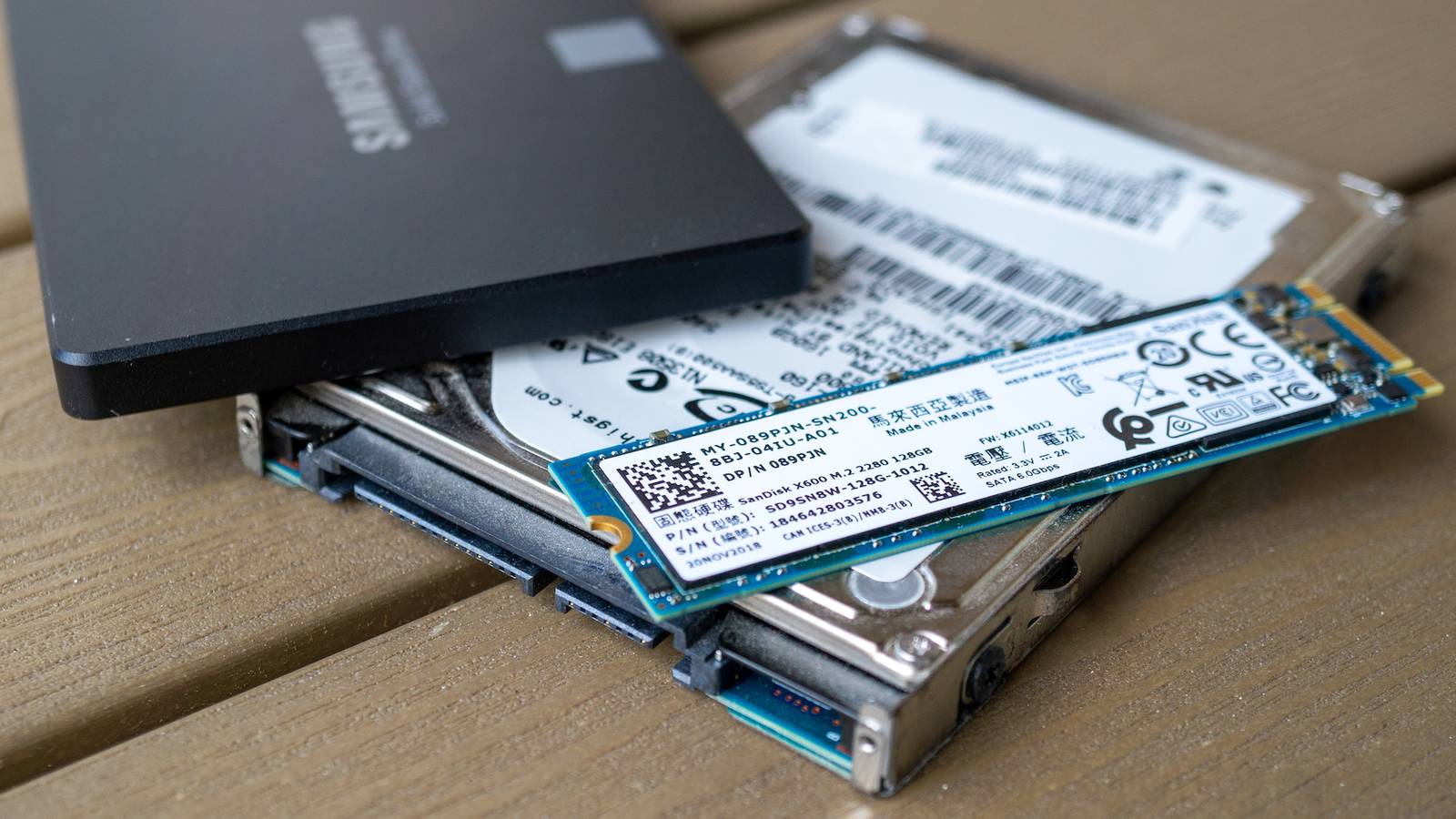
Storing your files costs way more than you think Every file quietly costs more than you think One of the biggest pitfalls with storage is thinking that it's cheap.Even with hard drive prices increasing dramatically in recent times, storage is still fairly affordable.You can find 6TB hard drives for around $150, and that's enough space for tens of thousands of files.
Instead of asking "Do I need this?", the question quickly becomes "What's the harm in keeping one more file?" You become reckless with your data storage and start storing identical versions of the same projects, blurry photos, unimportant screenshots, and low-quality movies.Before you know it, you're buying your third hard drive of the year.The costs are especially noticeable if you take your backups seriously and set up more robust RAID systems, cold storage, and various other fail-safes.
Quiz 8 Questions · Test Your KnowledgeCloud storage and self-hostingTrivia challengeFrom Dropbox to your own home server — how well do you really know where your files live?CloudSelf-HostingProtocolsSecuritySoftwareBegin 01 / 8CloudWhich company launched the first widely popular consumer cloud storage service, debuting in 2007?AGoogle DriveBMicrosoft OneDriveCDropboxDBoxCorrect! Dropbox launched in 2007 and is widely credited with popularizing consumer cloud storage.Its simple file-syncing model set the template that almost every competitor would follow for years.Not quite — the answer is Dropbox, which launched in 2007.Google Drive didn't arrive until 2012, and OneDrive (then called SkyDrive) only became prominent around the same time.Continue 02 / 8Self-HostingNextcloud is best described as which type of software?AA proprietary cloud backup tool made by MicrosoftBAn open-source, self-hosted file sync and collaboration platformCA paid enterprise storage service with no self-hosting optionDA Linux kernel module for managing network-attached storageCorrect! Nextcloud is a free, open-source platform you install on your own server to get Dropbox-like features without relying on a third party.
It supports file sync, calendars, contacts, and hundreds of community apps.Not quite — Nextcloud is an open-source, self-hosted platform.It was actually forked from ownCloud in 2016 by founder Frank Karlitschek and has since become one of the most popular self-hosting projects in the world.Continue 03 / 8ProtocolsWhich protocol does Nextcloud and many other self-hosted storage tools use to sync files between a server and client devices?AFTPBSFTPCWebDAVDSMBCorrect! WebDAV (Web Distributed Authoring and Versioning) is an HTTP extension that allows clients to read and write files on remote servers, making it a natural fit for cloud-style file sync applications.Not quite — the answer is WebDAV.While FTP, SFTP, and SMB are all valid file-transfer protocols, WebDAV is the standard used by Nextcloud, ownCloud, and many other web-based storage platforms because it runs over standard HTTP/HTTPS.Continue 04 / 8SecurityWhat does end-to-end encryption (E2EE) mean in the context of cloud storage?AFiles are encrypted only while being uploaded over the internetBThe storage provider encrypts files on their servers using their own keysCFiles are encrypted on the user's device and the provider never holds the decryption keysDFiles are encrypted after being downloaded to the user's local machineCorrect! With true E2EE, encryption and decryption happen on the user's device, so the cloud provider stores only ciphertext and cannot read your files even if compelled to.
Services like Proton Drive and Tresorit are known for this approach.Not quite — E2EE means files are encrypted on your device before they ever leave it, so the provider only ever sees unreadable ciphertext.This is different from standard server-side encryption, where the provider holds the keys and could theoretically access your data.Continue 05 / 8Self-HostingWhat is a NAS, commonly used in home self-hosting setups?ANetwork Access Software — an app that tunnels into cloud servicesBNetwork-Attached Storage — a dedicated device that shares drives over a local networkCNode Authentication Server — a service that manages login credentialsDNative Archive System — a compression format for large file backupsCorrect! A NAS (Network-Attached Storage) device connects to your home router and makes its hard drives accessible to every device on the network.Popular brands include Synology, QNAP, and Western Digital, and many run apps like Plex or Nextcloud.Not quite — NAS stands for Network-Attached Storage.
It is a purpose-built box with one or more hard drives that plugs into your router, letting all devices on your network access shared storage without needing a full PC running 24/7.Continue 06 / 8CloudWhich cloud storage service is natively built into macOS and iOS, deeply integrated with Apple's ecosystem?AiCloud DriveBOneDriveCGoogle OneDDropboxCorrect! iCloud Drive is Apple's built-in cloud storage service, tightly integrated into macOS, iOS, and iPadOS.It handles desktop and document folder sync, app data, photos, and more, all within Apple's walled garden.Not quite — the answer is iCloud Drive.While OneDrive, Google One, and Dropbox all have iOS and macOS apps, iCloud Drive is the service Apple built directly into its operating systems, making it the default for most Apple users.Continue 07 / 8SoftwareWhich open-source media server software is frequently self-hosted to stream a personal video and music library to any device?AVLCBKodiCJellyfinDHandbrakeCorrect! Jellyfin is a fully free and open-source media server that you host on your own hardware.
It streams your personal library of movies, TV, and music to browsers, apps, and smart TVs — with no subscription or tracking involved.Not quite — the answer is Jellyfin.VLC and Handbrake are local playback and transcoding tools, while Kodi is a media center app rather than a server.Jellyfin (and its proprietary cousin Plex) are specifically designed to serve media over a network.Continue 08 / 8SecurityWhen self-hosting a service and exposing it to the internet, which tool is most commonly recommended to securely provide remote HTTPS access without opening router ports directly?ATelnetBA reverse proxy such as Nginx Proxy Manager or CaddyCWindows Remote Desktop (RDP)DAn FTP server with password loginCorrect! A reverse proxy like Nginx Proxy Manager or Caddy sits in front of your self-hosted apps, handles SSL/TLS certificates automatically, and routes traffic securely.
This avoids exposing individual app ports directly and centralizes access control.Not quite — the standard answer is a reverse proxy such as Nginx Proxy Manager or Caddy.Telnet is unencrypted and obsolete, RDP exposes the whole desktop and is a common attack target, and plain FTP lacks encryption, making all three poor choices for secure remote access.See My Score Challenge CompleteYour Score/ 8Thanks for playing!Try Again To put this into perspective, I bought a Seagate 6TB external hard drive earlier this year for my NAS, and I've somehow filled over 4TB in less than half a year.Granted, I wasn't exactly careful with my backups, but if I were to continue at this rate, I would need another one of these hard drives before the year's end—and my data storage needs aren't even that high.
I've mostly focused on hard drives, as they're the cheapest form of storage, but it's worth mentioning that if you want fast storage with SSDs, the prices skyrocket.Cloud storage is the most expensive of the bunch over the long term, especially once you reach the point where it feels like you can't easily drop the subscription from your life.Seagate Expansion 6TB External Hard Drive HDD Storage Capacity 6TB Brand Seagate The Seagate Expansion 6TB external hard drive is an excellent starting point if you are building a laptop NAS, offering plenty of capacity for backups and media.
It is affordable, easy to set up, and fast enough over USB 3.0 for most home server use cases.$159 at Amazon Expand Collapse Your digital clutter is stealing time and attention The real cost is the mental overhead The greatest lie the data hoarder has ever convinced themselves of is that they'll organize everything later.Speaking from experience, this is only partially true.
You might go through your files once, sort things into neat little folders, and feel like you've fixed the problem.But unless your data storage habits change, the cycle repeats.New files keep coming in, old ones keep piling up, and you're back right where you started (just with a lot more data than before).
That's the part that makes digital file storage so draining.It's a constant task that you have to stay on top of if you have a lot of files.You waste a lot of your precious time organizing—and if you don't do that, you'll waste hours searching through misnamed files to find the one you actually need.
I believe the real reason that makes digital hoarding so easy to fall into is that it doesn't feel the same as "real" clutter.A single storage drive, whether it's a tiny USB thumb drive or a large hard drive, can store hundreds of photos, songs, movies, and text documents while barely taking up any room in your house.Just think of what their physical counterparts would look like—they'd fill shelves, drawers, filing cabinets, and boxes, and you'd think twice before keeping every single one.
But because digital storage compresses your collection so much, it's easy to create an endless junkyard of files you're most likely never going to look at for the rest of your life.It's not all that bad, though.If you've got a home server, there are a few tools out there to help you keep things organized, like Immich for photos and Sonarr for TV shows.
However, even after you go through the effort of setting these self-hosted apps up, you'll still have to organize other file types, especially if you need them structured in a specific way.The files you forget about can become liabilities Old data creates privacy, security, and even emotional baggage long after it stops being useful On top of wasting time and money with your data hoarding habits, there’s also a real mental cost.For starters, there’s an extensive list of sensitive information you shouldn’t store anyway, as well as things you might have kept in the past that could become a serious risk if your drives were ever compromised.
Of course, there are some relevant things you might need to store and keep safe, like tax returns, employment contracts, mortgages, and so on.Deals Storage Deals: Discounts on Drives, NAS & Backup Gear Cut long-term storage costs with deals on external hard drives, SSDs, NAS systems, routers, switches and backup accessories.Find discounts on capacity, enclosures, backup services and networking gear to streamline storage, improve redundancy, and save on Deals Explore Storage & Networking Deals The real concern is the older stuff that’s no longer legally or practically relevant, like expired passports, outdated contracts, copies of old credit cards, and even text files containing your passwords before the era of password managers and 2FA.
Apart from legal and security concerns, there's also a more personal layer.Stuff like old photos tied to difficult memories, or files from projects and ventures that never worked out can carry an emotional weight that no longer serves any real purpose.In many cases, there's little value in keeping these kinds of files around.
Keep what matters, delete what doesn't Use a retention system instead of keeping everything forever While some of us have greater data storage needs than others, there’s one thing most people can agree on—having too much is rarely a good thing.A more balanced approach to storing files makes a big difference over time.When you take multiple similar photos, keep the best one and delete the rest.
When you finish a movie or show you didn’t enjoy and don’t plan to revisit or recommend, there’s often little reason to keep it—especially if it's a 4K remux.Related I tried to ditch cloud storage for self-hosting.Three drives and a mini PC later, I gave up There are time sucks, and then there are time sucks.
Posts 23 By Bertel King
Read More