Linux desktop environments have never been better.Modern distributions offer polished graphical interfaces, excellent software stores, and user-friendly applications that make it possible to accomplish almost anything without touching a terminal.Yet despite all that progress, many experienced Linux users still spend a significant amount of time on the command line.
In many situations, command-line tools simply offer advantages that GUI alternatives can't easily match.CLI apps can be automated Turn one command into a repeatable workflow One of the biggest advantages command-line applications have over their graphical counterparts is automation.While GUI apps are designed around clicking buttons and navigating menus, CLI tools are built around commands that can be saved, reused, and executed automatically.
This becomes especially valuable when you're dealing with tasks that need to be performed repeatedly.Converting files, organizing folders, backing up data, processing media, or managing files can be manageable when you're working with a handful of items.With a CLI application, the same command you run once can usually be placed into a shell script and executed whenever you need it.
Better yet, you can schedule it to run automatically without any intervention at all.For example, I often need to resize screenshots before sharing them online.In a graphical image editor, that would mean opening each image, changing its dimensions, exporting it, and repeating the process for every file.
Using ImageMagick from the command line, I can resize every PNG file in a folder with a simple loop: for file in *.png; do convert "$file" -resize 50% "resized-$file" done Instead of manually processing each image, the command handles the entire batch automatically.If I find myself doing it regularly, I can save those commands in a shell script and run them whenever needed, turning a repetitive task into a one-click workflow.They compose together Build powerful workflows from simple tools Another advantage of command-line applications is that they're designed to work with one another.
Rather than relying on a single program to handle every part of a task, Linux encourages the use of small tools that each do one thing well and can be combined into larger workflows.This is a very different approach from most GUI applications.Graphical programs are often self-contained, meaning the features available to you are limited to what the developer chose to include.
Command-line tools, on the other hand, are built around working together.A command can generate output, another command can filter it, and a third can transform it into something more useful.By chaining these tools together, you can solve surprisingly complex problems without ever leaving the terminal.
For example, let's say you want to find the ten largest files in your home directory.A graphical file manager can show file sizes, but sorting through thousands of files spread across multiple folders can be cumbersome.In the terminal, you can combine several utilities into a single command: find ~ -type f -printf "%s %p\n" | sort -nr | head Here, find gathers every file, sort arranges them by size, and head displays only the largest results.
Each tool performs a specific job, but together they create a workflow that would be difficult to replicate in many graphical applications.Kubuntu Focus M2 Gen 6 8 Operating System Kubuntu 24.04 LTS CPU Intel Core Ultra 9 275HX (2.7GHz up to 5.4GHz) GPU NVIDIA GeForce RTX 5070 Ti (dGPU), Intel Graphics (iGPU) RAM 32GB Dual-Channel DDR5 262-pin SODIMM (5600MHz) This laptop is purpose-built for developers and professionals who want a Kubuntu Linux-powered portable workstation and gaming platform.It features an Intel processor capable of hitting 5.4GHz and both integrated graphics and a dedicated NVIDIA 5070 Ti GPU for when you need extra power for machine learning or games.
$2895 at Kubuntu Focus Expand Collapse Repetitive work becomes easier Save time on tasks you do every day Not every repetitive task is worth turning into a script.Sometimes you just need to perform the same action across dozens of files or folders, and you need to do it right now.In those situations, command-line applications can often get the job done much faster than a graphical alternative.
The challenge with repetitive work is that every additional click, menu, and confirmation dialog adds overhead.Renaming files, moving data between directories, deleting old backups, or searching through large collections of documents might not be difficult tasks, but they can quickly become time-consuming when performed one item at a time.For example, imagine you've imported a few hundred photos from a camera, and they all have generic names such as IMG_0001.jpg, IMG_0002.jpg, and so on.
Renaming them individually in a file manager would take a while, even with bulk rename tools.In the terminal, a simple command can rename every file according to a pattern in just a few seconds.They use fewer system resources More performance, less overhead Graphical applications have come a long way over the years, and on modern hardware, most users rarely think about how many system resources their software consumes.
However, every graphical interface requires additional memory, processing power, and graphical rendering that simply isn't necessary for many tasks.Deals Maximize productivity with computers & work setup deals Find discounts on laptops, desktops, monitors, mechanical keyboards, docking stations, and SSDs to streamline CLI workflows.Browse computers & work setup deals for savings on powerful machines, fast storage, ergonomic peripherals, and networking gear.
Deals Explore Computers & Work Setup Deals Command-line applications avoid much of that overhead by focusing exclusively on the task at hand.Since they don't need to draw windows, animations, menus, or other interface elements, they can often accomplish the same work while using fewer system resources.This becomes especially noticeable on older hardware, low-power devices, and remote systems.
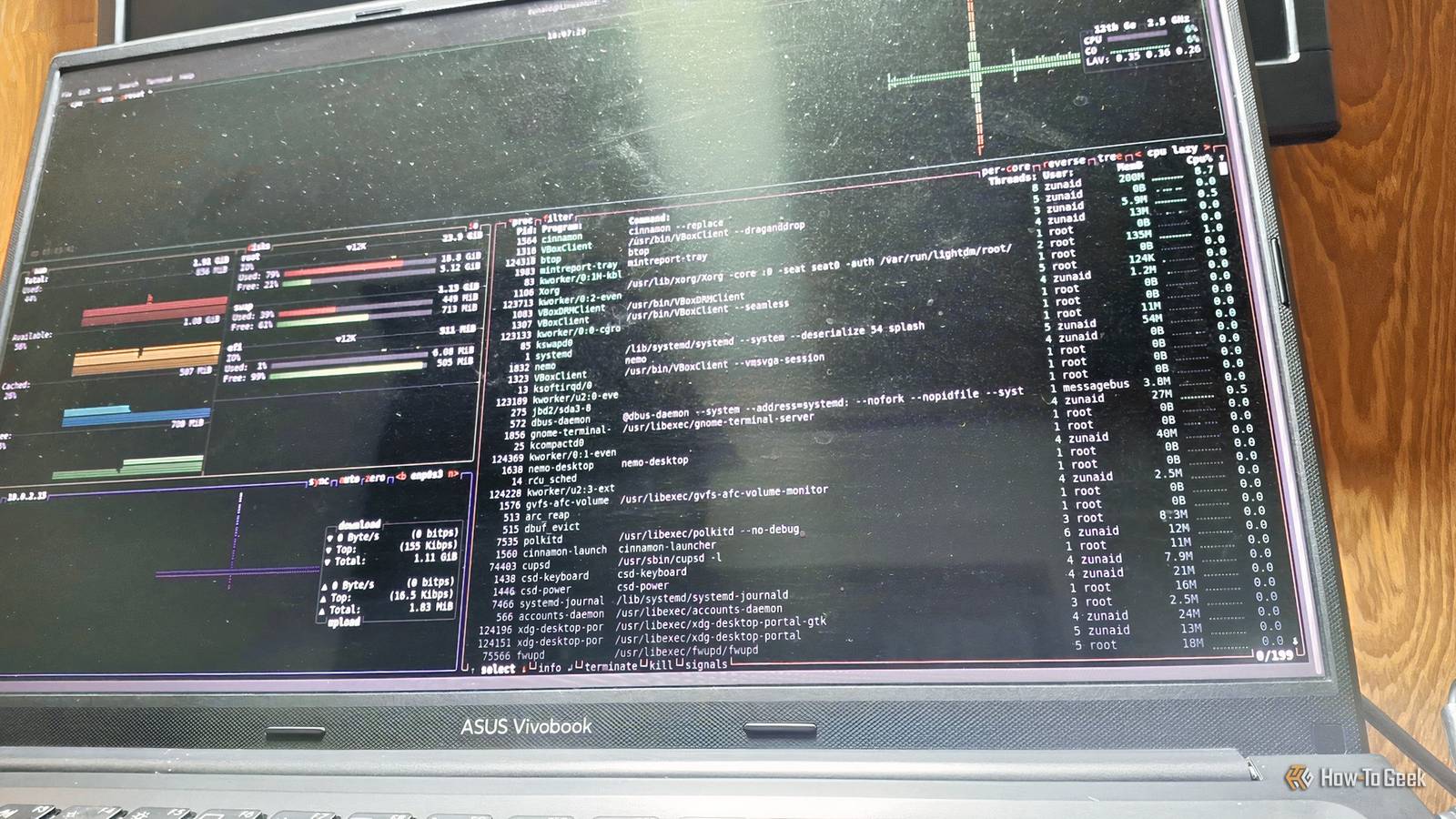
A terminal-based text editor, file manager, or system monitor can remain responsive even on machines that struggle with modern desktop applications.Likewise, when you're connected to a server over SSH, a command-line tool can provide instant access to system information without requiring a full graphical environment.For example, if I need to quickly check how my system's resources are being used, I can launch a tool like btop in the terminal.
It provides a detailed overview of CPU, memory, disk, and network activity while consuming only a fraction of the resources required by many graphical system-monitoring applications.It's fast, responsive, and works virtually anywhere a terminal is available.The terminal excels at scale The command line isn't better than graphical applications at everything, nor does it need to be.
Linux offers both interfaces because each one solves different problems.That's why so many Linux users continue to rely on terminal applications even when excellent graphical alternatives exist.
Read More