Yes, I know that Samsung Galaxy devices are basically the iPhones of the Android world, and there are other, less polished, but more interesting options out there.But Samsung has this market domination for a reason, and part of it comes from its genuinely useful bespoke features.Other manufacturers (and sometimes Android itself) have copied features that Samsung users have enjoyed first.
There's nothing wrong with that at all, as I believe a good feature should be available to everyone.In fact, I really want Android or other phone makers to copy these.Samsung DeX turns your phone into a real desktop computer It sounds like a gimmick until you actually try it Close Samsung DeX is a desktop mode for Samsung phones and tablets that's been around for years.
Back in 2019, I used DeX as my only PC for a week, connecting it to my work monitor every day, and doing my full eight-hour grind with mouse and keyboard attached.This was perfectly serviceable, but there was some software I needed to use back then that required Windows.Today, if it works with your browser app, you could really just use your phone as your computer, hooking it up to a desk setup when you need to.
My colleague Bertel King has effectively replaced his work computer with DeX, and has learned quite a few interesting lessons in the process.So what about the rest of Android? Well, the copying of DeX has kind of, sort of happened already.After spending ages in beta, Android 16 has finally made its native desktop mode part of the AOSP.
However, so far, only the Google Pixel 8 phones and later have really properly implemented it.That's unsurprising because the Pixel phones run "stock" Android, and Google wouldn't have put all that effort into making desktop mode to then not use it on its own phones.Samsung, on the other hand, has been quick to integrate this native desktop mode technology into DeX, starting with One UI 8, although not everyone thinks this change has been a good one for DeX.
That said, each manufacturer has to choose to implement it, and so far, there don't seem to be many takers.So I hope that more of them choose to flip the switch and give their customers access to native Android desktop mode.Samsung Galaxy S26 Ultra Brand Samsung SoC Snapdragon 8 Elite Gen 5 Get the new Galaxy S26 Ultra with AI smarts and an all-new privacy display.
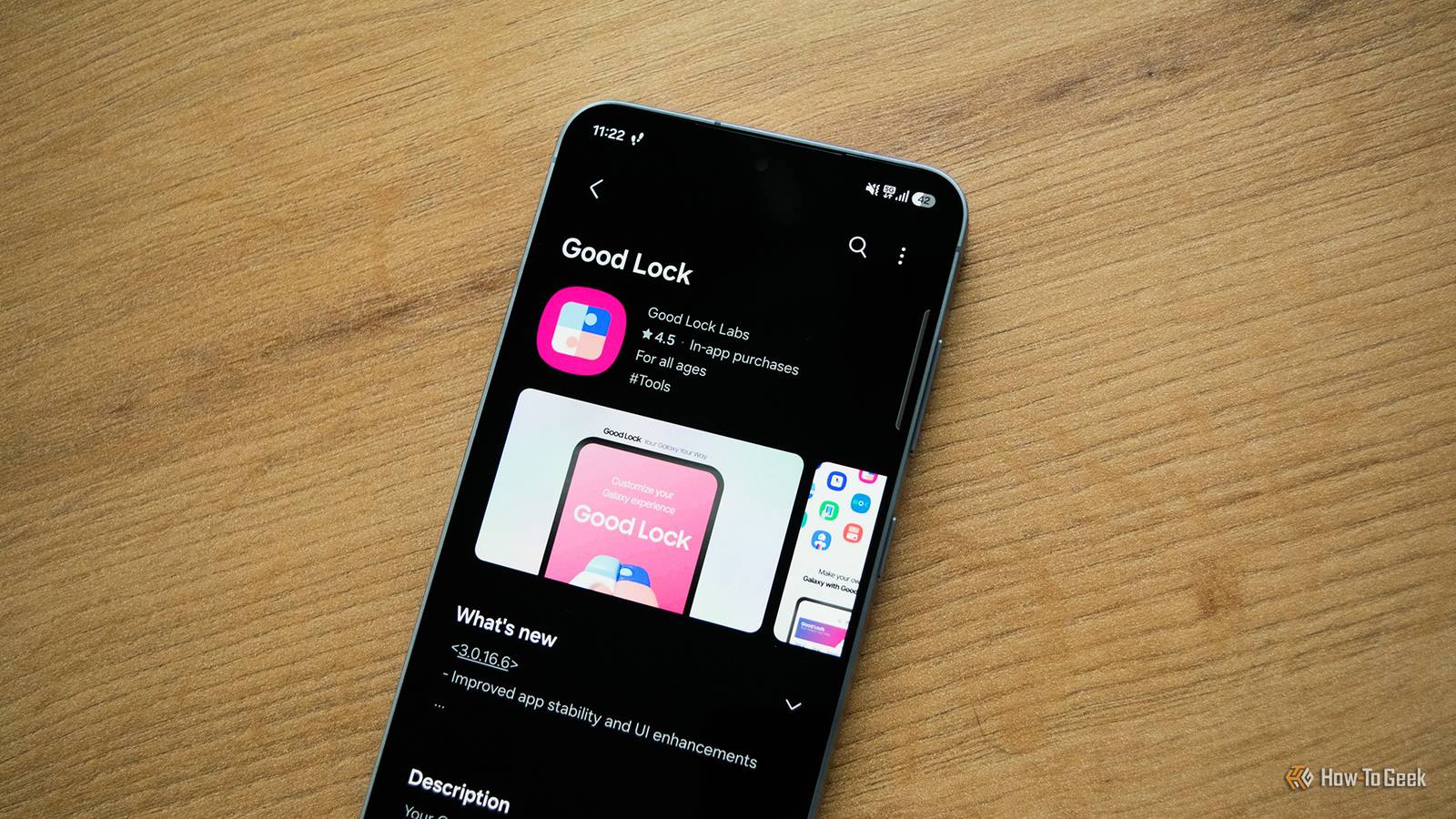
It's big, powerful, packed with AI, and you'll love the S-Pen stylus. Display 6.9-inch Dynamic Super AMOLED 2X RAM 12 or 16 GB Storage 256GB, 512GB, or 1TB Battery 5,000 mAh Operating System Android Front camera 12MP f/2.2 Rear camera 200MP f/1.4 main, 50MP f/1.9 ultrawide, 10MP f/2.4 telephoto, 50MP f/2.9 telephoto Dimensions 163.6 x 78.1 x 7.9 mm (6.44 x 3.07 x 0.31 in) Colors Violet, Sky Blue, Black, White, Silver Shadow, Pink Gold Weight 214g Charge speed 60W wired Super Fast Charging, 25W wireless Stylus S-Pen $1050 at Amazon Expand Collapse Good Lock lets you customize Android without replacing the launcher The silly name is the one thing they don't have to copy Samsung's Good Lock is basically the smartphone version of Windows PowerToys.It's a collection of genuinely smart and useful tweaks and utilities that, for some reason, aren't preloaded on the phone you buy, and rather poorly-advertised too.If you yearn for the days when custom launchers were all the rage and feel you just don't have as much control over your phone experience as you'd like, go and download Good Lock right now.
There's a learning curve, and a lot of depth to some of the tweaks, but if you put in the time you can transform how your phone looks, feels, and operates.Honestly, there are just too many toys in this box to even broach the subject here, but just the lock screen and UI tools are worth copying.Android can always do with more customizations built in, but the best of Good Lock makes more sense for Android phone makers to copy into their custom UIs.
If some phone makers can put in all of that effort to copy iOS, they can certainly steal some of the best ideas from Good Lock too.Modes and Routines make your phone adapt automatically Making your phone work for you Plenty of people are big fans of Apple's automation features, and Samsung did a bang-up job with its own version of that functionality in the form of Modes and Routines.Modes allow you to create presets for activities like driving, sleeping, working, or relaxing.
When your phone is triggered for a specific mode, it will change all the settings you've specified for that mode instantly.Routines are more complex and powerful.For example, you can set your device to switch on Bluetooth when you open certain apps, or one that activates mobile data when you don't have strong Wi-Fi.
Google Pixel phones have "rules," but according to my editor, Joe Fedewa, it's a joke compared to Modes and Routines.While I'm sure this isn't a simple solution to emulate, Apple, Samsung, and Google itself have working examples for others to copy, and I really wish they would.Secure Folder is far more useful than simply hiding apps Keep out the curious and nosy Samsung's Secure Folder creates an entirely separate, encrypted workspace protected by Samsung Knox.
It has its own authentication, isolated storage, and can even contain separate installations of the same apps you use elsewhere on your phone.With our phones being such an important part of our lives, I'd really like to see more phone makers offer something as secure and flexible as this to protect against disastrous information leaks if your phone is compromised.Samsung proves its biggest strength is software, not hardware If hardware specs were the only thing going for Samsung phones, I'd be hopping between brands with every upgrade cycle.
There are plenty of other phone brands that have the same performance or build quality.Getting software right is much trickier, and over the years, I've become used to Samsung software features where I forgot they aren't just a part of Android.But it doesn't have to be that way.
Now we just have to wait for the infamous "great artists" to get on with the stealing already.
Read More