While I have some pretty powerful servers in my homelab, my most important and useful server does just one thing: manages my network.Without it, my whole network goes down, my external services no longer work, and I can't VPN home.So, if my network manager goes down, nothing else matters—that's why it has to be the most robust server, and, therefore, the most simple.
Nginx Proxy Manager, WireGuard, and Pi-hole don't need a lot of horsepower They run perfectly fine on my Pi 4 B Close I run a lot of services in my house, and I have a lot of servers running, too.In fact, at one point, I had eight servers running between high-availability Proxmox, storage, and more.The most important server for me, though, only has a single purpose: keeping my network running.
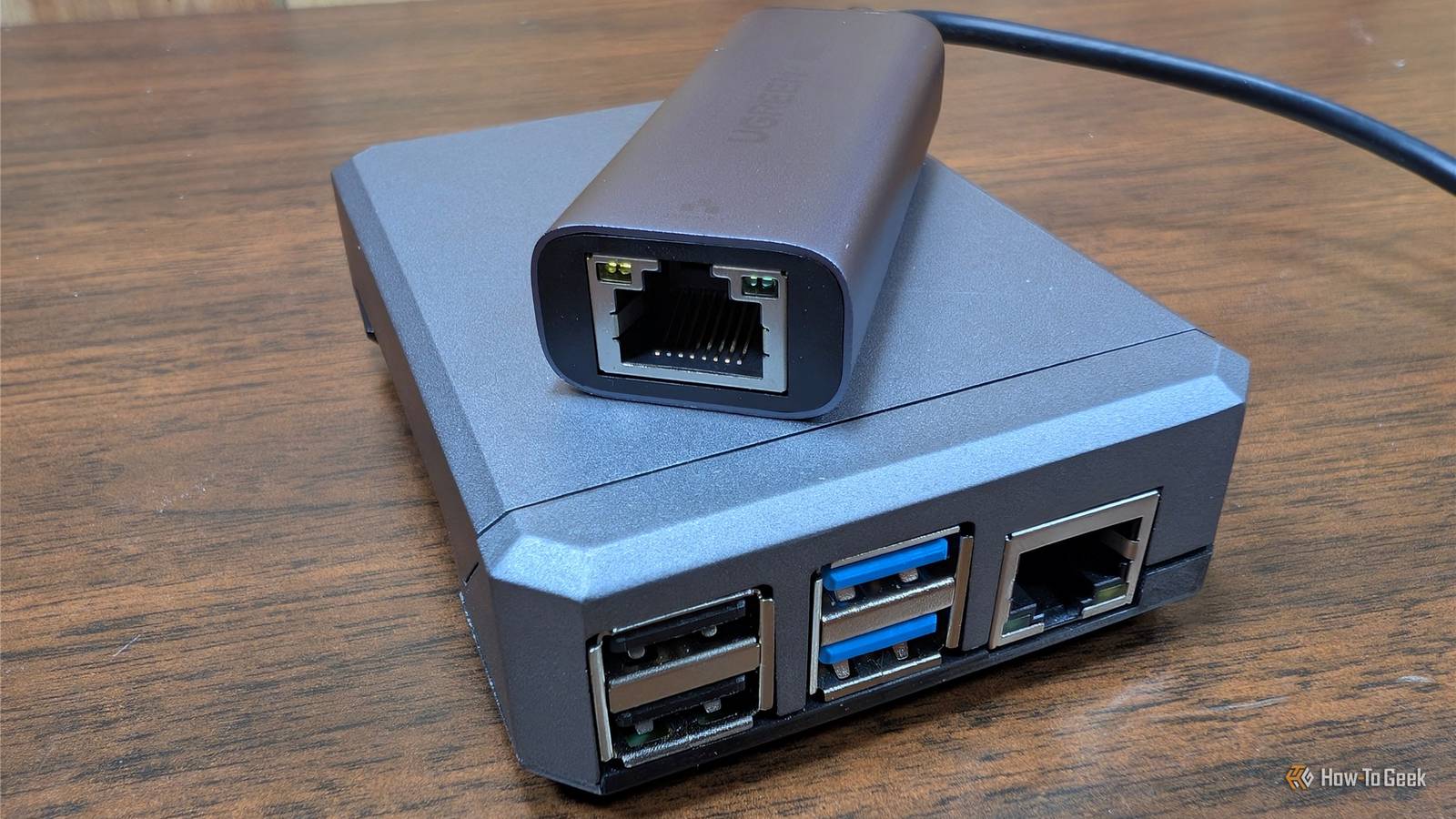
Since Nginx Proxy Manager (my reverse proxy), WireGuard (my VPN), and Pi-hole (my network-wide ad blocker) are all lightweight packages, they can run on low-end hardware like a Raspberry Pi—and that's just what I do.I used to run all of these services on my Pi 3 B, but I moved them to my Pi 4 B for the extra throughput it provides, since it has gigabit Ethernet instead of just 10/100 Ethernet.However, outside of network performance, all of the services still ran just fine on my older Pi 3 B, so if you only have one of those, it will still work great.
A Pi is the perfect network management server It's low-power, compact, and easy to keep powered 24/7 In my homelab, I have a lot of places I could host my network management stack.I have several mini PCs, multiple NAS servers, and a big desktop virtual machine system.So, why would I choose a Pi over one of the existing systems? All of the apps that I need to manage my network are fairly lightweight, so they don't the power of the other systems in my homelab.
They also require fantastic uptime (which I'll talk about in more detail in a moment), which the other servers in my homelab just don't have.A Pi is an ultra-compact system that can run 24/7 without adding a lot of power draw or heat output to a homelab.For services that need to run 24/7, it's the ideal piece of hardware for the task.
Related I'm preparing for my next power outage by turning a Raspberry Pi into a super-low-power desktop PC One low-powered PC is all I need for a few days.Posts 4 By Nick Lewis A single-purpose server has better uptime than a do-it-all system Having a server that only does one thing means it rarely needs to be taken offline Now, the meat and potatoes of why a Pi is the perfect place for my network stack is uptime.I have multiple NAS servers in my homelab, but they all require downtime for one reason or another.
In fact, I had Pi-hole on my (new) main NAS, and when I had to take it down to swap the hard drives in it from six 4TB drives to three 20TB drives, my network went down with it.Likewise, when I need to update Docker (or an operating system at all) for one reason or another, my network would go down just the same.So, I wanted to move everything to a dedicated system that had one job and one job only: keep my network online.
While do-it-all servers are convenient for not having to use multiple systems, they're also a single point of failure for everything, which is something no homelab should have.So, I went with a Pi for network services to keep my network online even when I'm performing maintenance on other hardware.I've already talked about how small and power-efficient it is, but it's also just a purpose-built machine.
I don't have to worry about updating it often, and, if I do, updates are fast and reboots take seconds, not minutes.It doesn't have anything else relying on it, it just has to keep my network running.I don't have to worry about making a change and breaking anything, either.
With my other servers, if I try something new, I could take something down.With the Pi, I don't try new things.I just let it run the services it needs to.
So, if you currently have one server doing everything in your homelab, maybe splitting up some duties could be a good idea.You don't need to go out and buy tons of expensive or high-end equipment.Sometimes a simple, used Raspberry Pi from Facebook Marketplace could be all you need.
That's where I bought my two Pi 4 Bs.Raspberry Pi 4 Model B Brand Raspberry Pi CPU Cortex-A72 (ARM v8) Memory 2 GB With the Raspberry Pi 4 Model B, you can create all kinds of fun projects, and upgrade gadgets around your home.Alternatively, install a full desktop OS and use it like a regular computer.
$38 at CanaKit See at Amazon Expand Collapse Sometimes the best tool for the job is a low-power machine, not a high-power monster I get caught up in the "Moar power!" race just as much as anyone else.My main NAS has a Core Ultra 7 255H with 64GB of LPDDR5X RAM and 10GbE networking.It's overkill, I know.
I also have an i9-13900K server with 96GB of RAM.But, the most important server in all of my homelab is a little Raspberry Pi with 1GB of RAM.Really, the Pi 3 B I used to use did the task just fine, it just couldn't do gigabit networking and that was the drawback for me there.
So, if you're struggling to justify adding a Pi to your homelab "because you have more powerful servers" already, take it from someone who did it—it's worth it.
Read More