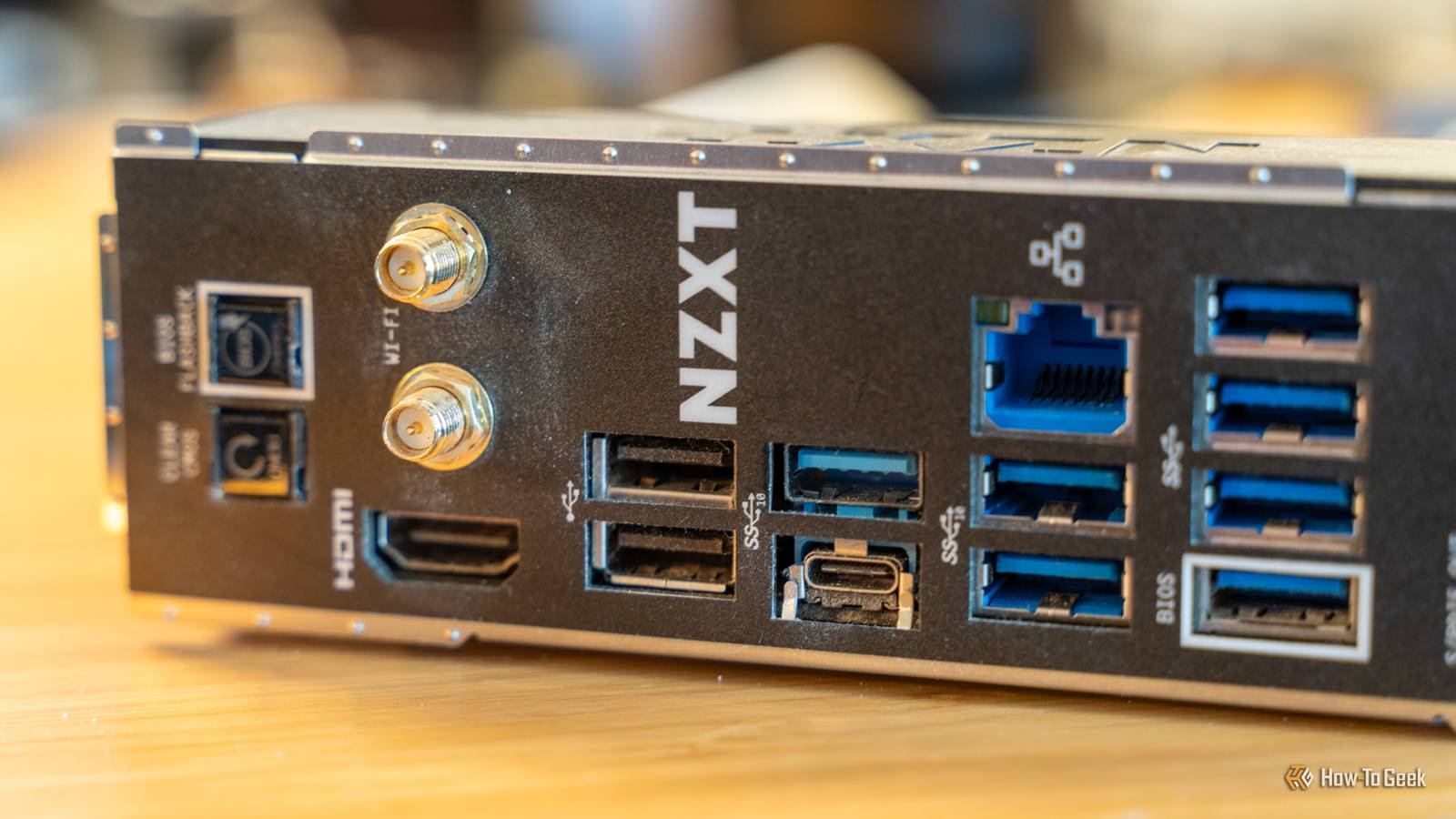
Your computer's USB ports can be confusing.Some are color-coded; some are super fast; some are super slow.But beyond all that, they're pretty flexible: if the cable fits, you've got yourself a connection.
Does that mean everything you can plug into a USB port belongs there, though? Nope! Here's what I never plug into my desktop USB ports (and you shouldn't either).A device with a wet, corroded, or damaged connector Don't risk your expensive PC Close I guess this is a given, but this is the worst thing that comes to my mind as I sit down to work on this article.If you have something that's in terrible condition -- something where the port is literally corroded or wet -- please, don't even try.
At least not on your main PC.A USB connector packs power and data contacts into a tiny space.If the plug is wet, corroded, bent, etc., those contacts can connect in ways they were never supposed to.
Best case? It won't work.Worst case? It could cause a short, trigger the PC's overcurrent protection, or damage the port itself.All bad outcomes, if you ask me.
Visible damage is also a good reason to stop experimenting, by the way.If the device is shady to begin with, don't move it from one port to another in hopes of it working.Replace cables with exposed wiring, melted plastic, heavy corrosion, or bent contacts.
Related USB-C cables look identical, but one simple spec separates the slow ones from the fast ones I thought all USB-C cables were equal until this one broke my workflow Posts 57 By Monica J.White A phone or an accessory with a swollen battery USB charging isn't going to make anything better here...You may have seen a phone or another type of device that appeared weirdly swollen.
That's due to the battery.If it's already swollen, it's good for nothing, and you may notice the symptoms through more than just a dented back.The screen lifting away from the phone, the casing separating, or it just looking rounded ...
that's bad news.Plugging this into your computer will try to feed energy into a dying/dead battery, even if the USB port charges it more slowly than a wall adapter (you generally shouldn't use your laptop to charge up a phone).But doing this is risky, not for your PC, but for the device itself.
You're creating a risk of further swelling, overheating, leaking, or, in ultra-extreme cases, fire.Disconnect the device and stop using it rather than plugging it through a gentler, slower source of power.A passive USB-A-to-USB-A cable between two computers For kind of obvious reasons If you have two PCs that you want to connect, a USB-A cable seems like a logical solution.
However, the rectangular USB-A ports on two computers are normally both host connections.They're designed to control attached devices and supply them with power, not to be connected directly to another host.So, a basic USB-A plugs at both ends doesn't contain the electronics needed to negotiate a proper PC-to-PC connection.
A badly made passive cable may also connect the two PCs' powered USB lines together, which can cause unpredictable electrical problems.If you want to connect your two PCs, use your local network, an external drive, or a purpose-built USB transfer cable.USB-C or Thunderbolt cables may support communication between computers, so you're in the clear there.
A device that already caused an overcurrent warning Once bitten, twice shy An overcurrent warning essentially means the device tried to draw more power than the USB port could safely provide, or the computer detected something resembling a short circuit.I probably don't have to tell you that nobody wants anything with the words "short circuit" anywhere near their expensive PC.This could be caused by a damaged cable, faulty accessory, overloaded unpowered hub, or a device that requires its own power adapter.
No matter the reason, the warning shouldn't just be clicked away and forgotten about.If you get this warning, unplug the device and investigate before you connect it to your PC again.Try a known-good cable, check its documented power requirements, and confirm that any required external adapter is working.
Don't keep moving the device from port to port; I'd honestly just keep it away from my PC, period.Quiz 8 Questions · Test Your KnowledgeUSB standards & connectorsTrivia ChallengeFrom clunky Type-A plugs to lightning-fast USB4 — test your knowledge of the universal serial bus revolution.HistoryConnectorsSpeedsStandardsHardwareBegin 01 / 8HistoryIn what year was the original USB 1.0 specification officially released?A1993B1998C1996D2000Correct! USB 1.0 was released in January 1996 by a consortium led by Intel, Compaq, Microsoft, and others.It aimed to replace the chaotic mix of serial ports, parallel ports, and PS/2 connectors that plagued early PCs.Not quite — USB 1.0 launched in January 1996.
It was developed by a consortium including Intel and Microsoft to simplify the frustrating tangle of legacy ports on personal computers at the time.Continue 02 / 8SpeedsWhat is the maximum data transfer rate of USB 2.0, also known as 'Hi-Speed' USB?A12 MbpsB480 MbpsC960 MbpsD5 GbpsCorrect! USB 2.0 tops out at 480 Mbps, which is why it earned the 'Hi-Speed' label when it launched in 2000.That was a massive leap over USB 1.1's 12 Mbps Full Speed ceiling, making it practical for external hard drives and cameras.Not quite — the correct answer is 480 Mbps.USB 2.0 is branded 'Hi-Speed' and launched in 2000, offering a 40x improvement over USB 1.1's Full Speed 12 Mbps mode, which made external storage far more viable.Continue 03 / 8ConnectorsWhich USB connector type was specifically designed for use with mobile phones and cameras, featuring a distinctive 5-pin trapezoidal shape?AUSB Type-BBUSB Micro-BCUSB Mini-BDUSB Type-CCorrect! USB Mini-B was the go-to connector for early digital cameras and mobile phones before being largely replaced.
It features a recognizable five-pin trapezoidal design and was formally specified in USB 2.0, though it has since been superseded by Micro-B and USB-C.The correct answer is USB Mini-B.It was the standard connector for early digital cameras and many mobile phones, featuring a 5-pin trapezoidal shape.It was eventually displaced by the slimmer Micro-B connector, which allowed for thinner device designs.Continue 04 / 8StandardsUSB 3.0 was later rebranded by the USB Implementers Forum.
What is its current official name?AUSB 3.1 Gen 2BUSB 3.2 Gen 2x2CUSB 3.2 Gen 1DUSB 3.1 Gen 1Correct! The USB-IF rebranded USB 3.0 as USB 3.2 Gen 1 to fit into a unified naming scheme.It still delivers the same 5 Gbps 'SuperSpeed' transfer rate — the confusing renaming was meant to streamline the standard's versioning but arguably made it more complicated.Not quite — USB 3.0 is now officially called USB 3.2 Gen 1.The USB Implementers Forum rebranded the entire USB 3.x family to create a unified naming structure, though the 5 Gbps SuperSpeed performance of the original USB 3.0 remains unchanged.Continue 05 / 8ConnectorsWhat key physical feature makes USB Type-C different from all previous USB connector types?AIt uses gold-plated contacts for better conductivityBIt is fully reversible and can be inserted either way upCIt is the smallest USB connector ever madeDIt supports only digital audio signalsCorrect! USB Type-C's most celebrated feature is its symmetrical, reversible design — you can plug it in either way without fumbling.
Introduced in 2014, it also supports far higher power delivery and data speeds than older connectors, making it a true universal solution.The standout feature is its fully reversible design — you can insert a USB-C plug either way up, ending the frustration of guessing the correct orientation.Introduced in 2014, USB-C also supports higher power delivery and data speeds than its predecessors.Continue 06 / 8HistoryWhich organization is responsible for developing and publishing the USB specification?AIEEE (Institute of Electrical and Electronics Engineers)BISO (International Organization for Standardization)CUSB-IF (USB Implementers Forum)DANSI (American National Standards Institute)Correct! The USB Implementers Forum (USB-IF) is the non-profit organization formed by the original USB developers to maintain and promote the USB specification.Founded in 1995, it certifies compliant products and grants the right to use the official USB logo.The correct answer is the USB-IF, or USB Implementers Forum.
This non-profit was founded in 1995 by the companies that originally developed USB, including Intel and Microsoft.It maintains the specification, runs compliance programs, and certifies products to carry the USB logo.Continue 07 / 8HardwareWhat maximum power output did USB Power Delivery 3.1 introduce, enabling charging of high-performance laptops?A60 wattsB100 wattsC140 wattsD240 wattsCorrect! USB Power Delivery 3.1, released in 2021, dramatically raised the ceiling to 240 watts using Extended Power Range (EPR) mode.This is enough to charge even power-hungry gaming laptops and workstations over a single USB-C cable, replacing bulky proprietary chargers.The answer is 240 watts.
USB Power Delivery 3.1, introduced in 2021, added an Extended Power Range (EPR) mode that maxes out at 240W over a USB-C cable.Earlier PD versions were capped at 100W, which was insufficient for many high-performance laptops.Continue 08 / 8StandardsUSB4, released in 2019, is based on which company's proprietary technology that was donated to the USB-IF?AApple's Lightning protocolBIntel's Thunderbolt 3 protocolCGoogle's USB-C Audio standardDAMD's SuperSpeed architectureCorrect! Intel donated the Thunderbolt 3 specification to the USB-IF, which became the foundation for USB4.This means USB4 at its fastest tier (40 Gbps) is technically compatible with Thunderbolt 3 devices, blurring the line between the two standards significantly.The correct answer is Intel's Thunderbolt 3.
Intel donated its Thunderbolt 3 spec to the USB Implementers Forum, and it became the basis for USB4.The top USB4 speed tier of 40 Gbps mirrors Thunderbolt 3, and the two standards share a high degree of compatibility.See My Score Challenge CompleteYour Score/ 8Thanks for playing!Try Again A cable or adapter from an unknown source A normal-looking cable can hide active hardware Testing your USB cables will tell you that these contraptions aren't just passive collections of copper wires: some contain controllers and other electronics inside their connectors.That's helpful if you know what's going on inside, but it can be something malicious, which, obviously, you want to shield your PC from when possible.
Deliberately malicious cables can imitate keyboards, network adapters, and other things you'd normally trust.Once connected, they may be able to type commands or redirect traffic without asking you to open a suspicious file first.The odds that a random cable is an advanced espionage gadget are, admittedly, minuscule.
But do you really want to take that risk? Besides, it's not all malware all the way down -- they can also be badly wired, damaged, or unable to handle the power they claim to support.All in all, bad news.A random USB drive you found somewhere Please don't do this Similarly to the above, plugging in a mystery flash drive to find out what's stored on it is risky.
If you found it in your drawer, sure, I guess (unless there's a risk it's not yours to begin with).But if you found it somewhere and it's not your drive, it could be infected with something or contain malicious executables.Trust me, you and your PC don't want any part of that mess.
A USB killer Pretty self-explanatory A USB killer is exactly what it says on the tin.It's built to damage electronics, and it draws power from the USB port.It uses that energy to charge internal components, and then discharges a much higher voltage back through connections intended for ordinary USB communication.
Depending on the protection built into the PC, it may destroy the port itself, the USB controller, or even the motherboard if it's your unlucky day.There's virtually no reason why you'd connect this to your PC, so please don't treat it as a "Mentos in a bottle of Coca-Cola" type of experiment.Leave it well enough alone.
Choose caution when dealing with your USB ports Most USB devices and cables are super safe, and your USB ports can do a lot of useful stuff.But don't treat them as testing grounds for just about anything that comes to mind.If it's broken, unknown, or unsafe, don't bother testing it on a computer you care about.
Read More