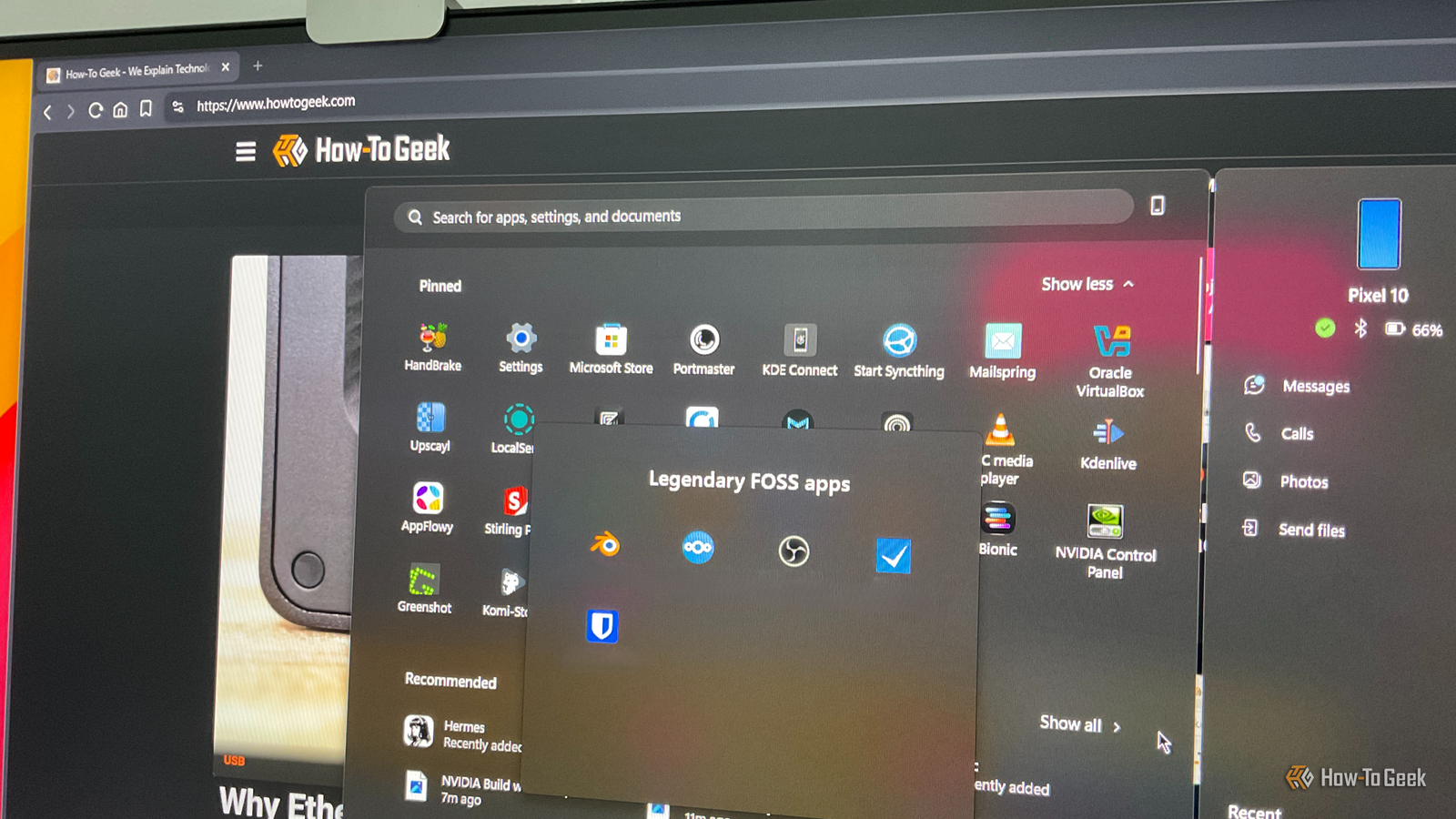
Conventional wisdom says that if something costs money, it's probably better than a free alternative.However, that logic completely falls apart when it comes to software — especially with free and open-source software (FOSS).The space has matured to the point where many free apps don't just compete with their paid counterparts — they beat them outright.
Here are my top five picks for legendary open-source software that give their expensive paid alternatives a run for their money.Nextcloud Own, don’t rent your cloud storage Close Nextcloud is a FOSS alternative to a cloud storage subscription.It's a self-hosted app that turns your own hardware into a personal cloud server.
However, it’s not limited to simple file storage.With apps like Collabora, it’s well-equipped to handle basic office productivity workloads involving documents, spreadsheets, and even presentations.It also ships with its own notes app, calendar, contacts, email, photo gallery, and much more.
This makes it more of a Google Drive replacement.Now, I use Nextcloud for all my personal stuff, while I use a Google account for work.This gives me the unique opportunity to compare both platforms side by side every single day.
And from my personal experience, I can tell you with utmost confidence that I could permanently switch over to Nextcloud and wouldn’t miss a thing.That said, while you’re getting most of the apps and a similar experience to Google Drive, you’re not getting any free storage.With Nextcloud, it’s a bring-your-own-storage deal.
As such, if you want 2TB of storage, you'll need to provide a 2TB hard drive for it — ideally NAS-grade.Now, if you already own the storage, then the setup cost is essentially zero.But even if you end up having to buy additional storage, it’s a one-time expense for hardware you keep — which, in the long run, can easily beat the cost of a subscription that you’d have to pay indefinitely.
You also get the advantage of complete ownership of your data, instead of having it stored on someone else’s server.Here’s a detailed guide on how to set up Nextcloud.Related Every self-hosted service I run on my homelab, ranked “I should just self-host this” is my solution to everything.
Posts 2 By Ismar Hrnjicevic Blender Folks are winning Oscars using this free app Close Blender is one of the most popular and powerful 3D creation suites in existence.It covers polygon modeling, keyframe animation, rendering, sculpting, and even video editing — making it a direct alternative to premium tools like Autodesk Maya, 3ds Max, and Cinema 4D, all of which cost hundreds to thousands of dollars a year in subscriptions.But with Blender, you get a professional-grade toolset completely free.
And I’m not saying "professional-grade" as some throwaway marketing talk., the film that won the Oscar for Best Animated Feature in 2025, was made entirely in Blender.A small team was able to use this free software to create a feature-length commercial film that went on to win one of the most prestigious awards in the film industry.
If that’s not a testament to Blender’s potential, I don’t know what is.Also, thanks to its open-source nature, Blender has a massive, active ecosystem of plugins and add-ons that augment its capabilities.And with recent advances in AI, you can even connect tools like ChatGPT or Claude to Blender and have them generate 3D assets and scenes for you.
Blender is available for Windows, Linux, and macOS.Related If Blender is so good, why isn’t Hollywood using it? Does Hollywood blend? Posts 1 By Sydney Butler OBS Studio Your favorite streamer probably uses it Close OBS Studio is the industry standard for live streaming and screen recording.It’s used by millions of streamers and content creators worldwide and offers seamless integration with all the major platforms, including YouTube, Twitch, Facebook, and more.
Feature-wise, it also doesn't get much better than OBS.You’re going to find almost every feature you could possibly need to record or stream your screen.The one legitimate complaint is that packing all of that power into a streamlined interface is hard, and OBS doesn’t quite pull it off.
Many non-technical folks getting into streaming often find the app overwhelming.This has resulted in a wealth of paid alternatives popping up, offering a more streamlined and intuitive user experience.Now, I do get the appeal of paying for a better interface, but it really doesn’t make sense in this category of app.
It’s not something you have to navigate every single day — you set up your scenes and sources once, and from then on, streaming is mostly a matter of hitting one button.As such, if you ask me, spending a few hours or even a weekend learning OBS is more than worth it compared to paying a subscription in perpetuity.OBS Studio is available for Windows, Linux, and macOS.
Related I stopped paying for creator apps after finding these 4 open-source tools These four open-source tools handle recording, editing, audio cleanup, and file conversion on Windows, Mac, and Linux without subscriptions.Posts By Rich Hein Bitwarden Essential software should be free Password managers are a modern necessity, especially given the rampant rise in cyberthreats.You need a system that reliably generates complex passwords, securely stores them in an encrypted vault, and conveniently autofills them when you’re dropped onto a login screen — which, by the way, also makes it a useful defense against phishing sites because autofill won’t work if the URL is off.
Now, there are a dozen password managers out there, but you don’t want to commit your password database to something with substandard security.However, most of the good ones are paid, with no free tier — this includes popular picks like Dashlane and 1Password.Bitwarden is one of the few alternatives that can match the security standards of paid password managers while delivering the core experience completely for free.
You get unlimited passwords synced across unlimited devices, a robust password generator, passkey management, and much more.Now, I should mention that Bitwarden isn’t completely free but follows a freemium model.However, all the core features I mentioned are available for free.
The paid tier includes some niche extras like a TOTP authenticator, encrypted file attachments, advanced security reports, and hardware security key support.These are nice-to-haves, but not particularly necessary for a password manager.The one fair critique of Bitwarden is that, like every cloud-based password manager, your password vault lives on someone else's servers.
However, you can fix that by self-hosting Vaultwarden.It’s an unofficial, open-source reimplementation of the Bitwarden server API.You can use it to host a server to store your passwords and then connect to it using the official Bitwarden browser extension and mobile apps to get essentially the same user experience.
Bitwarden is available as a desktop app for Windows, Linux, and macOS, with web extensions available for all popular browsers.Related The password advice you've been following for years is actually dangerous From predictable patterns to "security fatigue," forced password rotation creates the very vulnerabilities hackers rely on to succeed.Posts 11 By Tony Phillips Super Productivity A full productivity system without the price tag Close Super Productivity isn't as well known as the others on this list, but it's every bit as impressive.
At its core, it’s a task management app, but it comes with plenty of extra bells and whistles that make it a one-stop solution for your productivity needs.In fact, you’re getting near-complete feature parity with popular paid tools like Todoist and TickTick.For starters, you get global shortcuts for quick and easy task capture.
You can make your tasks as detailed as you like, with support for sub-tasks, time estimates, attachments, and due dates.You’ve also got tags and projects to help you organize everything.Then, you’ve got multiple ways to view your captured tasks.
There’s a calendar view to see when things are due, a Kanban board for tracking progress, and even an Eisenhower matrix for prioritizing tasks.And that’s just the tip of the iceberg.There's a whole plugin ecosystem with both first-party and community plugins.
My personal favorite is the voice reminder plugin, which uses text-to-speech to deliver pre-configured words of encouragement at set intervals.I have mine set to every 20 minutes, and it's been surprisingly effective at snapping me out of a drift and procrastination before it snowballs.Super Productivity is available for Windows, macOS, Linux, Android, and iOS.
Related This free open-source app breaks procrastination loops Most apps help you plan work—this one helps you finally start it.Posts By Dibakar Ghosh
Read More