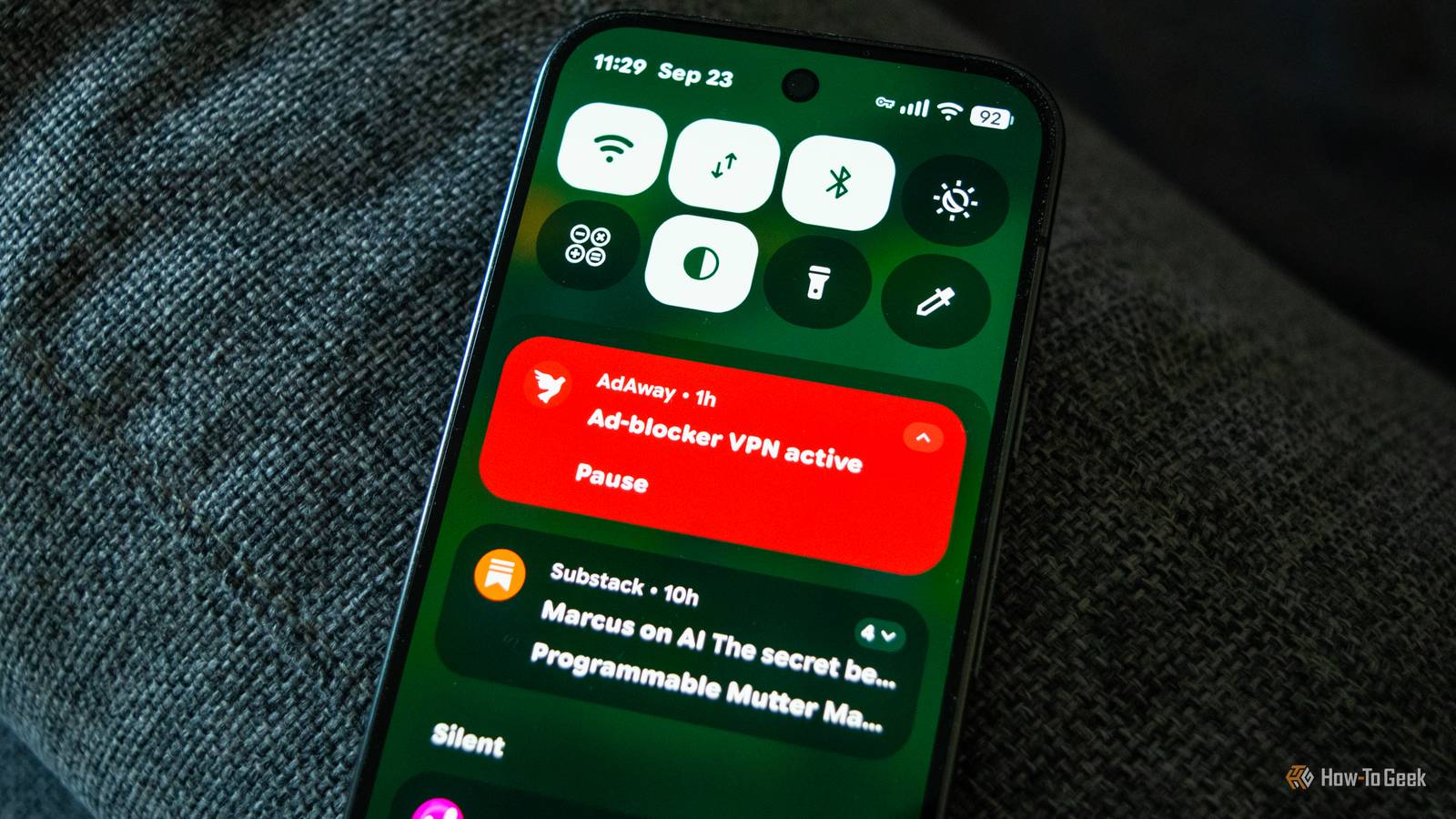
Android phones have come a long way when it comes to privacy.Private Space on Pixels and Secure Folder on Samsung phones are really handy.Android's permission system has also become very granular in recent years, giving you a high level of control over what apps can access on your phone, and the Privacy Dashboard is a solid way to audit what your installed apps have been up to.
But there's always room to grow, and some third-party apps offer privacy controls Google doesn't match yet, and in some cases probably never will.The only downside is that you have to sideload them.Essentials Privacy isn't the name of the game, but Essentials does provide a few interesting privacy options Close Privacy isn't the focus of Essentials, as the app is sort of like Good Lock lite, but for Pixels.
Still, Essentials packs a few privacy features I'd really like stock Android to offer.The best one is definitely App lock, which lets you lock any app on your phone with biometrics.This can be very useful if you want to lock certain apps but don't want to use Private Space.
Aside from App Lock, you can also disable Quick Settings tiles when your phone's locked and use a feature called Shut Up!, which lets you select apps that, when launched, won't be able to check whether developer options, accessibility services, or USB debugging are enabled.This can be handy in certain situations, like when your banking app refuses to work because you've enabled developer options.AdAway A system-wide ad blocker for your Android phone or tablet Close AdAway is still one of the best ad blockers for Android, but the catch is that you have to sideload it because you won't find it on the Play Store.
The best thing about AdAway is that you don't need a rooted phone to use its full feature set.All you need to do is install the app, select the sources you want to use or add your own, and that's pretty much it.Just note that you'll have to disable Private DNS on your phone because the two can't work at the same time.
Once you install the app and load your preferred sources, you'll get system-wide ad-blocking that can block ads in almost any app on your phone, including browsers.The main limitation is that the app can't block YouTube ads.Another thing to keep in mind is that the original version of AdAway hasn't been actively maintained for some time, so if you want an up-to-date version that provides fixes for the latest Android versions and works with Android TV, check out AdAway Community, an unofficial fork of AdAway that provides all the things I've mentioned, and more.
For what it's worth, I'm using AdAway Community, and it works rather well on my Pixel 10 Pro.HeliBoard A fully offline open-source Android keyboard Close HeliBoard is an open-source Android keyboard that's fully offline, which, for some reason, is something you can't find in many Android keyboard apps nowadays.The app's based on OpenBoard and includes a suite of features such as undo and redo buttons, an optional D-pad, optional dictionaries for spell check, emojis, various customizable layouts, multilingual typing, clipboard history, one-handed mode, and more.
The only major limitation compared to closed-source keyboards is that HeliBoard doesn't offer glide typing out of the box, since no open-source library for it is compatible with the app.You can get around that by installing one yourself, using the download link on HeliBoard's GitHub page.Related This open-source Android keyboard finally fixed what Gboard gets wrong No phoning home, either, which is a nice bonus.
Posts 3 By Arol Wright Insular Isolate any app on your phone and prevent it from accessing sensitive data Close Insular is a fork of Island, an app that creates an isolated sandbox environment for any app on your Android phone or tablet using Android's work profile.Unlike Island, Insular is fully offline, which is why I've included it here.That said, Island is excellent, too, so feel free to use it instead, especially if you don't want to use sideloaded apps, since you can download Island from the Play Store.
As I've mentioned, Insular allows you to isolate any app on your phone, preventing it from accessing your private data, which can be really handy if, for instance, you can't live without social media apps but want to keep your privacy intact.You can also freeze or archive apps, clone them to run a second copy with a separate account, and more.It's a very useful app for every privacy-conscious Android user.
Just be aware that Insular doesn't isolate the app you already have installed.Instead, it creates a clone inside the work profile and then sandboxes the clone.The original app stays on your phone with the same access to your data it had before, so if you want to keep an app fully isolated, you'll have to uninstall the original once you've finished cloning it.
TrackerControl There's a Play Store version of TrackerControl, but its functions are limited Close If you want to know just how much data the apps on your phone collect, I've got the perfect app for you.TrackerControl lets you monitor and analyze ongoing data collection in mobile apps and stop trackers in their tracks in a granular way.With TrackerControl, you can see not only which apps collect data but also which third-party companies they send that data to, allow some trackers while blocking others, and even see which countries your phone sends tracking data to.
TrackerControl is a must-have for privacy-focused people, but because it uses Android's VPN feature to analyze all outgoing network traffic on the device, it's incompatible with other VPN apps, including AdAway, since that one also uses Android's VPN functionality.That means the only way to run both at the same time is to use AdAway's root mode, which requires a rooted phone.Lastly, there's also a Play Store version of the app, but it only lets you monitor tracking data, not fully block trackers.
If you want the full set of features, you'll need to sideload the app.With the right apps, you can turn your Android phone into a privacy safe haven Thanks to these apps, you can turn any Android phone into a privacy island without having to install a custom ROM or root your phone.Sure, you'll still have Google snooping on you, but aside from that, the level of privacy on your device will be higher than ever.
Read More