I'm sure I'm not the only person who sometimes gets frustrated with the number of different cables and connectors involved in owning a PC.It's 2026, why can't everything just use USB already? Better yet, USB-C, the most versatile connector of them all? If you share my frustrations, you're not alone in this.But the fact of the matter is that some connectors likely won't be replaced for many, many years, and the Ethernet port is one of them.
Buckle up: I'll tell you exactly why we're stuck with the Ethernet cable for the foreseeable future.USB looks like such a winner But there's more to it than just the specs Let's pit the two against each other for a sec.USB looks like it should absolutely win this fight, right? One connector to rule them all, so to speak.
It can charge, transfer data, or stream videos.You'll find many USB ports in PCs, docks, external drives, keyboards, mice, phones, and basically the vast majority of your electronics.If not USB-A, then USB-C.
It does make you wonder why we even bother with the Ethernet as a separate port at all.Quiz 8 Questions · Test Your KnowledgeInteresting and unique NAS use casesTrivia challengeBeyond basic backups — how well do you know the surprising things a NAS can do?MediaHome LabBackupNetworkingAutomationBegin 01 / 8MediaWhich popular open-source media server software is commonly self-hosted on a NAS to stream personal video libraries to any device?AVLC Media PlayerBKodiCPlexDInfuseCorrect! Plex is one of the most popular apps for turning a NAS into a personal Netflix-style streaming server.It organizes your media with artwork and metadata and can transcode video on the fly for different devices and connections.Not quite — the answer is Plex.
While Kodi and VLC are great media players, Plex is specifically designed as a client-server platform that lets you stream your NAS library to phones, smart TVs, and browsers from anywhere in the world.Continue 02 / 8BackupWhat is the name of the widely recommended data protection strategy that involves keeping three copies of data, on two different media types, with one copy offsite?ARAID redundancy ruleB3-2-1 backup ruleCDouble-parity protocolDMirror-and-sync methodCorrect! The 3-2-1 backup rule is a cornerstone of data protection strategy.A NAS plays a central role by acting as the second on-site copy, while cloud sync or an offsite drive satisfies the third copy requirement.Not quite — the answer is the 3-2-1 backup rule.RAID is often mistaken for a backup, but it only protects against drive failure, not accidental deletion or ransomware.
The 3-2-1 rule is the gold standard precisely because it covers multiple failure scenarios.Continue 03 / 8Home LabA NAS running a hypervisor or container platform like Docker can host a Pi-hole instance.What does Pi-hole primarily do?AMonitors hard drive temperatures across the networkBBlocks advertisements network-wide at the DNS levelCEncrypts all outgoing internet trafficDManages IP address assignments via DHCPCorrect! Pi-hole acts as a DNS sinkhole, blocking known ad-serving and tracking domains before they ever reach your devices.Hosting it on a NAS via Docker means it runs 24/7 without needing a dedicated Raspberry Pi.Not quite — the answer is that Pi-hole blocks ads at the DNS level.
Rather than installing an ad blocker on every single device, Pi-hole protects your entire network, including smart TVs and phones, by intercepting ad domain requests before any data is loaded.Continue 04 / 8SurveillanceMany NAS manufacturers offer dedicated surveillance software packages.What is the primary function of these applications?AMonitoring CPU and RAM usage across the local networkBManaging and recording footage from IP security camerasCScanning network traffic for intrusion attemptsDAutomating firmware updates on connected IoT devicesCorrect! Synology Surveillance Station and QNAP's QVR Pro are examples of NAS-based NVR (Network Video Recorder) solutions.They let you manage multiple IP cameras, set motion-triggered recording, and review footage without paying for a cloud subscription.Not quite — the answer is managing and recording IP camera footage.
A NAS can replace a dedicated NVR appliance entirely, storing days or weeks of footage locally.This is a compelling use case since it avoids ongoing cloud storage fees while keeping footage on hardware you control.Continue 05 / 8AutomationWhich self-hosted application, commonly run on a NAS, automatically downloads TV show episodes and movies by integrating with torrent or Usenet indexers?ARadarr and SonarrBBazarr and LidarrCOverseerr and RequestrrDProwlarr and ReadarrCorrect! Radarr handles movies and Sonarr handles TV shows — together they form the backbone of a self-hosted media automation stack.They monitor release groups, grab new episodes automatically, and pass files directly to your Plex or Jellyfin library.Not quite — the answer is Radarr and Sonarr.
While Bazarr handles subtitles and Prowlarr manages indexers, Radarr and Sonarr are the core apps for automating movie and TV downloads respectively.They integrate with your NAS download client and media server for a seamless pipeline.Continue 06 / 8NetworkingA NAS can be configured as a VPN server so that remote users can securely access the local network.Which VPN protocol, known for being modern and extremely fast, is supported by newer NAS operating systems like Synology DSM?APPTPBL2TP/IPSecCWireGuardDOpenVPNCorrect! WireGuard is a modern VPN protocol praised for its lean codebase, high speeds, and strong encryption.
Synology added WireGuard support to DSM, making it easier than ever to securely tunnel into your home network from anywhere without exposing your NAS directly to the internet.Not quite — the answer is WireGuard.PPTP is outdated and considered insecure, while OpenVPN and L2TP/IPSec are reliable but more resource-intensive.WireGuard achieves better throughput with less overhead, which matters on the modest CPUs found in many NAS devices.Continue 07 / 8Cloud ReplaceNextcloud is a self-hosted platform frequently deployed on a NAS.
Which major commercial cloud service does it most directly aim to replace?AAmazon AWS S3BGoogle Drive and Google WorkspaceCMicrosoft Azure Active DirectoryDDropbox BusinessCorrect! Nextcloud provides file sync, document editing, calendar, contacts, and video calls — a direct alternative to Google Drive and Google Workspace.Running it on a NAS means your data never leaves your own hardware, which is a major privacy and cost advantage.Not quite — the answer is Google Drive and Google Workspace.Nextcloud replicates the full productivity suite experience: shared folders, collaborative document editing, and mobile sync.
When paired with a NAS, it becomes a powerful private cloud that rivals Google's offering without any subscription fees.Continue 08 / 8Creative UseSome photographers and videographers use a NAS as the central hub for a collaborative editing workflow.Which protocol, natively supported on macOS and optimized for high-bandwidth file access, makes a NAS behave like a fast local drive for video editing?AFTPBWebDAVCSMBDAFP or SMB with MultichannelCorrect! For video editing workflows, SMB Multichannel (or historically AFP on older Macs) allows a NAS to deliver the kind of sustained throughput needed to scrub through high-bitrate footage without copying files locally first.Pair this with a 2.5GbE or 10GbE network and a NAS can rival a dedicated SAN for small creative teams.Not quite — the answer is SMB with Multichannel (or AFP on legacy Macs).
FTP and WebDAV are too slow and latency-prone for real-time editing.SMB Multichannel bonds multiple network connections to boost throughput, which is why NAS vendors like Synology specifically market this feature to creative professionals editing 4K and 6K footage.See My Score Challenge CompleteYour Score/ 8Thanks for playing!Try Again On paper, USB can easily outrun the kind of Ethernet most people use at home.A lot of PCs, routers, consoles, and smart TVs are still sitting on 1Gbps Ethernet, while even 2.5Gbps Ethernet is only just becoming more common on mainstream hardware.
Meanwhile, USB has been racing ahead as a do-everything standard, which makes Ethernet look like the forgotten cable we simply forgot to retire.But that comparison doesn't really work.USB and Ethernet aren't true rivals, and they're not trying to solve the same problem.
(Although I do love my USB to Ethernet adapter very much.) USB is fantastic when one device needs to talk to another nearby device, but Ethernet has some really important jobs.It's responsible for running entire networks.UGREEN Cat 8 Ethernet Cable $7 $9 Save $2 Brand UGREEN This Ugreen Cat 8 Ethernet cable has been there for me when no USB could've helped.
Stock up, stock up - we're stuck with these.$7 at Amazon Expand Collapse Ethernet's cable is simple, and that's actually a good thing Cheap copper wins the battle Ethernet cables are good at what they do, and part of the reason why is that they were never meant to do everything the way USB does these days.Their one job is to carry network traffic reliably from one point to another, and they're great at that; in fact, they're often much better than Wi-Fi, which is why switching to wired might improve your connection in every possible way.
That simplicity of only having to do one thing, but do it well, is important.Ethernet can be bought in long runs, routed through walls, plugged into patch panels, connected to cheap switches, and forgotten about for years.It's not the kind of thing you have to unplug and replug over and over.
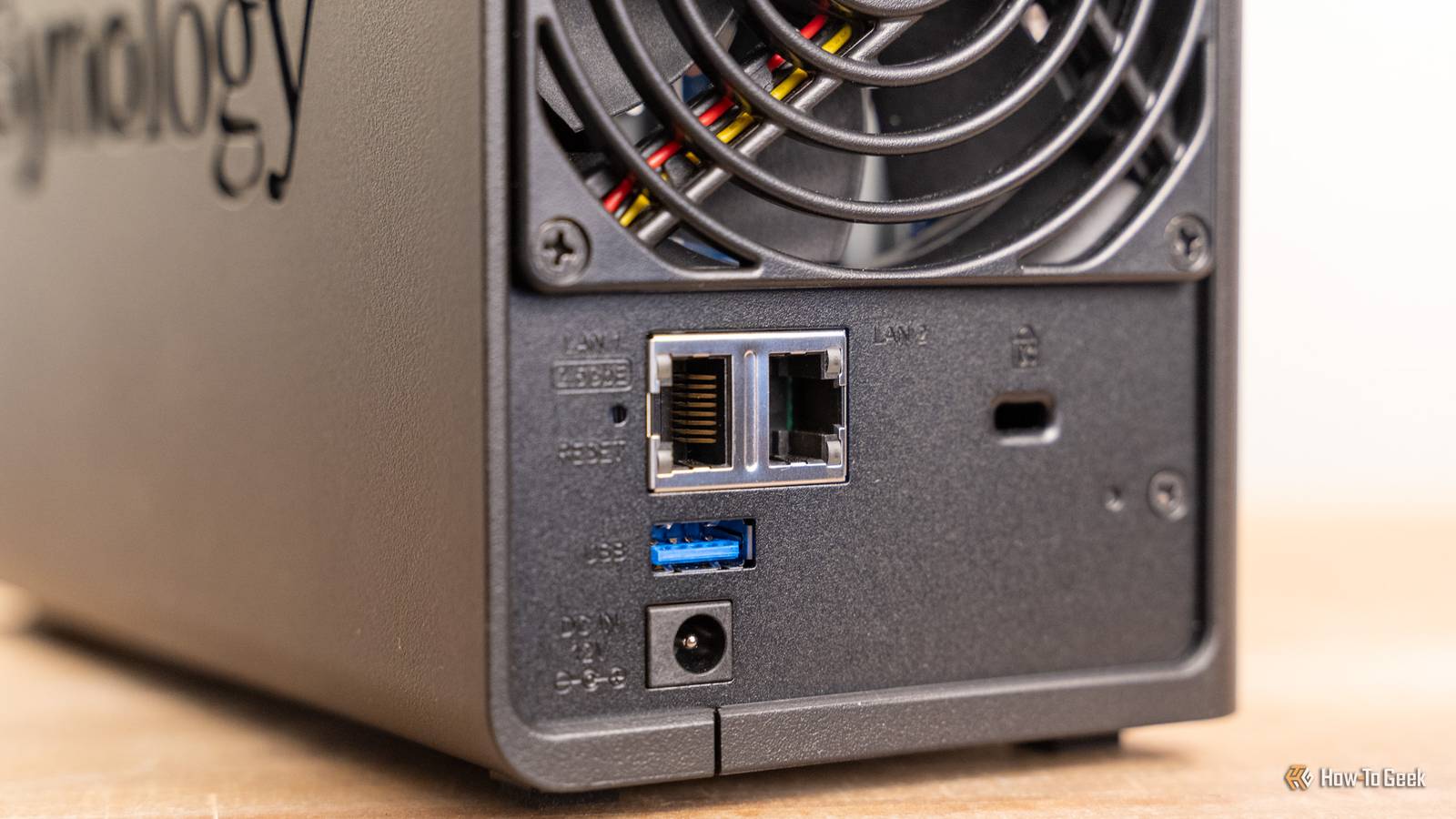
You can use Ethernet across many devices, from a PC, to a Wi-Fi access point, to a console or a TV, or to link a NAS to the rest of your network.USB-C is more versatile by a mile, but that versatility doesn't come for free.Ethernet's biggest advantage is that it doesn't need to be versatile, it can just do its thing without any interruptions.
USB gets expensive, and the cost climbs quickly Short cable, big problem USB's biggest problem isn't about speed; the latest standards are incredibly fast, after all.The issue is that those speeds become much harder to maintain across longer cables.To maintain fast speeds, you need short cables, which can be terribly inconvenient in certain setups.
Longer runs usually need active cables or extenders.That's fine for a desk, but it makes less sense when you need to run a cable across a room, through a wall, or between network gear that's not sitting next to each other.Those longer distances aren't just optimal for speed, they're also where the costs start climbing.
Cheap cables are usually passive, while improving passive cable quality means using better metals, thicker shielding, and better connectors.Unsurprisingly, that makes them more expensive, thicker, and heavier.The other option would be to make the cable active by embedding chips such as ReDrivers or ReTimers to boost or clean up the signal.
USB-C costs even more because they add built-in circuitry for longer distances and higher data rates.Ethernet doesn't avoid physics, but it plays a different game.The whole point is that you can run it much farther for networking purposes without needing a fancy, expensive cable for every connection.
Replacing Ethernet would mean replacing everything around it Good luck with that Even if a miracle happened and USB suddenly became perfect for networking tomorrow, it still wouldn't replace Ethernet ...not for a long time, at least.It'd be an absolute nightmare to even attempt that.
Subscribe to our newsletter for clear Ethernet vs USB insight Explore deeper context with the newsletter: understand why Ethernet endures, how USB fits into real networks, and the practical tradeoffs shaping cables and infrastructure.Subscribe to the newsletter for focused, approachable tech explainers.Get Updates By subscribing, you agree to receive newsletter and marketing emails, and accept our Terms of Use and Privacy Policy.
You can unsubscribe anytime.Think of everything built around Ethernet: routers, switches, wall jacks, desktop motherboards, NAS boxes, Wi-Fi access points, security cameras, smart home hubs, office cabling, server racks ...I could go on.
Ethernet is more than just a port.It's an entire ecosystem, and it's not going anywhere.A new standard would have to do more than just be technically better.
It'd have to be better enough to justify ripping that entire ecosystem to shreds, justify a much higher manufacturing cost, and justify the cost of replacing hardware across the entire planet.Both standards won, but one won more Ultimately, both USB and Ethernet have their perks and their downsides.USB is a lot more convenient, which is why it'd be nice for it to overtake Ethernet eventually, but the logistics surrounding such a decision would make it a lengthy, expensive, and troublesome process.
Just consider this: some industries still use floppy disks, a form of storage media that's officially too old in 2026.USB is the much more popular standard these days, so it does win the popularity contest, but both standards remain useful in 2026, and I can't see that changing anytime soon.Anker 4-Port USB Hub $10 $15 Save $5 Brand Anker This unassuming USB hub has a lot to offer, and since we're stuck with both USB and Ethernet, you might as well stock up on both.
Ports 4 $14.99 at Anker $10 at Amazon Expand Collapse
Read More