One of the best things about Home Assistant is how customizable it is.Instead of installing a huge piece of software that supports every smart home device known to man, you can install specific integrations for the devices you own.There are also powerful plugins, including what were previously called add-ons but are now known as apps, that make Home Assistant even more powerful.
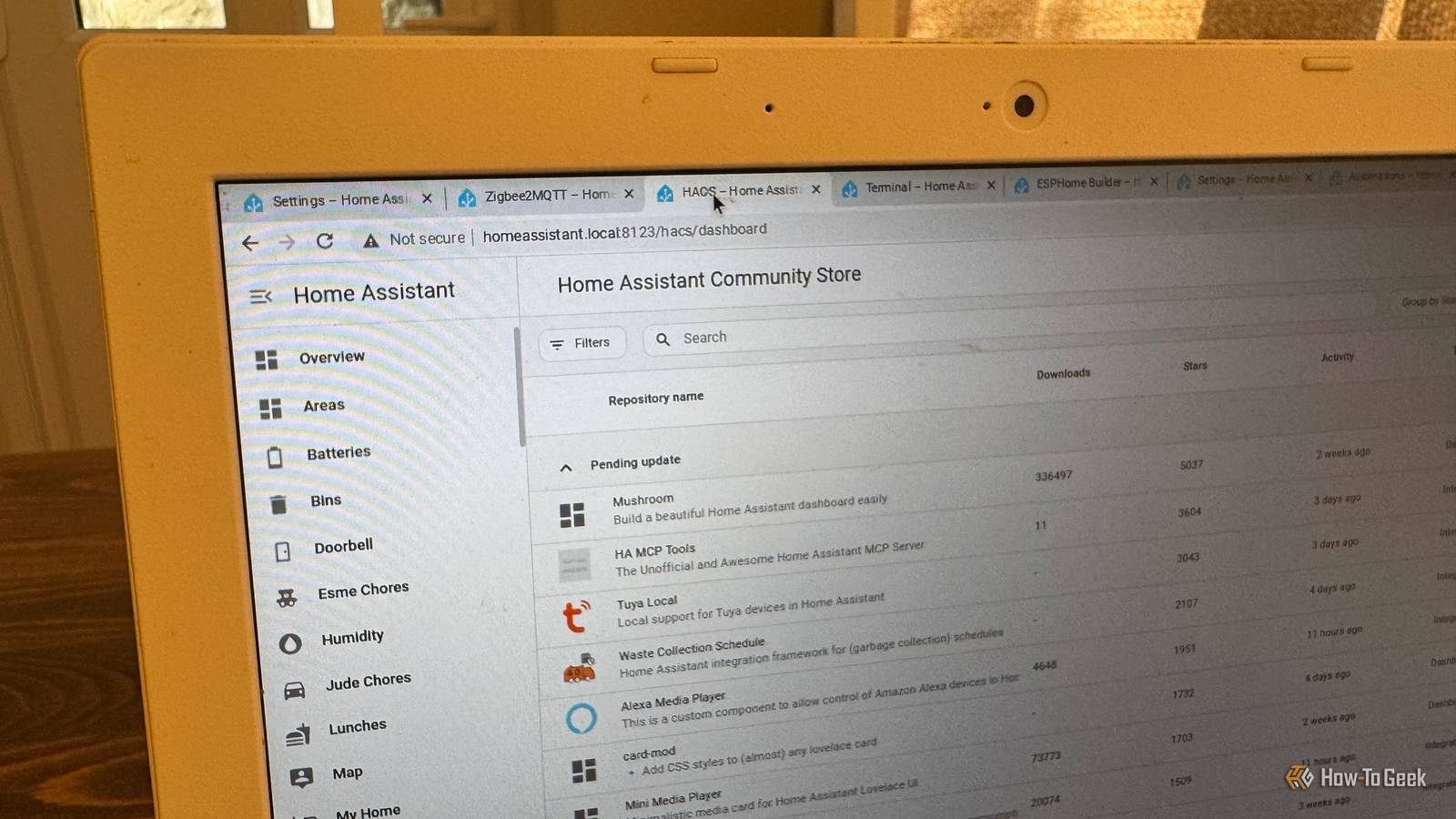
Add How-To Geek on Google Add as Preferred Source Follow on Google Discover HACS The community store offers integrations, dashboard cards, and more The Home Assistant Community Store (HACS) has been around for years and is probably the most useful addition on this list.The bad news is that HACS as we know it is about to cease to exist.The good news is that HACS is being officially built into Home Assistant in Home Assistant 2026.11 and being renamed as Marketplace.
HACS is a collection of community-created integrations and other customizations that aren't part of the official Home Assistant release.Sometimes integrations start their life in HACS before eventually making it to an official release.Via HACS, you can install integrations for devices that Home Assistant doesn't officially support, find useful tools for managing Home Assistant, or find custom dashboard cards to build the perfect dashboard.
For now, it's a custom integration that you need to add to Home Assistant if you want to use it.Once you've upgraded to Home Assistant 2026.11, it will be an official part of the software.Related 7 more of the best Home Assistant custom integrations—according to the community If you're not using them, you should be.
Posts By Adam Davidson ESPHome Build your own ESP32 devices without writing a single line of code Close ESP32 microcontrollers are hugely popular in the DIY electronics community.They're cheap and versatile, so you can use them for everything from setting up a simple Bluetooth proxy to building your own bespoke smart home devices.Many people are put off trying ESP32 projects because they assume that they'll need to write complex code to get the small boards to do what they want.
The ESPHome platform makes it easy to create ESP32 projects without writing any code at all.You can install the ESPHome app in Home Assistant and use its visual editor to design what you want your ESP32 to do, and the YAML configuration for your project is created for you.ESPHome can then convert this YAML into the firmware that you flash to the ESP32.
Once I learned how easy it was, I wished I'd started sooner.Zigbee2MQTT Get more from your Zigbee devices Despite the introduction of modern standards designed specifically for the smart home, such as Thread and Matter, we're still in a situation where there's no single standard that's the right fit for everything (insert appropriate XKCD here).Zigbee is still one of the best options, allowing you to connect battery-powered devices to a mesh network that can extend further than your Wi-Fi may be able to manage.
If you have Zigbee devices you want to connect locally, then the Zigbee2MQTT app is a great choice.As the name suggests, it can connect supported Zigbee devices to an MQTT broker (more on that shortly) through a Zigbee coordinator such as Home Assistant's own ZBT-2.Zigbee2MQTT supports a huge range of devices and can expose additional features of devices that aren't always exposed by other Zigbee apps.
Home Assistant has its own ZHA integration for connecting Zigbee devices, but Zigbee2MQTT supports more devices and can often provide more control over supported devices.Mosquitto MQTT broker Give your smart home devices a common language As mentioned above, Zigbee2MQTT connects your Zigbee devices to an MQTT broker, rather than directly to Home Assistant.That means you need an MQTT broker that can pass the information on to Home Assistant for it to use.
The Mosquitto MQTT broker app can do that job.MQTT is a lightweight messaging protocol that allows smart home devices to exchange information without having to directly connect to one another.Devices can both publish MQTT data and subscribe to it.
An MQTT broker sits in the middle, receiving information from devices that are publishing and passing it on to devices that are subscribing to that data.For example, Zigbee2MQTT can publish the temperature data from a connected Zigbee temperature sensor via MQTT.Home Assistant can then subscribe to that data.
The MQTT broker receives the temperature data from the sensor, sees that Home Assistant has subscribed to access that data, and then passes it on so that Home Assistant knows how warm the living room is.Music Assistant Everything you need for a whole-home music setup Music might not seem like an obvious part of a smart home, but many of us have multiple smart speakers around our homes.That means that we have everything we need to create a multi-room music setup.
The Music Assistant app makes that easy to do.It's an incredible piece of software that lets you play music from a wide range of sources, including local files and popular streaming services.For example, you could create a playlist with a song stored on a local hard drive, another song from Apple Music, another from Spotify, and Music Assistant would play the playlist as if all the music were coming from a single source.
There's also support for a wide range of different ecosystems, so you can add speakers that use AirPlay, DLNA, Chromecast, Sonos, Snapcast, Sendspin, and more.Any speaker you've added to Home Assistant can also be used.Music Assistant is how I play all my music at home these days.
I've even set up an iPod-style Cover Flow setup so I can scroll through all my album covers with a Zigbee remote (connected via Zigbee2MQTT and my Mosquitto broker, of course).These plugins make Home Assistant even more useful Whether you call them apps or stubbornly refuse to call them anything except add-ons for the rest of human history, you can make Home Assistant even more powerful with the right additions.I can't imagine living without any of the additions on this list, and it only touches the surface of what's available.
Read More