While I would never say “coffee is a way of life,” it’s one of the few things that has been a part of my daily routine for longer than I can remember.However, it’s not as consistent as it might sound—the times and amounts can vary.I wanted to see how my caffeine intake affected my sleep, and my Pixel Watch made it easy to do.
Now, I’ve never felt like the caffeine in coffee did much to me.I can drink multiple mugs and not feel the “jitters” that other people mention.That being said, I know it must have effect on me, and I’ve been on a quest to improve my sleep over the last year.
I was curious to see if there was any correlation between my coffee habits and my sleep quality.Using Caffi to track my coffee A clean, simple app for caffeine lovers As I said, I drink coffee every day.It’s one of the very first things I do after waking up in the morning.
Tracking my coffee consumption was not about whether or not I had it, but and .These are the factors that can impact sleep.Some days, my first cup of coffee is as early as 6:30 AM.
Other days, it may be as late as 9:30 AM.If I have a second coffee, it could be soon after that first cup, or late in the afternoon.Plus, I don’t drink coffee quickly—I’ll be sipping for at least an hour.
The caffeine in coffee takes about 30 minutes for peak effects, and it can stay in your system longer than six hours (CDC).So, a few hours here and there can really matter.I knew that I wouldn’t stay on top of tracking if I had to unlock my phone every time.
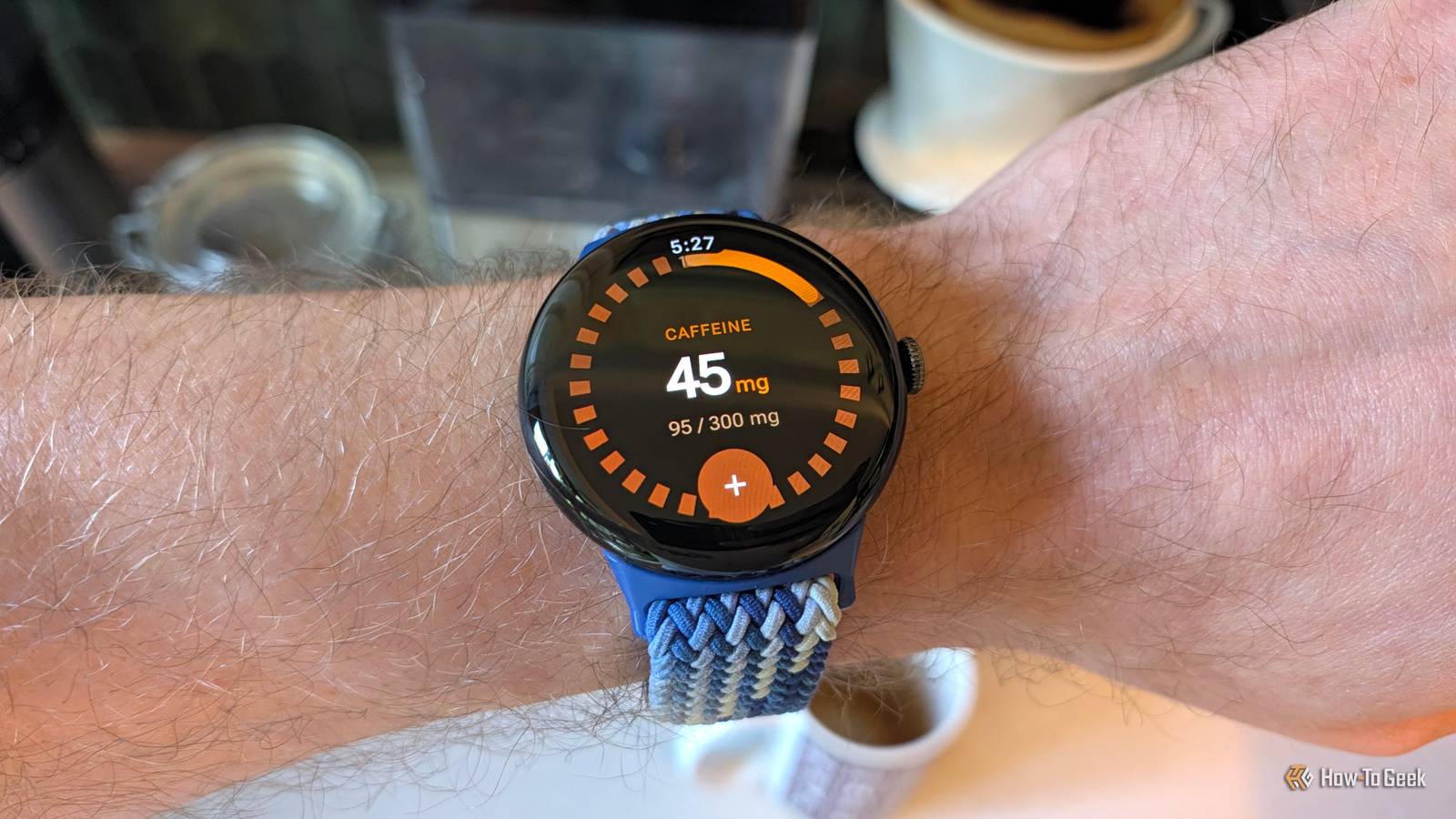
Thankfully, I found a couple of caffeine trackers for Wear OS, and I landed on Caffi.Caffi works in tandem with an app on your phone.On my watch, I can simply open it and tap the big plus icon to log a drink.
The favorites make it super fast to do—literally two taps in less than five seconds.Close The Caffi Wear OS app is simple and easy to use, but the phone app was what really solidified it for me.It can sync with Health Connect, which I already happen to use with other fitness and health-related services.
Long story short, my caffeine intake and sleep data will be in the same place thanks to Health Connect.Caffi isn’t just a simple tracker More than a tally of cups The second cool thing about Caffi is that it doesn’t just track how many cups of coffee or milligrams of caffeine you had.The app attempts to tell you when the caffeine will peak and how much is currently in your system throughout the entire day.
For example, as I’m writing this, it’s been about nine hours since my first (and last) coffee of the day.That was 8 ounces of drip filter coffee, which is roughly 95mg of caffeine.According to Caffi, I still have about 33mg of caffeine in my system.
Caffi has a Wear OS complication, so you can see this information on your watch face in real time.Close I mentioned that it takes me a while to finish a mug of coffee.Caffi has a setting to choose a caffeine metabolism speed.
I set mine to “Slow” as a way to offset my drinking time.My actual metabolism may not be slow, but I think it helps balance things out.The last Caffi feature I’ll mention is sleep preparedness.
When you open the app, it tells you how many hours until your caffeine levels will be “sleep-ready.” As I’m writing this, I have about four hours remaining, which will put me right around 9 PM.Perfect.Caffi will also keep you posted with notifications.
In the evening, I usually get one that says I’m about halfway to my sleep threshold.It’s the simple things Look, I’m fully aware that this is an extremely niche thing to do.Nobody needs to track their caffeine intake this religiously—especially not with a smartwatch.
As a techy person, I love collecting data, and this is just one more way to do that.I haven’t collected enough to find any correlations just yet, but having it on my wrist is making it easy for me to stick with it.Related You Need This Hidden Android Feature if You Use Fitness Apps I’ve tried tons of different health and fitness apps over the years, but I’ve never found one that can do everything I need.
So, I have a few that I use for various purposes, and there’s a hidden feature in Android that makes it so much easier to juggle them.Posts By Joe Fedewa
Read More