There was a golden age, maybe fifteen years ago, when setting up RAID 5 felt like the single smartest thing you could do with a stack of hard drives.Great capacity, one-drive protection, dirt cheap.What's not to love? Nowadays, the idea is exactly as clever as it always was, but the hard drives underneath it have changed, turning RAID 5's best party trick into its biggest liability.
Back when RAID 5 ruled the server room Small drives made single parity a fantastic deal Close To get why RAID 5 slipped, you have to remember how much smaller drives used to be.We're talking arrays built from 250GB, 500GB, or maybe 1TB disks at most.When one of those died, you popped in a replacement and the array rebuilt the missing data by reading every surviving drive and recomputing the dead one from parity.
The magic was that this rebuild was fast and it didn't have to read much.Reconstructing a 500GB drive means reading a few hundred gigabytes off the others, and the drives of the day chewed through that in a couple of hours.The odds of anything else going wrong in that short window were basically a rounding error.
So RAID 5 handed you the most usable space of any redundant layout, and the risk was negligible.It was a top tier solution.Related Half of failed hard drives die in year one—here is the one thing you must do before trusting yours Your new hard drive is hiding a fatal flaw, and SMART data won't save you Posts 25 By Monica J.
White Then hard drives got huge and the math turned ugly Capacity kept doubling while reliability basically flatlined This is the hinge of the whole argument, and it traces back to a now-legendary 2007 ZDNet post by Robin Harris literally titled "Why RAID 5 stops working in 2009." His point was simple and kind of brilliant: drive capacity was doubling every 18 to 24 months, but one boring little number on the spec sheet was not moving at all.That number is the unrecoverable read error rate, or URE.Consumer SATA drives are typically rated at one URE per 10^14 bits read, which works out to roughly one unreadable sector for every 12.5TB you read.
Back when entire arrays were significantly smaller than 12.5TB, this didn't matter.But drives kept fattening up while that URE figure stayed frozen in place.Before long you had single drives holding more data than the spec says you can reliably read in one clean pass.
Nobody signed up for that, but here we are.The rebuild is where RAID 5 breaks your heart One dead drive turns every survivor into a marathon runner So, when a drive dies, your array is now degraded—which is a polite way of saying it has already spent its one and only safety net.There is zero redundancy left until the rebuild finishes.
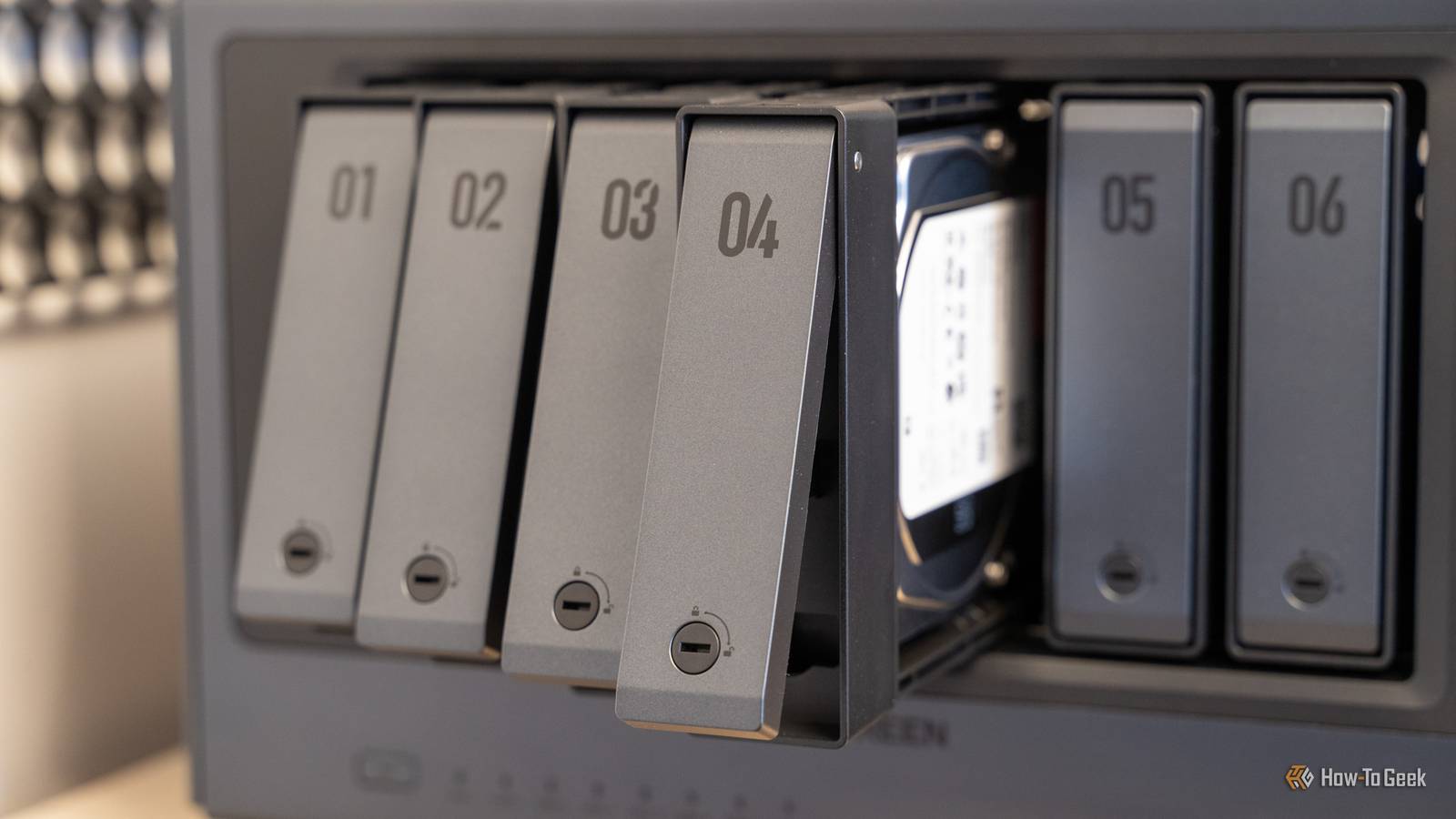
To reconstruct that one dead disk on a fresh drive, the controller reads every single sector of every surviving drive, start to finish.On 16TB or 20TB drives, that's a sustained, full-surface read that can run anywhere from 12 hours to a couple of days, with every remaining drive pinned at nearly 100% the whole time.If just one tired drive coughs up a single URE during that marathon, the affected stripe can't be rebuilt, and depending on your controller, the entire rebuild can abort.
That's the gut-punch: you lost one drive, and the act of recovering from it takes down the whole array.This is exactly why a lot of folks now argue RAID 5 has become a trap for home servers.Okay, but is RAID 5 actually "dead"? The scary math is real, but it oversells the doom a little If you plug in the numbers, a big consumer rebuild looks almost guaranteed to blow up.
But the field data tells a gentler story.Microsoft once pushed two petabytes through cheap hardware and saw a small fraction of the read errors the spec predicted.So, no, your rebuild is not statistically doomed, and the panic merchants do oversell it.
The bigger real-world danger is that your drives were all bought at once, from the same batch, and have aged in lockstep.When one finally dies of old age, the others are right behind it, and the brutal stress of a rebuild is precisely the thing that shoves the next marginal drive over the edge.That's why "RAID 5 is dead" is too dramatic, but "RAID 5 got fragile" is bang on.
Quiz 8 Questions · Test Your KnowledgeCloud storage and self-hostingTrivia challengeFrom Dropbox to your own home server — how well do you really know where your files live?CloudSelf-HostingProtocolsSecuritySoftwareBegin 01 / 8CloudWhich company launched the first widely popular consumer cloud storage service, debuting in 2007?AGoogle DriveBMicrosoft OneDriveCDropboxDBoxCorrect! Dropbox launched in 2007 and is widely credited with popularizing consumer cloud storage.Its simple file-syncing model set the template that almost every competitor would follow for years.Not quite — the answer is Dropbox, which launched in 2007.Google Drive didn't arrive until 2012, and OneDrive (then called SkyDrive) only became prominent around the same time.Continue 02 / 8Self-HostingNextcloud is best described as which type of software?AA proprietary cloud backup tool made by MicrosoftBAn open-source, self-hosted file sync and collaboration platformCA paid enterprise storage service with no self-hosting optionDA Linux kernel module for managing network-attached storageCorrect! Nextcloud is a free, open-source platform you install on your own server to get Dropbox-like features without relying on a third party.
It supports file sync, calendars, contacts, and hundreds of community apps.Not quite — Nextcloud is an open-source, self-hosted platform.It was actually forked from ownCloud in 2016 by founder Frank Karlitschek and has since become one of the most popular self-hosting projects in the world.Continue 03 / 8ProtocolsWhich protocol does Nextcloud and many other self-hosted storage tools use to sync files between a server and client devices?AFTPBSFTPCWebDAVDSMBCorrect! WebDAV (Web Distributed Authoring and Versioning) is an HTTP extension that allows clients to read and write files on remote servers, making it a natural fit for cloud-style file sync applications.Not quite — the answer is WebDAV.While FTP, SFTP, and SMB are all valid file-transfer protocols, WebDAV is the standard used by Nextcloud, ownCloud, and many other web-based storage platforms because it runs over standard HTTP/HTTPS.Continue 04 / 8SecurityWhat does end-to-end encryption (E2EE) mean in the context of cloud storage?AFiles are encrypted only while being uploaded over the internetBThe storage provider encrypts files on their servers using their own keysCFiles are encrypted on the user's device and the provider never holds the decryption keysDFiles are encrypted after being downloaded to the user's local machineCorrect! With true E2EE, encryption and decryption happen on the user's device, so the cloud provider stores only ciphertext and cannot read your files even if compelled to.
Services like Proton Drive and Tresorit are known for this approach.Not quite — E2EE means files are encrypted on your device before they ever leave it, so the provider only ever sees unreadable ciphertext.This is different from standard server-side encryption, where the provider holds the keys and could theoretically access your data.Continue 05 / 8Self-HostingWhat is a NAS, commonly used in home self-hosting setups?ANetwork Access Software — an app that tunnels into cloud servicesBNetwork-Attached Storage — a dedicated device that shares drives over a local networkCNode Authentication Server — a service that manages login credentialsDNative Archive System — a compression format for large file backupsCorrect! A NAS (Network-Attached Storage) device connects to your home router and makes its hard drives accessible to every device on the network.Popular brands include Synology, QNAP, and Western Digital, and many run apps like Plex or Nextcloud.Not quite — NAS stands for Network-Attached Storage.
It is a purpose-built box with one or more hard drives that plugs into your router, letting all devices on your network access shared storage without needing a full PC running 24/7.Continue 06 / 8CloudWhich cloud storage service is natively built into macOS and iOS, deeply integrated with Apple's ecosystem?AiCloud DriveBOneDriveCGoogle OneDDropboxCorrect! iCloud Drive is Apple's built-in cloud storage service, tightly integrated into macOS, iOS, and iPadOS.It handles desktop and document folder sync, app data, photos, and more, all within Apple's walled garden.Not quite — the answer is iCloud Drive.While OneDrive, Google One, and Dropbox all have iOS and macOS apps, iCloud Drive is the service Apple built directly into its operating systems, making it the default for most Apple users.Continue 07 / 8SoftwareWhich open-source media server software is frequently self-hosted to stream a personal video and music library to any device?AVLCBKodiCJellyfinDHandbrakeCorrect! Jellyfin is a fully free and open-source media server that you host on your own hardware.
It streams your personal library of movies, TV, and music to browsers, apps, and smart TVs — with no subscription or tracking involved.Not quite — the answer is Jellyfin.VLC and Handbrake are local playback and transcoding tools, while Kodi is a media center app rather than a server.Jellyfin (and its proprietary cousin Plex) are specifically designed to serve media over a network.Continue 08 / 8SecurityWhen self-hosting a service and exposing it to the internet, which tool is most commonly recommended to securely provide remote HTTPS access without opening router ports directly?ATelnetBA reverse proxy such as Nginx Proxy Manager or CaddyCWindows Remote Desktop (RDP)DAn FTP server with password loginCorrect! A reverse proxy like Nginx Proxy Manager or Caddy sits in front of your self-hosted apps, handles SSL/TLS certificates automatically, and routes traffic securely.
This avoids exposing individual app ports directly and centralizes access control.Not quite — the standard answer is a reverse proxy such as Nginx Proxy Manager or Caddy.Telnet is unencrypted and obsolete, RDP exposes the whole desktop and is a common attack target, and plain FTP lacks encryption, making all three poor choices for secure remote access.See My Score Challenge CompleteYour Score/ 8Thanks for playing!Try Again So what does the tech aficionado actually run in 2026? RAID 6 for the big stuff, scrubbing always, backups no matter what First off, there's no need to panic-buy an all-flash NAS, because it won't insta-fix all of your problems.If you're building a small array, three or four bays, with modest drives of 8TB or less, and the data lives somewhere else too, RAID 5 is still totally fine.
Rebuilds are short, the odds are in your favor, and you pocket the extra capacity.The moment your individual drives cross roughly 12TB, or your array grows past four or five bays, move to RAID 6 (or RAIDZ2 if you're on ZFS).That second parity drive means a URE, or even a full second drive failure mid-rebuild, is survivable instead of fatal.
But it's not all about the setup; maintenance is also essential.Run a monthly data scrub so latent bad sectors get caught and fixed long before a rebuild has to trip over them, and buy NAS-rated drives so they don't get wrongly booted from the array halfway through.And please, remember: RAID is not a backup.
It guards against a dead drive, not ransomware, not a fat-fingered delete, and not your basement flooding ...so keep a proper 3-2-1 backup running alongside it.RAID 5 didn't die, it just got outgrown by its own hard drives The thing I love about this whole saga is that nobody actually broke RAID 5.
The design is as elegant now as it was back in the 1980s.What happened is that hard drives sprinted ahead on capacity and merely strolled on reliability, and that mismatch slowly ate the comfy safety margin that made single parity feel bulletproof.On today's giant drives, that margin is just too thin to lean on for anything you can't stand to lose.
Use RAID 5 where it still earns its keep, respect what it can't do anymore, and let RAID 6 babysit the big arrays.
Read More