While the Raspberry Pi used to rule the kingdom of low-cost homelab hardware, that arena is now dominated by thin clients.They're cheap, powerful (comparatively), and easy to find.Here's why a $50 thin client should be your first homelab purchase and not a Raspberry Pi.
Raspberry Pis are overpriced for the compute they offer They were good back in the day, but Raspberry Pi just doesn't cut it anymore Close When the Raspberry Pi became a mainstay in the homelab world, it was far cheaper than a proper desktop computer.The Raspberry Pi 3B launched over a decade ago at $35, which, somehow, nearly 11 years later, is still what that model goes for.Back then, the Pi 3B launched at the same price that the Pi 2 launched at.
Raspberry Pi kept up the pricing with the Pi 4B launching in 2019 at the same $35 as the Pi 2 and Pi 3B, which kept up the affordability of the Pi.The problem is, while the Raspberry Pi used to be priced well, it simply isn't anymore.Back in 2016 and 2019, a 1GB computer for $35 was a pretty great price.
In 2026, you'd be hard-pressed to find a Pi 4B for $45 in stock anywhere, let alone $35.The memory crisis has priced the Raspberry Pi out of the area it once dominated—affordable computers.At this point, a Raspberry Pi with a decent amount of power is the same cost as a mini PC without many upsides for the homelab.
That's why I'm starting to tell people to just look at thin clients for their homelabs.Thin clients are low-power full-on x86 desktops You'd be surprised at how much one can do If you've never heard of a thin client, that's okay as the term isn't all that well-known.Essentially, a thin client is a low-powered PC that is designed to connect to a remote server.
Often, office buildings or stores will use thin clients as the computer that someone is using doesn't need to have a ton of power, as all it's doing is accessing a remote server.This makes thin clients cheap, as they don't have a whole ton of processing.However, though cheap and low-power, thin clients are still fantastic for the homelab.
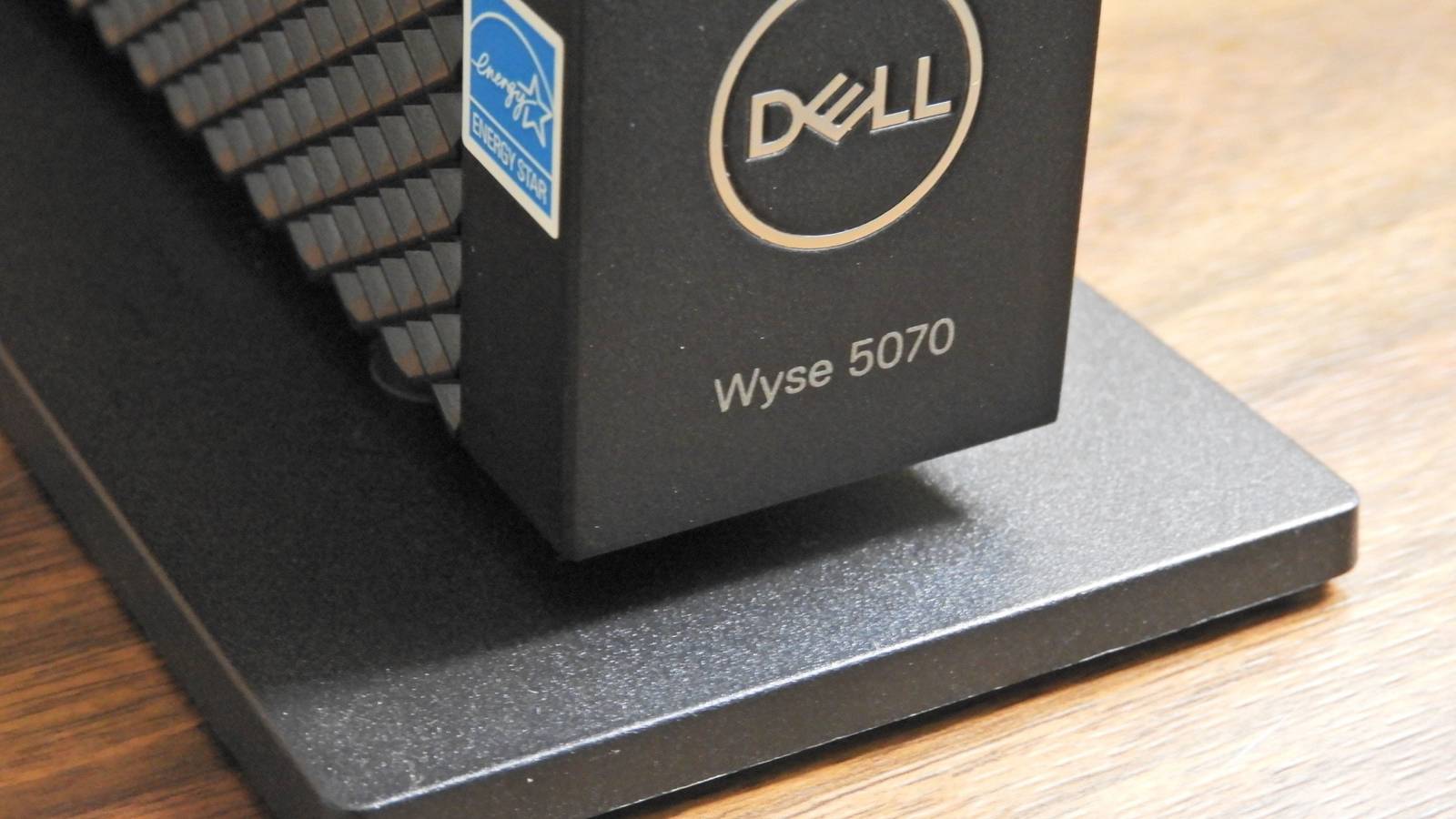
Take the Dell Wyse 5070 as an example.I found one on eBay for under $50, and it ships with a 2-core 2-thread Intel Celeron J4005 processor and 4GB of RAM.For comparison, a 4GB Raspberry Pi 4B costs at least $100.
The benefit of going with a thin client though is that it's a full-on x86 desktop.Raspberry Pis are all ARM-based and that is both a pro and a con.These days, ARM is taking over the world, with Snapdragon PCs becoming mainstream and Apple going all-in on ARM processors with their M-series processors.
Related 6 junk Facebook Marketplace finds that are secretly hiding free hard drives $50 and a lot of patience can get you some more storage Posts By Monica J.White However, x86 is still the mainstay of homelabs the world over.It's the most supported architecture available, and that means you can easily run almost anything on it.
Likewise, software is more supported on x86 than Raspberry Pi.Plex, for instance, doesn't support hardware transcoding on Raspberry Pi, though it is natively supported on the Intel Celeron J4005's UHD Graphics 600.Similarly, with a Raspberry Pi you're locked into the hardware that you purchase, as recently Raspberry Pi locked out doing DIY RAM upgrades.
With a thin client, you can simply buy a larger RAM DIMM and insert it so long as the specific thin client you bought supports it.While not all do, many offer user-upgradable RAM options.At this point, a thin client just simply offers more power and capability than Raspberry Pis for the same price (or less), and they're far easier to pick up.
You can find thin clients everywhere Just look for office building closeouts Close I already mentioned that thin clients are often used in offices, and that makes them pretty plenteous depending on where you look.I have seen a ton of thin clients or office mini PCs for sale on my local Facebook Marketplace, though those can sometimes be a bit more expensive since they're niche products.However, browsing eBay is one of the best places to find used thin clients available for sale.
The inventory there is constantly fluctuating, but just look for something that suits your needs at the price you want.Above, you can see five different thin clients that I found when searching eBay all for under $50.Each one provides more power and capability than a Raspberry Pi for less money.
Plus, with a thin client, you can install any modern operating system, from Linux to Windows, which is something that the Raspberry Pi just simply can't compete with.Quiz 8 Questions · Test Your KnowledgeMini PCs: History, hardware, hidden usesTrivia challengeFrom tiny boxes to powerhouse desktops — how much do you really know about mini PCs?HistoryHardwareBrandsUse CasesDesignBegin 01 / 8HistoryWhich company is widely credited with popularizing the modern mini PC form factor with its NUC (Next Unit of Computing) line, launched in 2013?AASUSBAppleCIntelDZotacCorrect! Intel introduced the NUC in 2013, defining what many consider the modern mini PC category.The NUC was roughly the size of a paperback book and used laptop-grade components to pack real computing power into a tiny chassis.Not quite — it was Intel that launched the NUC (Next Unit of Computing) platform in 2013.
While ASUS, Zotac, and others followed with their own mini PCs, Intel's NUC set the template that much of the industry would imitate for years.Continue 02 / 8BrandsThe Apple Mac mini, first released in 2005, was marketed with which memorable slogan emphasizing what buyers needed to supply themselves?A"Just add a screen"B"BYODKM" (Bring Your Own Display, Keyboard, and Mouse)C"Think small, compute big"D"The desktop, reimagined"Correct! Apple marketed the original Mac mini with "BYODKM" — Bring Your Own Display, Keyboard, and Mouse.It was a clever pitch aimed at Windows switchers who already owned peripherals, letting Apple offer a Mac at the then-low price of $499.The actual slogan was "BYODKM" — Bring Your Own Display, Keyboard, and Mouse.Apple used this catchy acronym to target Windows users who wanted to try a Mac without buying an entirely new setup, positioning the $499 Mac mini as an affordable entry point.Continue 03 / 8HardwareMost modern mini PCs use which type of processor, originally designed for laptops, to balance performance and thermal output in a compact chassis?ADesktop TDP processorsBMobile (U-series or H-series) processorsCServer-grade Xeon processorsDEmbedded ARM microcontrollersCorrect! Mini PCs almost universally rely on mobile-class processors — like Intel's U-series or H-series, or AMD's equivalents — because their lower thermal design power (TDP) means less heat and no need for large cooling systems.
This is the key engineering trade-off that makes the tiny form factor possible.The right answer is mobile (U-series or H-series) processors.Full desktop CPUs generate far too much heat for a small enclosure, while ARM microcontrollers are too underpowered for general-purpose computing.Laptop chips hit the sweet spot of performance and efficiency that mini PCs depend on.Continue 04 / 8Use CasesMini PCs are extremely popular for running home media centers.
Which open-source media software is most commonly installed on mini PCs for this purpose?AVLC Media PlayerBPlex Media ServerCKodiDJellyfinCorrect! Kodi (formerly known as XBMC) has long been the go-to open-source software for turning a mini PC into a full home theater PC (HTPC).It supports plugins, streaming services, and local media libraries, making it incredibly flexible for living room setups.While Plex and Jellyfin are also popular for home media, Kodi is historically the most iconic choice for mini PC home theater builds.Originally called XBMC (Xbox Media Center), Kodi has a massive plugin ecosystem and was practically synonymous with the HTPC mini PC use case for many years.Continue 05 / 8DesignWhat storage interface, originally designed for SSDs in laptops, became the standard internal storage connection in most mini PCs, replacing older 2.5-inch SATA drives?AmSATABM.2 NVMeCPCIe x16DCFexpressCorrect! M.2 NVMe slots became the dominant storage interface in mini PCs because the small card form factor fits easily inside compact chassis, and NVMe speeds far exceed what older SATA connections could offer.
Many modern mini PCs include one or two M.2 slots alongside an optional 2.5-inch bay.The answer is M.2 NVMe.While mSATA was an earlier compact storage standard, it has largely been phased out in favor of M.2, which supports the much faster NVMe protocol.M.2 drives are credit-card-sized and slot directly into the motherboard, making them ideal for space-constrained mini PC designs.Continue 06 / 8BrandsWhich Chinese brand, often compared to a "mini PC powerhouse," rose to global prominence around 2022–2023 with highly affordable mini PCs like the MinisForum Venus series?ABeelinkBMinisForumCGeekomDAcemagicCorrect! MinisForum became a standout name in the mini PC space around 2022–2023, gaining attention for packing AMD Ryzen and even discrete GPU options into compact chassis at competitive prices.
Their Venus series, featuring dedicated graphics, challenged the idea that mini PCs had to sacrifice gaming performance.The answer is MinisForum.While Beelink, Geekom, and Acemagic are all legitimate Chinese mini PC brands that gained popularity in the same era, MinisForum made the biggest splash with performance-focused models like the Venus series, which included discrete Radeon graphics in a palm-sized box.Continue 07 / 8Use CasesBeyond home use, mini PCs are widely deployed in commercial settings for one particular application.Which of the following is the most common enterprise use case for mini PCs?AHigh-performance 3D rendering farmsBDigital signage and kiosk terminalsCPrimary data center serversDProfessional video editing workstationsCorrect! Digital signage and kiosk terminals are one of the most widespread commercial applications for mini PCs.
Their small size lets them mount invisibly behind displays, their low power consumption keeps operating costs down, and their standard x86 architecture means they run ordinary Windows or Linux software without special configurations.The most common enterprise use case is digital signage and kiosk terminals.You'll find mini PCs hidden behind restaurant menu boards, airport information screens, and retail displays worldwide.They're ideal because they're discreet, energy-efficient, and capable of running standard software without the bulk of a traditional PC.Continue 08 / 8HistoryIntel discontinued its own NUC product line in 2023, handing the brand to a partner.
Which company took over the NUC brand and product line?AASUSBLenovoCMSIDHPCorrect! ASUS acquired Intel's NUC business in 2023, continuing the lineup under the ASUS NUC branding.Intel decided to exit the finished product business to focus on its core chip manufacturing and design operations, and ASUS — already a major NUC manufacturing partner — was a natural fit to carry the torch.It was ASUS that took over the NUC brand from Intel in 2023.Intel had long partnered with ASUS for NUC manufacturing, so the transition made sense.
Intel's decision to divest the NUC line was part of a broader strategy to concentrate on semiconductors rather than finished consumer hardware products.See My Score Challenge CompleteYour Score/ 8Thanks for playing!Try Again Raspberry Pis used to be the best, now it's time to give them a rest I love Raspberry Pis.I still have three in my toolkit.But, when I'm looking for a device to add to my homelab, I skip over the Raspberry Pi entirely now and reach for a mini PC or thin client.
At this point, Raspberry Pis are simply project systems for me.I'll use one to build an eink photo frame, or some other project like that.Homelab tasks belong on dedicated systems, especially when systems like thin clients can be picked up for so cheap.
Read More