I can say, without qualms, that I love my smartphone.These words didn't come easily to me.For years, I loathed this device.
I wish my family members didn't pressure me to own one.But I've since taken steps to reclaim this device that for so long didn't feel like my own.That starts with doing away with many of the most popular apps.
Saying goodbye to Google Chrome Samsung Internet is my browser of choice Google Chrome was once a scrappy upstart of a browser, with long odds of unseating Internet Explorer's dominance.Now it's ubiquitous.It ships on most smartphones in the world, and it's downloaded on many of the ones that are left.
The browser also tracks and monetizes whatever you use it for.It serves two masters: you and Google alike.The best alternative is an open-source browser, like Mozilla Firefox, which has more privacy credentials even despite its various slip-ups (it does ship Google as the default search in, after all).
Unfortunately, Firefox for Android is designed with conventional phones in mind, and it doesn't scale well to the inner screen of my book-style foldable Galaxy Z Fold 6 or Samsung DeX on my 4K monitor.For that reason, I've had to look elsewhere. Surprisingly, Samsung Internet is one of the best things about Galaxy phones.I've been able to do anything I used to do from desktop browsers via Samsung Internet, and it comes with privacy features baked in that Google Chrome will not ship.
It may not be open-source, but at least Samsung's business model isn't entirely reliant on swooping up as much data as possible to sell ads.Also, despite the name, you don't need a Samsung phone in order to download Samsung Internet.No dependence on Todoist I use my phone's default to-do list app instead I was an early Todoist user—I remember when the app first launched, and you'll see my byline on some of Android's Police coverage of Todoist when it was a baby.
Despite it being phenomenal software, I didn't stick with it long.I didn't like the idea of becoming beholden to this online software that required a subscription, could go away at any time, or (even worse) get bought primarily for its data and provide some new corporation with years of insight about millions of people.I have no doubt that Todoist is even better software today than it was back then.
We have people on our team who swear by it.I personally prefer to stick with a system I can maintain for free using one of the myriad task management apps out there.I used to download Tasks.org from F-Droid, but here is another area where I've been pleasantly surprised by the quality of the app that came with my current phone.
I now stick with Samsung Reminders—the ultimate to-do app for Galaxy devices.Farewell, Google Keep Keep-ing it local with Samsung Notes It may seem odd to include both Google Keep and Todoist on the same list.After all, Google Keep can function as a free alternative to Todoist.
But Keep is primarily a note-taking app, and it's one that saves your notes to Google servers and encourages you to keep them there.You can get your data out, but you have to dig.You might be able to guess which app I now use instead of Google Keep, but I'll go ahead and tell you anyway.
It's Samsung Notes.I'm surprised to say this, but I believe Samsung Notes is Samsung's single best piece of software.I won't go into all the reasons here, but in contrast to Keep, Samsung Notes saves notes to my phone by default with the option to sync across devices.
These notes are then easy to export in multiple formats, and the app even doubles as both a PDF reader and editor.If you want a web-based alternative to Google Keep that happens to be open source and available for any device, then you may be better served by Standard Notes instead.I can do better without Canva The infinite ways I design in my studio Canva is a great piece of software.
I've watched my wife use it to create brochures for their dance business.I appreciate software that empowers people to accomplish tangible goals without having to get a degree in design or programming.But it's still a cloud-based app, and boy does it feel like it.
I keep a varied selection of apps around for this kind of work.Infinite Design is a slick app for editing vector graphics, and Photo Studio Pro is my go-to for editing photos, since it's included with Google Play Pass.Both are apps that live on my phone, not web services I have to log in to in order to use.
Dropping Dropbox The apps that keep my folders in sync I was once a big fan of Dropbox.The idea that I could drop my laptop without fear of losing my data was magical.The idea that I could access those same files easily from any smartphone? Also magical.
But then there were the price hikes and the data breaches, followed by the realization that Dropbox has the capability to read anyone's files at any time.No, thanks.Now there are multiple viable alternatives.
Proton Drive is the most straightforward, since it looks and feels like a more basic version of Dropbox.I prefer to use Syncthing, which keeps files stored exclusively on my devices.Synced data is different from having a backup, but I've made my peace with that.
Besides, I use FolderSync to sync copies of my files to an external SSD as well.I never really loved YouTube Music Jamming to my local MP3s To be honest, Google Play Music was more of my jam back before YouTube Music was a thing.It really doesn't matter.
You can insert any streaming music service in this spot, be that Spotify or Apple Music.I'm not interested in any of them.Instead, I prefer to purchase and download MP3s.
No algorithms.No ads.Subscribe to the newsletter for privacy-first app swaps Get the newsletter for practical, privacy-first app replacements and tested alternatives that help you own your data.
Subscribe to receive clear recommendations, comparisons, and hands-on app options focused on mobile privacy and control.Get Updates By subscribing, you agree to receive newsletter and marketing emails, and accept our Terms of Use and Privacy Policy.You can unsubscribe anytime.
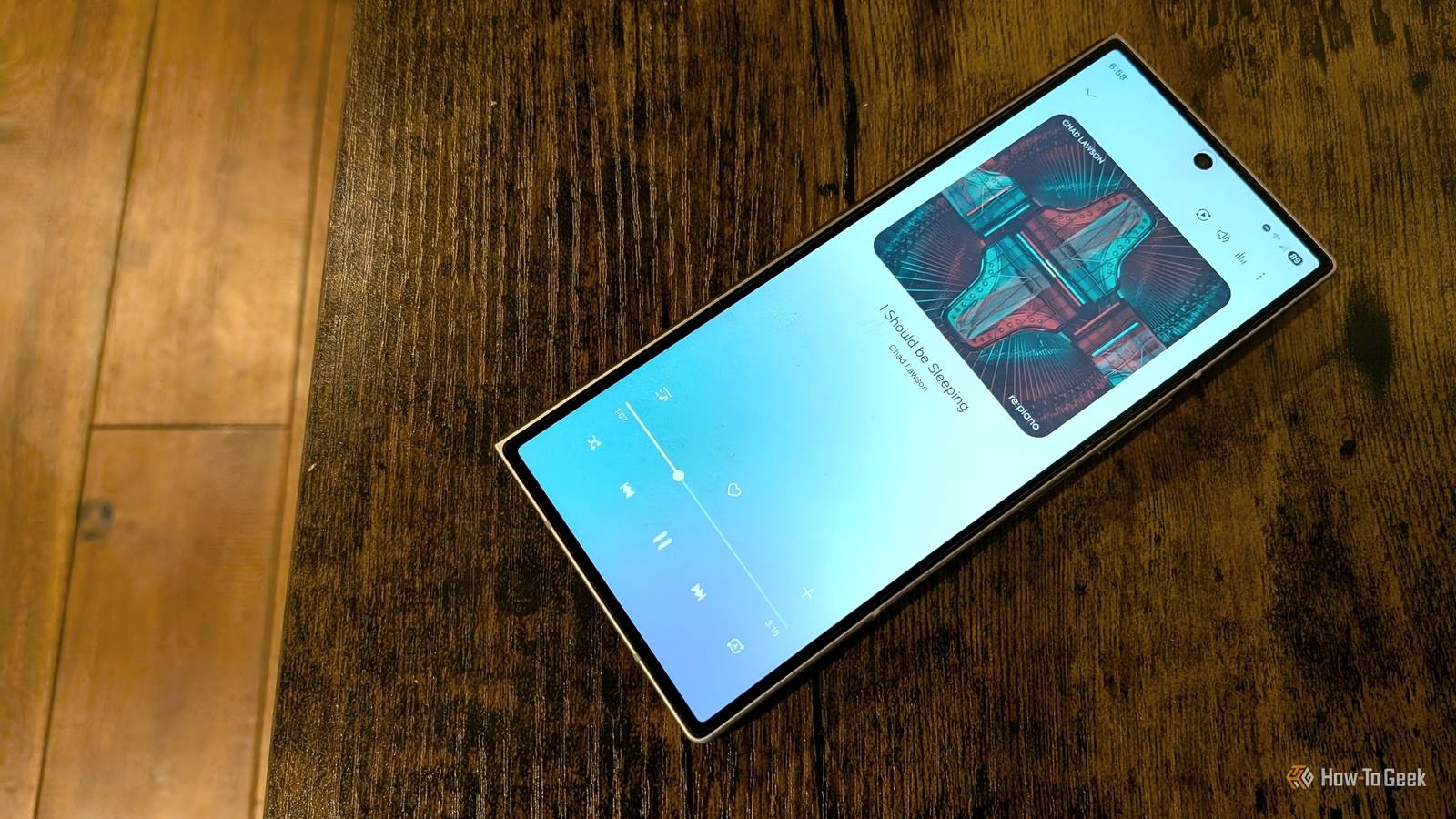
I could tell you which app I use to listen to those files, but it really doesn't matter.Yes, it's Samsung Music, but there's nothing special about it that makes it superior to any other local music player.If I were to trade in my Galaxy Z Fold 6 for a Moto Razr Fold, I'd probably download Auxio from F-Droid or Frolomuse from the Play Store.
The important part is owning my own music, which I primarily purchase via Bandcamp.You don't have to run with the crowd This list could go on.Android is my primary desktop operating system, not just the software powering my phone.
I made this decision in part because, despite Google's influence and the mess that is the app economy, Android remains an open ecosystem with many companies invested in its success.I feel more grounded here than I would using Windows or macOS, which are both entirely controlled by one company.Besides, as CoPilot and Windows 11 have shown us, that feeling of loss of control is not at all exclusive to phones.
Samsung Galaxy Z Fold 6 8 SoC Qualcomm Snapdragon Gen 3 for Galaxy Display 7.6-inch AMOLED inside display, 6.3-inch AMOLED cover display, both with 120Hz dynamic refresh rate $1900 at Samsung $1900 at Best Buy $1900 at T-Mobile $1900 at Verizon $1900 at AT&T Expand Collapse
Read More