Who is satellite internet for? Satellite internet is the only internet type available nationwide, which means it’s not only the most popular choice for rural internet users, but often the only one.Despite current internet expansion initiatives, there is still a lack of cable and fiber internet access in rural locations with sparse populations. Although satellite has the widest availability, it also has the slowest speeds and highest latency (aside from DSL) for a more expensive price tag.This is why many internet users opt for a cable or fiber connection if they can get it, rather than a satellite plan. Setting up your satellite home network Setting up your satellite home network doesn’t have to be daunting.
Follow these steps: First, find the right satellite provider for your home.Starlink, Viasat and Hughesnet are the top satellite providers, but one may suit your needs better than others.Starlink offers the fastest speeds and lowest latency, which can support heavier internet use than its competitors. Enter your ZIP code to see Starlink plans near you Next, schedule your installation.
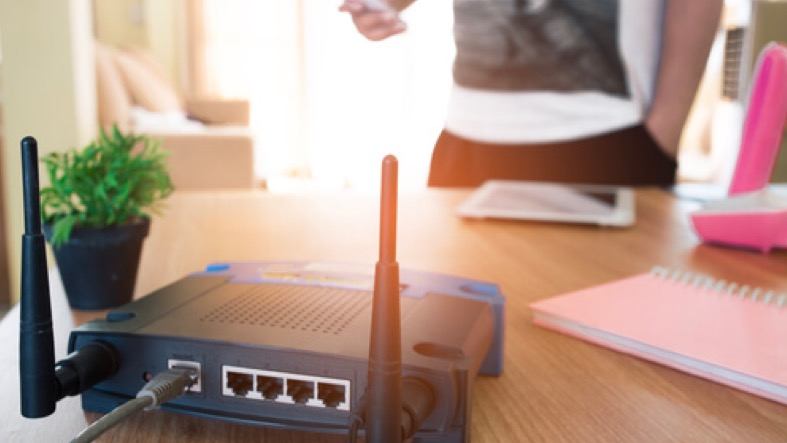
Contact your satellite internet provider to install the equipment you’ve bought or leased, including the satellite dish, router and modem.Make sure the installer runs a connection test for a quality service.Read more about how to set up your internet equipment. Finally, test your internet speeds.
Once your satellite internet is set up, run a speed test to find out if your speeds match what you’re paying for.Keep in mind the limitations of satellite internet, though.Connections are known for slow or inconsistent speeds. Test your internet speed.
Don’t forget the downsides of satellite internet When setting up your satellite connection, keep performance limitations in mind.Unlike fiber or cable, satellites can’t offer you gig or multi-gig speeds.You’ll likely get less than 300 Mbps, depending on your provider.
Satellites are also prone to inconsistent connections due to bad weather, obstructions and shared bandwidth. When a whole-home network is worth it (and when it’s not) A whole-home network is basically a mesh Wi-Fi system that uses multiple nodes (mini routers) throughout your home to provide more consistent connectivity and minimize dead zones. Think of a home with one router and many floors and rooms.The basement or rooms on the top floor may have a weaker Wi-Fi connection if the router is in a distant part of the house.A whole home network would place mini routers in those hard to reach parts of the house (dead zones) to improve the Wi-Fi in those areas. If you have a large home and physical obstructions like brick walls, then a whole-home network can definitely be worth it.
It will even out your Wi-Fi, eliminating weak signal areas and ensuring that the entire home is getting consistent connectivity. If you live in a small home, apartment or other dwelling with minimal obstructions and dead zones, you don’t need to invest in a whole-home network.Learn more about mesh Wi-Fi. The #1 mistake satellite users make with Wi-Fi Treating their satellite connection like a terrestrial connection (fiber/cable).Satellite is not fiber or cable or even 5G.
It has its own quirks that make it unique from other internet tech that users should keep in mind before signing up and while connected: Satellite internet is prone to environmental interference.Whether its bad weather, other obstructions like trees, buildings or terrain, a satellite dish must have a clear line of sight to deliver a suitable connection.If it’s blocked, your connection will suffer. Satellite internet has high latency.
Since data is traveling to and from space, your connection is heavily influenced by that distance.This is why satellite has higher latency than other internet types.In certain activities, such as gaming, high latency can negatively affect your experience. Data caps and throttling are common.
While most providers no longer enforce hard data limits, they do throttle users’ speeds after they exceed a certain data threshold.This is called a soft data limit. Equipment is expensive.With other internet types, you’re generally just paying for a modem/router rental.
With satellite, your equipment fee will be much higher since it’s a satellite dish. Prone to network congestion.This isn’t necessarily unique to satellite internet, but it’s a bit more common.In heavy-use areas, your speed may slow to accommodate increased bandwidth. Don’t want satellite? 5G is another option for rural homes Let’s say you don’t necessarily want a satellite internet plan, but you still can’t get a fiber or cable connection.
5G home internet is another option, and it’s a popular one. 5G is becoming the solution for many who live in underserved areas that don’t want to sacrifice speed or affordability.5G has faster max speeds and providers often boast no added fees, contracts and included equipment.While it still can’t provide speeds as fast or consistent as fiber or cable, it’s a leg up from satellite. Providers like T-Mobile and Verizon also offer discounts if you bundle their 5G internet with a mobile plan—which is even better if you already have a cell plan with one of those providers, or are looking to switch. Enter your ZIP code to find a 5G home internet provider near you What a good satellite connection actually looks like So you’ve set up your satellite, but how do you actually know if its performance is up to snuff considering its limitations? Your everyday internet activities (web browsing, streaming, remote work, etc.) should work just fine, but you still may experience periods of slower speeds or dropped connections depending on the weather, number of connected devices on your network and overall network congestion. But don’t expect blazing fast speeds.
Depending on your provider and plan, you should expect speeds below 300 Mbps and high latency (over 100 ms). Starlink is the only satellite provider that you can hold to a higher standard, at least in the speed and latency department.Its satellites are closer to Earth, meaning the data has less distance to travel—if you have Starlink, you’ll generally have faster speeds than a Hughesnet or Viasat connection and much lower latency (less than 100 ms). Ready to pick your satellite provider? Satellite internet FAQs Do I need a whole-home network for my satellite connection? If you live in a large home or have dead zones, a whole-home network can help even out your Wi-Fi signal.If you don’t experience signal drops, you likely don’t need to invest in one.
Is satellite or cable better? Cable generally provides faster speeds and a more reliable internet connection than satellite, but it’s not available everywhere.In areas that can’t get cable, satellite is a solid alternative.Is Starlink internet good? Starlink provides faster speeds and lower latency than other traditional satellite providers like Hughesnet or Viasat because its satellites are closer to the Earth. What to read next Read more Featured 30% of Americans say their internet is too slow.
Here’s how to fix it Joe Supan — 4 min read Featured It’s a bird! It’s a plane! It’s…12,000 satellites David Anders — 5 min read Featured Does the weather affect your internet? Robin Layton — 4 min read Latest Friday, May 29, 2026 Understanding your satellite internet connection: Don’t expect your satellite to behave like fiber or cable Camryn Smith — 5 min read Tuesday, May 26, 2026 Americans are getting 308 Mbps in download speed, but are you? Robin Layton — 5 min read Friday, May 22, 2026 The internet speeds Americans actually choose Lisa Iscrupe — 4 min read
Read More