Cloud-based automation services such as Zapier and Make let you connect different services together to automate tasks without having to build everything from scratch.If you'd rather not have all your personal automations running in the cloud, n8n gives you a different option.Cloud automation comes with several issues Privacy and reliability are out of your hands Cloud-based automation services offer a lot of convenience.
You can link different services together to build automations that run on third-party servers, accessible from anywhere.This convenience does have its downsides, however.Cloud automation doesn't just connect two services together.
It can extract information from one service, manipulate it, and pass it to another.This means that data used by the workflow may pass through or be processed on the automation provider's own servers.Depending on your workflows, this information could include your personal emails, sensitive documents, contact details, and other potentially sensitive information.
All of this information may pass through third-party servers and is outside your direct control, which can be a significant privacy concern.Privacy isn't the only issue.By their nature, cloud-based automation services rely on an internet connection.
If the automation service goes down, your automations may not run as normal, and this is entirely out of your hands.If you lose internet access, you may also not be able to run your automations, even if the service itself is running fine.Related I self-host my own private ChatGPT with this tool Running your own AI isn't only easy, it is a lot more cost effective if you already have a gaming PC.
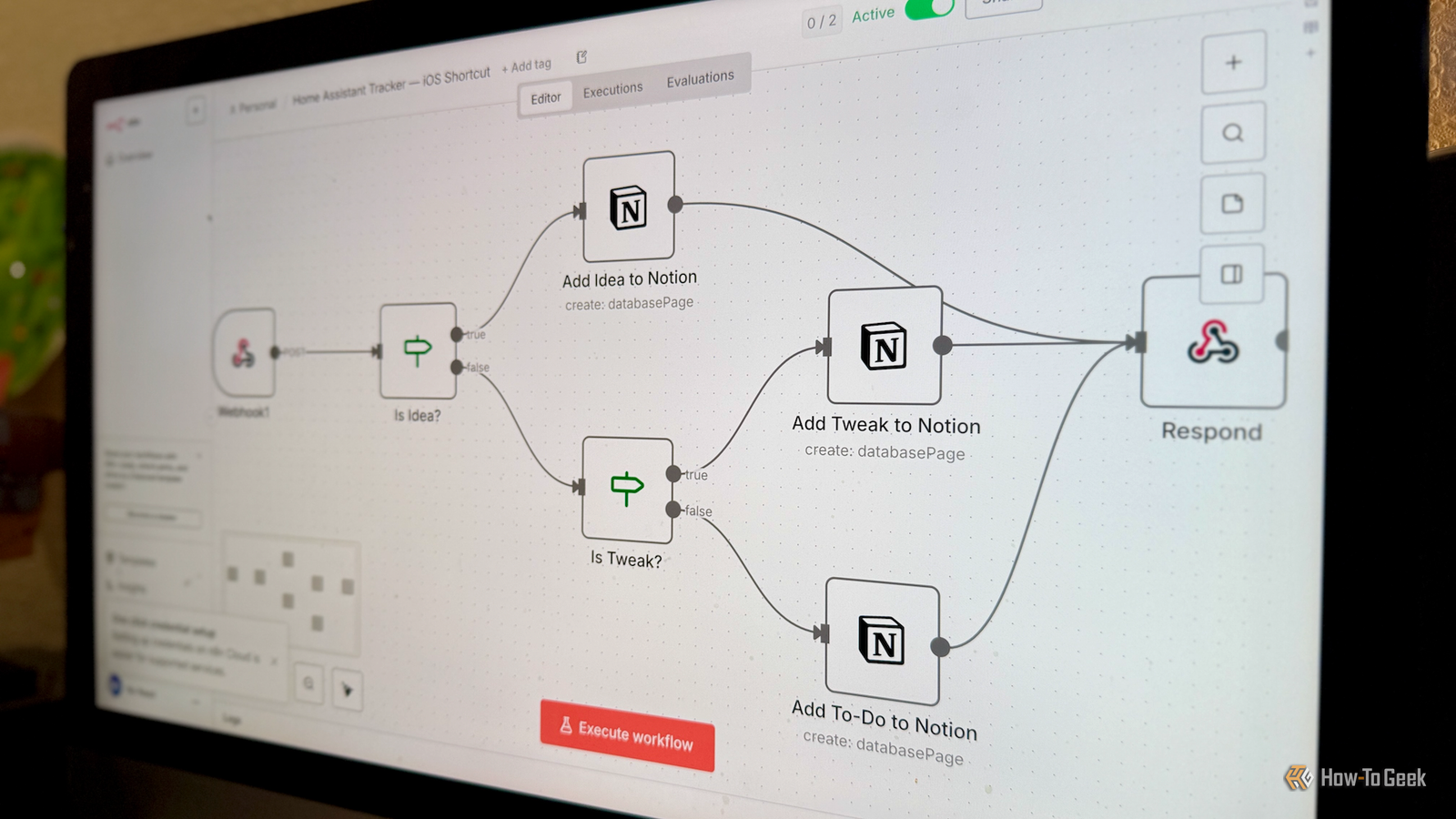
Posts 2 By Nick Lewis Hosting an n8n server gives you automation on your own hardware Your workflows run on a machine you control The n8n automation platform is another service that allows you to create workflows that can connect different applications and APIs.You build workflows from various nodes using a visual editor.Like Zapier and Make, you can use n8n as a cloud-based service, where all your automations run on third-party servers.
Using the cloud isn't the only option.You can also host an n8n server on your own devices, so that the automations will run on your hardware rather than in the cloud.n8n commonly recommends Docker for most self-hosting needs, with an official Docker image you can use to run your n8n server in a container on a Linux server with Docker installed.
You can also install n8n directly using npm and start it from the command line, which is useful for testing it out.I have n8n running in a virtual machine in Proxmox on a mini PC.Once it's running, you can access the web interface directly from your home server and create your automation workflows just like you do with the cloud version.
If you're using connected cloud services in your automations, the data will still get sent to the cloud; it's the automation platform itself that runs locally.Self-hosting keeps more of your automation data at home Local workflows don't need to touch the cloud Close One of the most obvious benefits of self-hosting n8n is that you can keep more of your data on your local network.For example, you might have an automation that takes household bills in PDF format, extracts the relevant data, and adds it to a budgeting spreadsheet.
If you self-host n8n, it's possible to run this entire workflow on your own hardware, but with a cloud automation service, your financial data will pass through third-party servers.If your workflows use external services, then some data may need to leave your home for your automations to work.The actual processing can take place on your own hardware; however, you have more control over what workflow data you share outside your home network.
If necessary, you can even redact or edit data before it is sent to third parties.Running n8n locally has some trade-offs You're responsible for your own server That's not to say that running your own n8n server is perfect.There are some trade-offs with self-hosting your automation service.
The first is that you need to maintain it.If your home server goes down, your automations will stop working.You're also responsible for keeping n8n updated, backing up important information, and troubleshooting issues.
Another consideration is that if you're running n8n on local hardware, you won't be able to access it from outside your home network without setting up some means of remote access.You're then responsible for ensuring that you're following the best practices for keeping your self-hosted instance secure.The self-hosted Community Edition of n8n is free, but some advanced features are limited to paid self-hosted tiers.
As of yet, however, I've been able to create all the automations I've needed without a subscription.Self-hosting n8n isn't right for everyone If your automations don't involve sensitive data, and you're not concerned about privacy, then maintaining your own n8n server might be overkill for your needs.If you already self-host other services or have spare hardware that you can use to run n8n, then it's definitely worth giving it a try.
Read More