
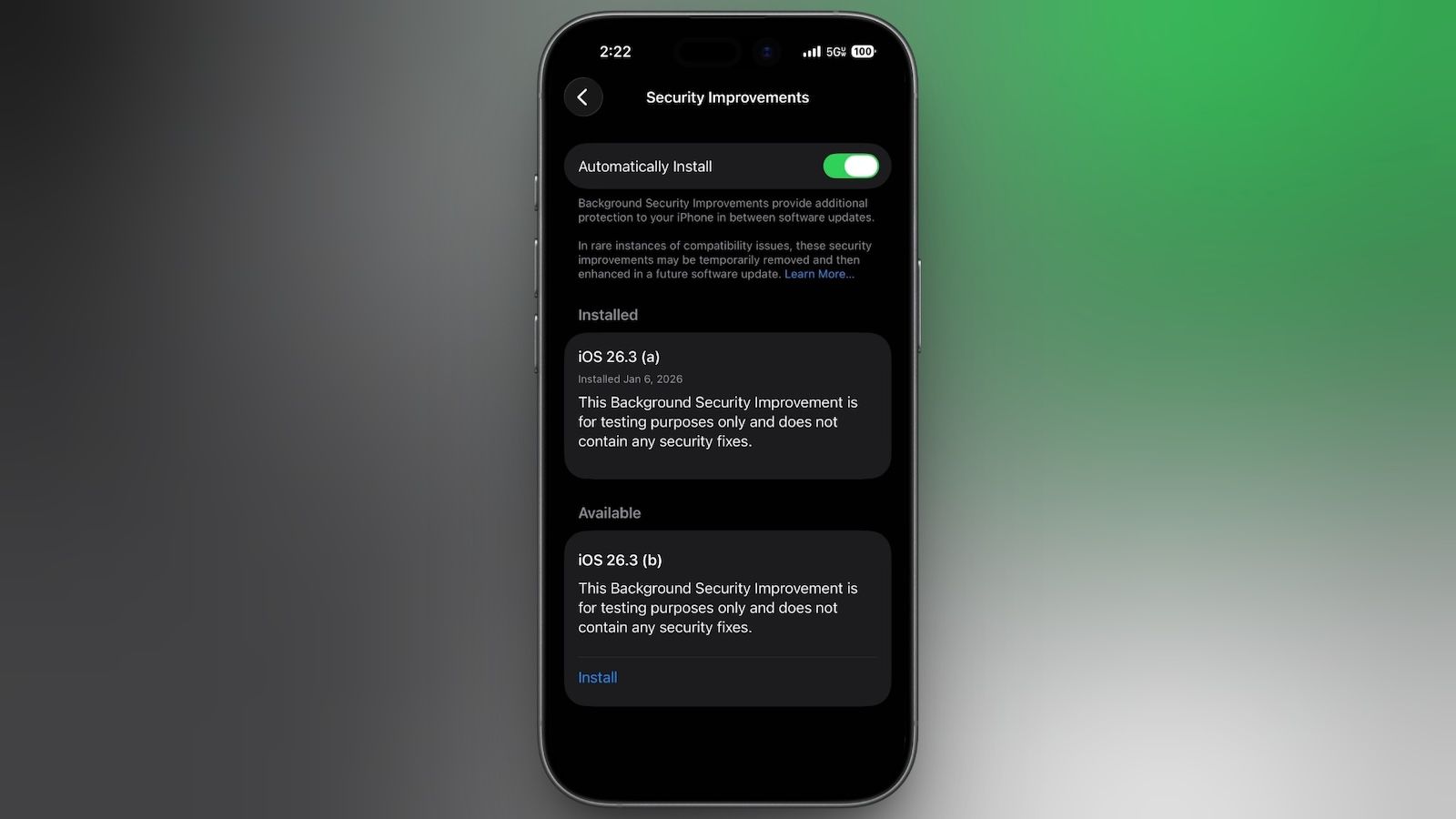
Apple is once again testing its new Background Security Improvement feature that first rolled out in iOS 26.1, iPadOS 26.1, and macOS Tahoe 26.1.Following a previous test earlier this week, developers and public beta testers who are running iOS 26.3, iPadOS 26.3, or macOS Tahoe 26.3 can now install a second Background Security Improvement update for testing purposes.Apple says Background Security Improvements provide additional security protections between software updates for Safari, WebKit, and other system libraries.
Background Security Improvements can be installed by going to the Privacy and Security section of the Settings app, scrolling down to Background Security Improvements, and selecting the "Install" option.If "Automatically Install" is toggled on, Background Security Improvements will be automatically installed when they come out with no need to manually install them.Apple says that users who opt not to install the Background Security Improvements will receive the updates in a standard software update.
Apple previously had a Rapid Security Response update feature for delivering security improvements, but it wasn't used often after it was introduced in iOS 16, and was ultimately phased out in favor of Background Security Improvements.At one point in 2023, there was a Rapid Security Response bug that prevented some websites from displaying properly.Apple warns that Background Security Updates can result in "rare instances of compatibility issues." Should that occur, the updates may be temporarily removed and enhanced in a subsequent software update.


