I don’t know about you, but I’m tired of paying for apps, especially now that everything seems to come with a subscription.So for a while now, I’ve been hunting down free and open-source (FOSS) alternatives that don’t charge a monthly fee and also don’t force me to compromise on the features I actually need.Turns out there are plenty of great options out there, and I’ve started feeling a little dumb for paying in the first place.
This is part of a series covering FOSS apps that are better than their paid alternatives.I’ve already done two more pieces like this before, which you can check out here and here.Proton VPN The only free VPN service worth using VPNs are probably the most common type of software where you have to pay to get a decent experience.
Free VPNs exist, but they almost always come with a catch.Either they’re insecure and log your data to make money off you, or they’re so unreliable that you end up with terrible speeds and constant connection drops.And honestly, that makes sense because running a VPN service is expensive.
You need servers spread across multiple countries to give users access to different regions, and maintaining all that infrastructure costs real money.Proton VPN is one of the few services, if not the only one, that breaks that pattern by offering a free VPN tier that’s actually worth using.To be clear, it isn’t completely free—it’s freemium.
You’ll need one of their paid plans to unlock everything, though those are reasonably priced.However, the free tier is genuinely usable on its own.You get a strict no-logs policy, no data limits, no ads, and reliable speeds.
The main limitation is that you can only connect one device at a time, and your server choices are restricted to a few randomly selected options spread across 10 countries.That means it’s not ideal for streaming geo-blocked content, but for basic privacy needs, it’s more than enough.I personally use it when connecting to public Wi-Fi.
Proton VPN works on all popular platforms, including Windows, macOS, Linux, Android and iOS.It's also available as a browser extension.Proton, the company behind Proton VPN, has built an entire ecosystem of open-source privacy-focused apps designed to rival big tech alternatives.
It’s also headquartered in Geneva, Switzerland, so you've got robust data privacy laws working in your favor.Proton VPN 8 Logging policy No-Logs Policy Mobile app Android and iOS Proton VPN is a fast and secure service, that comes with a strong reputation for privacy.See at Proton Expand Collapse Handy Premium-quality transcriptions at precisely $0 One of the best things to come out of this whole AI wave is genuinely useful, reliable speech-to-text tools.
Not too long ago, you had to rely on expensive and often inaccurate dictation software.Now the market is flooded with transcription apps like Otter, WhisperFlow, and SuperWhisper that offer highly accurate transcription for around $10 a month.But here’s the thing: most of these newer apps are basically wrappers running a free, open-source transcription model underneath.
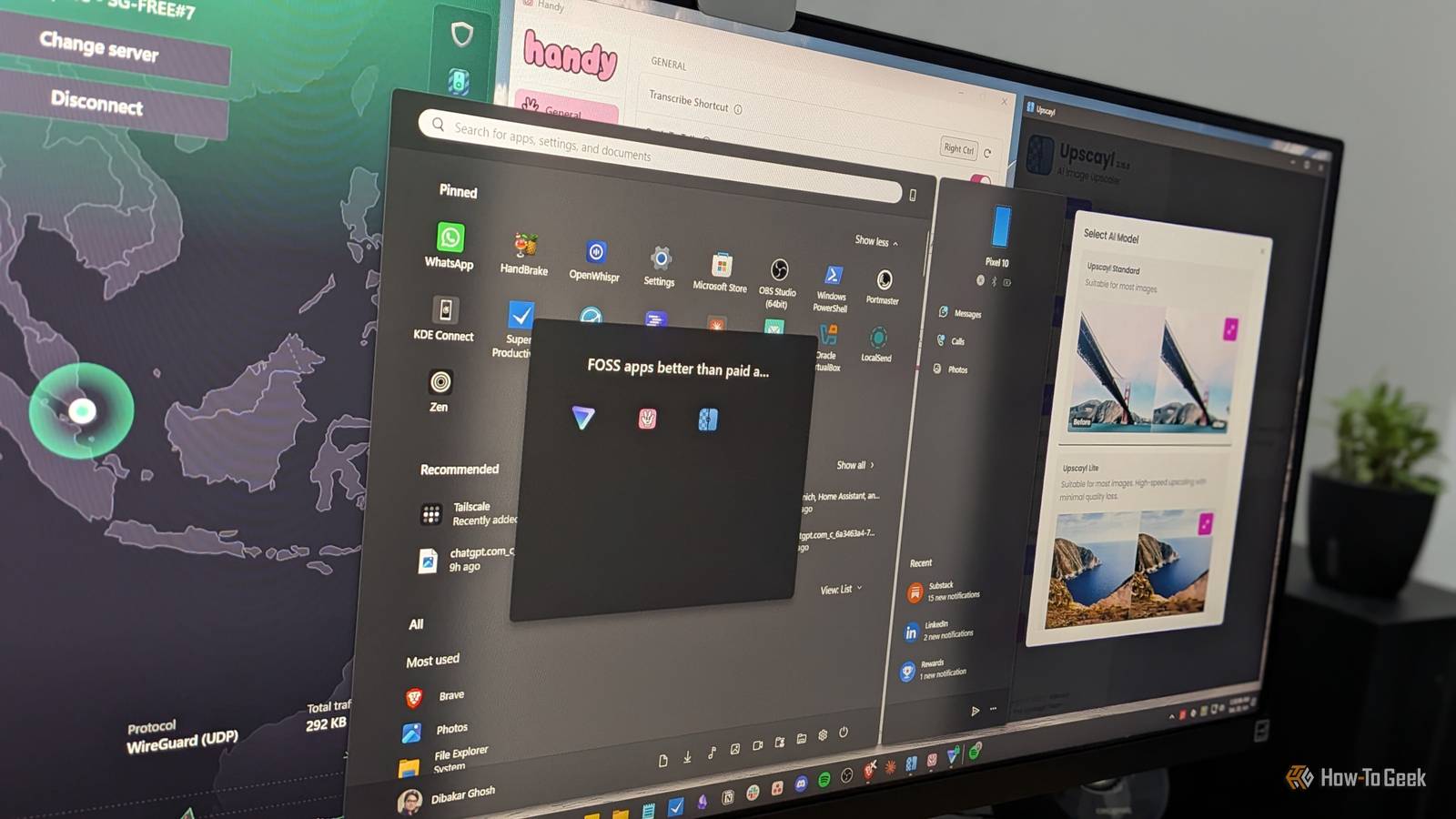
So if you’ve got a moderately capable machine, you can run those models yourself and skip the monthly fee entirely.One of the best FOSS apps that lets you easily run those transcription models is Handy.It’s super minimal, lets you install a variety of transcription models, and gives you an intuitive push-to-talk workflow: press a shortcut, speak, release, and your words get pasted directly into whatever you’re typing.
It’s a great way to type less and give your wrists a break.If you have a dedicated GPU with more than 6GB of VRAM, choose Whisper Turbo as your transcription model for the best balance of speed and accuracy.If you don’t have a GPU, one of NVIDIA’s Parakeet models is a better option.
They’re considerably more lightweight than the Whisper models, so you can get decent performance running them on CPU only.The main trade-off is language support—Parakeet supports fewer languages than Whisper and is primarily tuned for English.Handy works on Windows, macOS, and Linux.
Related I’m a professional writer, but I barely touch my keyboard—here’s what I use instead Writing is about sharing your thoughts—not using a particular tool! Posts 6 By Dibakar Ghosh Upscayl Fully local and private image upscaling If you work with a lot of images, you already know how much resolution matters.Higher-resolution images stay sharper when you post them on social media and hold up better after editing.That makes them essential for creative professionals—or anyone who just likes swapping in crisp 4K wallpapers and staring at cool-looking images.
Now, there are plenty of free image upscalers online, but using them means you have to upload your images to someone else’s servers.That’s fine for generic content, but less ideal if you’re working with copyrighted assets for a professional project or personal photos you’d rather keep private.The alternative is using a local upscaler like Topaz Gigapixel AI, but tools like that usually come at a premium.
Deals Save on Software & AI: Deals for Subscriptions and Tools Unlock discounts on AI-powered software, privacy tools, and subscription alternatives.Find limited-time offers, bundle savings, and discounted licenses for transcription, VPNs, image upscaling, and other software to cut recurring costs.Deals Explore Software, AI & Subscriptions Deals That’s where Upscayl comes in.
It’s free, open-source, and lets you upscale images locally using your own hardware.It ships with multiple AI upscaling models optimized for different scenarios, so no matter what kind of image you throw at it, chances are it can produce an impressively sharp high-resolution version.By default, it recommends a maximum of 4x upscaling for the best results, but technically, it can scale up to 16x if you really want to push it.
Upscayl runs much faster with a GPU, but it also works on CPUs.The quality stays the same—it just takes longer.Fortunately, it supports bulk upscaling, so you can point it at a folder with hundreds of images and let it run overnight.
Upscayl is available on Windows, macOS, and Linux.Related Home Assistant's hidden AI image generator is way more useful than it sounds Putting the "art" in smart home.Posts By Adam Davidson FOSS apps don’t have a quality problem—they have a marketing problem There was a time when “free” immediately signaled poor quality, but that’s no longer true—at least when it comes to software.
A lot of FOSS tools have become genuinely excellent, both in design and functionality.The real problem is visibility.Because they’re free and usually not generating massive revenue, they don’t have the marketing budgets needed to get in front of more people.
That’s why word of mouth matters so much.If you find a genuinely great FOSS app, sharing it is one of the best ways to help more people discover it.
Read More