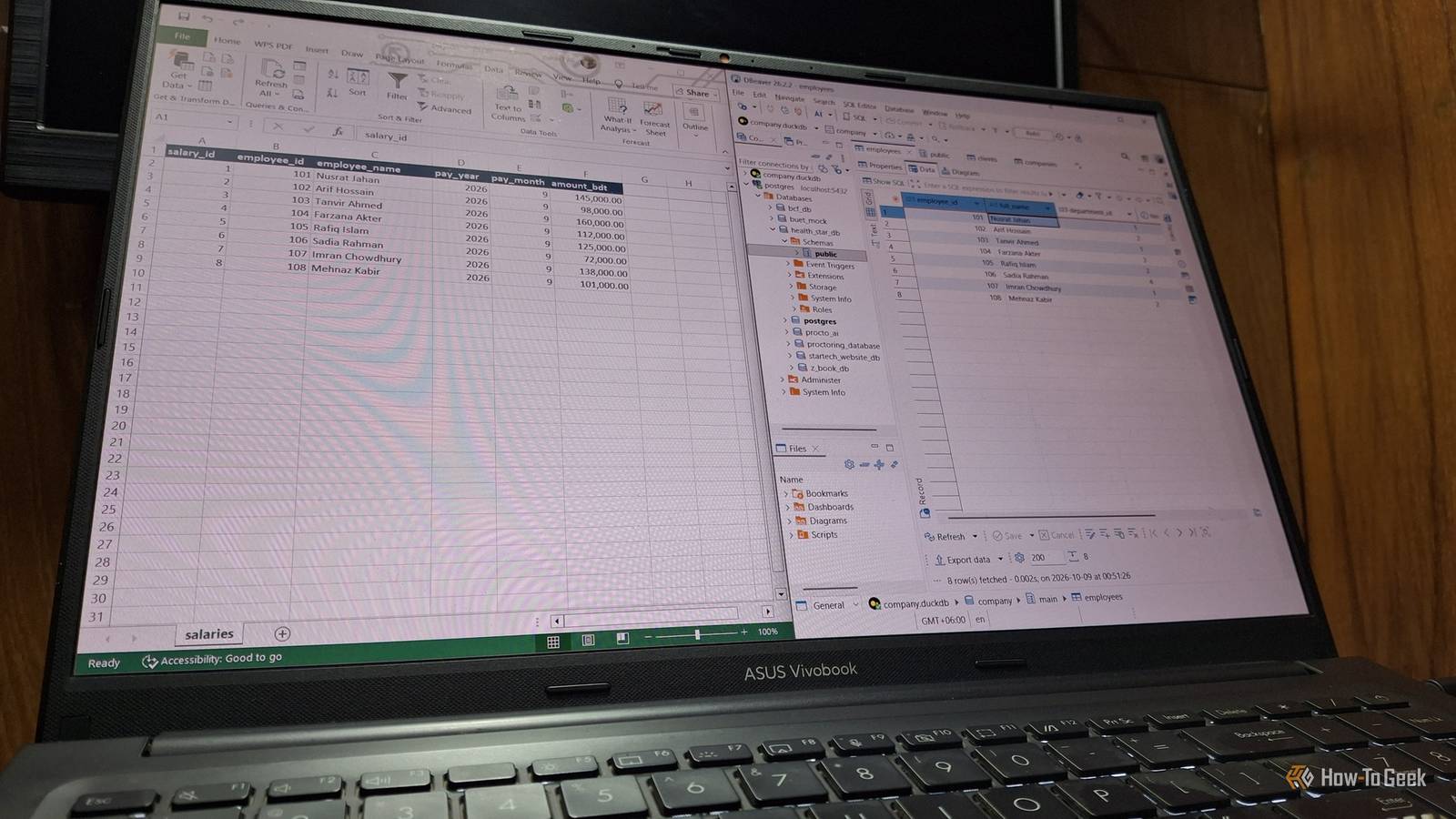
Excel is a brilliant tool for managing data.You can store data, organize, analyze, and even visualize it.However, Excel is not a database, as it lacks many of the primary features a database system offers.
No relational integrity, data constraints, or foreign-key support.That's where DBeaver earned a spot on my PC.Related Why you should never link to another Excel workbook (and what to do instead) Stop using fragile direct links—Power Query creates faster, automated, and more robust workbook connections.
Posts 2 By Tony Phillips When workbooks pile up, you already have a database Picture several tables spread across files A lot of companies manage their day-to-day data purely in Excel.You have an employee workbook, one for managing payrolls, then there's one for clients.You have to manually copy and paste the employee ID from one file to another carefully to avoid any mismatch.
So, you have a setup where one column in one workbook is connected to another column in another workbook.In other words, your data has a relationship.Now, suppose someone makes a typo while copying by hand.
Nothing impossible.In Excel, it's hard to trace back that mistake and update all places.The result? A silent failure, and you don't even know about it.
That's because Excel spreadsheets lack automated relational integrity rules to protect data across separate files.Databases can handle these situations with grace.After trying many database management tools, DBeaver made me realize I was using the wrong tool for the wrong work.
If I'm already doing work that's supposed to be done using databases, then switching to DBeaver made more sense to me, and so I did.DBeaver's data editor still feels like home for Excel users The looks are familiar, but a database enforces rules behind the scenes One thing that daunts many people is an unfamiliar interface.Fortunately, DBeaver uses the same grid and table interface you've used for years in Excel.
Same rows and columns.You can edit cells, add or delete rows, filter using conditions, and even order columns.So, functionality-wise, it's not much different.
There's no steep learning curve.The difference shows up when you click Save.DBeaver holds your edits until then, and Cancel throws them all away.
Moreover, the database checks every change before it lands.In a database like PostgreSQL, each column has a fixed type.If something doesn't fit, it gets blocked.
Asking questions gets easier, too.For this piece, I pulled four sheets into a database and asked one simple question.Who manages which client, which department are they in, and what did they earn in September? In Excel, that's a pile of lookup columns across four tabs.
Here, one short query returned six neat rows.The ER diagram shows the connections Excel keeps hidden One tab turns your tables into a map This is a superpower of database systems.While modern Excel allows some relational mapping through Power Pivot, it's quite cumbersome.
In Excel, you typically have to remember any relations one table in one file may have with another table in a different tab or file.At best, you can create a separate file that records all the connections.In DBeaver, you can visualize all the entity relationships as a diagram automatically generated for you to get a clear picture.
When you're working with large data, this is even more useful.You don't have to scroll through thousands of records to understand which data depend on each other.You can take a glance at the diagram to understand the connections.
Moreover, you can save the mapping as a PNG file or print it.Also, if your tables have no foreign keys yet, DBeaver's Virtual tab lets you define relationships that live only inside DBeaver.The free edition won't open your Excel files directly Save as CSV, or let DuckDB read the workbook directly This might be the biggest complaint you have.
DBeaver's Community Edition doesn't have direct support for importing or exporting XLSX files.You'll need the Pro version for that.It does, however, import CSV files for free.
That's a real gap if you want to move years of workbooks into a database.But I found two workarounds to solve this.The first way is to save your Excel sheets as CSV files.
Keep in mind that Excel only saves the current worksheet this way.So, a four-tab workbook means four files.If the data is a bit untidy, Excel's Power Query can clean messy CSV files.
To import data, choose your database, expand Schemas, then right-click public, and choose Import Data.Pick CSV.Then choose your file from your computer.
To export the data as CSV, simply click the Export data button at the bottom of the table, pick CSV, then proceed.The second route is a bit more sophisticated, but it was interesting to experiment with.DBeaver's free edition can connect to DuckDB, and DuckDB has an Excel extension with a read_xlsx function.
So, I pointed it at my test workbook, and it read each sheet straight into a table.Close In my test, every number column came in as a decimal (DOUBLE), IDs included.Dates, however, arrived as proper dates.
Related I've used Excel for decades, and Ctrl+Enter is still the most useful shortcut I know This overlooked shortcut lets me update cells, preserve formatting, repair formulas, fill gaps, and edit multiple worksheets simultaneously.Posts By Tony Phillips Let Excel do the math and let the database keep the integrity This isn't a call for ditching Excel.It has its place and job.
You can also use both based on your use case.The database holds the records, keeps the IDs consistent, and lends a hand when you need to create complex queries.And if your data still fits comfortably in a few sheets, Power Query's knack for combining data without formulas might buy you a little more time first.
Read More