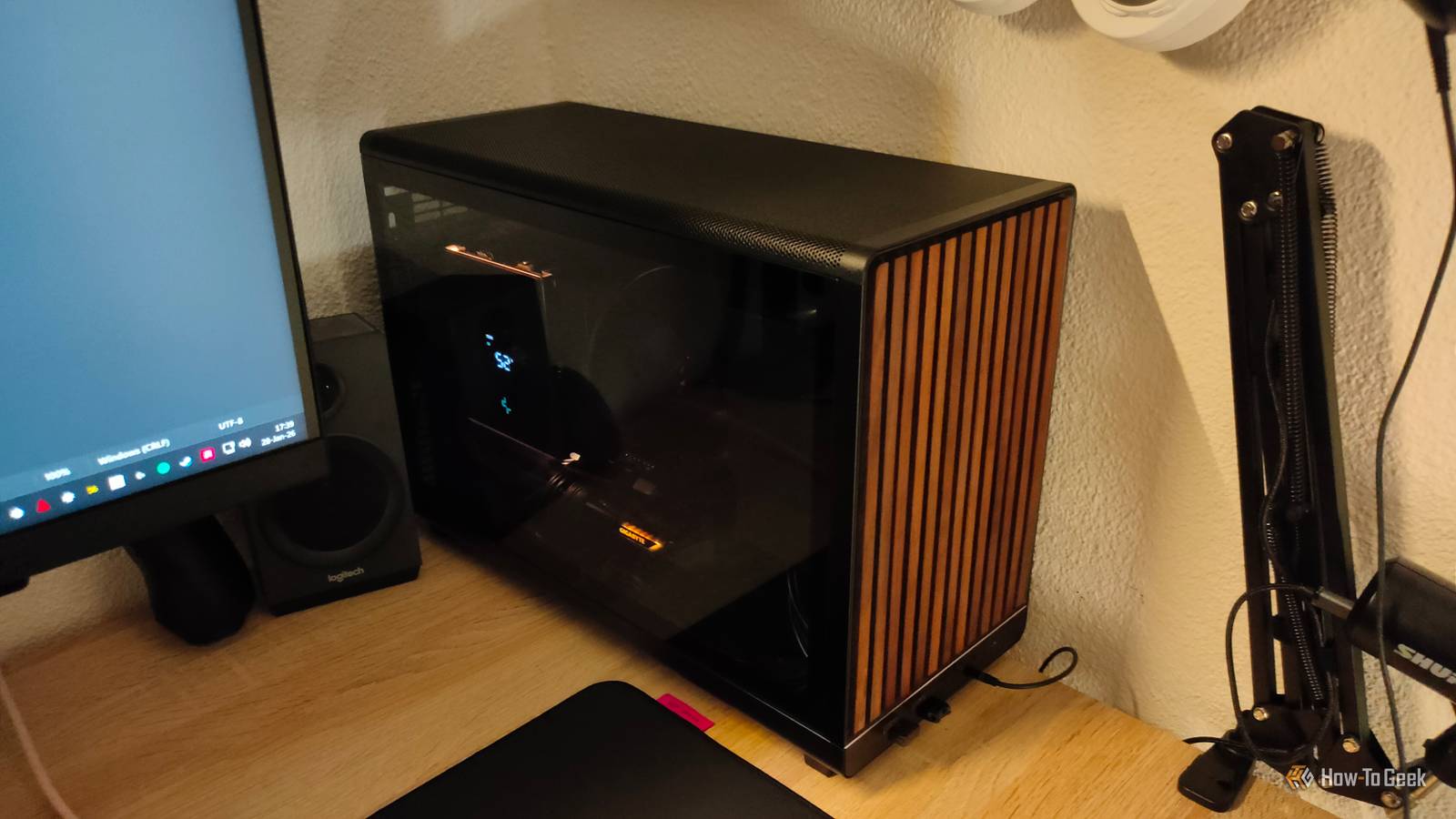
I took a five-year break from building PCs and came back feeling like a complete beginner when my sister asked me to build one for her.Here's what actually changed, what didn't, and how I found my footing again.Has anything changed? More than you'd expect, less than you'd fear The honest answer is: quite a bit, but not in a way that makes past knowledge useless.
The biggest shift I had to wrap my head around was the platform landscape.However, most of the things that have changed aren't exactly something that will fundamentally change how you install them.If you were building AMD PCs, there's one: AMD moved to AM5, which is an LGA socket, and you don't have to deal with those little pins on your CPU anymore.
Other than that, everyone moved past DDR4 entirely, which means if you're building fresh today, you're on DDR5 whether you want to be or not.PCIe 5.0 is another thing that sounds scarier than it is.High-end motherboards now carry PCIe 5.0 slots for both the GPU and at least one M.2 slot, which looks very different from what I remembered.
In practice, though, PCIe 5.0 SSDs remain a luxury rather than a necessity—PCIe 4.0 drives are still the sensible sweet spot for most people, and the real-world difference in everyday use is modest.The spec is there when you need it, but you won't feel left behind without it.Quiz 8 Questions · Test Your KnowledgeDIY PC buildingTrivia ChallengeFrom socket types to cable chaos — test your knowledge of building computers from scratch.HistoryHardwareTroubleshootingQuirksTipsBegin 01 / 8HistoryWhat year did Intel release the first consumer processor that popularized the DIY desktop PC market — the Intel 8086?A1972B1975C1978D1981Correct! The Intel 8086 launched in 1978 and gave birth to the x86 architecture still used in PCs today.
It was a 16-bit processor running at 5–10 MHz — a far cry from today's multi-GHz giants.This chip laid the foundation for decades of DIY computing.Not quite — the Intel 8086 debuted in 1978.It introduced the x86 instruction set that still underpins virtually every desktop and laptop processor sold today.
IBM later used the cheaper 8088 variant for its first PC in 1981, which is sometimes confused as the origin point.Continue 02 / 8HardwareWhen building a PC, what does 'POST' stand for in the context of the boot process?AProcessor Output Self TestBPower-On Self-TestCPrimary Operating System TransferDPower Output Signal ThresholdCorrect! POST stands for Power-On Self-Test, a diagnostic routine your motherboard runs every time you boot up.It checks that critical components like RAM, CPU, and GPU are present and functional.If POST fails, you'll often get beep codes or LED indicators to help diagnose the problem.The correct answer is Power-On Self-Test.
Every time you press the power button, your motherboard runs POST to verify that essential hardware is connected and working.Failed POST is one of the first hurdles new PC builders encounter, often caused by unseated RAM or a forgotten power connector.Continue 03 / 8QuirksWhy do experienced PC builders recommend touching a metal part of the case before handling components?ATo warm up your hands for better gripBTo check if the case is properly grounded before installingCTo discharge static electricity from your bodyDTo magnetize your fingers for handling small screwsCorrect! Static electricity built up on your body can silently destroy sensitive PC components in an instant — a phenomenon called electrostatic discharge (ESD).Touching bare metal grounds you and neutralizes that charge before it can zap your CPU or RAM.
Anti-static wrist straps work even better for extended build sessions.The answer is to discharge static electricity.Your body can carry thousands of volts of static charge without you feeling a thing, but that invisible zap can permanently damage a CPU or RAM stick.It's one of the oldest and most important safety habits in PC building — cheap insurance for expensive parts.Continue 04 / 8TroubleshootingA newly built PC powers on, fans spin, but there's no display output.
What is the MOST common first thing to check?AReplace the CPU thermal pasteBEnsure the monitor is plugged into the GPU, not the motherboardCReflash the BIOS using a USB driveDCheck the SATA cables are firmly connectedCorrect! This is arguably the most common rookie mistake in PC building — plugging the monitor into the motherboard's video output when a dedicated GPU is installed.The motherboard's HDMI or DisplayPort is disabled by default when a GPU is present.Always connect your display directly to the graphics card.The most common culprit is having the monitor plugged into the motherboard's video port instead of the dedicated GPU.
When a graphics card is installed, most systems disable the motherboard's integrated video outputs automatically.It's such a frequent mistake that it has become a running joke in PC building communities.Continue 05 / 8HardwareWhat is the purpose of thermal paste when installing a CPU cooler?AIt acts as an adhesive to hold the cooler in place permanentlyBIt fills microscopic imperfections between the CPU and cooler to improve heat transferCIt insulates the CPU from electrical interference caused by the coolerDIt lubricates the cooler's fan bearings for quieter operationCorrect! Even finely machined metal surfaces have tiny imperfections and air gaps at the microscopic level.Thermal paste — also called thermal interface material (TIM) — fills those gaps to ensure maximum heat conduction from the CPU to the cooler.
Without it, air pockets act as insulation and temperatures can skyrocket dangerously.Thermal paste fills microscopic gaps between the CPU lid and the cooler's base plate.Metal surfaces may look flat and smooth, but at a microscopic scale they're riddled with tiny ridges and valleys that trap air — and air is a terrible heat conductor.A thin, even layer of thermal paste eliminates those gaps and keeps temperatures in check.Continue 06 / 8HistoryThe ATX motherboard form factor, which became the standard for DIY desktop PCs, was introduced by which company and in what year?AAMD in 1990BASUS in 1993CIntel in 1995DIBM in 1988Correct! Intel introduced the ATX (Advanced Technology Extended) standard in 1995, replacing the older AT form factor.
ATX standardized component placement, power supply connectors, and airflow direction — making DIY builds far more practical and interchangeable.Nearly 30 years later, ATX and its derivatives like Micro-ATX and Mini-ITX still dominate the market.ATX was introduced by Intel in 1995.It was a major leap forward from the previous AT standard, defining a common layout for motherboards, cases, and power supplies that made mixing and matching components from different vendors straightforward.
That standardization is a huge reason DIY PC building became so accessible.Continue 07 / 8TipsWhen installing RAM into a motherboard with four slots, where should you install two sticks to enable dual-channel mode on most boards?ASlots 1 and 2 (the first two slots nearest the CPU)BSlots 1 and 3, or slots 2 and 4 (alternating slots)CSlots 3 and 4 (the two slots farthest from the CPU)DAny two adjacent slots work equally wellCorrect! Dual-channel mode requires RAM to be installed in matched pairs on alternating slots — typically A2 and B2, or slots 2 and 4.This allows the memory controller to access both sticks simultaneously, effectively doubling memory bandwidth.Your motherboard manual will show the exact recommended slots, usually color-coded for convenience.To enable dual-channel mode, RAM should go in alternating slots — such as slots 2 and 4, often color-coded on the motherboard.
Placing both sticks in adjacent slots (like 1 and 2) forces single-channel operation, which can noticeably reduce performance in memory-intensive tasks.Always check your motherboard manual for the exact recommended configuration.Continue 08 / 8QuirksWhat is 'coil whine' in the context of a newly built gaming PC?AA rattling sound from an improperly secured case fanBA high-pitched noise produced by electromagnetic vibration in inductors under high electrical loadCThe sound of a CPU cooler fan spinning at maximum speed during stress testsDNoise caused by the hard drive's read/write head seeking data rapidlyCorrect! Coil whine is a high-pitched, sometimes whirring or buzzing noise caused by tiny electromagnetic coils (inductors) on a GPU or PSU vibrating at audible frequencies under heavy electrical load.It's technically a defect in manufacturing tolerances but is extremely common and not usually harmful to the component.
Ironically, it's often loudest in high-end GPUs under uncapped framerates.Coil whine is that annoying high-pitched squeal coming from inductors on your GPU or power supply vibrating under electrical load.It tends to be loudest when framerates are uncapped or during heavy computational tasks.While alarming to new builders, it's usually harmless — though some manufacturers will replace components with severe coil whine under warranty.See My Score Challenge CompleteYour Score/ 8Thanks for playing!Try Again GPU naming conventions are, as always, a disaster.
NVIDIA refreshed its entire lineup under the Blackwell architecture with the RTX 5000 series, while AMD pushed out the RDNA 4 generation with the RX 9000 series.Keeping track of where each card sits in the hierarchy takes some effort, especially since both companies have been aggressive with mid-generation refreshes and SKU fragmentation.Beyond naming, cards are also pulling significantly more power than they used to, which means the "just grab a 650W PSU and call it a day" rule of thumb I had in my head no longer applies to anything in the enthusiast tier.
The connectivity landscape on motherboards also looks noticeably different.Wi-Fi 7 and USB4 are now common features on mid-range and high-end boards, where they used to be premium additions or absent entirely.Functionally, the layout is the same, but expect more ports, more headers, and more options than you may remember.
GIGABYTE B850M DS3H AMD AM5 mATX Motherboard $119 $155 Save $36 Brand Gigabyte CPU Included No Graphics Card Interface PCIe 5.0 Wi-Fi No CPU Support AM5 The GIGABYTE B850M DS3H is a budget-friendly mATX motherboard ideal for both gaming and office PCs.It comes with two M.2 PCIe slots (one PCIe 5.0 and one PCIe 4.0), so you can run high-speed NVMe drives without breaking the bank.$119 at Amazon Expand Collapse What hasn't changed The bones of a PC build are exactly the same Despite everything that looks new on paper, sitting down to actually plan a build felt familiar faster than I expected.
The fundamental architecture of a PC hasn't changed.You still need a CPU, a motherboard that matches its socket, RAM that matches that motherboard, a GPU, storage, a power supply, and a case to put it all in.The order in which you make those decisions, and the logic behind each one, is exactly the same as it was five years ago, and the five years before that.
The physical assembly process is similarly unchanged.Mounting a CPU still requires lining up the triangle marker and dropping it into the socket without applying pressure on AM5, or gently closing the lever on Intel.Thermal paste application is still a point of anxiety for first-timers and a non-issue for everyone else — a small dot in the center works fine, and the differences between competent thermal compounds remain within a few degrees of each other.
Installing RAM, seating a GPU, routing cables: none of it has fundamentally changed.The tools required are the same.A single Phillips head screwdriver still gets the job done.
Cooling logic remains intact too.Air coolers are still excellent value for mid-range builds, and a quality tower cooler from a brand like Noctua or be quiet! will outperform a cheap AIO liquid cooler at the same price point.The thermal design power numbers on modern CPUs are higher than I remembered, which does mean you need to pay more attention to cooler TDP ratings, but the decision framework is identical.
You match cooling capacity to your chip's power draw, factor in your case's airflow, and move on.Perhaps most reassuringly, the community knowledge base is as good as it's ever been.The logic that a well-balanced build beats a spec-chasing one, that your GPU is almost always the priority for gaming performance, that you shouldn't cheap out on the power supply—all of it still holds.
How I got back to speed The tools and habits that made relearning painless The single most useful thing I did was spend a few hours on PCPartPicker before touching anything else.Of course, I've been covering PC parts all these years, but you need to actually get familiar with the stuff you're potentially going to buy before hitting the buy button.The site has always been the go-to for compatibility checking, but what I appreciated coming back was how much the community content had grown.
The completed build listings are an excellent way to see what people are actually building at different price points, understand which platform decisions they're making and why, and pick up on current conventions around things like RAM speed targets and storage configurations.It gave me a real-world orientation that no spec sheet could.YouTube channels that focus on PC building have also matured significantly.
Where the content used to be weighted toward enthusiast-tier builds and overclocking guides, there's now a strong body of work around practical mid-range builds, upgrade guidance, and platform comparisons aimed at people who just want a solid machine.I also found it helpful to identify what I didn't need to relearn.I didn't need to revisit how to install a CPU cooler.
I didn't need to reconsider my philosophy on power supply headroom.What I needed was a targeted update on which platforms were current, what DDR5 actually meant for a build budget, and roughly where GPUs sat in the new naming hierarchy.Framing it as a targeted update rather than starting from scratch made the whole process much less daunting.
The biggest lesson was that muscle memory for this hobby doesn't really expire.The knowledge atrophies a little around the edges—specific model names, current pricing tiers, which chipset does what—but the underlying intuition for how to build a balanced system came back quickly.Five years away taught me that almost nothing was truly forgotten The hobby moves fast on the surface but barely at all underneath.
If you built a PC five years ago, you already know how to build one today.You just need a little elbow grease on the current priorities and the few changes we've seen, and that's it.
Read More