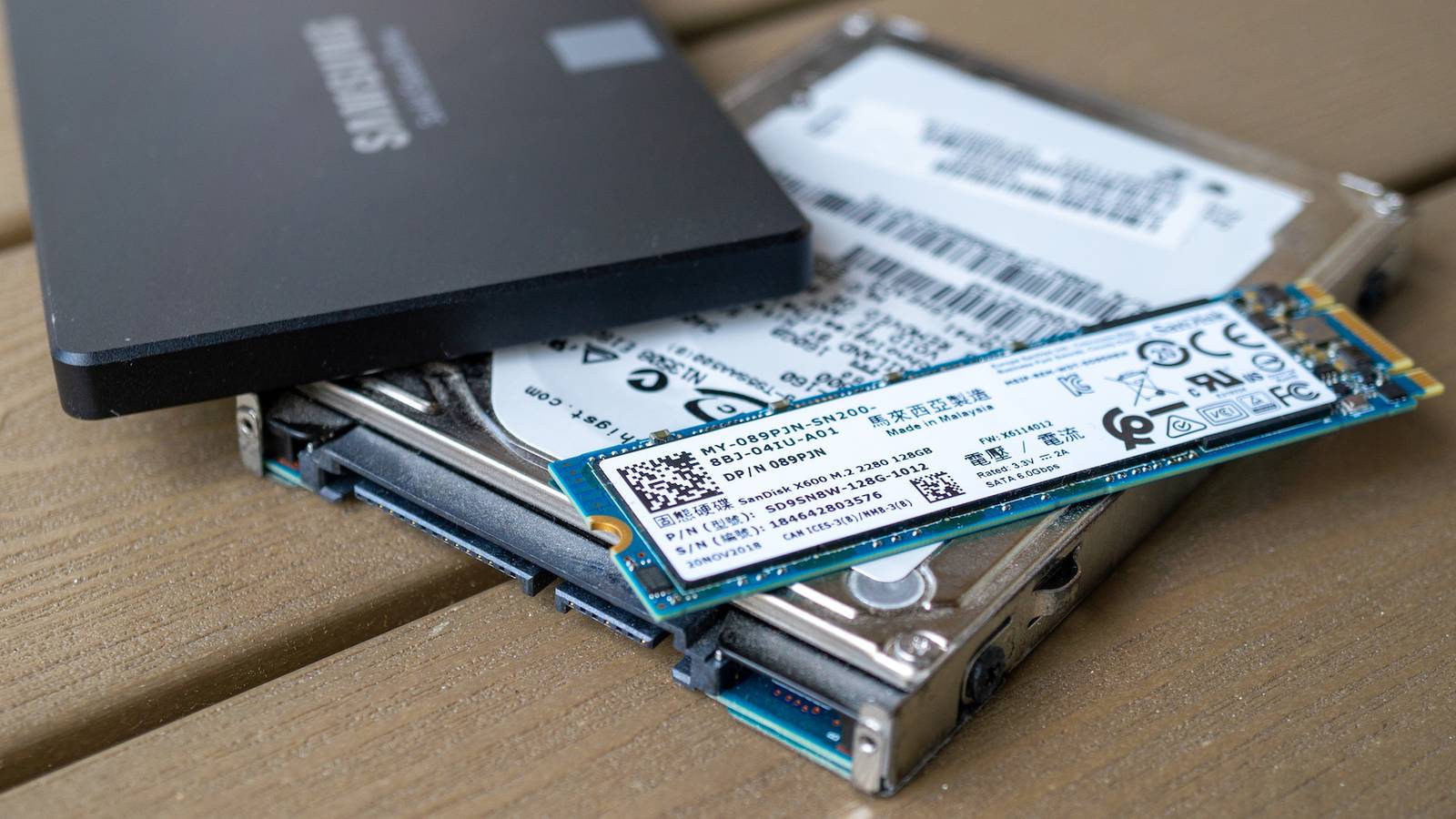
If you’ve just upgraded to a brand-new, lightning-fast boot drive, you don’t have to get rid of the old one.The same goes for those ancient HDDs we all have sitting in a dusty drawer, like the ones we used to boot our Windows XP PCs from.No matter how slow or small it is, your old boot drive can still find a new purpose, as long as it’s in good working order.
Anything is better than throwing it away.Even ancient hard drives can be useful Every gigabyte counts Even if we’re talking about tiny (~100GB or just a few hundred gigs) and slow HDDs that came out of the factory in the 2000s, they’re still faster than many USB sticks.While their capacity can be limiting for certain purposes, you can still give such drives a new lease on life.
For instance, if you’ve got a bunch of old HDDs you used as boot drives back in the day, you can pick up a hard disk docking station and back up all kinds of data to them.Don’t rely on them as your primary backup, but they can work fine as tertiary or even secondary backups.Quiz 8 Questions · Test Your KnowledgeWeird and quirky storage drivesTrivia challengeFrom hybrid SSHDs to bizarre form factors — how well do you really know the oddest corners of storage technology?Hybrid DrivesForm FactorsHistoryHardwareOdditiesBegin 01 / 8Hybrid DrivesWhat does the acronym SSHD stand for in the context of hybrid storage drives?ASolid State Hard DriveBSolid State Hybrid DriveCSequential Storage High-DensityDStatic Spinning Hard DiskCorrect! SSHD stands for Solid State Hybrid Drive.
These drives combine a traditional spinning hard disk with a small amount of NAND flash memory to accelerate frequently accessed data, giving users a middle ground between HDD capacity and SSD-like speed.Not quite — SSHD stands for Solid State Hybrid Drive.While 'Solid State Hard Drive' sounds convincing, it's actually a common misconception.The 'hybrid' part is key, since these drives merge both spinning magnetic platters and flash memory into a single unit.Continue 02 / 8HistoryWhich company is widely credited with popularizing the consumer SSHD by releasing the Momentus XT in 2010?AWestern DigitalBToshibaCSeagateDSamsungCorrect! Seagate's Momentus XT was a landmark product that brought the SSHD concept to mainstream consumers.
It combined a 500GB spinning platter with 4GB of SLC NAND flash and used adaptive memory technology to learn which data to cache for faster access.Not quite — it was Seagate that popularized the consumer SSHD with its Momentus XT in 2010.The drive used a modest 4GB of SLC NAND flash alongside a traditional 500GB platter, and it was groundbreaking enough to turn many heads in the enthusiast storage community.Continue 03 / 8OdditiesWhat was unusual about the Intel Optane Memory H10, released in 2019?AIt combined a 3D XPoint Optane cache with a QLC NAND SSD on a single M.2 cardBIt used a spinning platter alongside Optane memory in a 2.5-inch chassisCIt was the first drive to use PCIe 5.0 alongside SATA flash storageDIt embedded Optane memory directly into a USB thumb drive casingCorrect! The Intel Optane Memory H10 crammed both 3D XPoint Optane cache and QLC NAND storage onto a single M.2 2280 card.This meant the Optane portion acted as a super-fast buffer for the slower QLC NAND, all within one slot — a genuinely clever hybrid approach for thin laptops.Not quite.
The Intel Optane Memory H10 was unusual because it placed 3D XPoint Optane cache and QLC NAND SSD storage together on one M.2 card.This dual-storage-on-one-stick design was highly unconventional and required special Intel RST drivers to function correctly, making it a quirky product indeed.Continue 04 / 8Form FactorsThe Sony Microvault and similar tiny USB drives once came in novelty shapes like food items and cartoon characters.What is the technical term for this category of novelty drives?APromotional flash drivesBSwag drivesCDesigner USBsDCustom-molded drivesCorrect! The industry term most commonly used is 'promotional flash drives.' They are widely produced as branded giveaways and collectibles, molded into virtually any shape imaginable — from sushi rolls to rubber ducks.
Some rare novelty drives have become genuine collector's items over the years.Not quite — the most widely recognized industry term for novelty-shaped USB drives is 'promotional flash drives.' These quirky drives are manufactured in bulk for marketing campaigns and giveaways, and the moldable casings mean manufacturers have produced everything from mini pizza slices to tiny LEGO-style bricks.Continue 05 / 8HardwareApple's Fusion Drive, introduced in 2012, is a type of hybrid storage.How does it differ from a traditional SSHD?AIt uses proprietary Apple flash chips soldered directly to the HDD circuit boardBIt combines a separate SSD and HDD into a single logical volume managed by softwareCIt is a single physical unit with flash embedded in the same enclosure as the platterDIt caches only the operating system boot files using a dedicated firmware controllerCorrect! Apple's Fusion Drive is two separate physical drives — an SSD and an HDD — that macOS presents as a single unified volume using Core Storage (later APFS).Unlike an SSHD where everything is in one enclosure, Fusion Drive relies entirely on software-level management to decide what lives on the flash and what goes on the platter.Not quite.
The key difference is that Apple's Fusion Drive consists of two separate physical drives — an SSD and an HDD — merged into one logical volume by macOS software.A traditional SSHD is a single self-contained unit with its own firmware controller managing the flash cache, making them architecturally quite different despite achieving similar goals.Continue 06 / 8OdditiesWhat was the primary purpose of the Robson cache technology Intel developed before eventually pivoting toward SSDs?ATo use a small NAND chip on the motherboard to accelerate hard drive performanceBTo embed flash memory inside RAM DIMMs for faster boot timesCTo create a PCIe-attached SSD that could cache optical disc dataDTo use CPU-integrated storage for caching OS page filesCorrect! Intel's Robson technology — which became Intel Turbo Memory — placed a small NAND flash cache on a mini-PCIe card inside laptops to speed up hard drive access.It worked alongside Windows ReadyBoost and ReadyDrive but was largely underwhelming in real-world performance, and the project was quietly shelved as SSDs took over.Not quite.
Intel's Robson/Turbo Memory technology used a small NAND flash chip on a mini-PCIe card to cache hard drive data on laptops.It leveraged Windows Vista's ReadyBoost and ReadyDrive features but never lived up to the hype, and it was eventually abandoned as standalone SSDs became cheaper and far more effective.Continue 07 / 8HistoryThe iomega Zip drive was a popular removable storage medium in the late 1990s.What was the original storage capacity of the first Zip disks released in 1994?A250MBB100MBC750MBD50MBCorrect! The original Iomega Zip disk launched in 1994 with a 100MB capacity, which was enormous compared to the 1.44MB floppy disks it aimed to replace.
Later iterations pushed capacity to 250MB and even 750MB, but the original 100MB version was the one that captured the imagination of consumers and creative professionals alike.Not quite — the first Iomega Zip disks released in 1994 held 100MB, a staggering amount at the time when standard floppy disks only held 1.44MB.Later versions expanded to 250MB and 750MB, but it was that original 100MB capacity that made the Zip drive a cultural phenomenon in offices and design studios throughout the late 1990s.Continue 08 / 8HardwareWestern Digital's Black² drive was a quirky dual-drive product released around 2013.What made it so unusual?AIt contained both a 120GB SSD and a 1TB HDD in a single standard 2.5-inch form factorBIt used dual spinning platters rotating in opposite directions to reduce vibrationCIt featured two separate SATA connectors, one for flash and one for the platterDIt combined SSD storage with a built-in PCIe controller on a 2.5-inch boardCorrect! Western Digital's Black² squeezed a 120GB SSD and a full 1TB HDD into a single 2.5-inch, 9.5mm-thick drive — the same size as a standard laptop hard drive.
The catch was that it required special WD software to unlock the HDD portion, and it appeared as two separate drives to the operating system rather than one seamless volume.Not quite — the Western Digital Black² was remarkable because it packed a 120GB SSD and a 1TB HDD into one standard 2.5-inch laptop-sized enclosure.Unusually, users had to install WD's own software to unlock and access the HDD portion, and the two storage sections appeared as separate drives rather than being merged transparently like Apple's Fusion Drive.See My Score Challenge CompleteYour Score/ 8Thanks for playing!Try Again Using multiple old HDDs with a hard drive docking station can also work well for data archiving, storing local music files, as well as app and game (older and indie titles) installations.You’ll free up space on your main drive while keeping the old one(s) useful.
Just don’t forget to label them if you have more than a few.If the drive in question is of the 2.5-inch variety, you can grab a cheap external enclosure and use it like a USB drive.It’s compact enough to keep in your glove compartment for extra storage in a pinch, or for transferring files between computers at home.
Old, low capacity HDDs are also a solid option for a test bench drive where you can try out different operating systems, apps, and other software.Even a properly ancient HDD should have enough capacity to serve as a rescue drive.Load it up with useful utilities and a few Linux or Windows ISOs, and you’re good to go.
Alternatively, you can turn one into a multiboot drive for testing purposes or for playing around with different Linux distros.Tools like Ventoy let you store multiple bootable disk images on a single drive, while still leaving room for regular files.If you’re a retro game fan, you can turn the disk into a dedicated ROM and emulator drive by installing a lightweight retro gaming Linux distro, such as Batocera.
Even a 100GB HDD has more than enough space and is fast enough to run retro games and emulators.This way, you end up with an external drive packed with retro goodies you can enjoy across different machines.Lastly, you can donate the drive to charity.
That way, it will live a second life inside a PC instead of slowly rotting away in a landfill.SABRENT USB 3.0 to SATA External Hard Drive Lay-Flat Docking Station for 2.5 or 3.5in HDD, SSD [Support UASP] (EC-DFLT) The Sabrent HDD and SSD docking station works great with 2.5 and 3.5-inch drives no matter their age and capacity.The only requirement is SATA connectivity.
See at amazon Expand Collapse ORICO USB 3.0 to SATA External 3.5'' Hard Drive Enclosure Compatible Devices 3.5 inch SATA HDD or SSD up to 20TB Brand ORICO A good, easy-to-assemble USB 3 hard drive enclosure that supports 2.5-inch and 3.5-inch SATA HDDs and SSDs.See at Amazon Expand Collapse You can use larger HDDs for a variety of things Slow, yes, but very versatile If your old boot drive is a relatively modern HDD with at least 1TB of storage, you can toss it into your NAS or media server if you need extra space, or use it for full OS backups, assuming the drive’s still in good shape.If you don’t have a media server but store a lot of movies and TV shows locally, grab a cheap enclosure, copy your videos to the drive, plug it into your streaming box (or your TV, if it supports video playback), and turn it into a handy external media library.
Larger hard drives are also great as external storage for game consoles, especially older systems like the Xbox 360 and the PlayStation 3.That said, you can use an HDD even with a PlayStation 5.You won’t be able to play most games directly from it, but it works well for storing titles you’re not currently playing.
Sure beats downloading them again later.Those dabbling in streaming can record gameplay with OBS or any other software you prefer directly onto a hard drive, since hard drives are more than fast enough for that.You don’t even have to install the drive internally; recording to an external HDD works fine, just make sure it’s connected via a fast enough USB port.
Of course, nothing stops you from using a large HDD for the same tasks as smaller drives; you’ll just have a lot more room to work with.SABRENT 2.5 Inch SATA to USB 3.0 External SSD/HDD Enclosure The SABRENT external SATA SSD and HDD enclosure is an affordable, no-frills way to give your SATA SSD a second lease on life.$12 at Amazon Expand Collapse SATA SSDs are still very capable, no matter their capacity SATA SSDs are anything but obsolete Even a decade-old SATA SSD is an Olympic sprinter compared to most hard drives.
If you’ve just demoted your trusty SSD from its role as a boot drive, the last thing you want to do is get rid of it.Spend $10 or so on an external enclosure and turn it into a snappy external drive that can replace any USB stick or external HDD you might own.Subscribe for clever ways to repurpose old drives Join the newsletter for hands-on guides, tool recommendations, and project ideas for repurposing old boot drives, from rescue and multiboot setups to external media libraries and NAS uses, so working drives avoid the landfill.
Get Updates By subscribing, you agree to receive newsletter and marketing emails, and accept our Terms of Use and Privacy Policy.You can unsubscribe anytime.A SATA SSD can also serve as a boot drive for your NAS or server, especially if you’re using an operating system that requires the boot drive to be separate from the storage drives.
Similarly, you can repurpose it as an SSD cache for your NAS.SATA SSDs are still very fast, even by modern standards, so you can use your decommissioned boot SATA SSD to bring old laptops back to life, most of which support 2.5-inch drives.They’re also a solid choice for a scratch drive, a media or temp file cache, and for exporting video and audio projects.
If we’re talking about a larger drive (500GB or more), it’s a great place to store games.Most titles run perfectly fine off SATA SSDs, and if you’re dealing with a newer AAA game that benefits from a faster NVMe drive (a DirectStorage title, for instance), you can move it there temporarily to free up space, then transfer it back when needed.Steam, for instance, supports moving installed games between drives, including external storage.
Of course, you can use a SATA SSD for everything you’d use an old HDD for.Back up data, archive large app and game installations, or turn it into a rescue drive brimming with handy utilities and bootable tools like SystemRescue or Hiren’s BootCD.You can also plug it into a streaming box or TV to play local videos if you don’t have a media server, along with all the other uses mentioned above, including donating it to charity.
If the drive’s working, there’s no reason to turn it into e-waste If your old boot drive is still in good working order, there’s simply no reason to ditch it.It can still be useful in a variety of roles, and the bigger and faster it is, the more options you have.Even ancient hard drives with 100GB or just a few hundred gigabytes of storage can be useful.
It all comes down to assigning them the right role.Related You are slowly killing your SSD without even realizing it Your SSD may be having a bad time, but there are ways to fix it Posts 19 By Monica J.White
Read More