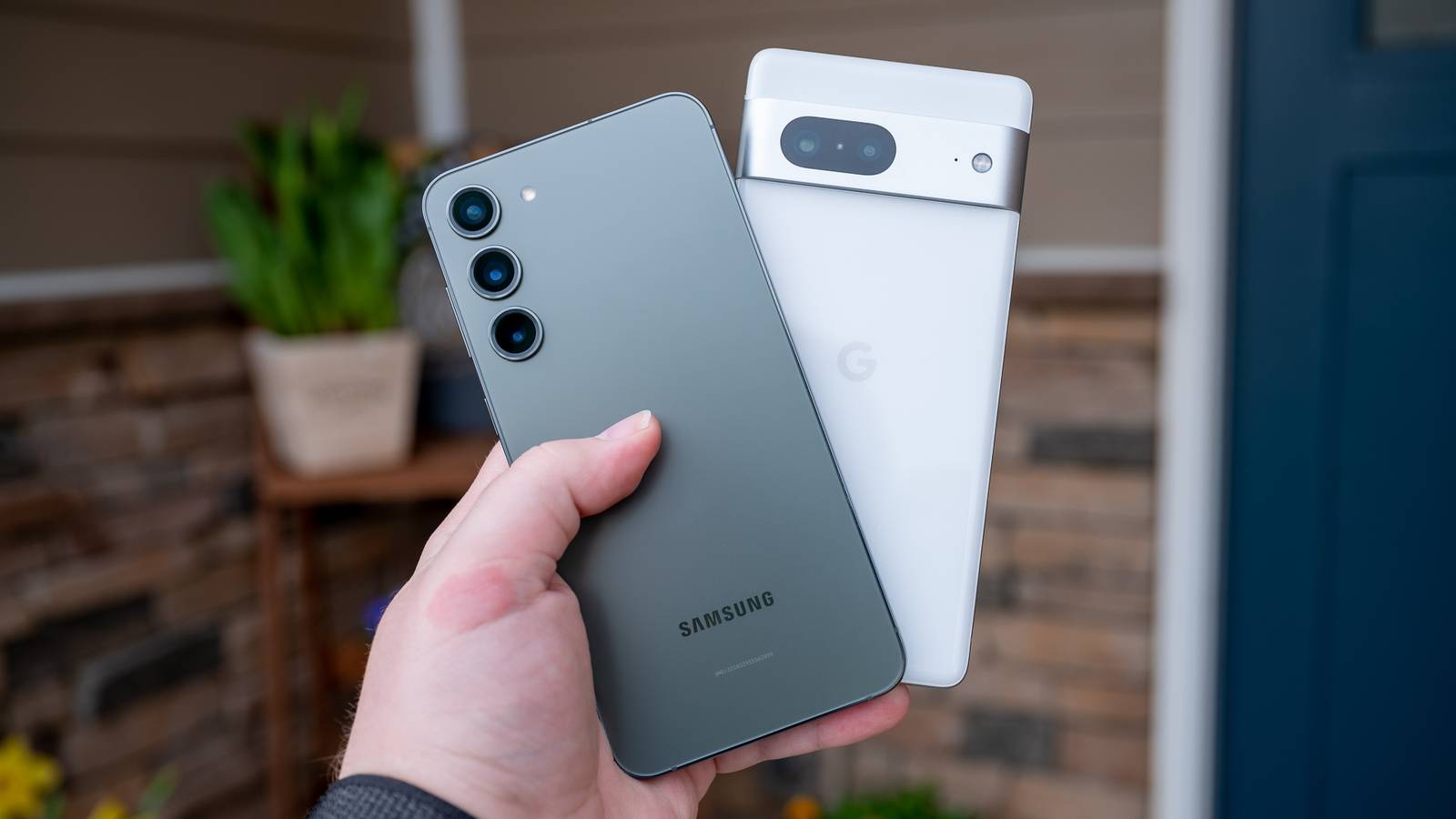
I had a Galaxy phone that was better than my Pixel by almost every measurable standard.Better chip, better display, more features, more customization—the list goes on.Yet, here I am, back on the Pixel.
And it wasn’t because Samsung did something wrong, but because one app—one I had never thought twice about.Why I decided to switch in the first place Believing that the grass was greener on the other side The Pixel 6a was my first Pixel device; I loved it—and still do.It did everything I needed—clean software, a great camera, and guaranteed updates straight from Google.
However, most of my friends have Samsung Galaxy phones and they kept reminding me how that's where you actually see Android's full potential.And the fact that most of the internet agrees with them made me regret my decision to get the Pixel.The argument was basically that Snapdragon chips perform better than Google's Tensor, and One UI gives you a lot more to play with—custom icon packs, Good Lock modules, and just way more customization options than stock Android.
Furthermore, I'm actually the kind of person who enjoys tinkering with my phone, making the idea of switching pretty appealing.So, when the Galaxy S25 launched in 2025 and the S24 got a decent price drop, I figured that was a good enough time to make the move.Now, I did expect an adjustment period at first, but the overall friction was just too annoying.
I slowly realized I wasn’t adjusting to a new workflow, but actually losing certain features that were pivotal to how I work—features I took for granted on my Pixel.Google Pixel 10 Brand Google SoC Google Tensor G5 Looking to upgrade to a Pixel but not sure if you need all the bells and whistles of the more expensive models? You won't be disappointed with the standard Pixel 10 model.Coming in striking colors, Gemini features, and seven years of updates, you can't go wrong with this purchase.
$799 at Amazon $799 at Google Store Expand Collapse The main problems I faced after making the switch In search of the novel Galaxy-exclusive features, I lost the familiar Pixel-exclusive features The first thing I noticed was that the Galaxy just felt different in a way that took some getting used to.The haptic feedback, the typography, the way the UI was laid out, the settings menu—everything had its own distinct personality that was pretty far from vanilla Android.It's almost like its own thing, which I get can be a selling point for a lot of people, but I preferred the simplicity of the Pixel experience.
The good news was that because One UI is so customizable, I could actually reshape a lot of it to look and feel closer to what I was used to on the Pixel.And it worked really well.In fact, at one point my S24 was looking more Pixel-like than my actual Pixel.
However, the visual stuff was the easy part.The harder problem was the core experience underneath all of that.You’d think that “it's all Android” at the end of the day, so all Android apps should work across devices, but a bunch of the apps I actually relied on daily were Pixel-exclusive.
GCam, Pixel Screenshots, the Recorder app—I missed those the most but was willing to find alternatives and move on.Except there was this one app—which you can install on a Samsung Galaxy device, but it gives you a nerfed version that completely broke the whole experience for me.Related I made my Samsung Galaxy look more like a Pixel than my Pixel 10 The Pixel aesthetic doesn’t have to be exclusive to Pixel phones.
Posts By Dibakar Ghosh Gboard was the deal breaker And I never realized my workflow relied on it so much Ok, so enough dancing around—the Pixel-exclusive app that made Samsung Galaxy smartphones a deal breaker is… Gboard.Yes, it’s a keyboard! And before you tell me that Gboard is available on Samsung smartphones, let me tell you that it’s a nerfed version.Gboard on Pixels is incredible! For context, I write a lot from my smartphone.
Whether it be emails, social messages, or entire article drafts, I do it all from my smartphone.However, I am using voice typing for all of this, not tapping on my keyboard.In fact, I actually hate typing on a virtual keyboard—the cramped space and the lack of tactile feedback make it a poor experience.
Close Now, the voice typing experience with Gboard, especially on Pixel devices, is absolutely pristine.The transcription quality is very accurate, and I speak with an accent.It auto-punctuates as you speak, keeps the mic open so you can just keep talking, and works completely offline.
It can also understand voice commands, so you can make hands-free edits.For example, you can say something like "delete last word" or "insert this before that word," and it will magically do that without you needing to touch the screen.It's fast, it's precise, and once you get used to it, you really don't want to go back to tapping.
However, on the Galaxy S24, I just got the basic dictation experience.It was also less accurate for some reason; there was no auto-punctuation, and no voice editing either.It turned what was a pretty fluid, hands-free writing workflow into something where I still had to go back and manually fix everything.
As you can imagine, this introduced a lot of friction to my usual workflow.Related Why I ditched Samsung's default keyboard for Gboard (and never looked back) I gave the Samsung Keyboard a fair shot, but Gboard just came out on top.Posts 2 By Dibakar Ghosh Device-exclusive features are fragmenting Android There was a time when switching Android phones just meant getting different hardware.
Same apps, same experience, just a different body.You’d pick a phone from a different manufacturer because of the specs or the design.Then manufacturers started skinning Android their own way, so the UI would differ, but at least all your apps worked the same everywhere.
But now it's gone a step further.Apps themselves are becoming device-exclusive.The Pixel has the Recorder app, the Journal app, the Screenshots app—these aren't small gimmicks; they're actually useful tools that are locked to Pixel hardware.
And Gboard's advanced voice typing is effectively in the same category, even though the app technically exists on other devices.So saying "I have an Android phone" doesn't really mean what it used to.The OS is almost just a background layer at this point.
What actually matters is who made your phone, because that determines what you actually get access to.Related These Two Pixel 10 Features Might Make Me Ditch My Samsung Galaxy Goodbye Galaxy.Hello team Pixel.
Posts 4 By Cory Gunther
Read More