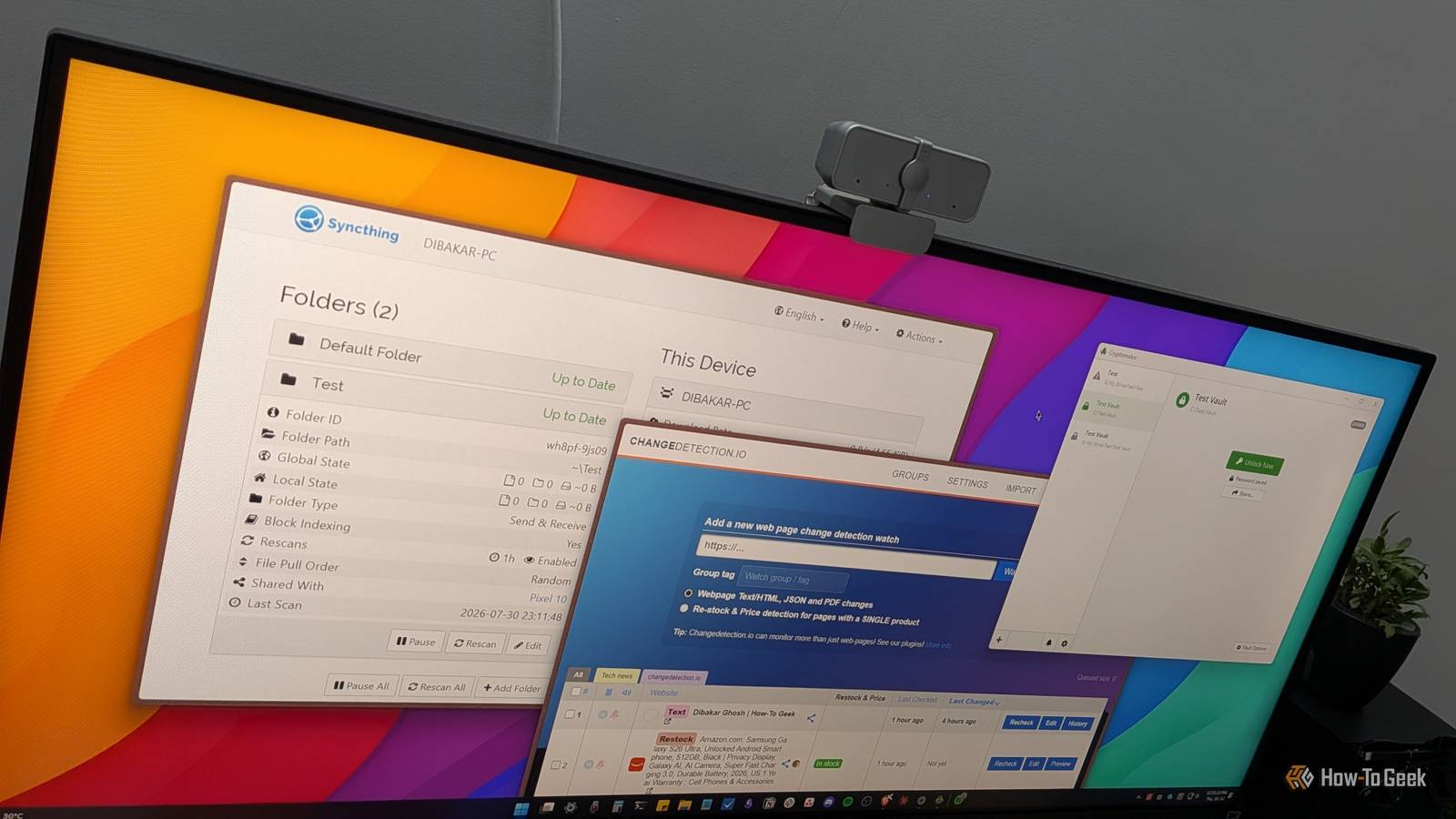
There's a category of apps that quietly run in the background, doing their jobs and making your life easier.You set them up once, configure them the way you want, and then forget about them as they keep working behind the scenes, quietly paying dividends.Here are three free and open source (FOSS) apps that fit that set-it-and-forget-it philosophy.
You can set up all three in a single Saturday afternoon, and they'll continue working in the background for weeks and months to come.Changedetection.io Stop missing restocks, price drops, and updates Close Changedetection.io does exactly what the name suggests: you give it a list of web pages, and it detects whenever something changes on them.The most obvious use case is price tracking.
Drop in the product page for something you're waiting to buy, and it'll notify you when the price drops or goes on sale.It also works for stock availability.If something's sold out and you want to know the moment it's back in stock, this handles it without you having to refresh the page every day like a maniac.
However, you can also use it to track general changes on a website.Say you're following a site that publishes information you need to stay up to date on—maybe a statistics page, documentation, a government notice board, or a blog that doesn't offer an RSS feed.Just add all the web pages you want to monitor, and Changedetection.io will notify you the moment any of them changes.
It supports dozens of notification services through the Apprise library, including email, Telegram, Slack, Discord, and many more.Now, Changedetection.io is open source but the official web app is not free and will cost you $9 per month.That's because the software needs to run on a server 24/7, constantly checking other websites for changes.
However, you can use it completely free if you self-host it with Docker.Ideally, you'll want to run it on a NAS or home server that's always on so monitoring never stops.Installing it is straightforward and only takes about 5–10 minutes.
The real work is configuring the sites you want to monitor.Ideally, you'll fine-tune each monitor to watch a specific element on the page using CSS selectors, XPath, or JSONPath.If you're not a programmer, that can sound a little intimidating, but it doesn’t have to be.
For example, I right-click the web page, select Inspect, copy the relevant HTML into Claude, and ask it to identify the CSS selector or XPath I should use in Changedetection.io.That usually gets me the selector I need in seconds.You can install changedetection.io on any OS using Docker.
Related These 5 Docker containers are working overtime on my makeshift NAS My NAS handles a ton of responsibilities beyond just storage.Posts 2 By Ismar Hrnjicevic Syncthing Your files, your devices, no middleman Close Syncthing is a cross-platform, peer-to-peer file synchronization tool.Once configured, it automatically syncs files from a folder on one device to a folder on another over the internet.
Think about how you normally move files between your computer and your phone.You probably upload them to Google Drive—or another cloud storage service—from your computer, then download them on your phone.The files end up in both places, sure, but they took a detour through a third party's servers to get there.
That third party is now storing your data, and once you outgrow the free tier, you're paying for the privilege as well.Syncthing removes that middle step.It lets any file or folder on your computer sync directly with your phone or even another PC.
You also don't have to pay for cloud storage.As long as both devices have enough free storage, you can sync as many files as you like.I personally use Syncthing to sync the Obsidian vault on my phone with the one on my PC.
As you may already know, Obsidian is a local-first app with no built-in cloud sync, which means your notes stay on the device where you create them by default.The official way to sync them is with Obsidian Sync, which costs $4 per month.With Syncthing, though, you can sync those same notes across all your devices for free.
Related This common file syncing mistake can cost you your data File syncing seems simple, but misunderstandings can lead to lost or overwritten data.Here's what most people get wrong.Posts By Rich Hein Because Syncthing is peer-to-peer, both devices need to be online at the same time for a sync to happen.
So if your computer has been turned off while you've been taking photos or editing notes on your phone, nothing will sync until you turn your computer back on.And if you turn on your computer, but turn off your phone, that’ll also prevent the syncing.Syncthing is available on Windows, macOS, and Linux from their official website.
If you're installing it on Android, you want to get the Syncthing-fork app, which is also FOSS.On iPhones and iPads, you can get Mobius Sync, which is a paid Syncthing client.Cryptomator The answer to the cloud storage privacy problem Close Cloud storage comes with a tradeoff.
On one hand, services like Google Drive and OneDrive aren't end-to-end encrypted (E2EE), which means Google and Microsoft could technically access your files if they needed to.Even if they never do, there's always the risk of someone (a hacker) gaining access to your account and viewing your private documents, photos, and other sensitive data.On the other hand, storing everything on drives you own creates a single point of failure.
If your home is burglarized, there's a fire, or your storage devices fail without a backup, you could lose everything.That's why the 3-2-1 backup strategy recommends keeping at least one copy of your important data off-site—often in the cloud—which brings us right back to the privacy problem.Cryptomator neatly solves this dilemma by giving you an easy way to encrypt your files before they're uploaded to the cloud.
Once installed, you can create an encrypted vault protected by a password and store it anywhere, including Google Drive, OneDrive, Dropbox, or another cloud storage provider.If your account gets hacked or someone gains access to those files, they will only see encrypted data.Without your password and Cryptomator, the contents remain unreadable.
Related I found the easiest way to encrypt files on Android (it takes just 30 seconds) OpenKeychain makes file encryption on Android actually simple, so stop using cloud storage for sensitive data.Posts 1 By Jorge A.Aguilar One important thing to remember is that Cryptomator is a privacy tool, not a backup solution.
If someone gains access to your Google Drive account, they may not be able to read your files, but they can still delete them.That's why you should continue following a proper backup strategy.Cryptomator simply adds another layer of protection by ensuring your data remains private, even if someone gets hold of it.
Cryptomator is available on Windows, macOS, Linux, Android, and iOS.The desktop apps are completely free to use, but the mobile versions follow a freemium model.This is worth the time investment to set up Setting up all three shouldn't take more than a few hours, and once they're running, they keep working with little to no input from you.
It's the perfect way to spend a weekend afternoon improving your setup and adding a few quality-of-life improvements.
Read More