Most messaging apps rely on internet connections, cellular networks, and remote servers to deliver your messages.End-to-end encryption protects message content, but you still depend on a service to handle communication.If you want to exchange messages without relying on conventional messaging infrastructure, inexpensive radio hardware offers another option.
Add How-To Geek on Google Add as Preferred Source Follow on Google Discover LoRa lets small devices exchange data over considerable distances while consuming relatively little power.Pair a LoRa radio with an ESP32 microcontroller, and you have the basic hardware for a messenger that works without an internet connection.Building the messaging software takes additional work, particularly if you want private conversations, but you can start with a few inexpensive components and expand the project as needed.
How LoRa and ESP32 work together Understand how the hardware communicates Close LoRa, short for Long Range, is a wireless modulation technology designed to transmit small amounts of data over considerable distances while consuming relatively little power.The ESP32 handles the computing side of the project, processing messages and controlling the connected radio.The transceiver converts the data into radio signals and receives transmissions from other compatible devices.
When you send a message, the software running on the ESP32 converts the text into a data packet and passes it to the radio module.The receiving device picks up the transmission, passes the packet to its own ESP32, and processes the message for display.Your application must define the packet format and determine how devices identify messages intended for them.Under favorable conditions, LoRa can cover several kilometers, although the actual range depends on terrain, buildings, antenna placement, interference, and radio settings.
Its limited bandwidth makes it suitable for text messages and small status updates rather than photographs, video, or large attachments.What you need to build a LoRa messenger Choose your hardware For a basic 2-person messenger, you need two devices capable of transmitting and receiving LoRa signals.Each device needs a microcontroller, a compatible LoRa transceiver, an antenna, and a power source.
You also need a way to enter and read messages, such as a small display with physical buttons or a smartphone connected over Bluetooth.Your shopping list should include: Two ESP32 development boards: These handle message processing, radio control, and the user interface.Two LoRa transceiver modules: Choose modules that support the same frequency band and can communicate using compatible radio settings.
Two suitable antennas: Match each antenna to the frequency supported by its radio module.Two power sources: Use compatible batteries or other power supplies for the boards.Displays and input controls: Small OLED screens and buttons let you send and read messages without a smartphone.
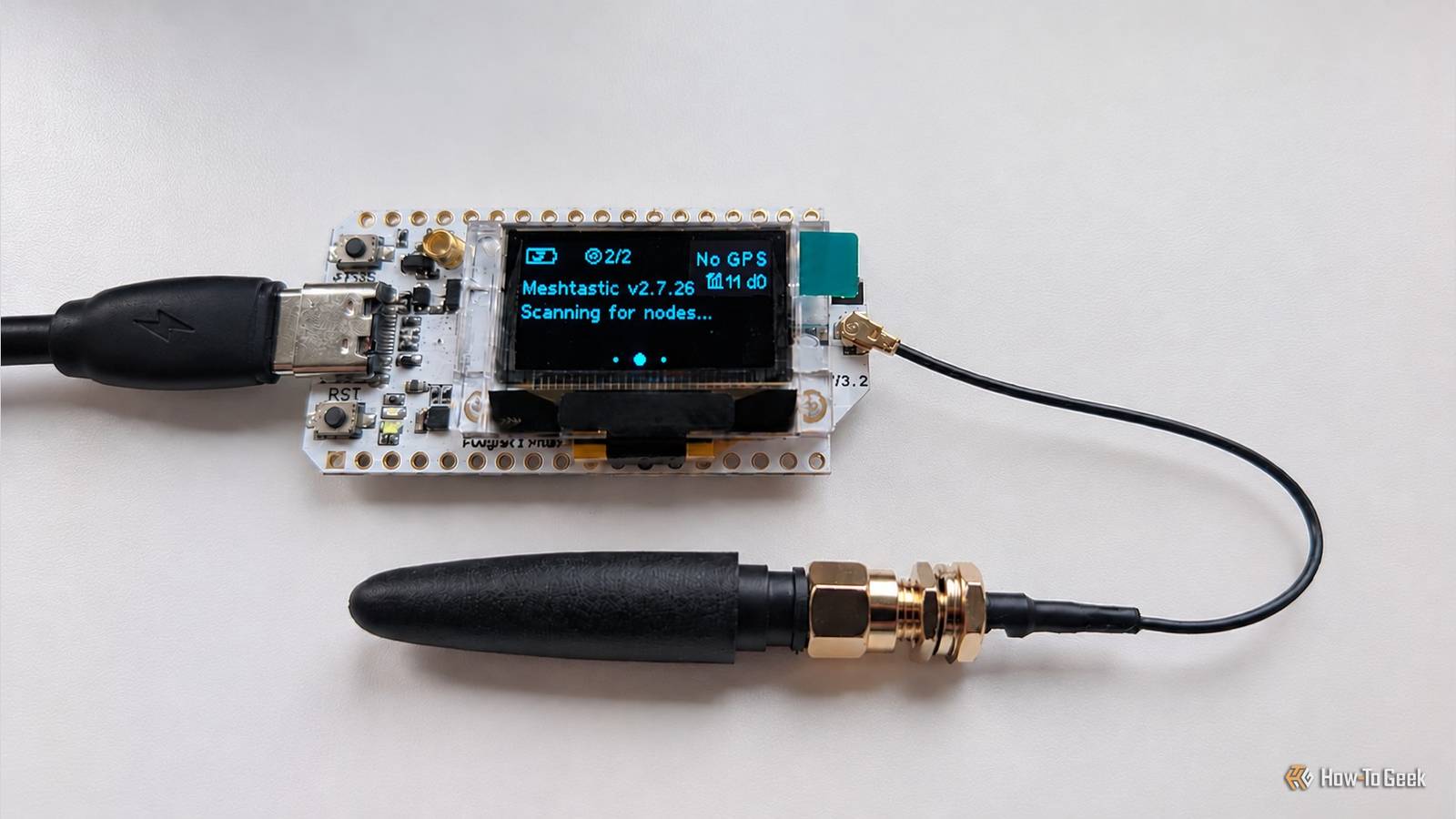
USB cables and connecting wires: These help you program the boards, connect separate components, and power the devices.An integrated ESP32 and LoRa development board can simplify the hardware because it combines the microcontroller and radio in one unit.Some models also include a screen, buttons, and battery connections.
Learn from my mistake with mismatched parts: always double-check the manufacturer’s documentation to confirm what's included before making a purchase.The ESP32 does not transmit LoRa signals by itself.You need a compatible radio transceiver, either integrated into the development board or connected separately.
If you assemble the hardware from individual components, you will also need to connect the radio to the ESP32 through a supported interface such as SPI.Write or adapt the messaging firmware Related 7 Home Assistant features I wish I’d started using sooner Long time, no scene.Posts 1 By Adam Davidson If you don't want to get your hands dirty configuring all that, you can use Meshtastic, an open-source project that provides firmware and companion applications for compatible LoRa devices.
You can use it if you want a working messenger without developing your own protocol, or study its implementation to understand how an existing system handles messaging and networking.However, setting up Meshtastic is an alternative to building your own firmware, rather than a requirement for the project.Lilygo T-Echo Meshtastic LoRa Device Dimensions (exterior) 5x2.1x0.96 inches Compatibility Meshtastic Weight 6 ounces Battery life 850mAh This LoRa device is made for use as a Meshtastic node and uses an e-paper display to conserve energy for its 850mAh battery.
It connects via Bluetooth or USB-C, and it includes built-in GPS support so you can instantly send your location to friends on your mesh network.See at Amazon Expand Collapse How private is a LoRa messenger? A LoRa messenger can give you a level of communication privacy that conventional messaging apps cannot easily match, particularly when devices communicate directly without internet access or remote servers.However, no communication system is completely private, and encryption cannot protect you from every possible attack.
Its security depends on how you configure the devices, how you protect your keys, and who can access the hardware.Even when encryption works as intended, someone with suitable radio equipment can detect transmissions and observe when devices communicate.Physical access to a device can expose stored messages or encryption keys, while interference and deliberate jamming can prevent messages from reaching their destination.Radio regulations can also limit how frequently or for how long devices transmit.
Related How a $5 radar sensor turns an ESP32 into a weather display that wakes when you walk up The forecast awakens.Posts 2 By Adam Davidson Building your own messenger gives you control over its software and how it handles communication, but that control comes with responsibility for testing and maintaining its security.For a personal project, start with reliable packet transmission, then add encryption and test how the devices behave when messages are lost or corrupted.
A working radio link is a useful first milestone, but protecting the conversations it carries requires a separate effort.
Read More