Most of the time, I open Microsoft Edge to get something done, not to spend half an hour being chased by a giant sea monster.But the browser's built-in Surf game is an easy distraction to get hooked on.With several modes, power-ups, and a kraken on your tail, it offers more variety than Chrome's famous dinosaur game.
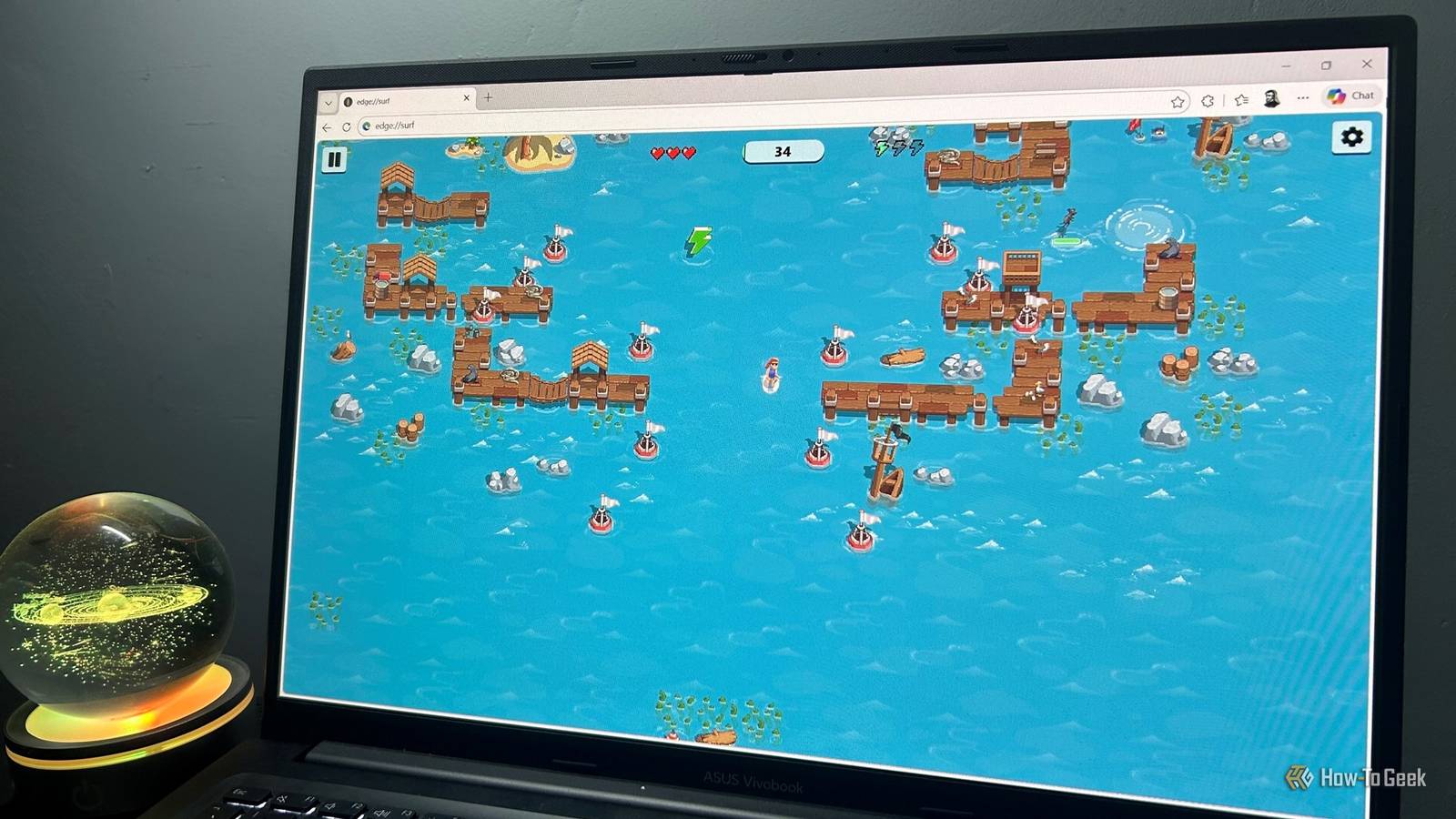
Add How-To Geek on Google Add as Preferred Source Follow on Google Discover The game that makes me keep Edge installed Edge Surf is more fun than your standard browser Easter egg The idea behind Edge Surf is simple: you steer a surfer across the water, dodging islands, other surfers, and anything else that gets in your way.You start with three lives, shown as hearts, and can collect green lightning bolts to power up when you need to escape trouble.The real challenge is staying ahead of the giant kraken chasing you through the water.
Make a mistake, and it won't take long for those tentacles to catch up with you.What I like about Surf is how quickly you can get into it.The controls are easy to pick up, but staying alive long enough to beat your previous score takes a bit more skill.
There's just one problem: it's dangerously easy to fall down a procrastination rabbit hole.I can open the game for a quick five-minute break, then find myself still playing when I should have been getting on with work.I've even encountered Surf during the out-of-box experience (OOBE) when setting up Windows 11, giving me something to do while waiting for the process to finish.
That's a welcome distraction when Windows seems determined to take its time.Edge Surf has more to it than meets the eye Four modes give me reasons to come back Close One reason I prefer Surf to Chrome's dinosaur game is that it gives me four different ways to play, each with its own challenge: Endless mode is the one to try first.You travel as far as you can, dodging obstacles and staying ahead of the kraken.
Speed boosts can help you escape tricky situations, but you'll need to use them wisely.Time Trial mode is more about precision.You race through a fixed course, collecting coins to shave time off your run.
You can experiment with different routes to find the quickest way through.Zigzag mode tests your concentration in a different way.You need to pass through gate after gate without missing one, and your streak resets the moment you slip up.
Collector mode, meanwhile, is all about gathering coins for the best score you can get.There's more to fiddle with outside the main modes, too.You can customize your surfer, switch between the Let's Surf and Surf Classic themes, and check your best score for each mode.
You can store up to three speed boosts at a time by collecting green lightning bolts, then activate them with the F key when the kraken gets too close.You can also use boost ramps to get out of trouble.If you'd rather slow things down, you can enable reduced-speed and reduced-motion modes, or switch on high-visibility mode to make obstacles' hitboxes easier to see.
I appreciate that Microsoft has given Surf this much attention.It's easy to write off a browser game as a novelty, but the modes and settings give you plenty of reasons to come back after your first go. Edge Surf carries on a classic Windows gaming tradition The kraken has an old-school predecessor If you've played SkiFree, Surf might feel familiar.Released in 1991, this classic Windows game challenged you to ski down a mountain while avoiding trees, rocks, and other obstacles.
The real trouble started when the Abominable Snowman appeared and began chasing you down the slope.Surf takes that basic idea out to sea, swapping the Abominable Snowman for a giant kraken.The setting has changed, but the appeal hasn't: keep moving, dodge whatever's in your way, and try not to become lunch.
Microsoft made the connection even clearer in 2021, when it introduced a limited-time winter theme for Surf.This turned the surfer into a skier and replaced the kraken with the Abominable Snowman, bringing the two games even closer together.I like this little nod to Microsoft's gaming history.
Surf feels like a modern take on an old-school idea, rather than something thrown together just to fill the silence when your internet connection drops. How to launch Edge Surf One short address gets you straight into the game You don't need to disconnect from the internet or wait for a connection error to play Surf.Just open Edge, type edge://surf into the address bar, and press Enter.The game launches straight away, so you can pick a mode and get going.
If your internet connection does drop, Edge also provides a link to Surf on its offline error page.So, if you're stuck waiting for your connection to return, you have something more entertaining to do than repeatedly refreshing the same webpage.You can also play a limited-feature version in other modern browsers, but the full experience is built into Edge.
If you've never tried it, that short address is all you need to get started.Microsoft has always had a playful side Microsoft has a long history of hiding little surprises in its software.Excel, for example, has had some particularly memorable Easter eggs, including a 3D flight simulator in Excel 97 and a Doom-inspired game in Excel 95.
Edge Surf carries on that tradition, combining an old-school gaming idea with enough modes and power-ups to keep me coming back.Just be warned: what starts as a quick five-minute break can easily turn into half an hour.
Read More