Summary A laptop can effectively replace a desktop for most people with the right setup.An external monitor can serve as a USB hub and hide the laptop for a desktop-like experience.Consider using laptop mounts or trays to save desk space and elevate the laptop positioning.
Laptops have become powerful enough that for most people it's not necessary to own both a laptop and a desktop PC.However, you don't have to put up with the cramped work environment of a laptop when you're at your desk.Here's how I use my laptops as desktop computers.
I left desktops behind long ago The last time I built and used a desktop PC for myself was in 2016, and though I still love the PC building scene, the circumstances of my work and lifestyle led me towards switching to laptops instead.Related What It's Like Using a Gaming Laptop as Your ONLY Gaming PC PC gaming without the baggage.Posts I had discounted high-performance laptops until I was essentially forced to switch over thanks to my job, the need to move often for a few years, and ever more frequent power cuts in my home country were the main factors.
This is when I realized that, while not as powerful as a desktop could be, these laptops were more than enough for my needs.I am now on my third desktop-replacement grade Windows laptop since making the switch, and my third MacBook, which is my daily driver work laptop.I've set up my desktop to use either of these laptops as I need them, so let's look at what I'm using.
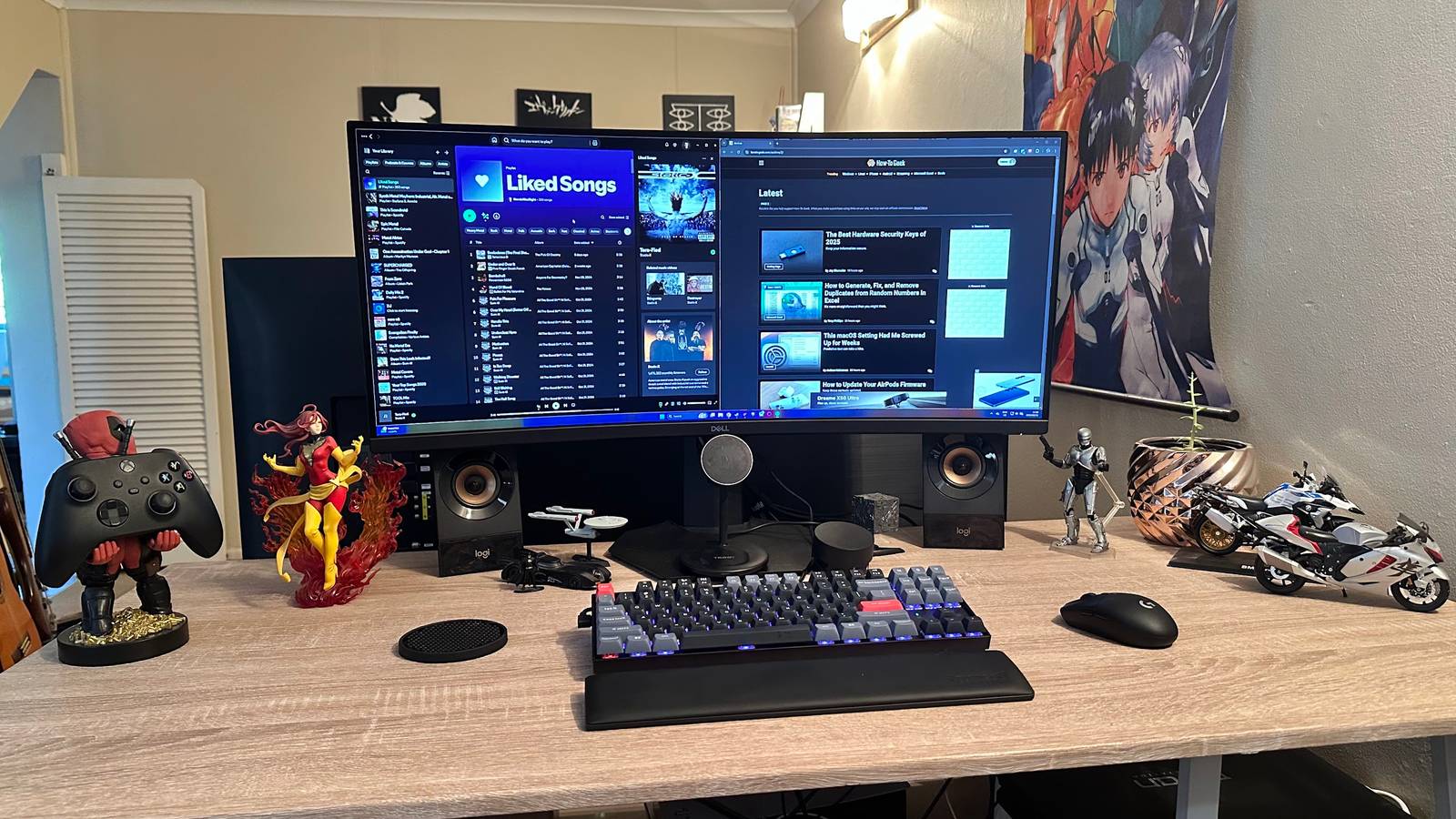
Get an external monitor that's also a USB hub For me, the hub of this entire setup is my Dell ultrawide monitor.I use a Dell S3422DWG.This has three display inputs, and can act as a USB hub.
I use the USB hub functionality with my Windows laptop, since that's where I'm more likely to connect peripherals like my flight stick or racing wheel.Using the monitor with my MacBook is as simple as connecting an HDMI cable, but sadly, my monitor doesn't offer USB-C with power for laptops.When I next buy a primary monitor for my desk setup, that will be a key feature I look for.
Dell UltraSharp U2723QE Screen Size 27-inch Display Technology IPS HDR Yes Resolution 4K UHD Aspect Ratio 16:9 Refresh Rate 60Hz The ultimate 4K productivity beast, the Dell U2723QE is an impressive monitor packing an IPS panel with vivid and accurate colors, lots of extra features such as a KVM switch and a richly populated USB hub, and a competitive price.See at Dell See at Amazon Expand Collapse A laptop that runs safely with the lid closed Many people who use a laptop with a desk setup, will use the laptop's internal screen as a second monitor, which is a perfectly reasonable thing to do.However, if you want to have a desktop PC-like experience, you'll want to tuck the laptop somewhere out of sight.
Related Should You Run Your Laptop With the Lid Closed? Should you always leave the lid up? Posts Both my MacBook Pro and my Titan Computers workstation laptop (full disclosure, I received this laptop for free) are designed to work with the lid closed.Their vent systems don't vent out of the top when the lid is down.Now, I do know some MacBooks perform a little worse with the lid closed, but it won't hurt the machine, and you can always just open the lid if you have this happen.
My Desk Has Handy Shelves To Hide My Laptop I purposefully picked a desk that has these open shelves.There are four of them in total.The one pictured above is where my Windows workstation laptop sits atop a laptop cooler.
The cooler lets the laptop fans stay quieter under heavy loads.The tier below it houses my Plex server.And then the leftmost shelf houses my MacBook, because that's the most convenient grab-and-go location.
Using my Dell's multiple inputs, it's easy to just switch between these computers as I need them.Mounted laptop stands are a great option My previous Windows laptop (An MSI GS66) made use of vents that are blocked when the laptop is closed.This meant that I could not tuck it out of sight.
So, instead, I bought a laptop tray that worked with VESA monitor mounts, and treated the laptop like a mounted monitor.This gets around the issue of the laptop taking up precious desk space, and elevated it to a more ergonomic position.The Right Keyboard and Mouse Combo I've tried various peripherals over the years.
In the above image I was using a Razer Tartarus Pro, with a Logitech K380 keyboard and a Logitech MX Master Mouse 3.I've since replaced the two keyboard devices with a single mechanical keyboard that can save three Bluetooth profiles, but I've kept the Master Mouse, and use a Lightspeed mouse from Logitech for gaming.Logitech MX Master 3S Weight 4.97oz Color Options Graphite, Pale Grey See at Amazon Expand Collapse The point is that you need to pick the right peripherals to make your desktop-from-laptop experience go as smoothly as possible.
For me, having mutiple Bluetooth profiles is important because I have to switch between mutiple computers, but either way a wireless mouse and keyboard makes it much easier to come and go with your laptop, or to tuck it away if you rarely have to unplug it.You don't need a docking station (but they are awesome) I don't use a proper docking station—dedicated devices that make the desktop switch easy—but that's because my Monitor effectively does that job for me.Subscribe for practical laptop-to-desktop setup tips Get deeper, hands-on guidance — subscribe to the newsletter for detailed gear recommendations, ergonomic tricks, and step-by-step setup ideas to use laptops as desktop replacements, plus broader workstation coverage.
Get Updates By subscribing, you agree to receive newsletter and marketing emails, and accept our Terms of Use and Privacy Policy.You can unsubscribe anytime.However, if you don't have a monitor that can double as a docking station, they can be extremely convenient.
Just plug in a single USB-C cable in many cases, and you'll have power and peripherals connected in one go.Related The Best Laptop Docking Stations of 2025 Improve your laptop’s port selection.Posts By Gaurav Shukla That's what I've done to use my laptop like a desktop, but there are as many approaches as there are computer users, so take the time to concoct your own special blend of solutions to stretch your legs when you're not out and about.
Read More