I use a surprising number of little utilities every day, from cleaning up text and calculating dates to converting file sizes and working out percentages.But I got tired of opening different apps and websites for these simple tasks, so I wanted a single place to keep the tools I actually use.I didn't want to spend weeks learning how to build an app, so I decided to see whether Gemini and Claude could handle the technical side.
I gave two AI tools the same toolbox to build One prompt, 14 useful utilities Close I started by giving Gemini and Claude exactly the same prompt: build me a collection of 14 tools that I could keep together in one offline desktop toolbox: Sticky notes Text cleaner Word and character counter Date calculator Time calculator Time-zone converter Stopwatch Countdown timer Unit converter File-size converter Percentage calculator Loan calculator Random generator URL cleaner The tools I chose are based on the things I personally find useful, but you can easily tailor the prompt to your own needs.I've included the prompt I used at the end of this article, so you can swap out my utilities for your own.Everything had to live in a single self-contained HTML file that, when saved in Notepad and opened in my browser, would have the whole toolbox ready to use without external resources or an internet connection.
Claude made the better-looking toolbox Both feel like apps, but one feels more finished Close Gemini produced its version in about two minutes, while Claude took about six minutes.Both look much more polished than I expected from something created from a single prompt, with a tidy sidebar for switching between tools and a dark mode option.The biggest difference is the landing page.
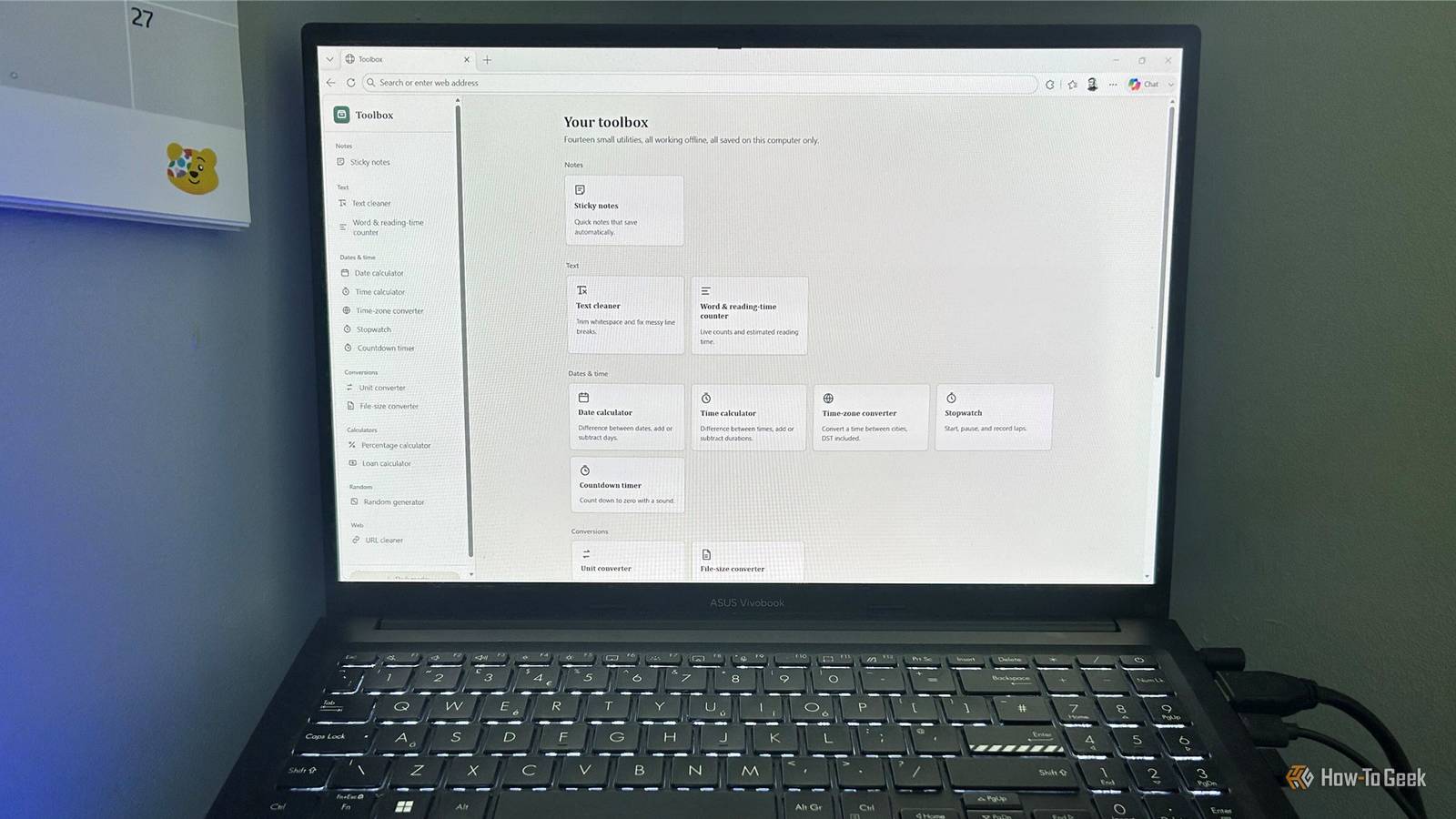
Gemini opens on sticky notes, while Claude gives me a dedicated home screen with a card for every utility and a short description of what it does.This makes the collection feel like one coherent app.That difference carries through to the utilities themselves.
Gemini's interface is perfectly usable, but Claude's generally makes better use of tabs, controls, labels, and available space, so it feels like it was built by a developer who spent time thinking about how I would actually use the thing.The text tools are simple, but surprisingly polished Small details make a difference Close The sticky notes tools work well in both versions.I could create multiple notes, edit and delete them, switch between notes, and close and reopen the file without losing them.
Both also offer basic formatting.Claude gets a small win, though, because its bullet and numbered lists indent correctly, whereas Gemini's don't.The text cleaner is an even closer contest.
Both have the same eight cleaning options, from trimming whitespace and collapsing spaces to removing tabs and normalizing line breaks.However, Gemini failed to remove the leading space from one of my test lines, while Claude cleaned it correctly.Claude also adds a useful "Clean All" button, which saves me from clicking through the individual options.
The word counter is essentially a tie.Both handle ordinary text well and let you adjust the reading speed, although neither treats compound emojis as a single visible character.The date and time tools separate the good from the great One failure really mattered Close The date and time calculators in both apps worked well with date differences, weekdays, adding and subtracting days, time differences, and calculations that crossed midnight.
Gemini gives you clean results, but Claude adds useful context and uses separate tabs for different calculations, making its version easier to read and use.The countdown timer and stopwatch also worked in both versions, although Claude's countdown "Restart" button doesn't actually restart the timer.Gemini's "Start," "Pause," "Resume," and "Reset" controls all worked properly.
But then I reached the time-zone converter, and this was the main difference between the two.The first thing I noticed was that Claude offers 30 locations compared with Gemini's 12.Claude also has a really useful button to reverse the conversion—something Gemini lacks.
When I asked both tools to convert 3 p.m.in New York to London time, Claude correctly returned 8 p.m., but Gemini returned 3 p.m.Close That's a pretty serious problem for a tool whose entire job is converting times between locations.
The converters mostly delivered exactly what I wanted Claude adds more useful options Close The unit converter was an easy Claude win.Both versions handled the basic conversions I tested, but Claude gives me 11 categories, including area, time, data, energy, and pressure.Gemini has just five.
The file-size converter was essentially a tie.Both correctly support decimal 1,000 and binary 1,024 calculations, and both gave the expected results in my tests.These are simple tools, so there's less room for dramatic differences, but Claude's bigger selection of conversion categories gives it the edge.
The calculators were better than I expected Gemini and Claude both delivered here Close I was particularly interested in the percentage and loan calculators because these are the sorts of tools where a plausible-looking answer isn't much use if the calculation is wrong.Fortunately, both versions did well.Both percentage calculators support six common calculations, including finding a percentage of a number, calculating percentage increases and decreases, and adding or subtracting a percentage.
Claude presents these through a drop-down menu, while Gemini puts several calculation cards on screen at once.The loan calculator also produced matching results.Using a $100,000 loan at 6% for 30 years, both calculated a monthly payment of $599.55 and total interest of $115,838.19.
Both also produced a full 360-payment amortization schedule.The little extras make Claude's toolbox feel complete The features that turn a collection into something I'd keep Close The random generator shows how Claude's extra attention to detail adds up.Both versions can generate random numbers, letters, days, months, and custom lists, but Claude lets me specify a number range, see color swatches alongside color names and hex codes, and configure dice.
The URL cleaner was another strong result from both: they remove obvious tracking parameters and tell me which ones they cut and kept.Claude takes a more cautious approach, keeping parameters such as id and ref rather than assuming every unfamiliar parameter is tracking data.By this point, the pattern was clear.
Gemini built a surprisingly capable collection of utilities, but Claude consistently added the little touches that made its version feel more complete.AI can build more than you might expect These tools aren't going to replace every full-featured app, but even with a single prompt, AI can create a surprisingly useful collection of small utilities that you'd otherwise have to find separately.I've had similar success with other projects, like when I asked Gemini, ChatGPT, and Copilot to build an offline Kanban board.
The important part is to test what it creates, because as this toolbox showed, something that looks finished can still hide a serious bug.The prompt I want you to build a small personal utility toolbox as a single, completely self-contained HTML file.The finished result must work by saving the HTML source as something like toolbox.html in Windows Notepad and then opening that file directly in Chrome or Microsoft Edge.
Critical technical requirements.These are non-negotiable.Produce one HTML file only.
The HTML must contain all HTML, CSS, and JavaScript required by the application.Do not create separate CSS, JavaScript, JSON, image, font, or other files.Do not use external libraries, frameworks, CDNs, APIs, web fonts, remote images, or other external resources.
Do not make any network requests.It must work when the computer has no internet connection.It must work when opened directly from the local filesystem using a file:// URL.
Do not require Node.js, Python, a web server, Electron, a browser extension, or any installed software.Use standard browser APIs and vanilla HTML/CSS/JavaScript.Local browser storage such as localStorage or IndexedDB is allowed where appropriate.
If a feature cannot reliably work under these constraints, simplify it rather than introducing an external dependency.Do not use placeholder functionality.Every tool should actually work.
Do not tell me to install anything to make it work.What I'm building.I want a collection of small, useful utilities that I personally might otherwise search Google for or open a separate app to use.
I'm deliberately not trying to recreate Microsoft PowerToys.PowerToys already exists and focuses heavily on Windows/system utilities.This is a different idea: a personal toolbox containing everyday little tools that are convenient to have together.
The toolbox should feel like one coherent application rather than 14 unrelated web pages.Include these 14 tools: Notes Sticky Notes: I want to be able to create new notes, give each note a title, edit notes, delete notes, have multiple notes, automatically save notes locally, have notes survive closing and reopening the HTML file, where browser storage permits this, search or otherwise find notes easily, and include useful basic formatting if it can be implemented reliably without external libraries.At minimum, consider bold, italic, headings and lists.
There should not be an arbitrary small limit such as 5 or 10 notes.Let browser storage be the practical limitation.Text Text Cleaner / Whitespace Cleaner: Provide a large text input area and useful operations for cleaning text, such as removing leading/trailing whitespace, removing trailing spaces from lines, replacing multiple spaces with one, removing blank lines, removing tabs, converting tabs to spaces, removing non-breaking spaces, and normalizing line breaks.
Make the tool easy to use and show useful information such as character/word counts before and after cleaning where appropriate.Word, Character & Reading-Time Counter: Provide a large text area and show word count, character count, character count excluding spaces, sentence count, paragraph count, and estimated reading time.Use a sensible default reading speed, such as 200 words per minute, but make the reading-speed assumption visible and preferably configurable.
Handle Unicode sensibly when counting characters.There should not be an arbitrary low character limit.Dates and time Date Calculator: Include useful date calculations, such as difference between two dates, number of calendar days between dates, number of weekdays between dates, add days to a date, subtract days from a date, and add/subtract weekdays.
Make the interface straightforward.Time Calculator: Include useful calculations involving times and durations, such as difference between two times, add durations, and subtract durations.Make it possible to work with hours, minutes and seconds.
Time-Zone Converter: Allow the user to enter a date and time and select a source time zone and destination time zone.Use proper browser-supported time-zone handling where possible rather than hard-coding simple UTC offsets, so daylight-saving changes are handled correctly.Include a useful list of common time zones/cities.
Stopwatch: Create a functional stopwatch with Start, Pause, Reset, and Split/lap times.Display elapsed time clearly and keep the timing reasonably accurate rather than relying on a simple counter that drifts significantly.Countdown Timer: Allow the user to specify a duration and start a countdown.
Include Start, Pause, Reset, and clear visual indication when the countdown reaches zero.If practical, allow a simple local browser-generated alert sound without using an external audio file.Conversions Unit Converter: Use a category-based interface.
The user should first choose a category, such as Length/distance, Weight/mass, Volume, Temperature, Area, Speed, Time, Data/storage, Energy, and Pressure.Then choose the source unit and destination unit from appropriate dropdowns, and enter the value to convert.The available units in the two dropdowns should change according to the selected category.
Do not include live currency conversion because this application must work offline.File-Size Converter: Allow conversion between Bytes, KB, MB, GB, and TB.Clearly indicate whether decimal (1000-based) or binary (1024-based) units are being used, or provide both where useful.
Calculators Percentage Calculator: This should support several common percentage calculations rather than just one.For example, What is X% of Y? X is what percentage of Y? Percentage increase from X to Y.Percentage decrease from X to Y.
Add X% to a number.Subtract X% from a number.Make these different modes easy to select.
Loan Calculator: Allow the user to enter Loan amount, Interest rate, and Loan term.Calculate useful results such as Monthly payment, Total amount paid, and Total interest.Where appropriate, show an amortization schedule or useful summary.
Use standard fixed-rate loan calculations and make the assumptions clear.Random Random Generator.Make this more useful than simply generating a random number.
Include preset buttons/options such as 1–100, A–Z, a–z, Colors, Days of the week, Months, and Dice.Also allow the user to enter a custom list, with one item per line, and randomly select an item from it.The user should be able to generate another result easily.
Use appropriate browser randomness APIs where practical.Web/text utility URL Cleaner.The user can paste a URL and the tool should identify and remove common tracking parameters while leaving legitimate functional parameters intact.
For example, it should be able to remove common parameters such as UTM tracking parameters and similar well-known tracking identifiers.Show the Original URL, Cleaned URL, and Which parameters were removed.Allow the cleaned URL to be copied easily.
The tool must work entirely offline.It does not need to visit or validate the website.Interface.
Create a polished, modern desktop interface.I want a main Toolbox screen where the available tools are clearly presented and the user can select one.Consider a sidebar or navigation area for switching between tools.
The interface should look good on a normal Windows desktop, be easy to understand without instructions, have consistent controls and typography, provide clear feedback when an action succeeds, avoid unnecessary animations, support both light and dark mode if this can be implemented cleanly, make good use of available screen space, and do not make it look like a generic developer dashboard.This is an everyday personal toolbox.Important design principle.
Do not try to cram every possible feature into each tool.I want small, focused utilities that do their jobs well.If you think something I've requested would make the application unnecessarily complicated or unreliable under the single-file/offline constraints, make a sensible simplification and explain it briefly after the code.
Before you finish.Treat this as a real application rather than a code demonstration.Review the entire implementation for JavaScript errors, broken buttons or controls, features that don't actually work when opened using file://, accidental external dependencies, network requests, data that fails to persist, time-zone/DST calculation problems, incorrect mathematical calculations, poor handling of empty or invalid input, and UI elements that don't behave as expected.
Pay particular attention to the requirement that this must work as a single HTML file opened directly from the Windows filesystem with no internet connection.Your response.Return the complete finished HTML file in one code block.
Do not split it into multiple files.Do not omit sections with comments such as "rest of code goes here." After the code, give me a short list of any important implementation decisions, limitations, or compromises you made.The goal is that I can copy the entire code block into Windows Notepad, save it as toolbox.html, double-click it, and immediately use the application offline.
read more
Read More